
EmailVerify.io for Google Chrome: Verify Emails On-the-Go
Instantly verify email addresses as you browse the web using the EmailVerify.io Chrome Extension. This powerful tool allows you to check email validity directly in your browser, making sales prospecting, recruitment, and data management faster and more accurate.
Validate any email or find professional addresses with just a few clicks, ensuring your outreach targets only real, deliverable contacts without leaving the website you’re on.
Prerequisites
Before getting started, make sure you have:
- An active EmailVerify.io account
- Google Chrome Browser
- Your EmailVerify.io API Key ready
Step-by-Step Integration Setup
Follow these steps to install and use the EmailVerify.io Chrome Extension:
Step 1: Visit the Chrome Web Store
Click here to open the EmailVerify.io Chrome extension page.
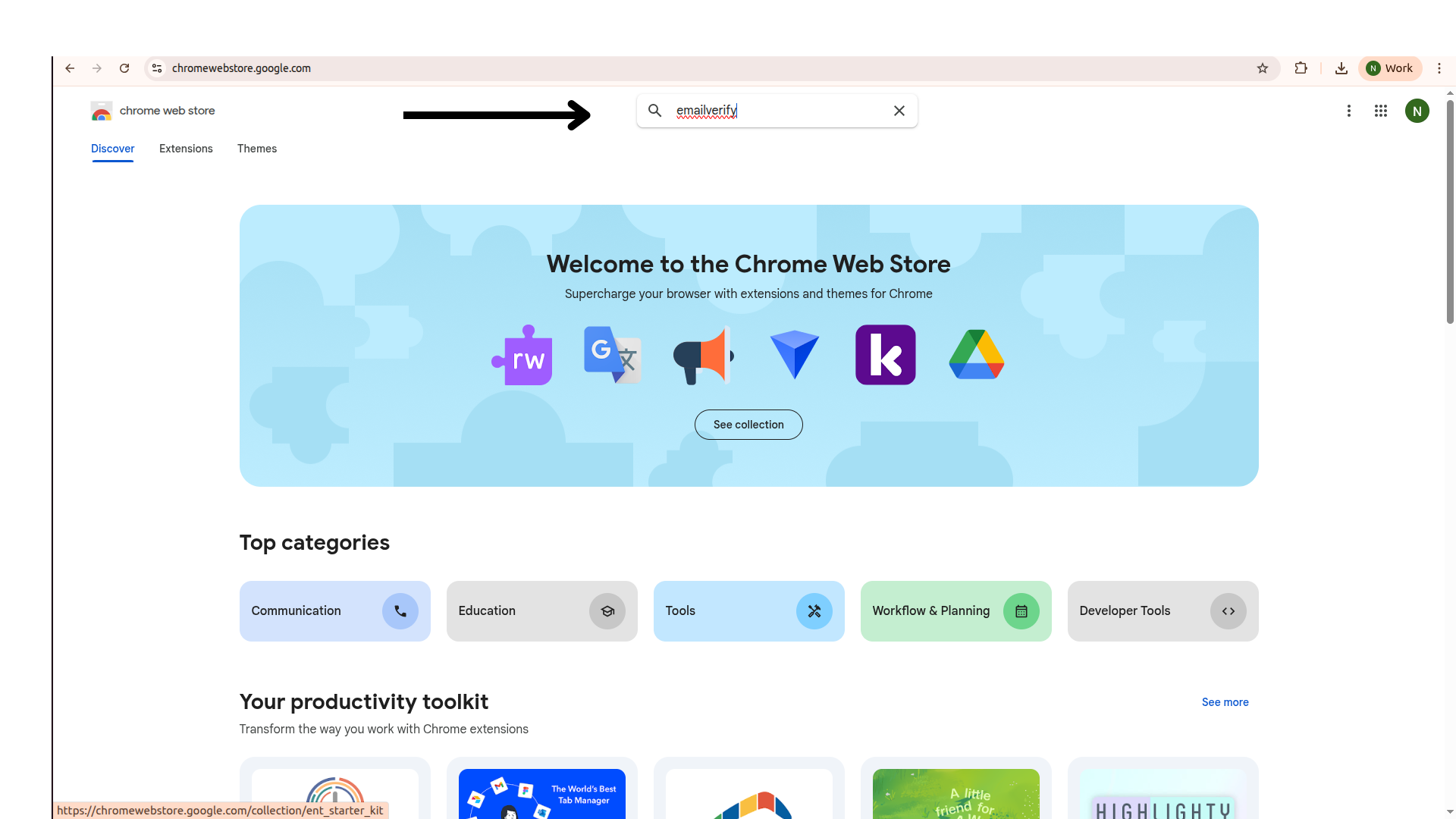
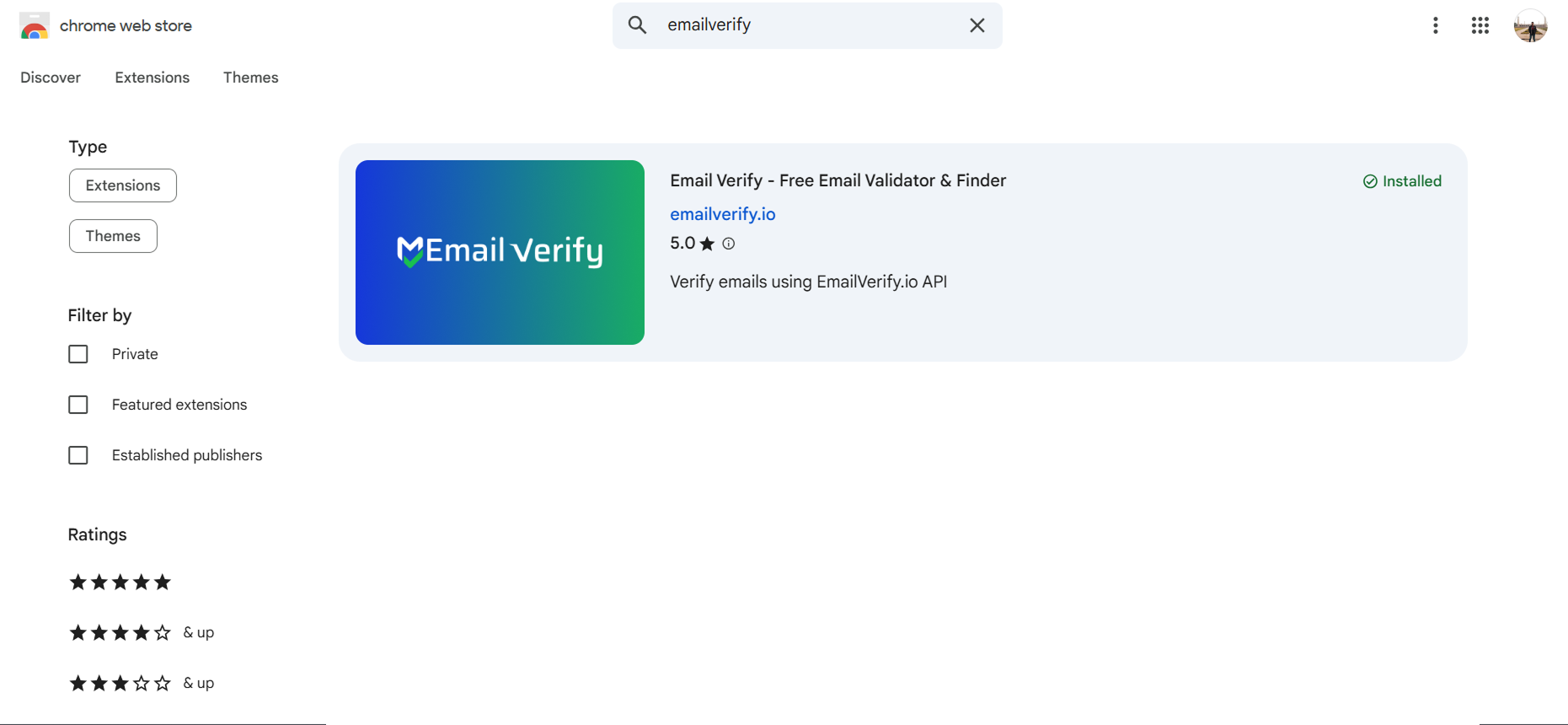
Step 2: Install the Extension
Click the Add to Chrome button and confirm any prompts. You’ll see the EmailVerify icon appear in your browser toolbar once it’s installed.
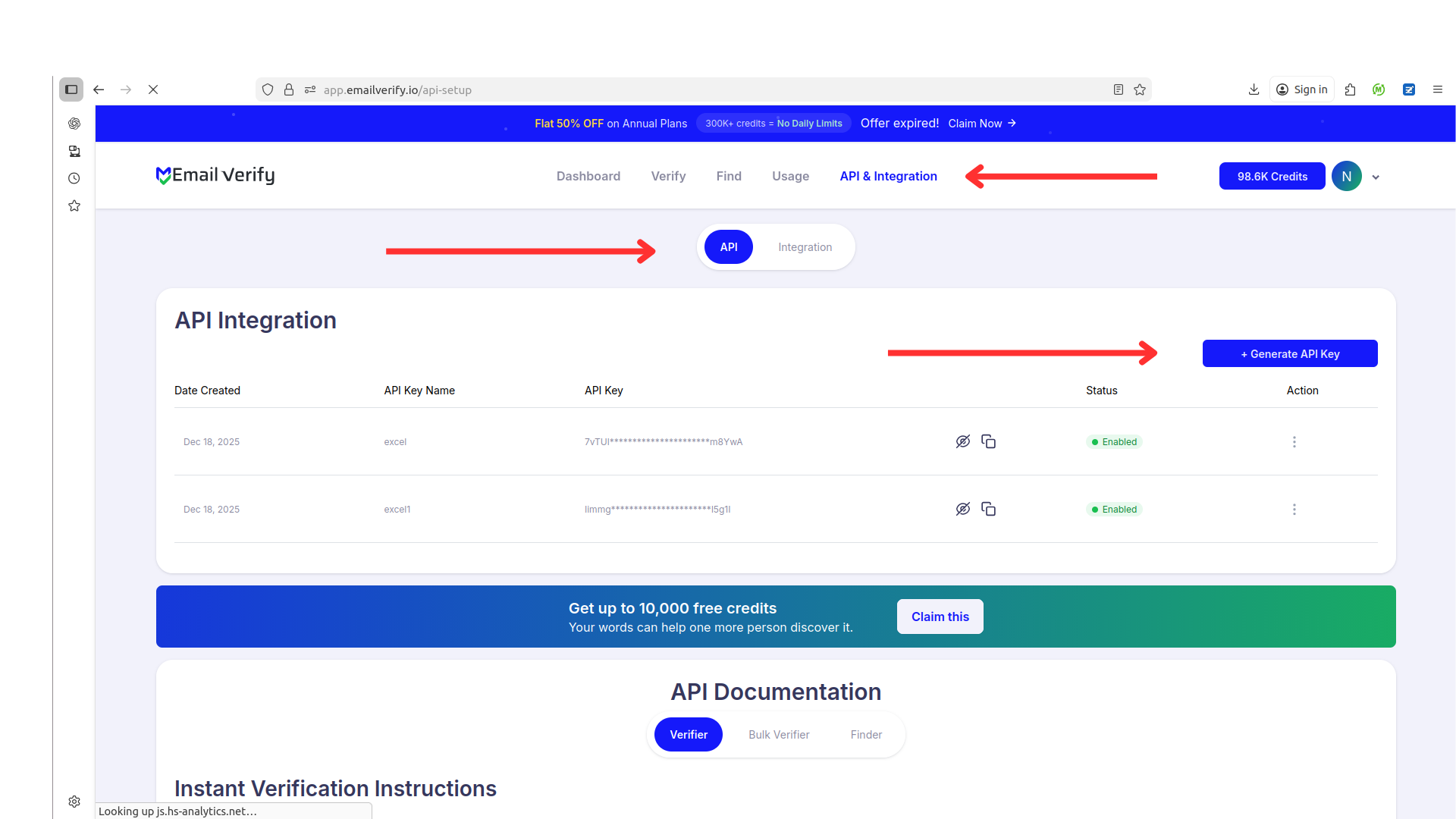
Step 3: Generate Your API Key
Log in to your EmailVerify.io account at app.emailverify.io and go to the API section. Click to generate your unique API key and copy it.
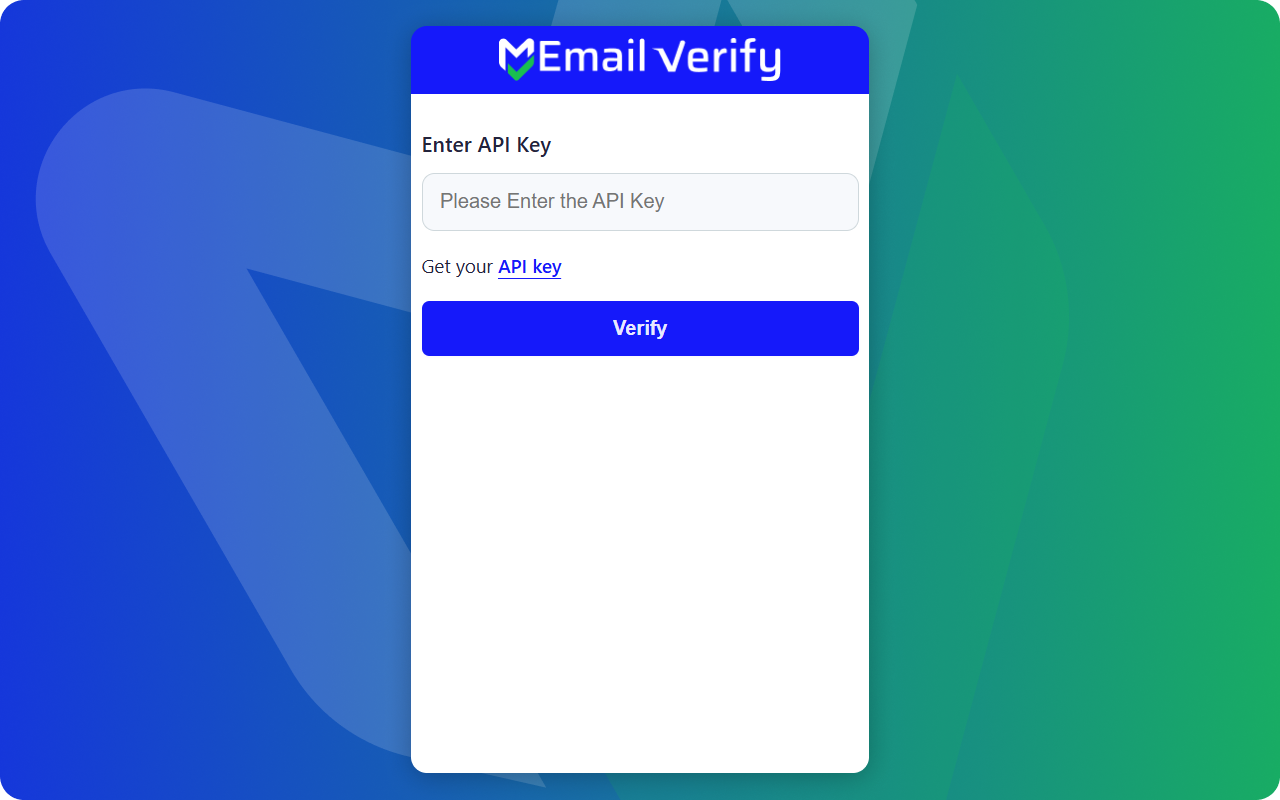
Step 4: Connect Your Account
Click the EmailVerify icon in your browser toolbar. Paste your API key into the settings field to link the extension with your account.
Step 5: Verify an Email
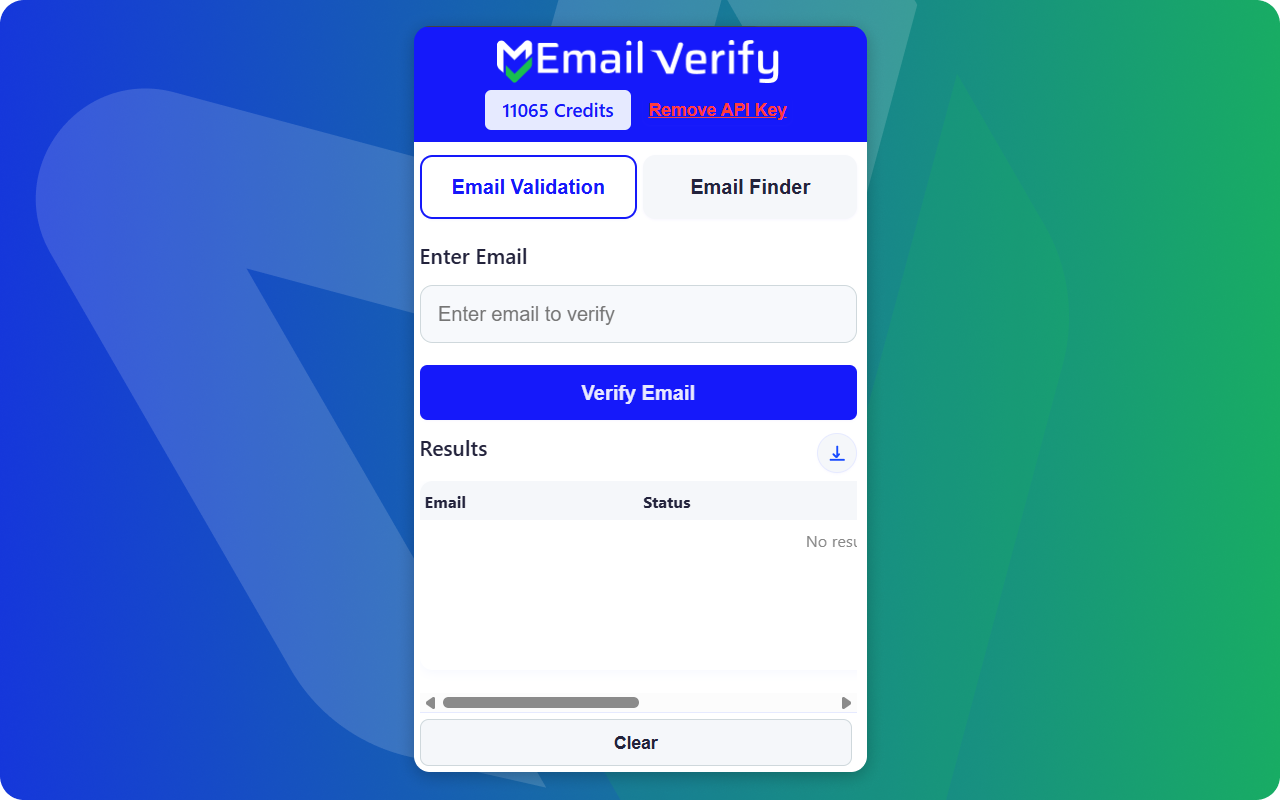
Type any email address into the extension’s search box and hit "Verify." You’ll immediately see whether the email is Valid, Invalid, or Disposable.
Step 6: Find Professional Emails
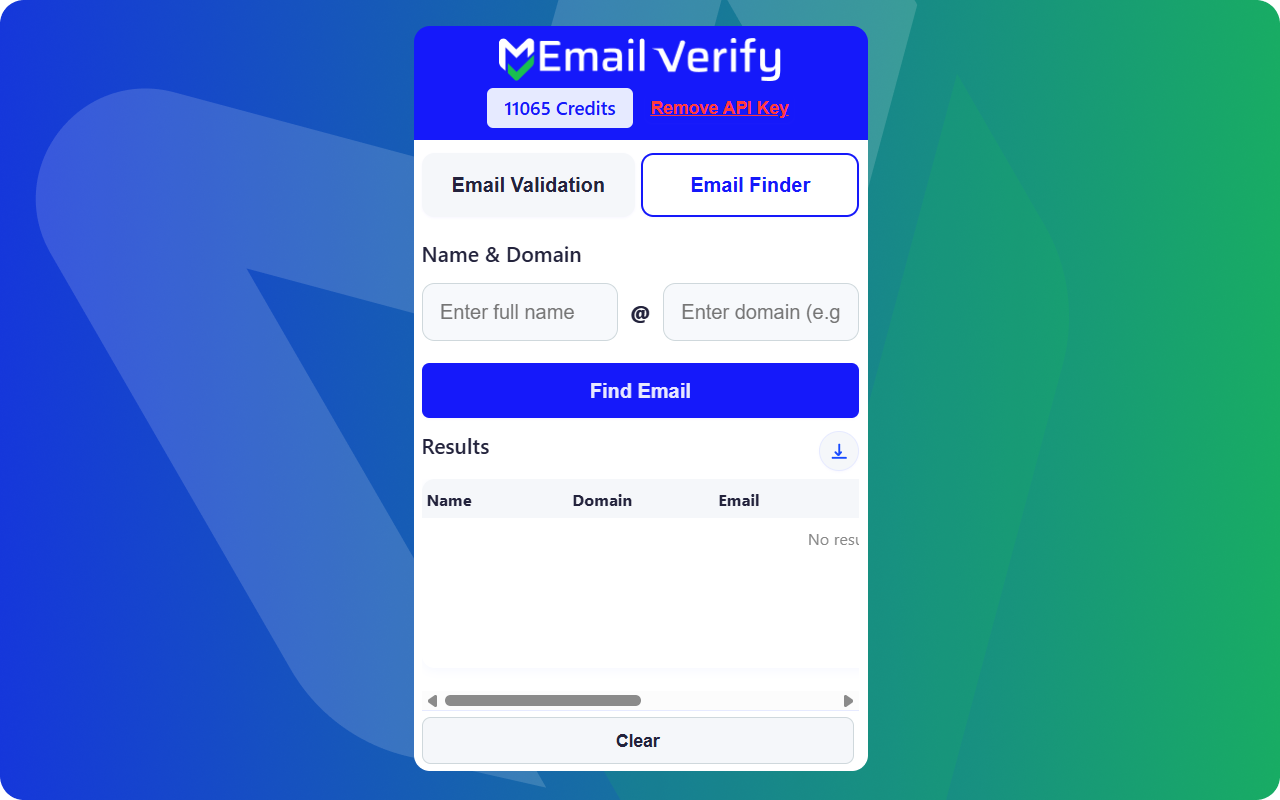
Switch to the Email Finder tab. Enter a person’s full name and company domain (e.g., google.com) and click "Find Email." The extension will generate the email and verify it in real time
Troubleshooting & Tips
For smooth use of the Chrome Extension, keep these tips in mind:
- Ensure your EmailVerify.io API key is correctly entered and active.
- Refresh the browser or extension if results do not appear immediately.
- Verify you are pasting the email in the correct field.
- Use the Email Finder tab carefully; enter full names and accurate domains.
- Check your account credits regularly; verification consumes emailverify.io credits.
Next Steps
Verify Emails Instantly as You Browse!
Use EmailVerify.io in Chrome to confirm emails before taking action.