
EmailVerify.io-WordPress Plugin
Keep your WordPress site clean and your user data accurate with real-time email verification. The EmailVerify.io WordPress plugin integrates smoothly with popular form builders and WooCommerce, blocking disposable, fake, or mistyped email addresses instantly.
With just a few clicks, you can secure your forms and registrations, making every interaction on your site reliable and actionable.
Prerequisites
Before installing the plugin, make sure you have:
- An active EmailVerify.io account
- Your EmailVerify.io API Key ready
- Access to a WordPress site (any version that supports plugins)
Step-by-Step Plugin Setup
Follow these steps to install and configure this WordPress plugin:
Step 1: Install the Plugin
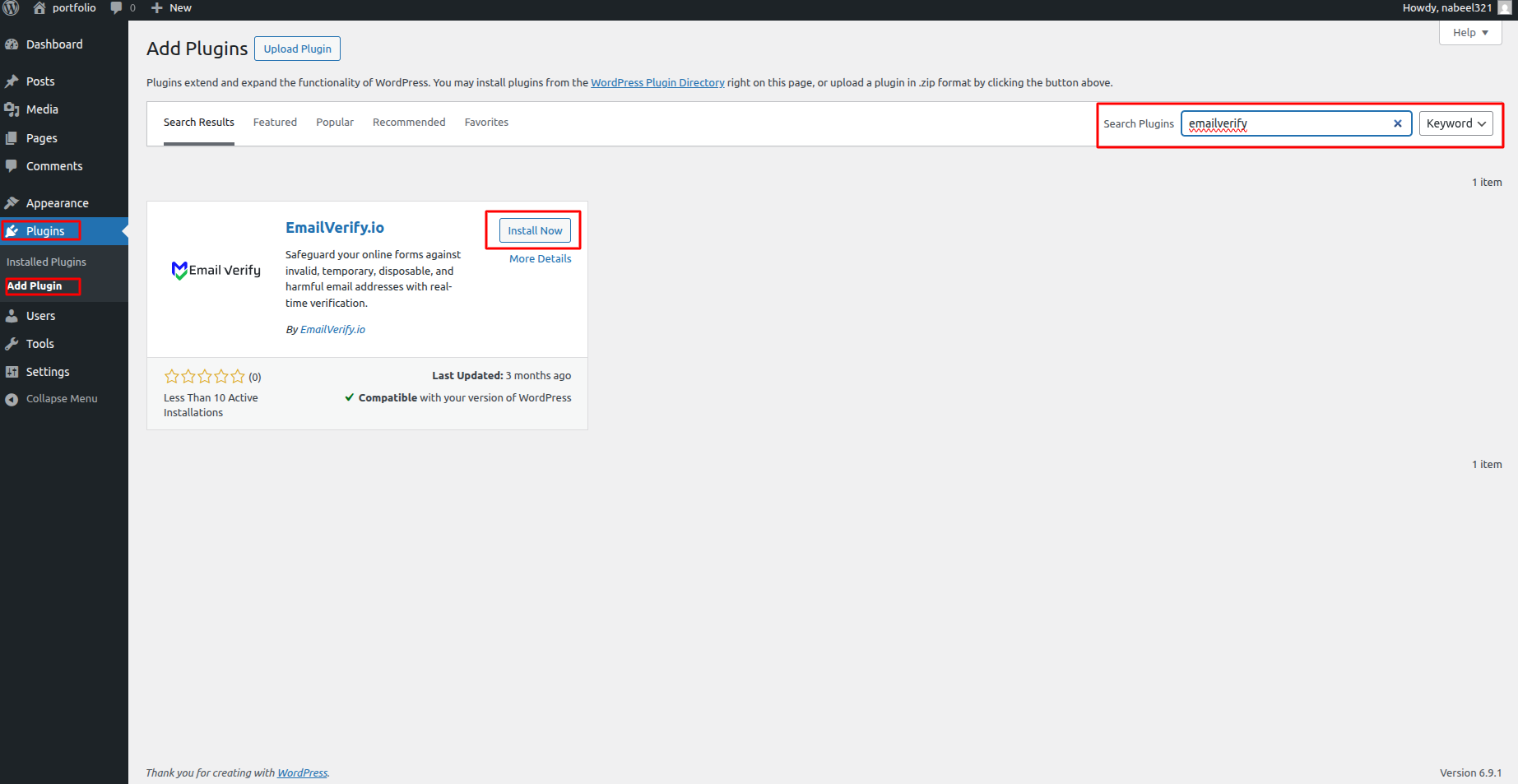
Log in to your WordPress dashboard. Navigate to Plugins > Add New, search for “EmailVerify,” click Install Now, and then Activate.
Step 2: Generate Your API Key
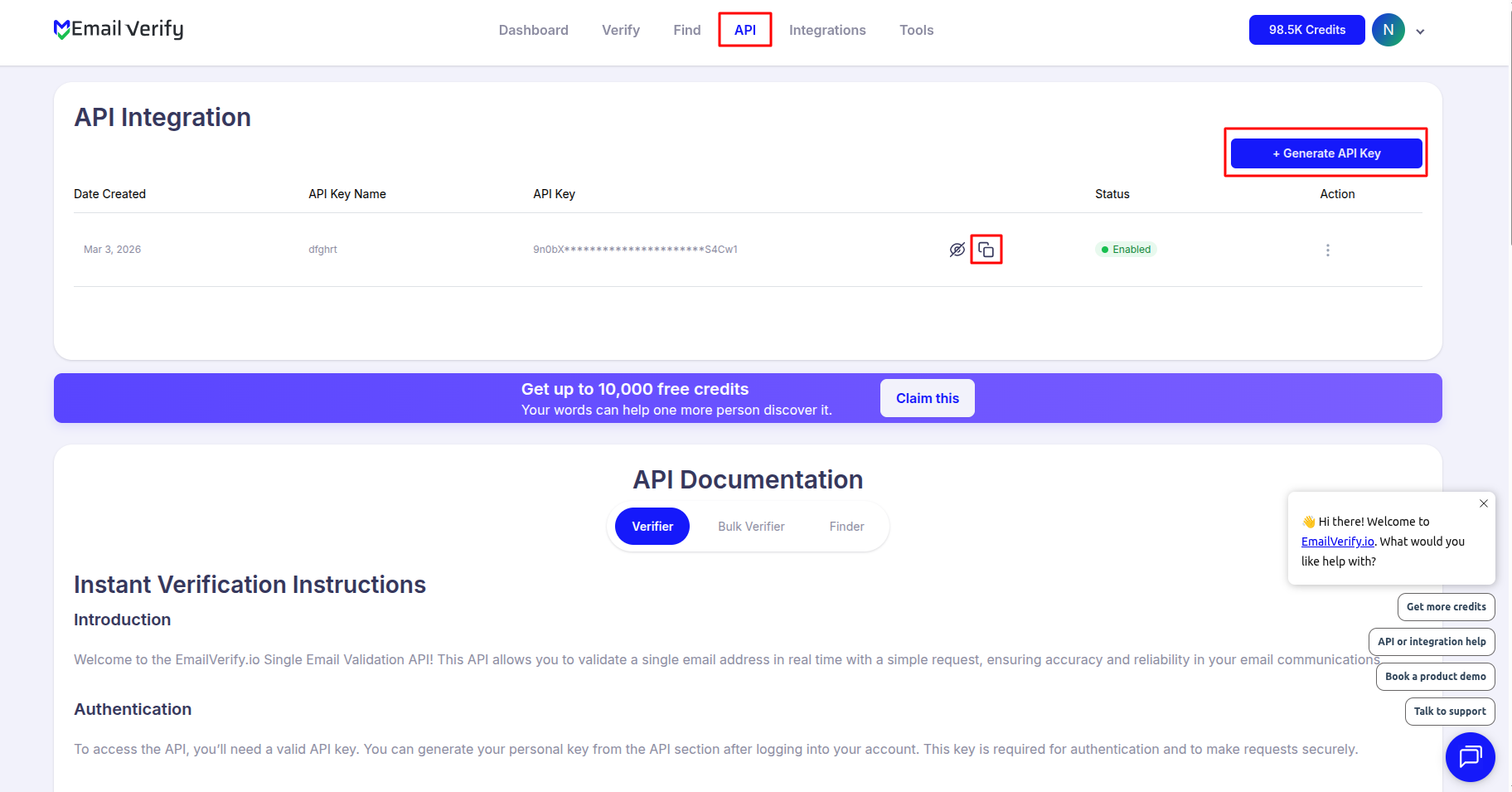
Sign in to your EmailVerify.io account at app.emailverify.io. Go to the API section, click Generate, and copy your API Key.
Step 3: Connect the Plugin
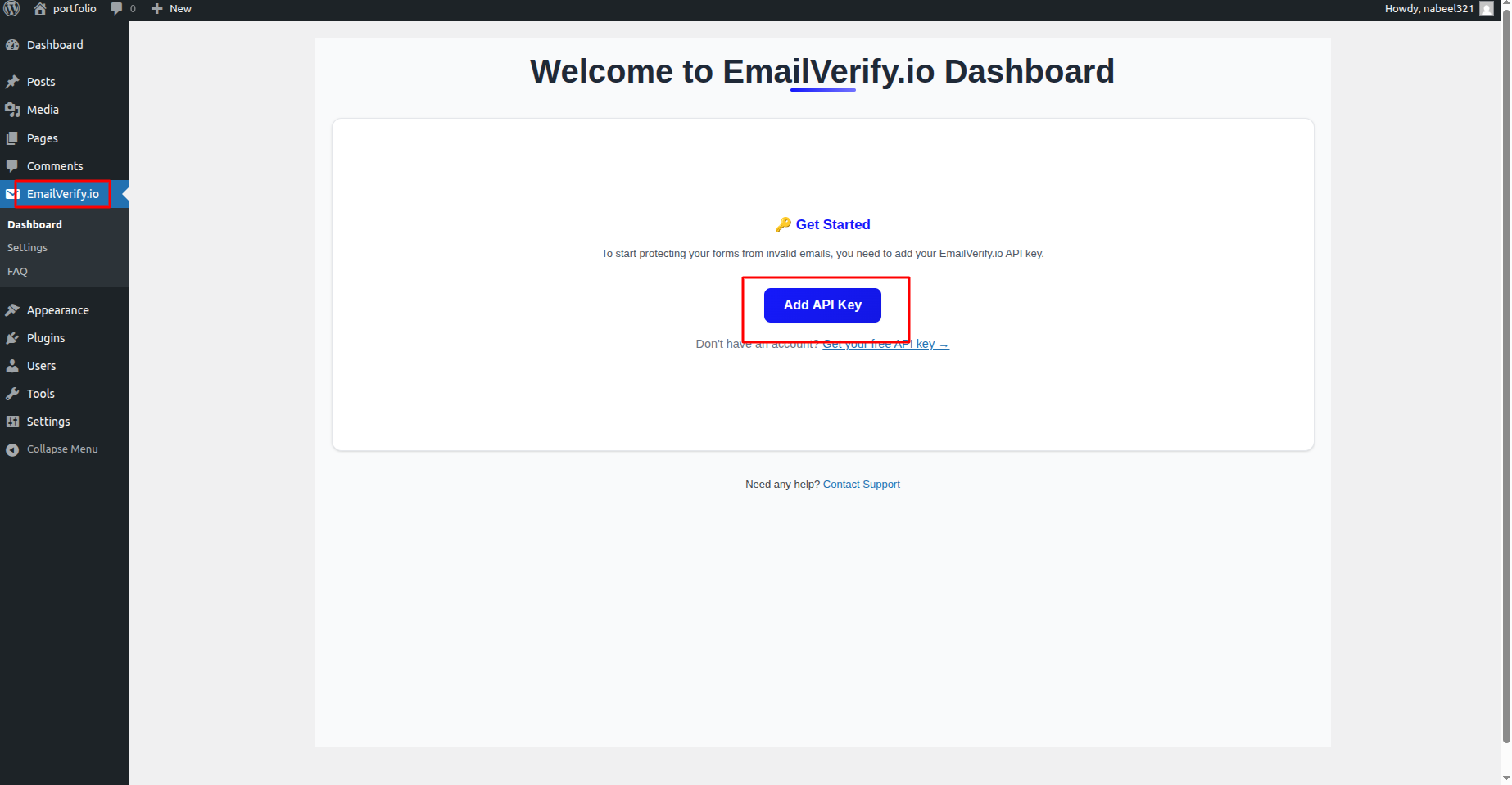
In your WordPress sidebar, go to Settings > EmailVerify, paste your API Key into the designated field, and click Save Settings.
Step 4: Configure Form Integrations
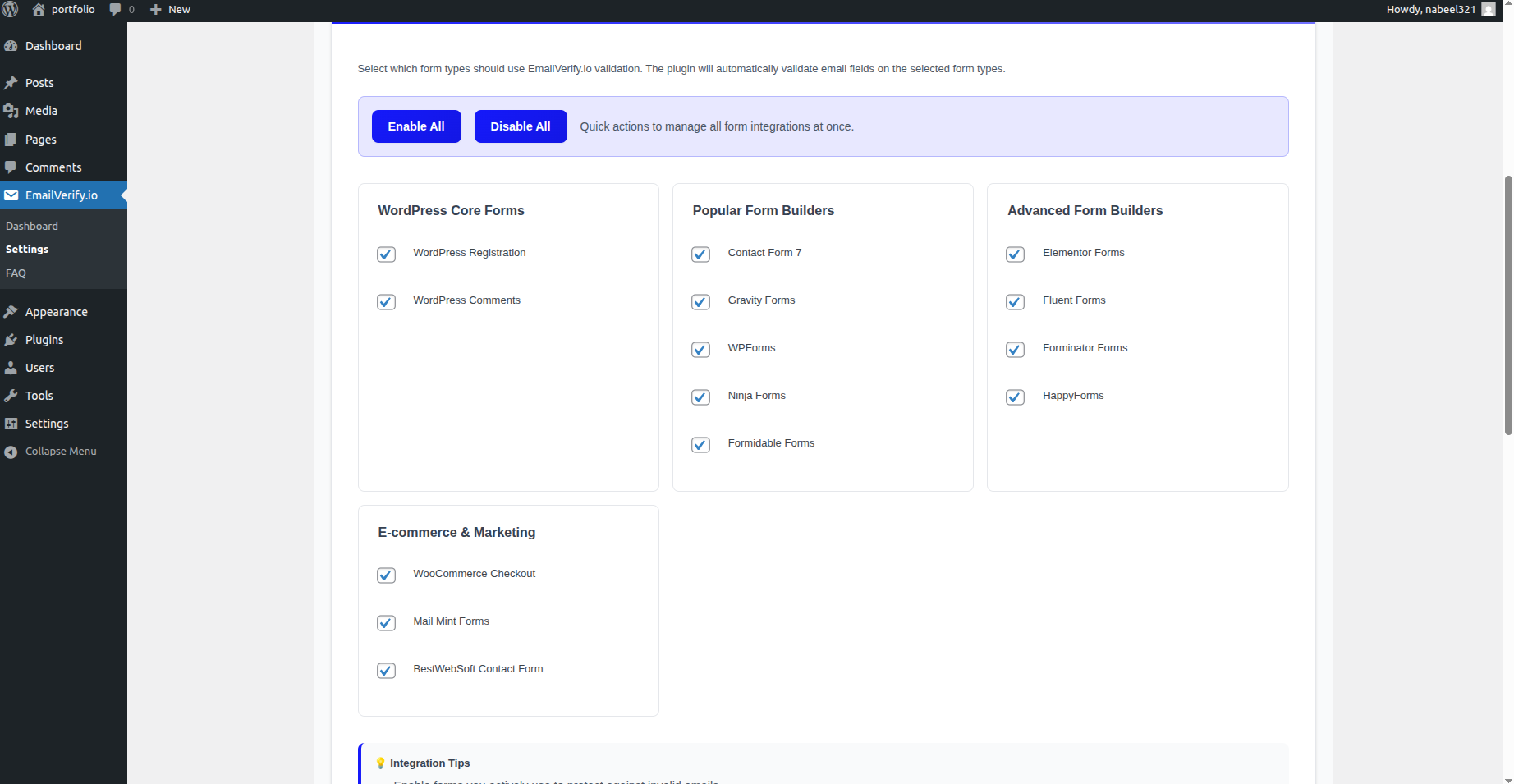
Switch to the Integrations tab from the plugin settings. Toggle the forms you want to protect, such as Contact Form 7, WPForms, or WooCommerce checkout forms.
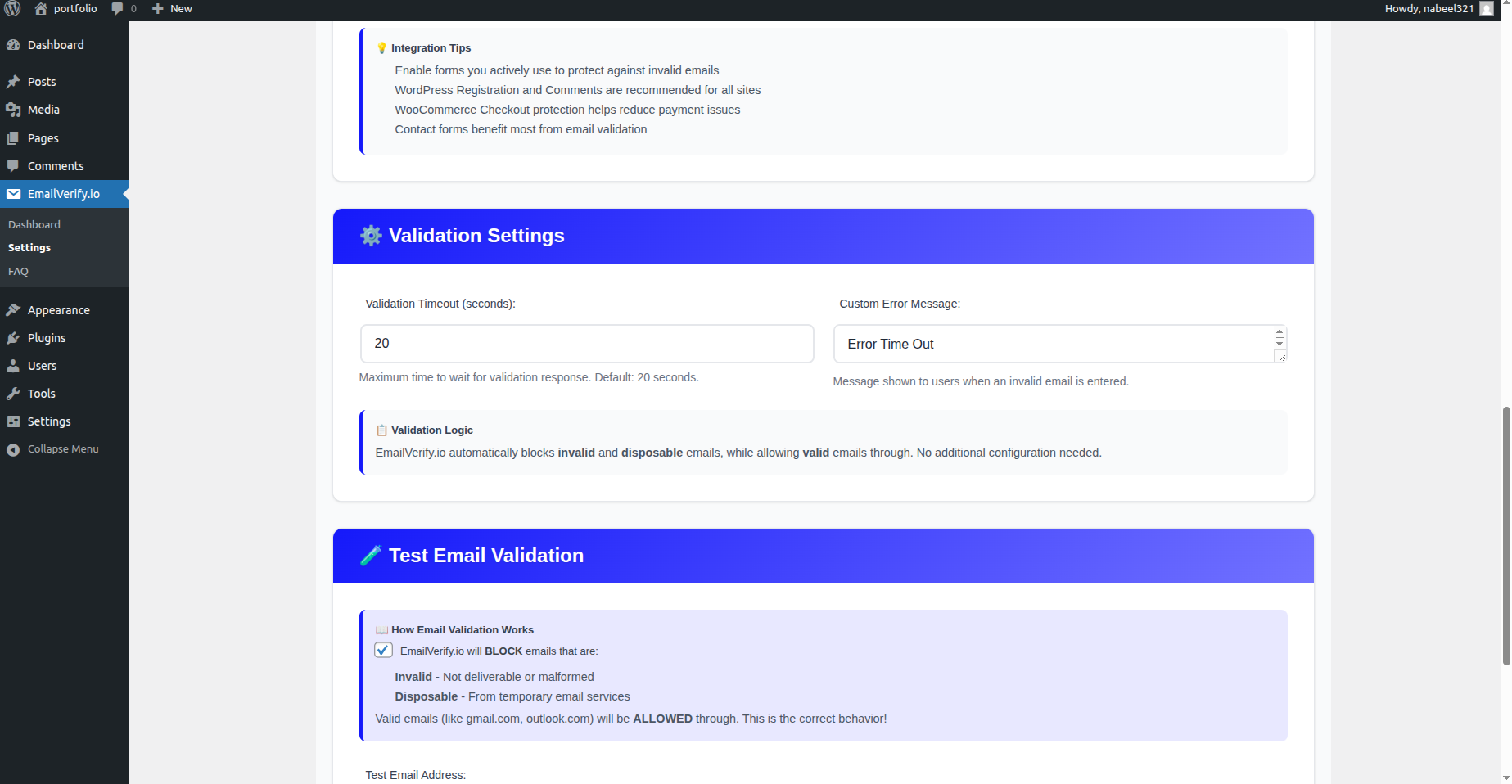
Step 5: Customize Error Messages
Go to the Messages tab to create custom messages for users who enter invalid or disposable emails.
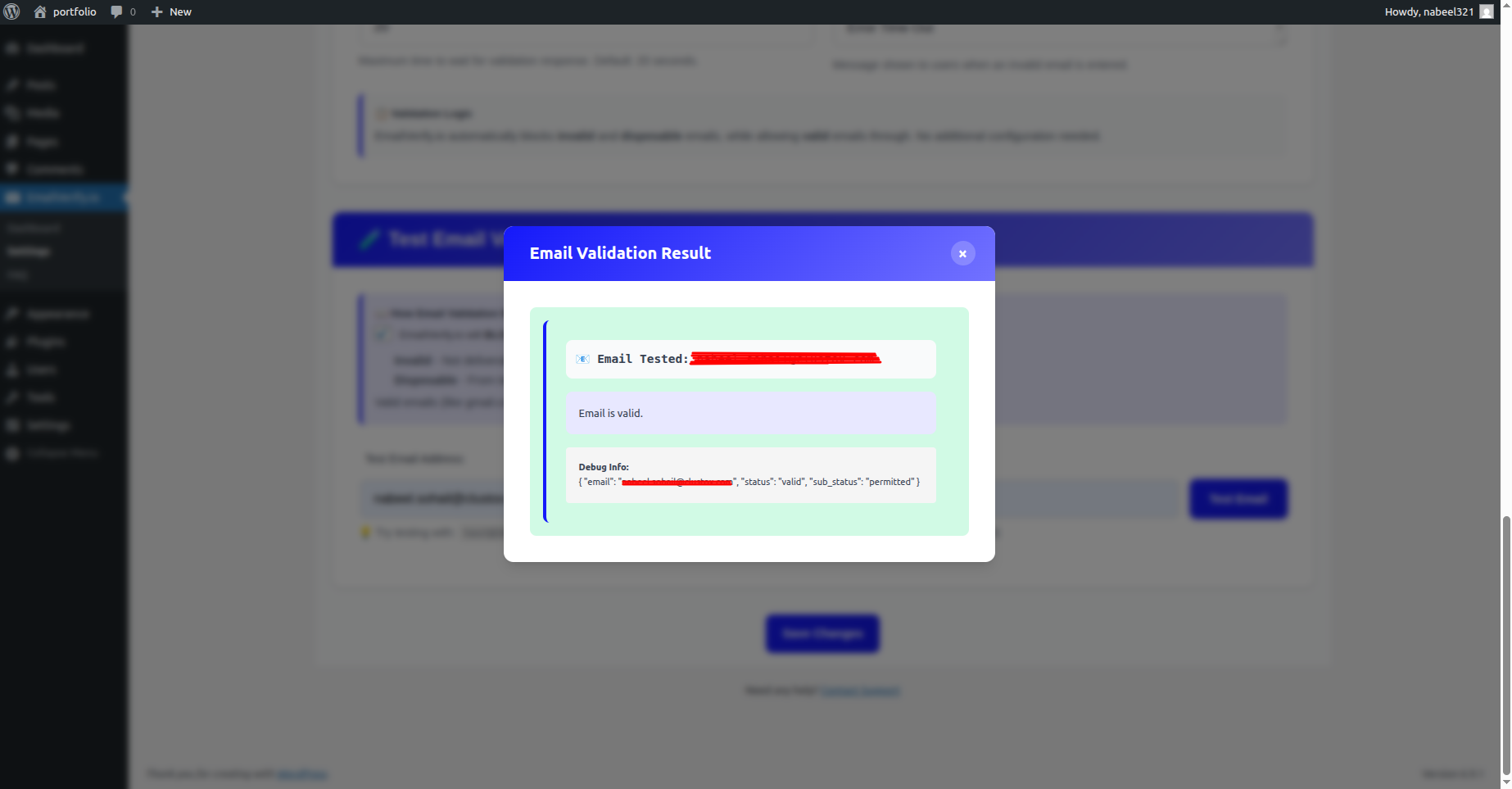
Step 6: Test Your Forms
Open your website in an incognito window and submit a test form with a fake email. Your custom error message should block the submission, confirming the plugin is working.
Key Features
Here’s what makes the EmailVerify.io WordPress plugin a must-have for keeping your site’s email data clean and reliable:
- Popular Form Support: Works with Contact Form 7, WPForms, Ninja Forms, Gravity Forms, and default WordPress registration forms.
- Block Disposable Emails: Detect and block temporary or “burn” email addresses instantly.
- WooCommerce Validation: Verify customer emails at checkout to ensure invoices and notifications reach the right inbox.
- Real-Time SMTP Checks: Instant validation as users type their email addresses.
- User Registration Protection: Keep your WordPress user database clean from fake accounts.
- Easy API Integration: No coding required; just paste your EmailVerify.io API key and go.
Troubleshooting & Tips
If you encounter any issues while using the plugin, these tips will help you troubleshoot quickly and ensure everything runs smoothly:
- Double-check your API Key is correct and active.
- Ensure the correct forms are enabled in the Integrations tab.
- Test your forms in incognito mode to avoid cached errors.
- Review your EmailVerify.io account credits regularly, as each validation uses one credit.
- For WooCommerce, make sure checkout pages are fully loaded before testing.
Next Steps
Secure Every Form on Your Site Now!
Protect all user registrations and form submissions instantly with EmailVerify.io. Only valid emails will get through, keeping your WordPress database clean and your email campaigns effective.