
Integration with Benchmark Email
The EmailVerify.io integration with Benchmark Email allows you to connect your Benchmark account directly to EmailVerify.io for seamless email list verification. Once connected, you can import your Benchmark Email contact lists, validate them, and download the cleaned results for updating your lists.
This integration helps you identify invalid, disposable, and catch-all email addresses before launching campaigns, enabling better list hygiene and improved deliverability.
Prerequisites
Before setting up the integration, make sure you have:
- An active Benchmark Email account
- An EmailVerify.io account with available credits
- Access to your Benchmark Email API Key
Step-by-Step Integration Setup
Follow these steps to connect Benchmark Email with EmailVerify.io:
Step 1: Log in to EmailVerify.io
Go to https://app.emailverify.io/users/sign_in and sign in. Navigate to the Integrations section and search for "Benchmark."
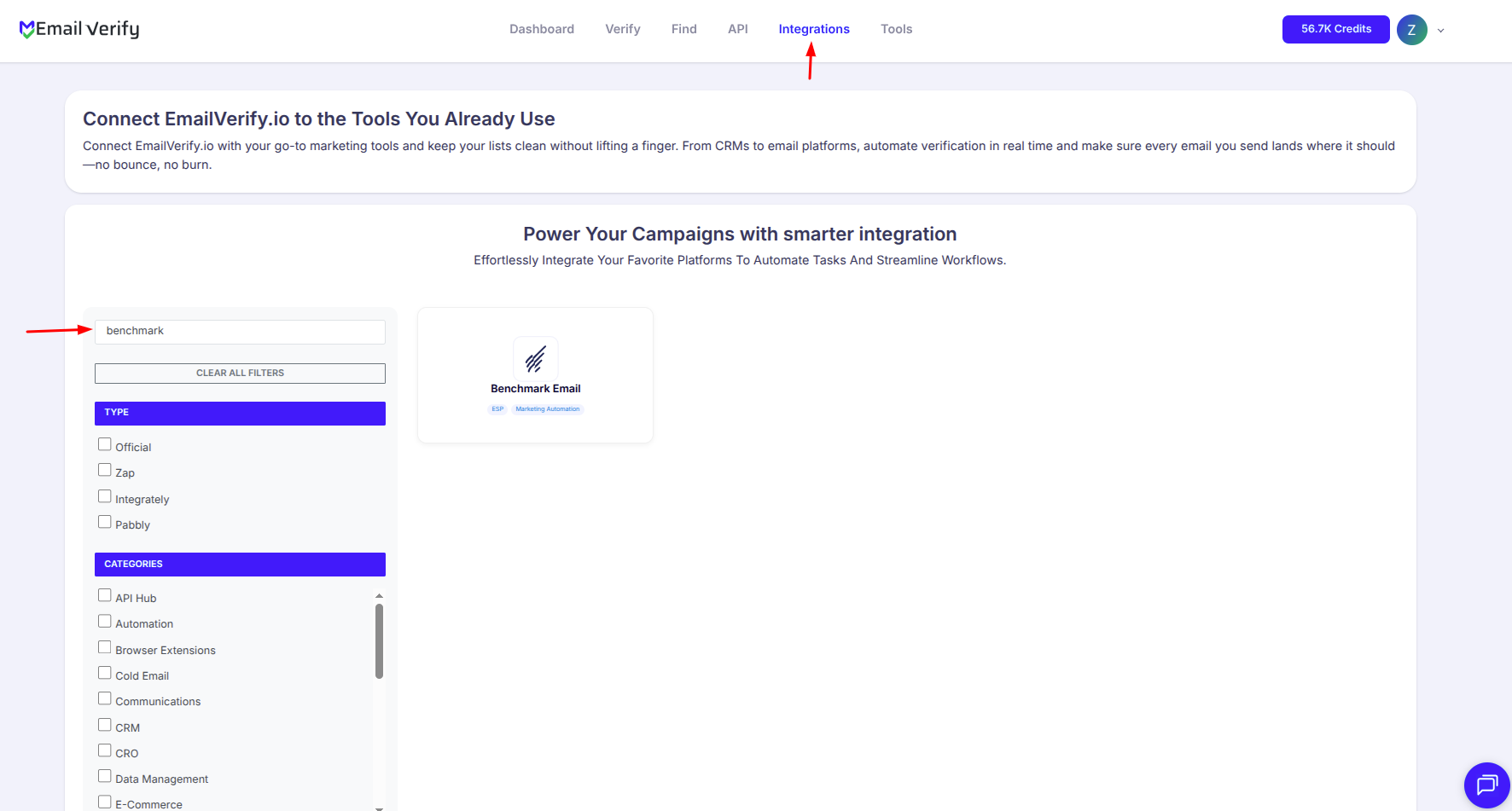
Step 2: Choose Benchmark Email
Select Benchmark Email from the list of integrations. You will be prompted to enter your Benchmark Email API Key to establish a secure connection.
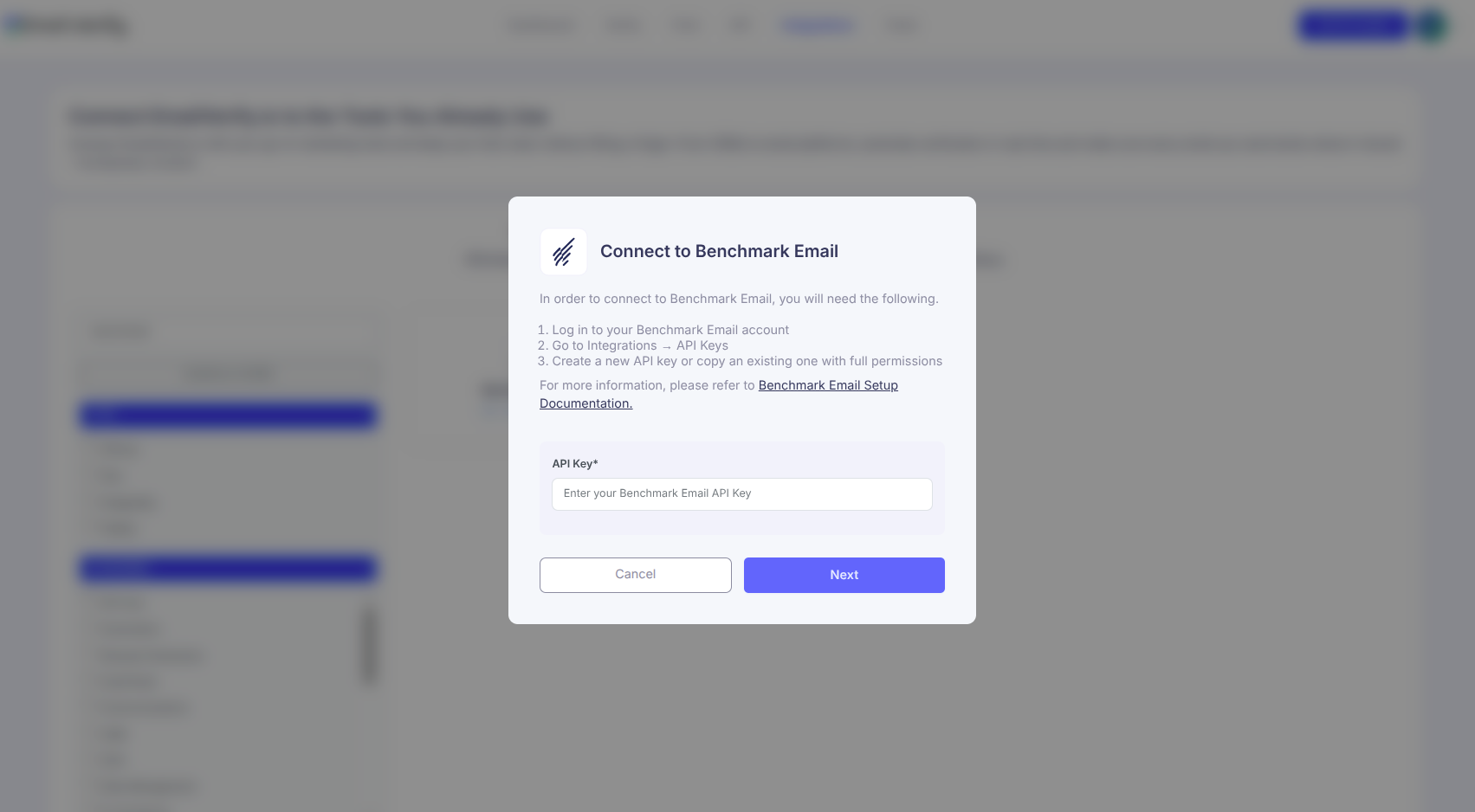
Step 3: Get Your API Key from Benchmark Email
Log in to your Benchmark Email account, navigate to Integrations > API Key, and copy your API Key for use in EmailVerify.io.
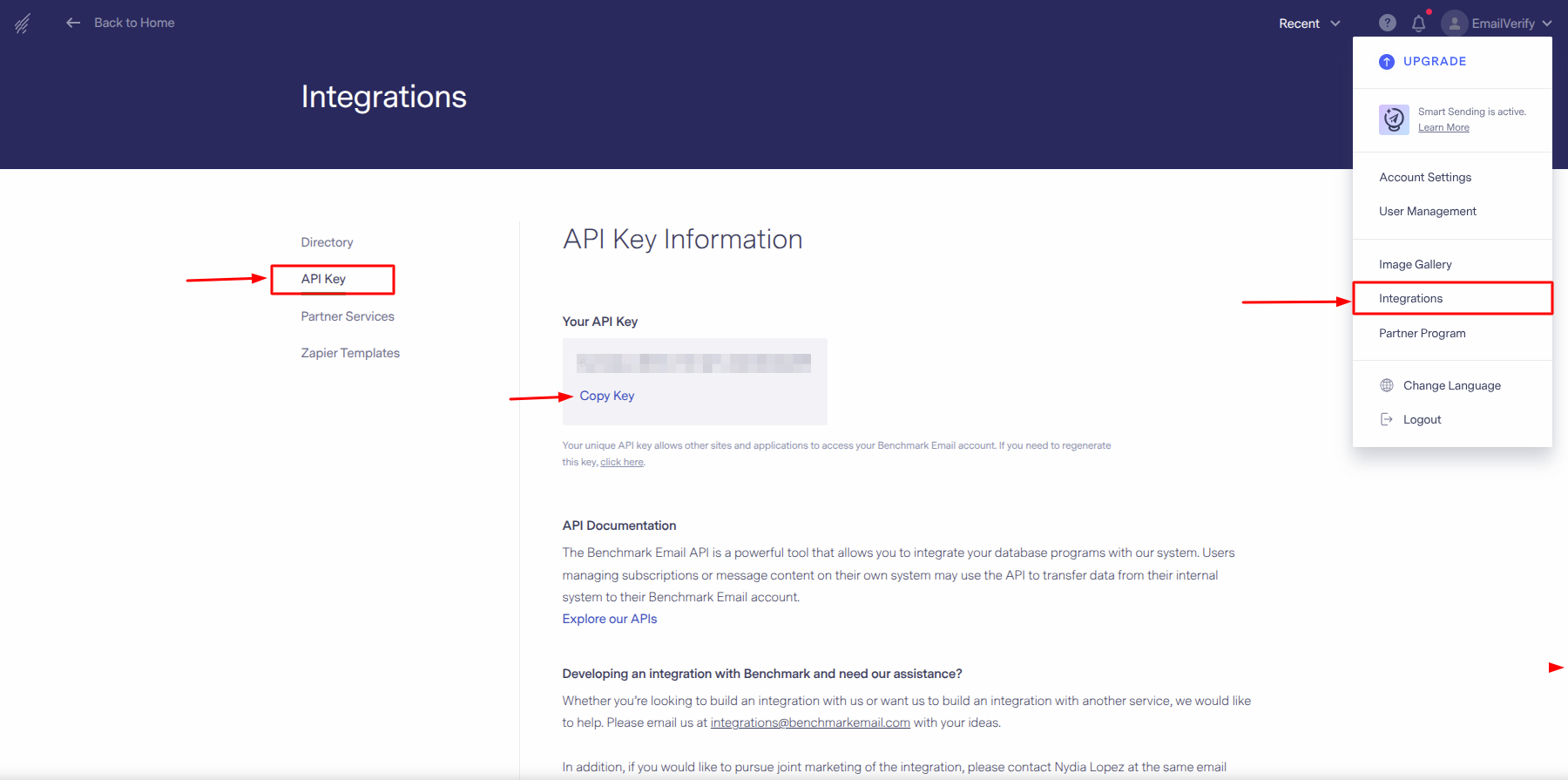
Step 4: Authorize the Connection
Paste the API Key into EmailVerify.io and confirm to securely connect your Benchmark Email account. Once completed, your benchmark email lists will be available for verification.
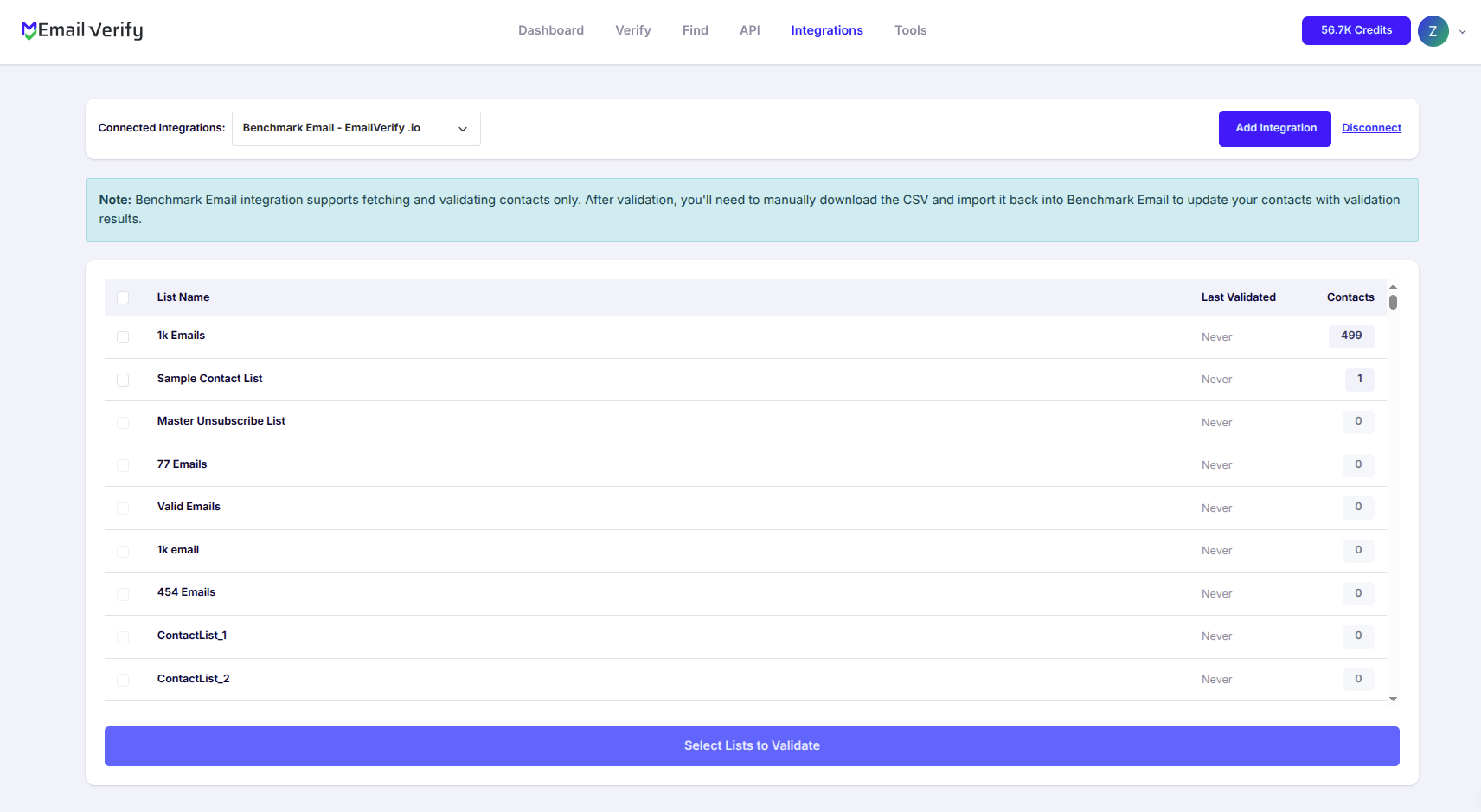
Step 5: Select Lists to Verify
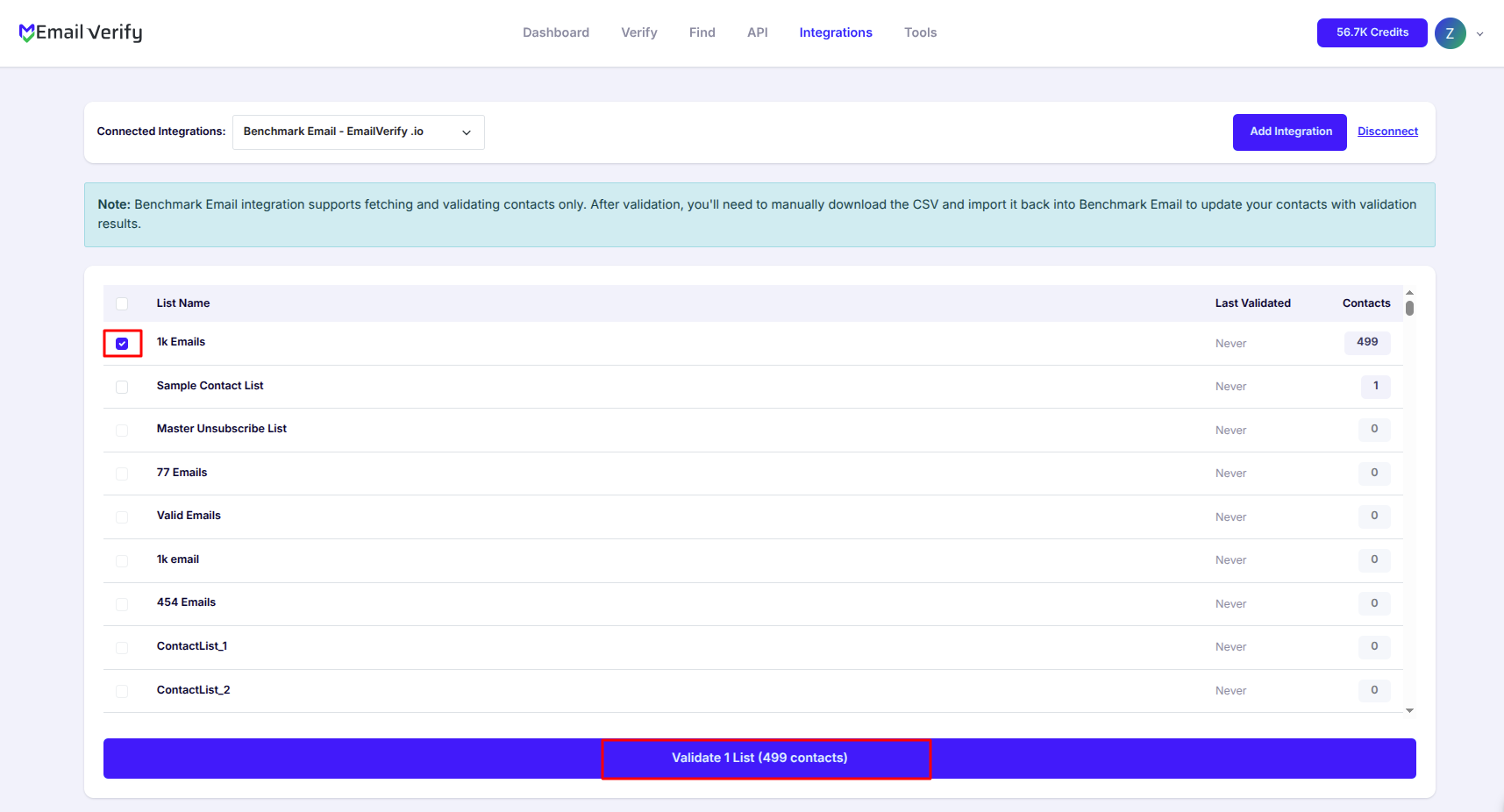
Choose the Benchmark Email lists you want to verify by checking the corresponding boxes, then click the Validate List button to start the verification process.
Step 6: Monitor Progress
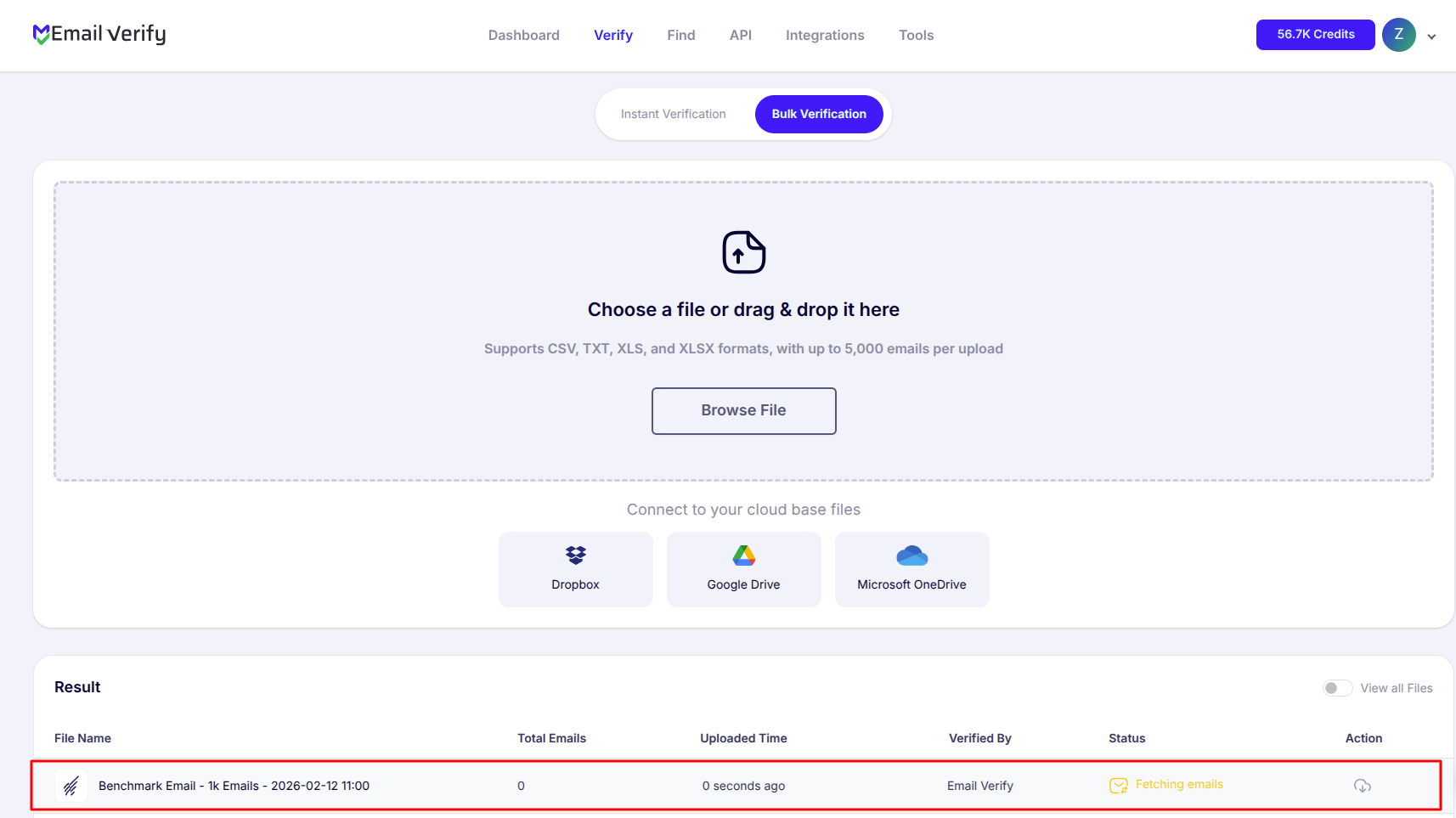
After the verification starts, you will be redirected to the Bulk Verification page, where you can track the progress of your selected lists as they are processed.
Note: Verification results are not automatically synced back to Benchmark Email.
Step 7: Download Results
After processing is complete, you’ll receive an email notification. Click Download to access your verified data.
Note: You must manually update your benchmark email lists using the downloaded results.

Troubleshooting & Tips
If you encounter any issues, these simple tips can help you troubleshoot:
- Ensure your Benchmark Email API Key is valid and entered correctly.
- Refresh the Integrations page if your lists don’t appear and confirm your API permissions.
- For very large lists, verify in smaller batches to maintain smooth processing.
- Since verification results are not synced automatically, remember to download and update your lists manually.
Next Steps
Start Verifying Your Benchmark Email Lists Today!
Connect your account to EmailVerify.io and clean your contacts for better campaign results.