
Integration with Brevo
Keep your Brevo email lists clean, accurate, and fully optimized for deliverability with EmailVerify.io. This integration allows you to identify invalid addresses before sending campaigns, reducing bounces and protecting your sender reputation.
Import your Brevo contacts, verify them in real time, and automatically sync the results back without ever leaving your EmailVerify.io account.
Prerequisites
Before you begin, make sure you have:
- An active Brevo account.
- An EmailVerify.io account.
- Access to your Brevo API Key (you’ll generate this in the Brevo dashboard)
Step-by-Step Setup
Follow these steps to connect EmailVerify.io with Brevo and start verifying your lists:
Step 1: Sign in to EmailVerify.io
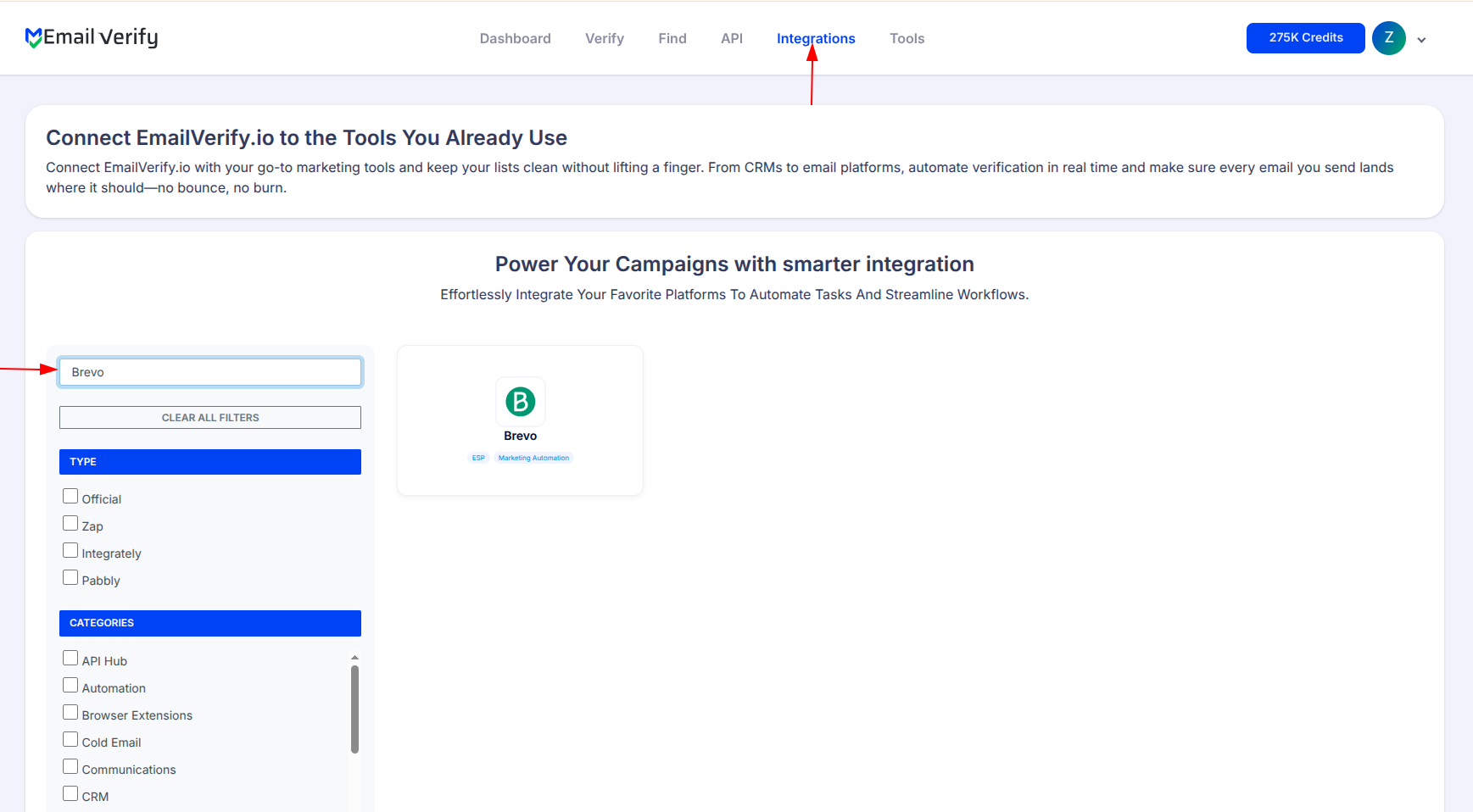
Go to EmailVerify.io log in, and sign up. Navigate to the Integrations section and search for Brevo.
Step 2: Select Brevo Integration
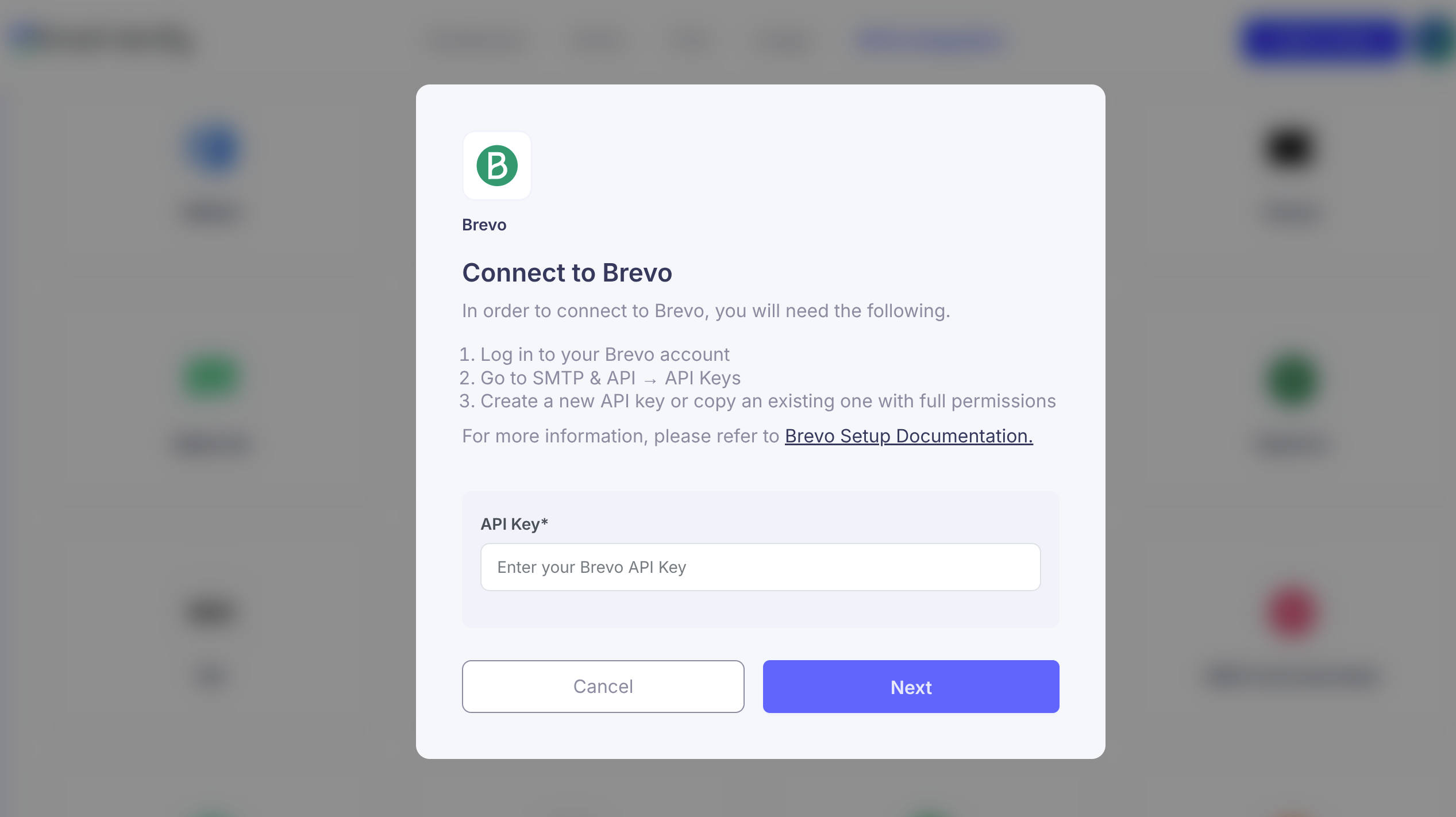
On the Integrations page, click Brevo. You will be prompted to enter your Brevo API Key to securely connect your accounts.
Step 3: Generate Brevo API Key
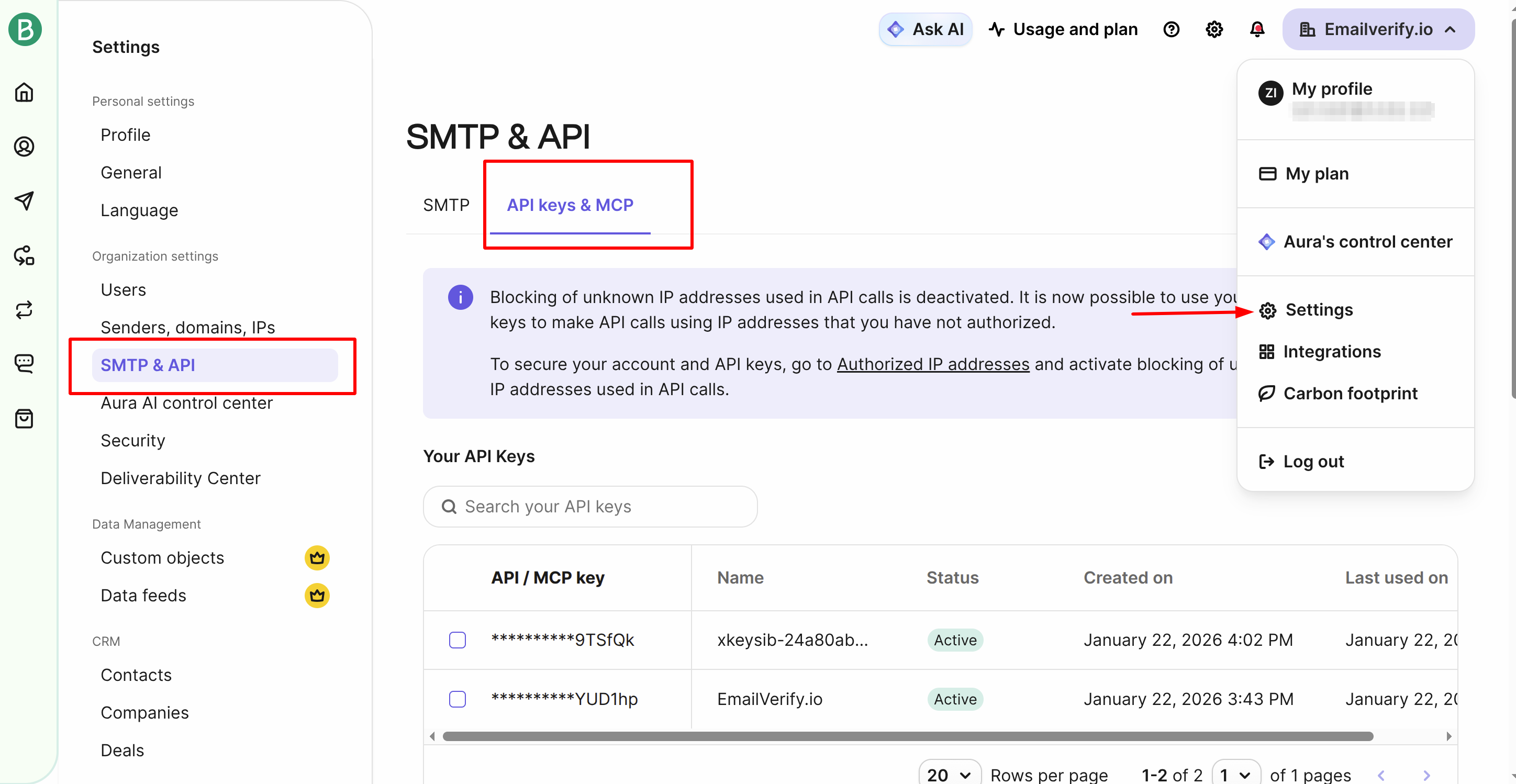
- Sign in to your Brevo account.
- Go to Settings > SMTP & API > API Keys.
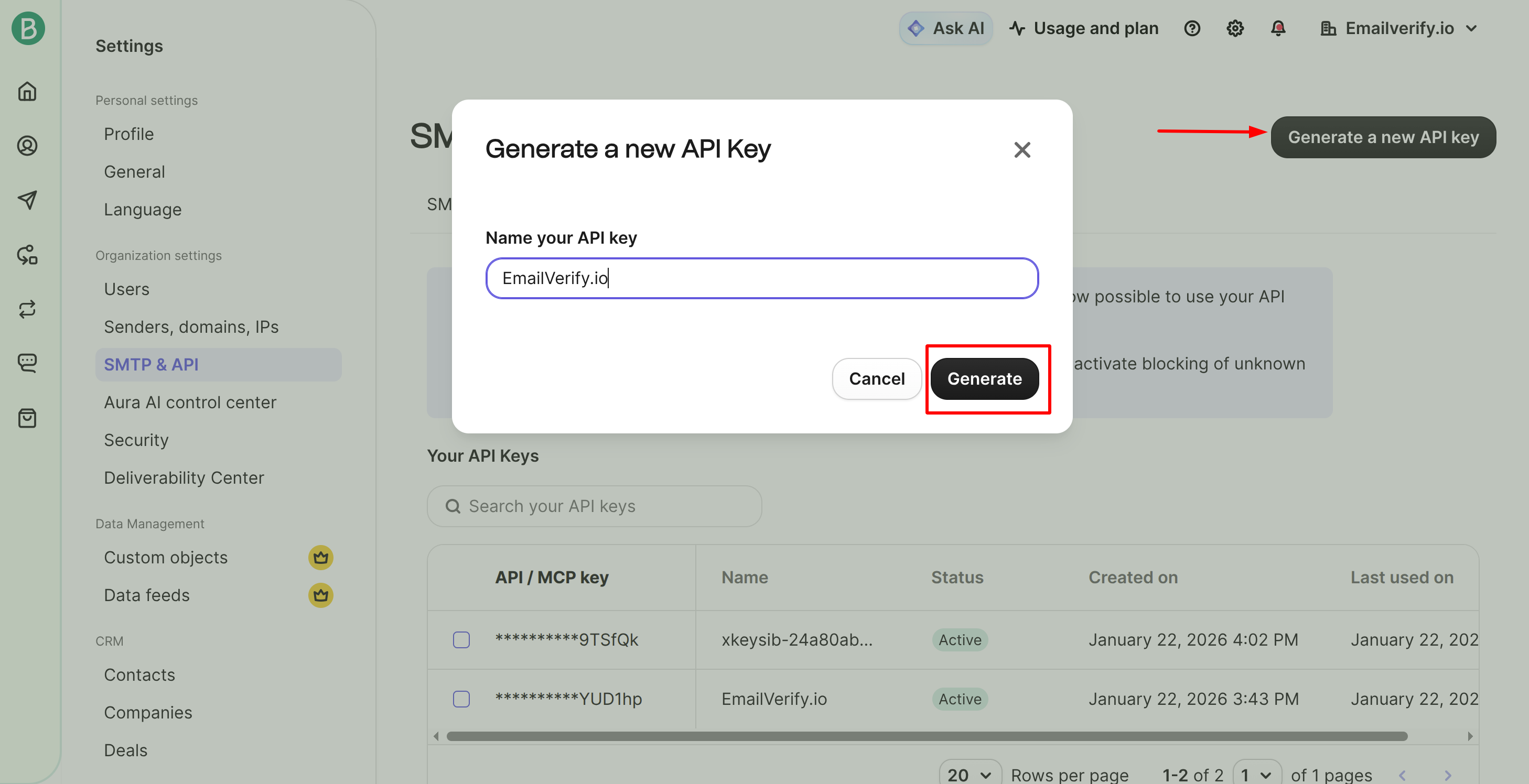
- Click "Generate a new API Key" and copy it.
Step 4: Connect EmailVerify.io
Paste the copied API Key into EmailVerify.io to authorize the connection.
Step 5: View Your Lists
Once connected, your Brevo contact lists will appear in the EmailVerify.io Integrations page.
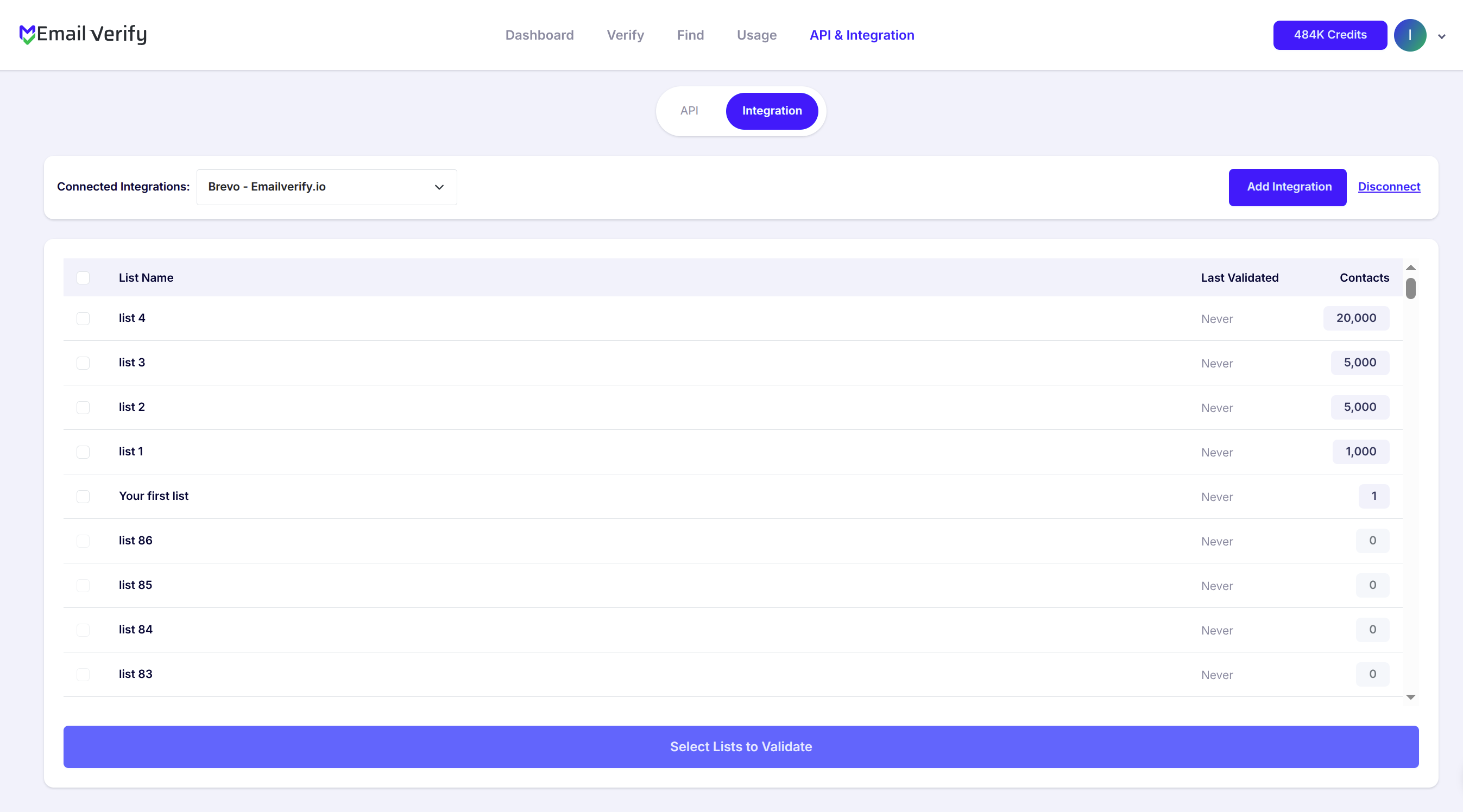
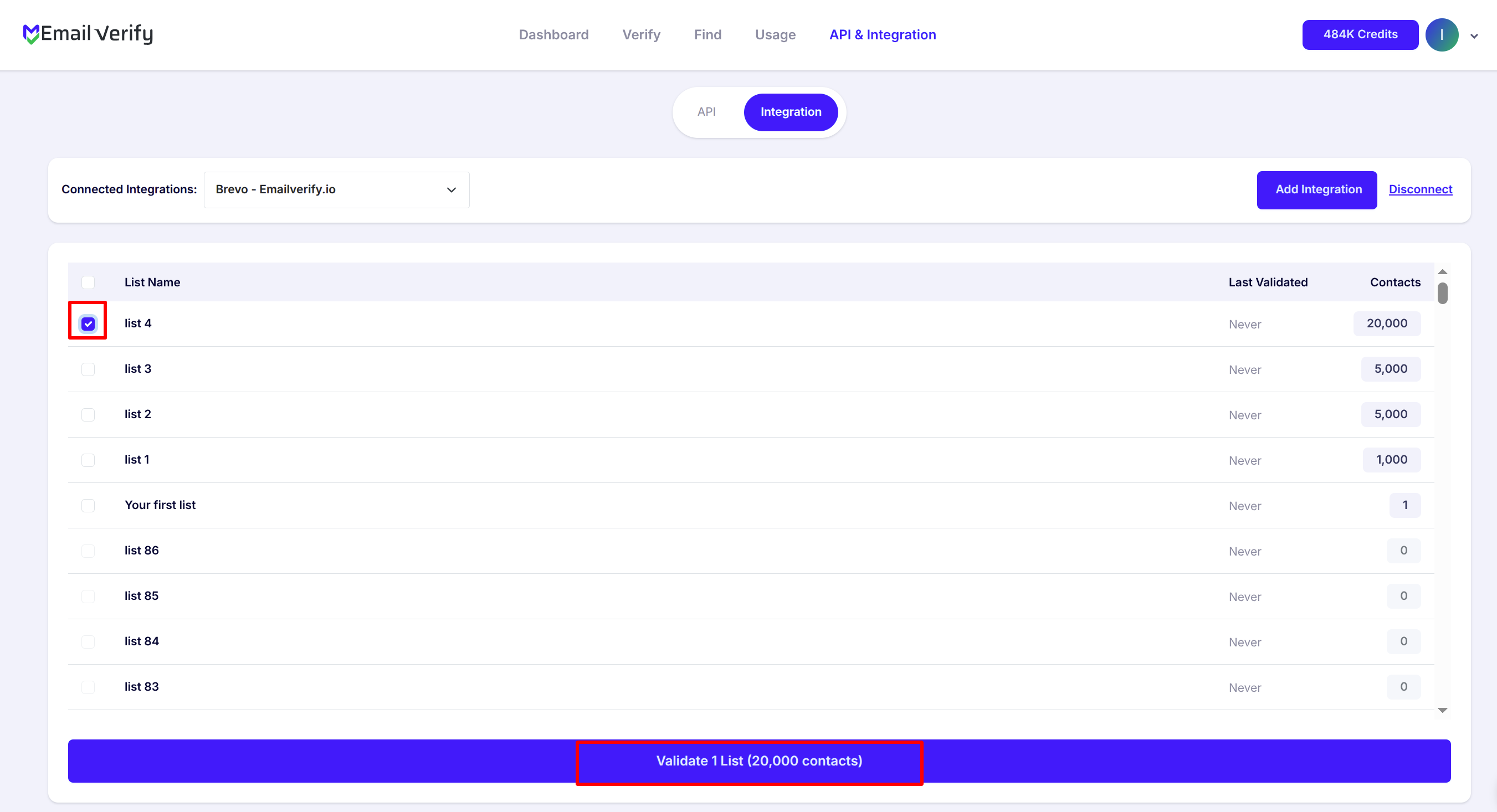
Step 6: Select Lists to Verify
Check the box next to the lists you want to verify, then click Validate.
Note: Validation results are automatically exported back to Brevo.
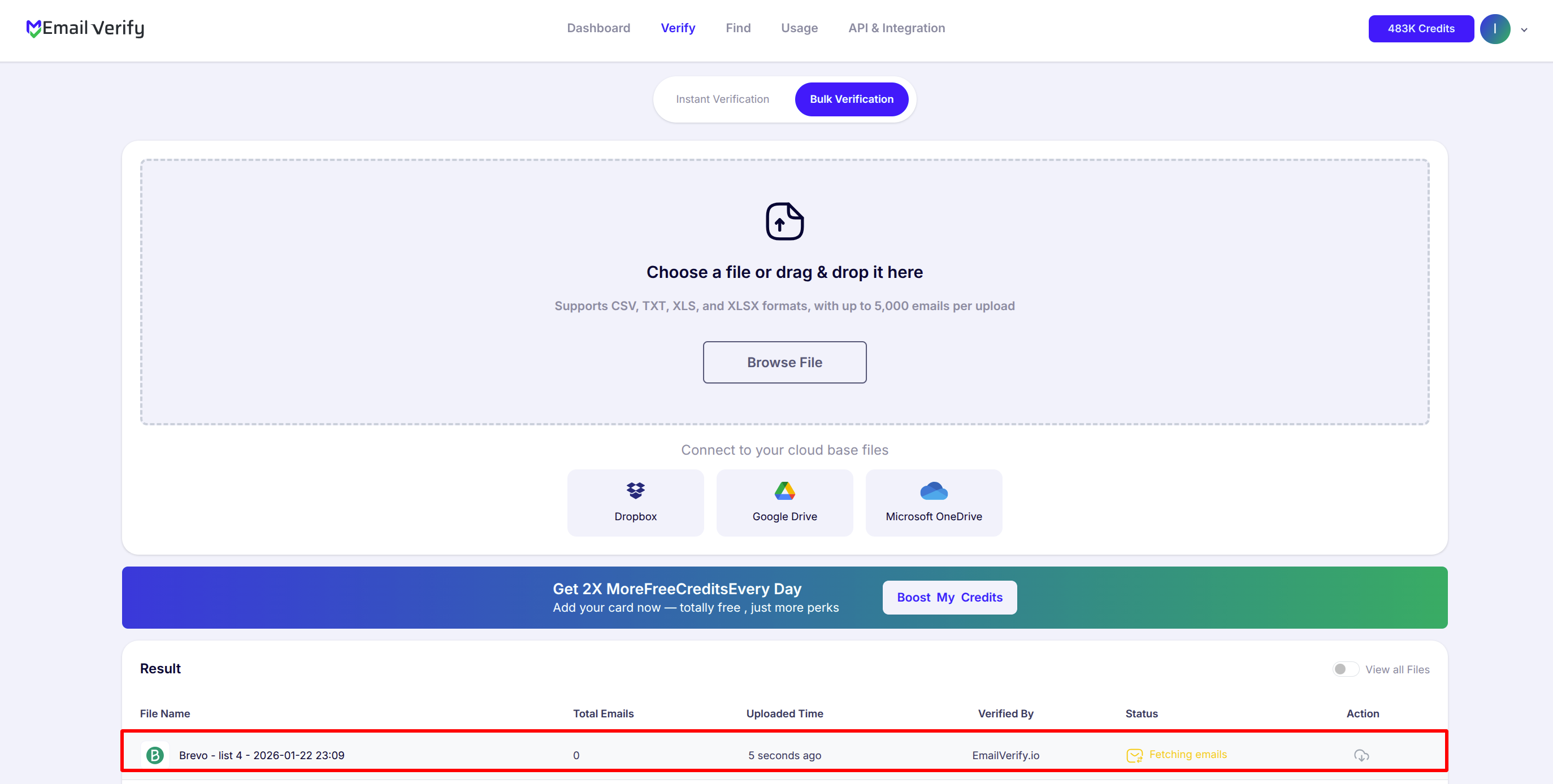
Step 7: Monitor Progress
You’ll be redirected to the Bulk Verification page, where you can track the status of your selected lists.
Step 8: Download Results
After verification completes, you’ll receive an email notification. Click Download to view the results.
Note: Three custom attributes are automatically added in Brevo:
- EV_Status: Overall validity (e.g., valid, invalid)
- EV_SubStatus: Specific reason for invalidity
- EV_Validation_Timestamp: Time of verification

Troubleshooting & Tips
If you encounter any issues, these simple tips can help you troubleshoot:
- Make sure your API Key is active and copied correctly from Brevo.
- Can’t see your list? Try refreshing the Integrations page and check your permissions in Brevo.
- For large lists, verify in smaller batches to avoid timeouts.
- Only the lists you select are accessed, and EmailVerify.io does not store your contacts permanently.
- Regularly verify new subscribers to maintain a high inbox placement rate.
Next Steps
Get Your Brevo Lists Verified in Minutes!
Connect your account to EmailVerify.io and start improving your email deliverability today.