
Integration with Drip
The EmailVerify.io integration with Drip allows for real-time verification of email addresses in your Drip subscriber lists. By connecting the two accounts, you can find invalid or risky emails before sending campaigns. This reduces bounce rates and helps your emails reach valid recipients.
This integration helps maintain accurate subscriber data, improves deliverability, and supports more effective email marketing campaigns.
Prerequisites
You’ll need:
- Active EmailVerify.io account.
- Active Drip account with API access.
- Permission to manage subscriber lists in Drip.
- Ability to retrieve API tokens from Drip account settings.
Step-by-Step Integration Setup
Follow the steps below to integrate Drip with EmailVerify.io and ensure your subscriber data is validated accurately.
Step 1: Sign in to EmailVerify.io
Log in to your EmailVerify.io account at app.emailverify.io and navigate to the Integrations section from the dashboard to view available integrations.

Step 2: Select Drip Integration
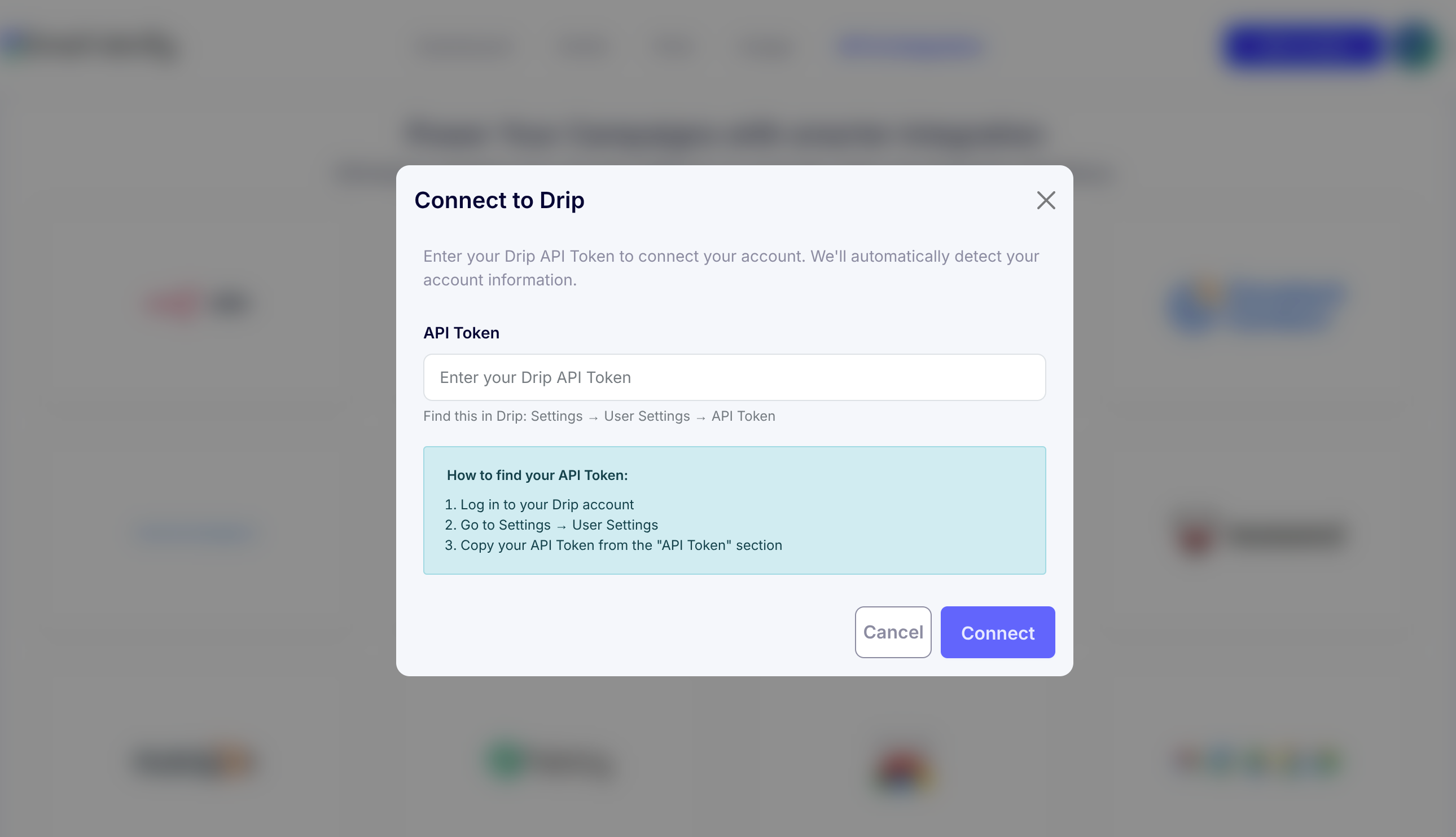
On the Integrations page, select Drip from the available integrations list and enter your Drip API token to create a secure connection.
Step 3: Retrieve Drip API Token
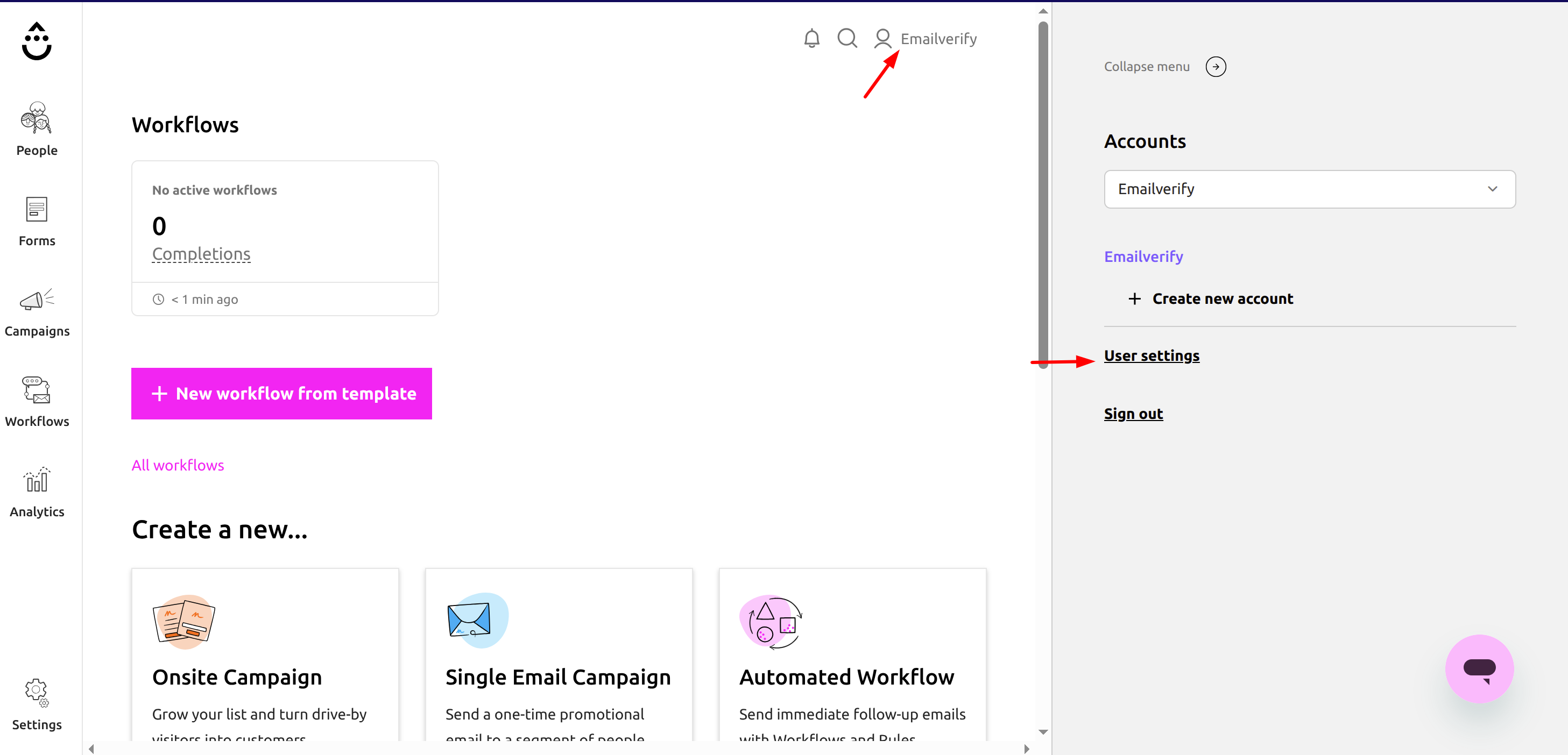
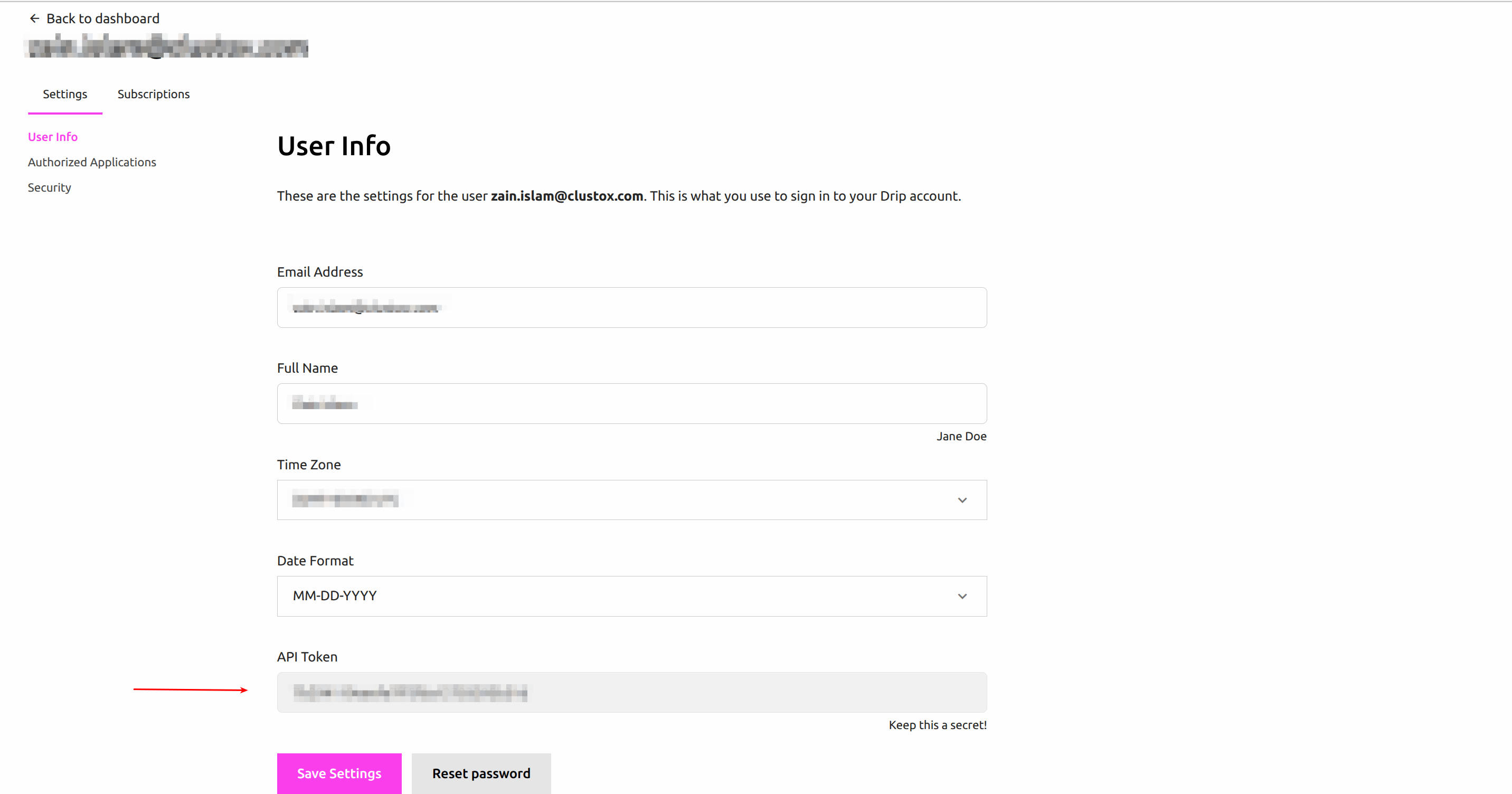
Log in to your Drip account. Go to Profile > User Settings > API Token, and copy the API token to use for connecting to EmailVerify.io.
Step 4: Connect Drip Account
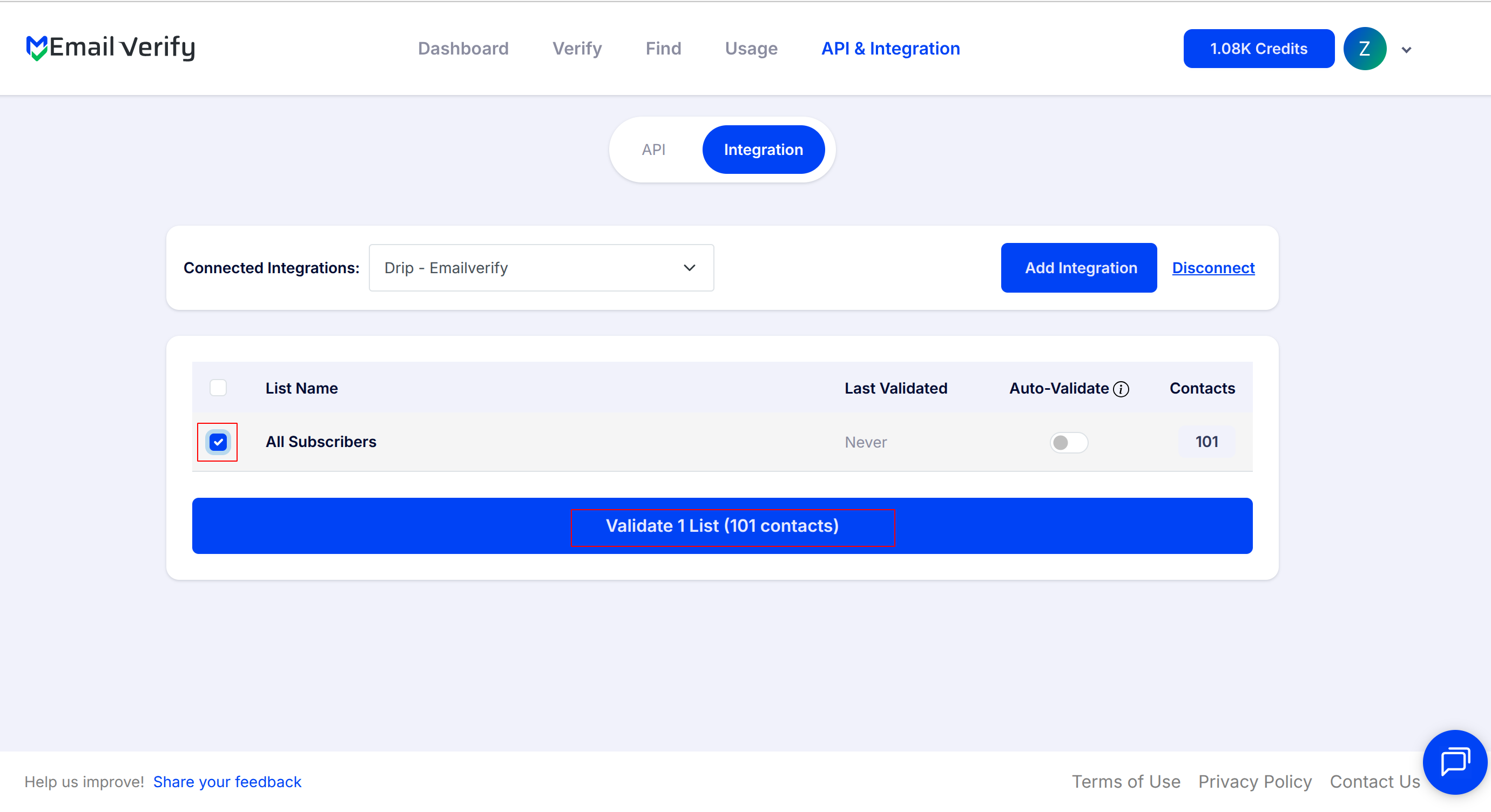
Paste the copied API token into the Drip integration field in EmailVerify.io to link your account. Once the connection is established, your subscriber lists will appear in the Integrations section.
Step 5: Select Lists for Verification
Select the subscriber lists you want to verify. Check the boxes next to each list. Click Validate List to start verification.
Step 6: Monitor Verification Progress
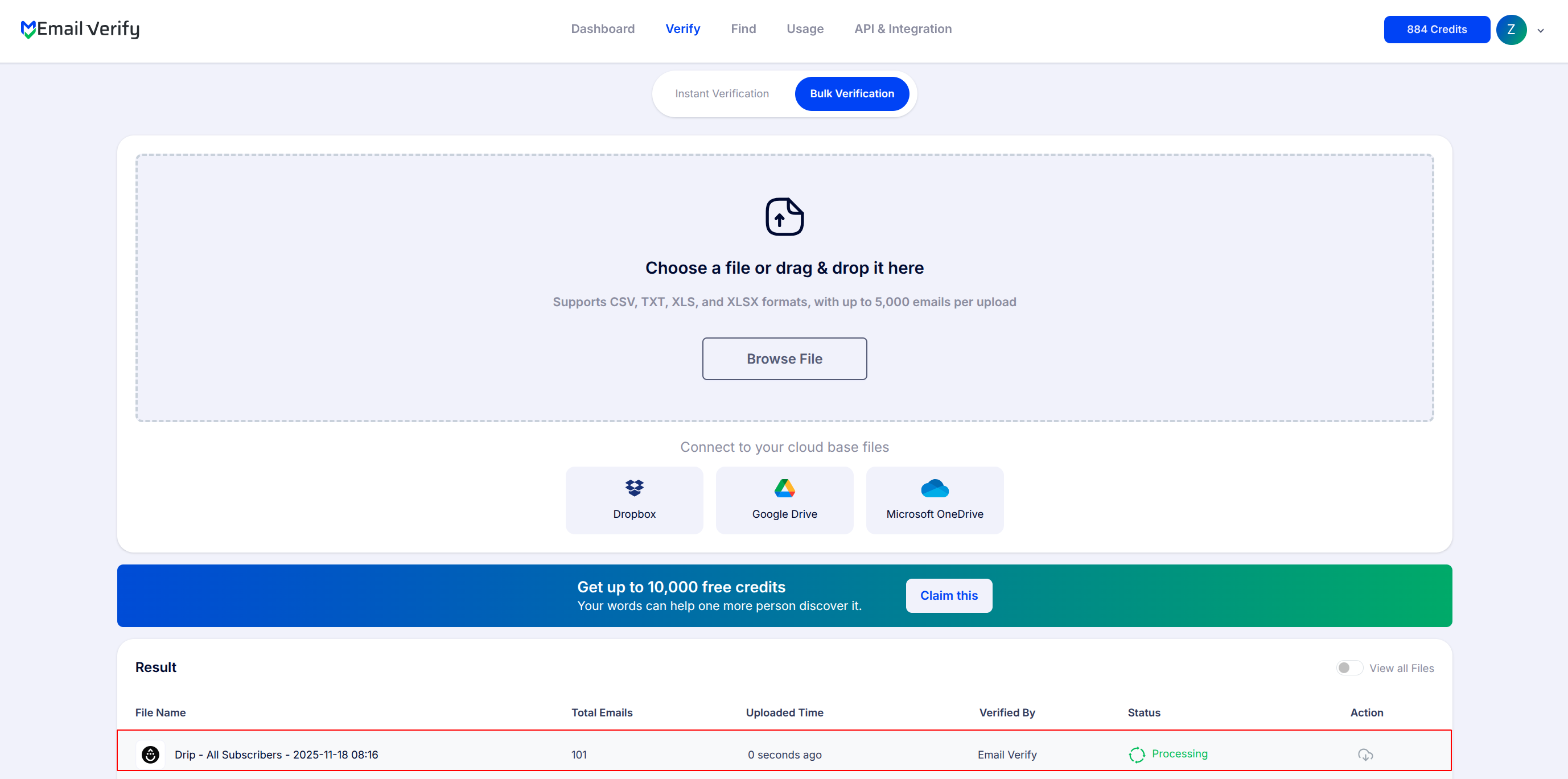
Track the status of your lists on the Bulk Verification page and wait for the email notification indicating that verification is complete.
Step 7: Access Verified Results
After verification completes, the results are automatically updated in Drip.

Each email will have the following custom fields added:
- EV_Status: Overall verification status (valid, invalid, risky)
- EV_SubStatus: Detailed validation classification
- EV_Validation_Timestamp: Time of verification
You can also download the verified data if needed to review, segment, or clean your subscriber lists.
Troubleshooting & Tips
Use these tips if issues arise during integration or verification:
- Verify your Drip API token and account permissions.
- Make sure subscriber lists exist in Drip, and the integration is active.
- Large lists may take time; monitor progress on the Bulk Verification page.
- If custom fields are missing, check that verification is complete.
- Re-verify older lists periodically to maintain accuracy.
- Start with small lists to confirm settings before larger batches.