
Integration with Ghost
The EmailVerify.io integration with Ghost allows you to maintain accurate and reliable subscriber lists. It verifies emails in real time, detects invalid, disposable, and catch-all addresses, and updates your Ghost records automatically.
Verification information is added without modifying existing subscriber data, helping you reduce bounce rates, improve deliverability, and maintain a healthy subscriber base.
Prerequisites
Before setting up the integration, ensure you have:
- An active Ghost account
- An active EmailVerify.io account
- Access to your Ghost Admin panel to retrieve API credentials
EmailVerify.io uses API-based authentication to securely connect with Ghost. Your login credentials are never stored.
Step-by-Step Integration Setup
Follow these steps to connect Ghost with EmailVerify.io and begin verifying your subscriber list.
Step 1: Sign in to EmailVerify.io
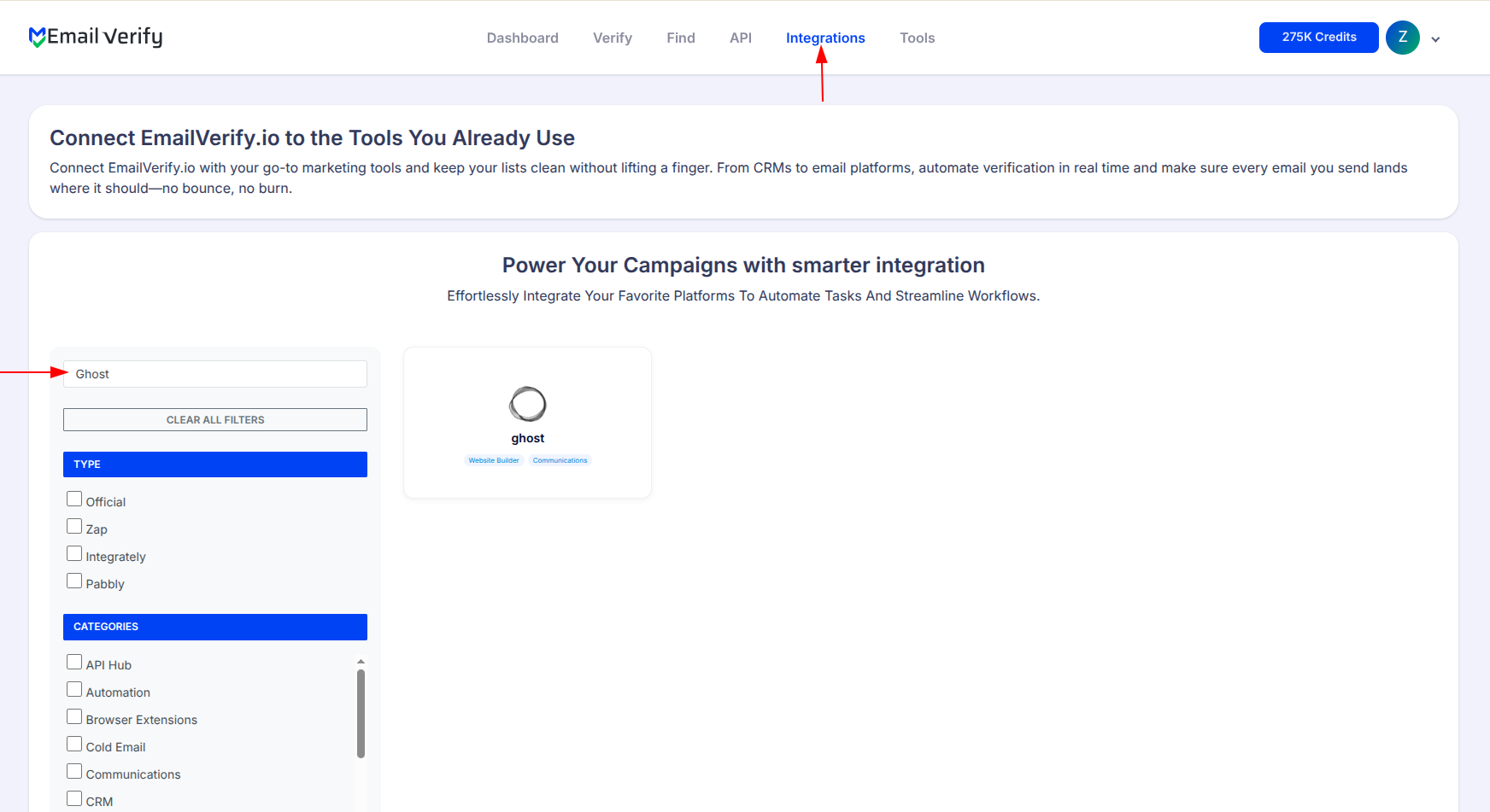
Log in to your EmailVerify.io account at app.emailverify.io. Navigate to the Integrations section and use the search bar to find Ghost.
Step 2: Select Ghost
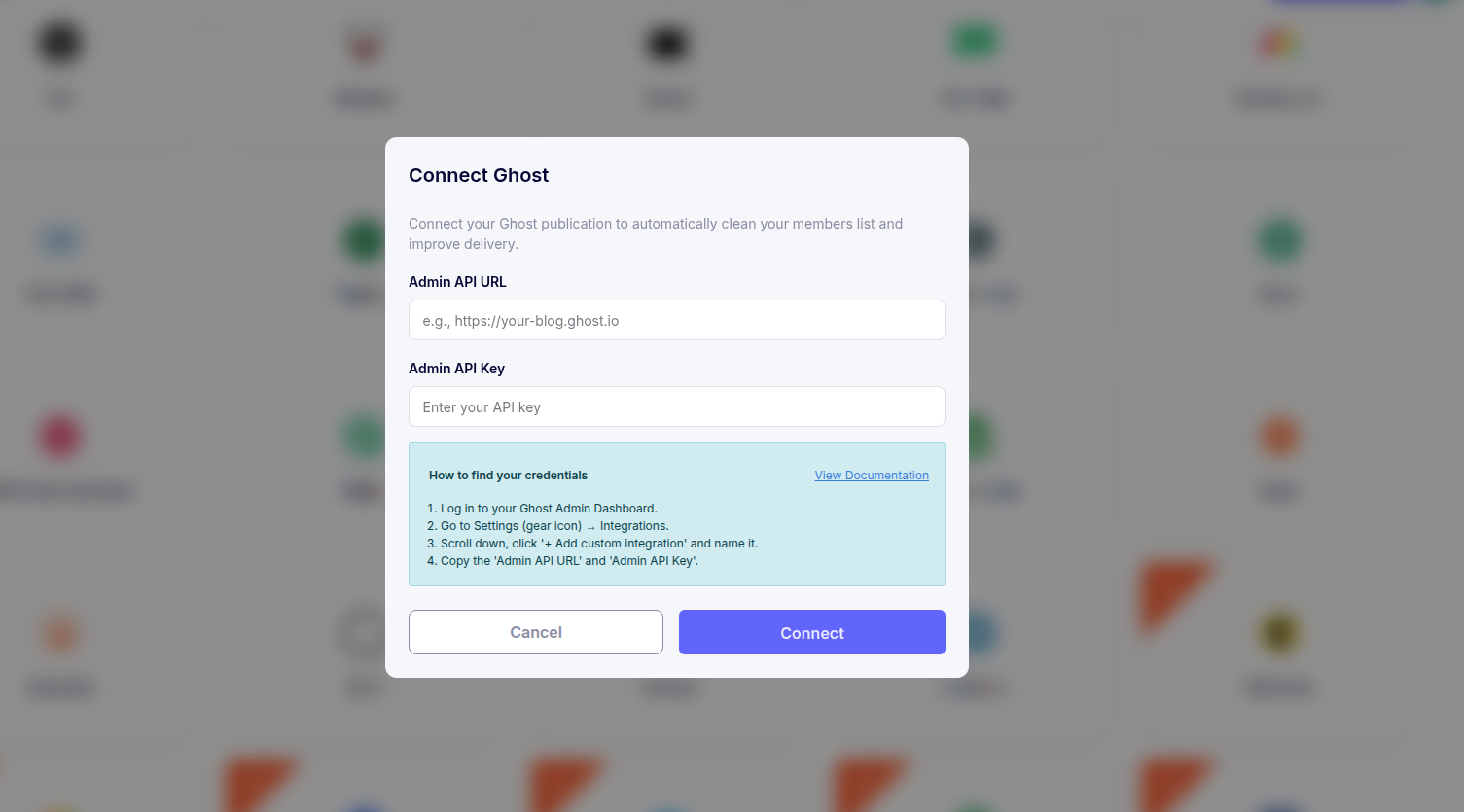
Select Ghost from the list of available integrations. You will be prompted to provide your Ghost Admin API Key and API URL, which allow secure access to your subscriber lists.
Step 3: Retrieve API Credentials
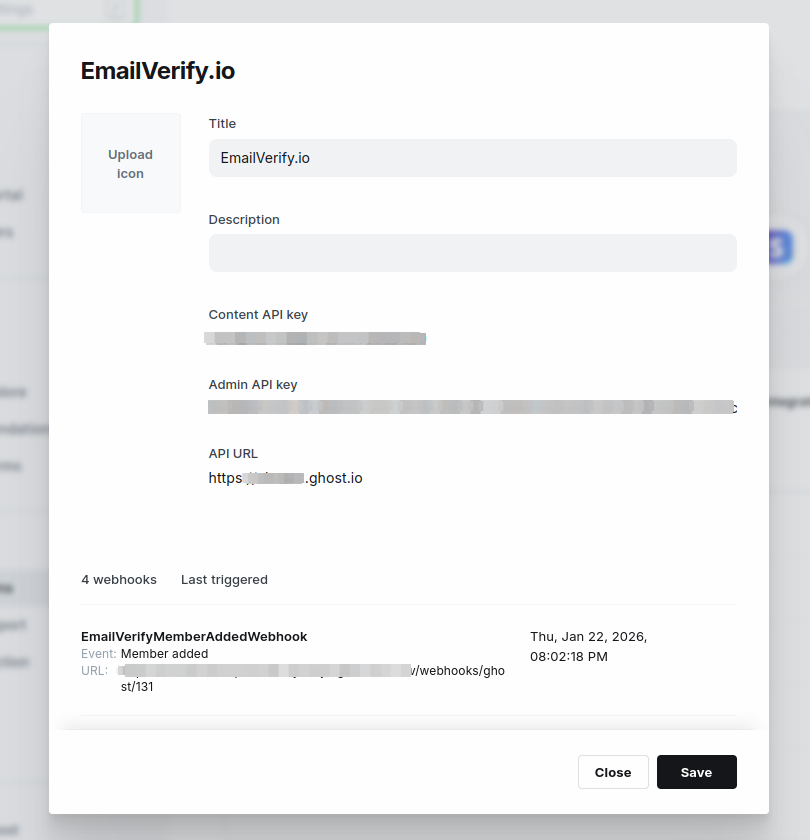
In your Ghost Admin panel, go to Settings > Integrations. Select Add Custom Integration. There, you can generate or view your API key and API URL. Enter these credentials in EmailVerify.io to authorize the integration.
Step 4: Access Subscriber Lists
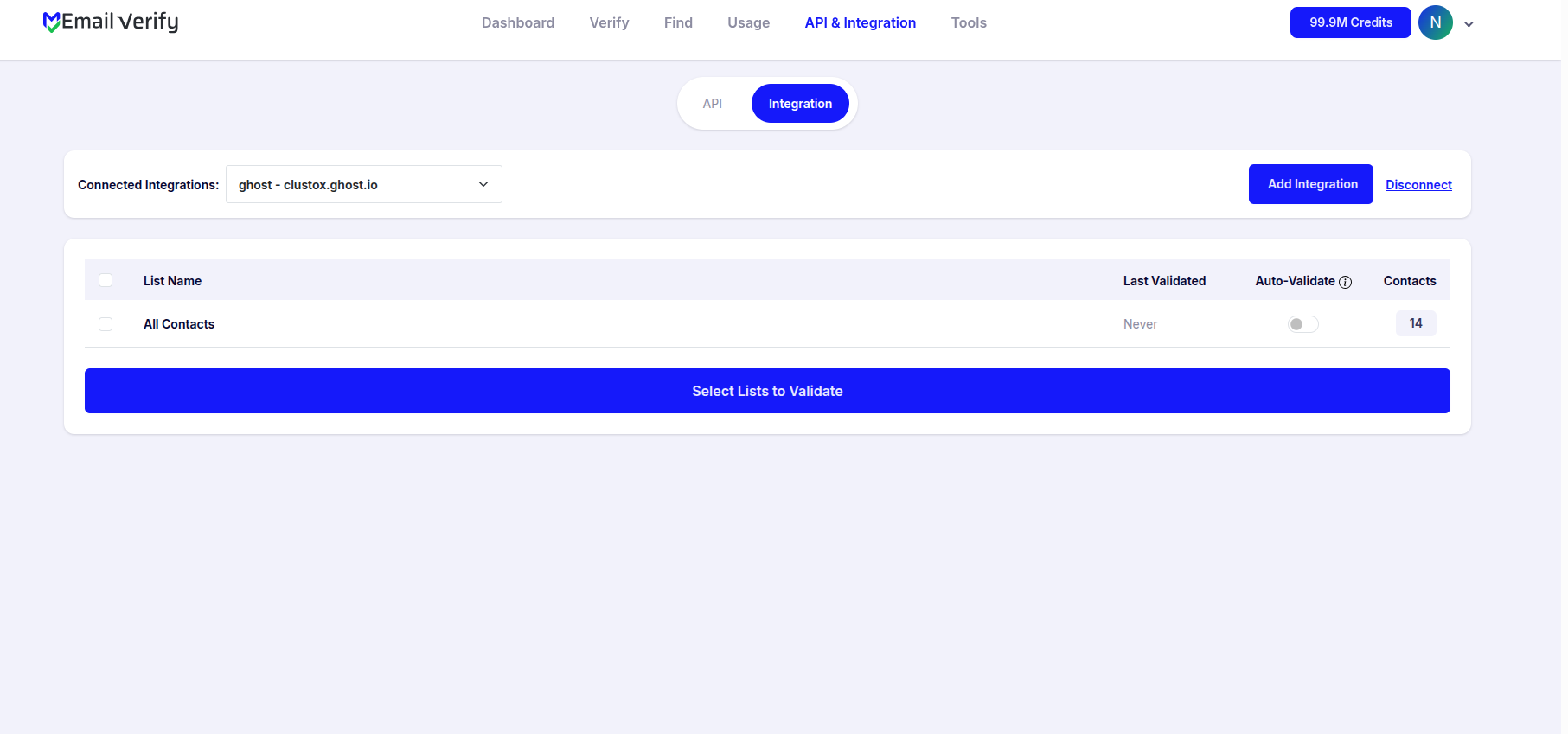
After authorization, all member lists or segments from your Ghost site will appear within the EmailVerify.io Integration section. You can review your lists and prepare them for verification.
Step 5: Select Lists for Verification
Choose the subscriber lists you want to validate and initiate the verification process. EmailVerify.io will process the selected lists and automatically update the verification results in your Ghost account.
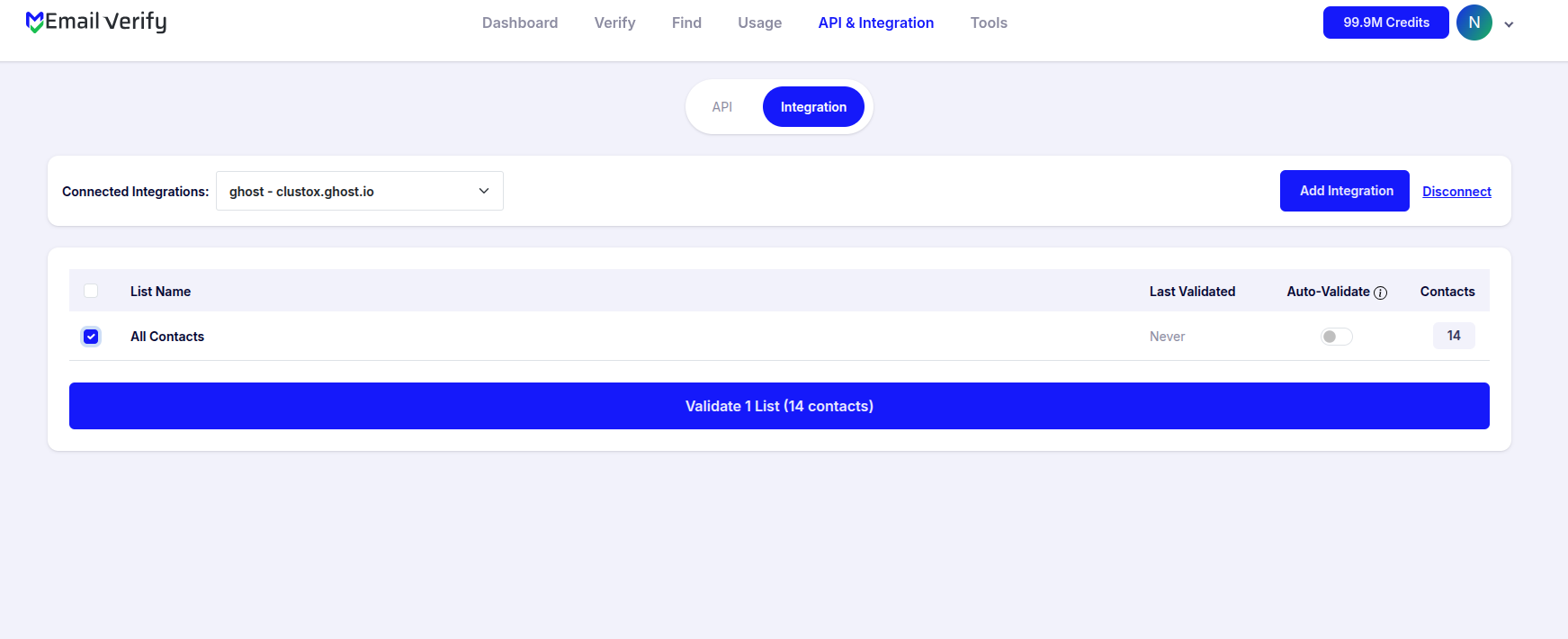
Step 6: Track Verification Progress
Once verification starts, you will be directed to the Bulk Verification page. This page provides real-time status updates for your selected lists. We also send a notification email when verification is complete.
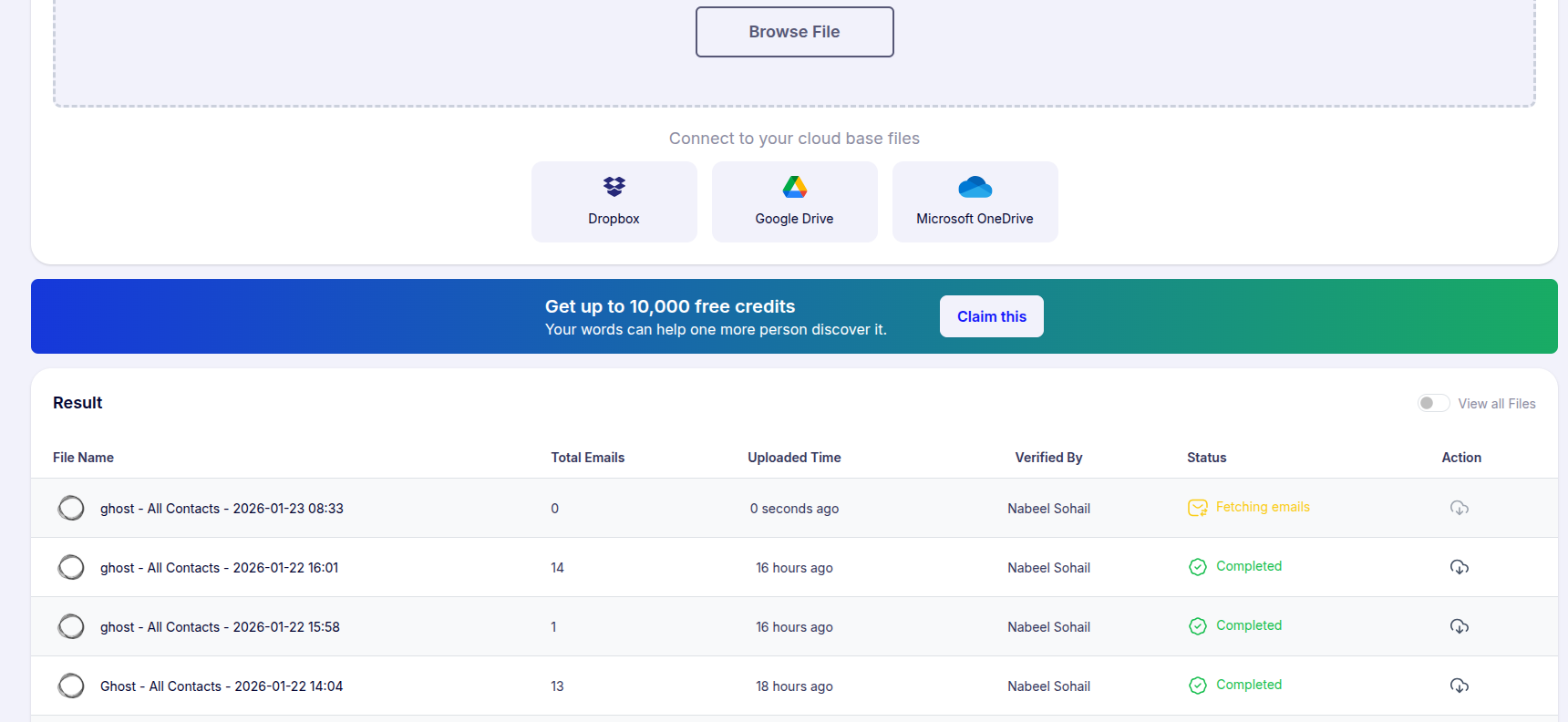
Step 7: Review and Download Results
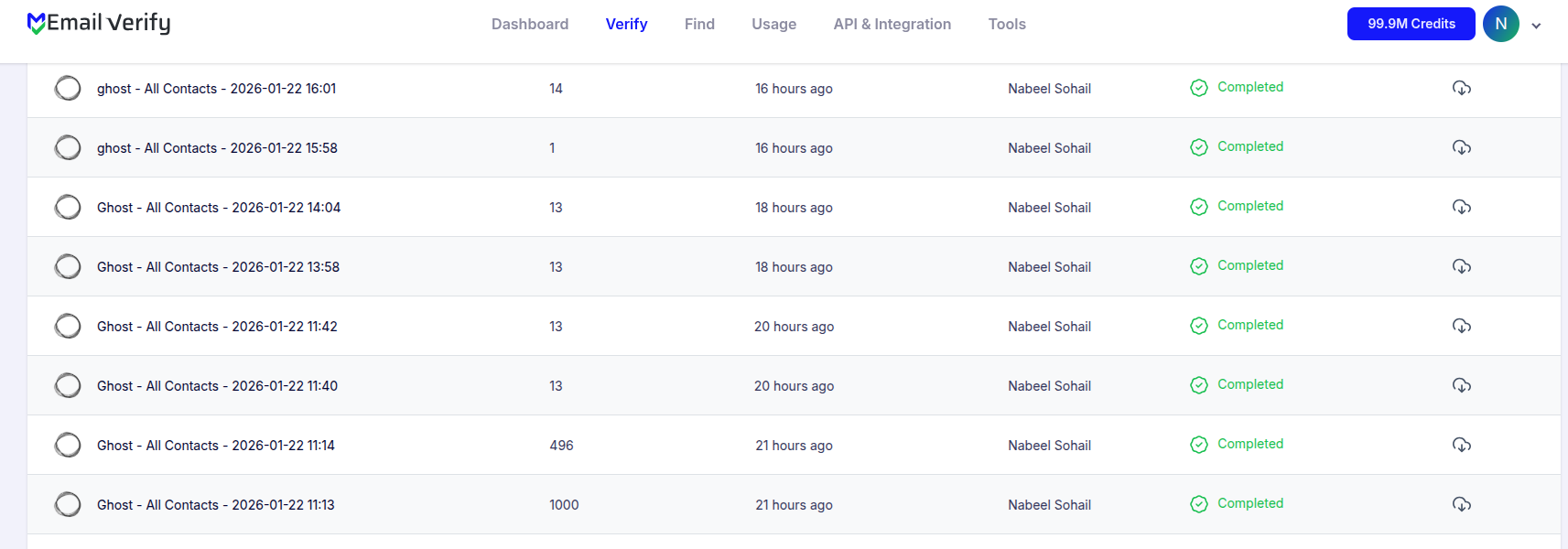
After verification is complete, EmailVerify.io updates each subscriber record with custom fields that provide detailed insights into email validity. These fields help you segment, filter, and manage your subscriber lists effectively.
The custom fields added to each subscriber are:
- EV_Status
- EV_SubStatus
- EV_Validation_Timestamp
You can also download the verified results for reporting or further analysis.
Troubleshooting & Tips
For smooth setup and accurate verification:
- Ensure the correct API key and API URL are used.
- Verify that your EmailVerify.io account has enough credits for the lists being processed.
- Refresh or reconnect the integration if subscriber lists do not appear.
- Allow extra time for large member lists to process.
- Test with a smaller list initially to confirm the configuration.
- Use the EV fields to filter, segment, and manage subscribers efficiently
Next Steps
Not Sure Which Subscribers are Real?
Let EmailVerify.io verify your Ghost lists and eliminate invalid addresses automatically.