
Integration with Moosend
The EmailVerify.io integration with Moosend provides real-time email validation directly within your Moosend subscriber lists. It identifies invalid, disposable, and high-risk email addresses before campaigns are deployed, helping reduce bounce rates and safeguard sender reputation.
Maintaining verified contact data ensures stronger inbox placement and more reliable campaign performance.
Prerequisites
Before starting the integration, ensure the following requirements are met:
- An active EmailVerify.io account.
- An active Moosend account with API access.
- Permissions to manage subscriber lists in Moosend.
Step 1: Sign in to EmailVerify.io
Log in to your EmailVerify.io account at app.emailverify.io. From the dashboard, open the Integrations section to view available apps.

Step 2: Choose Moosend Integration
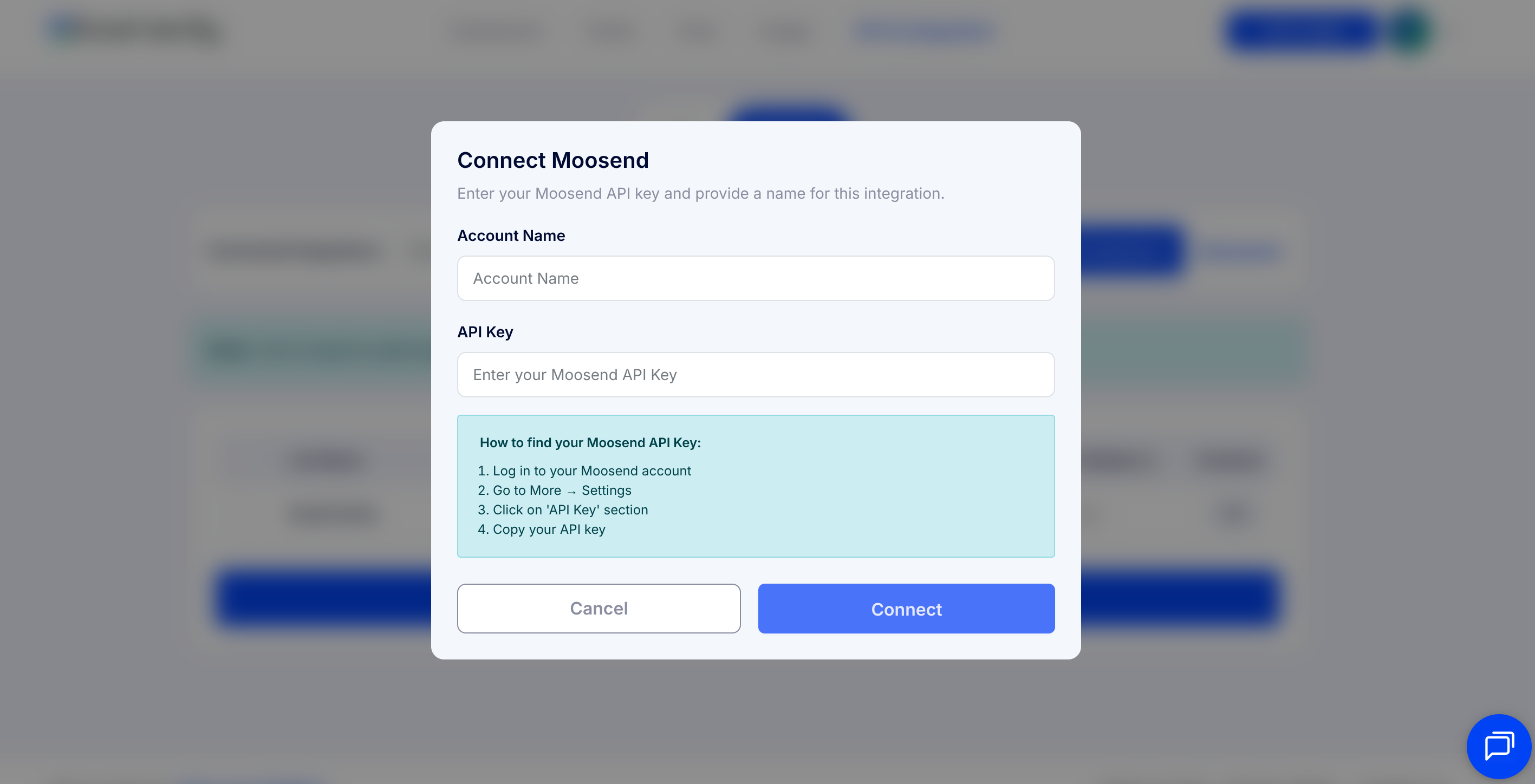
From the list of integrations, select Moosend. You will be prompted to provide your API key and account name for authorization.
Step 3: Retrieve Your Moosend API Key
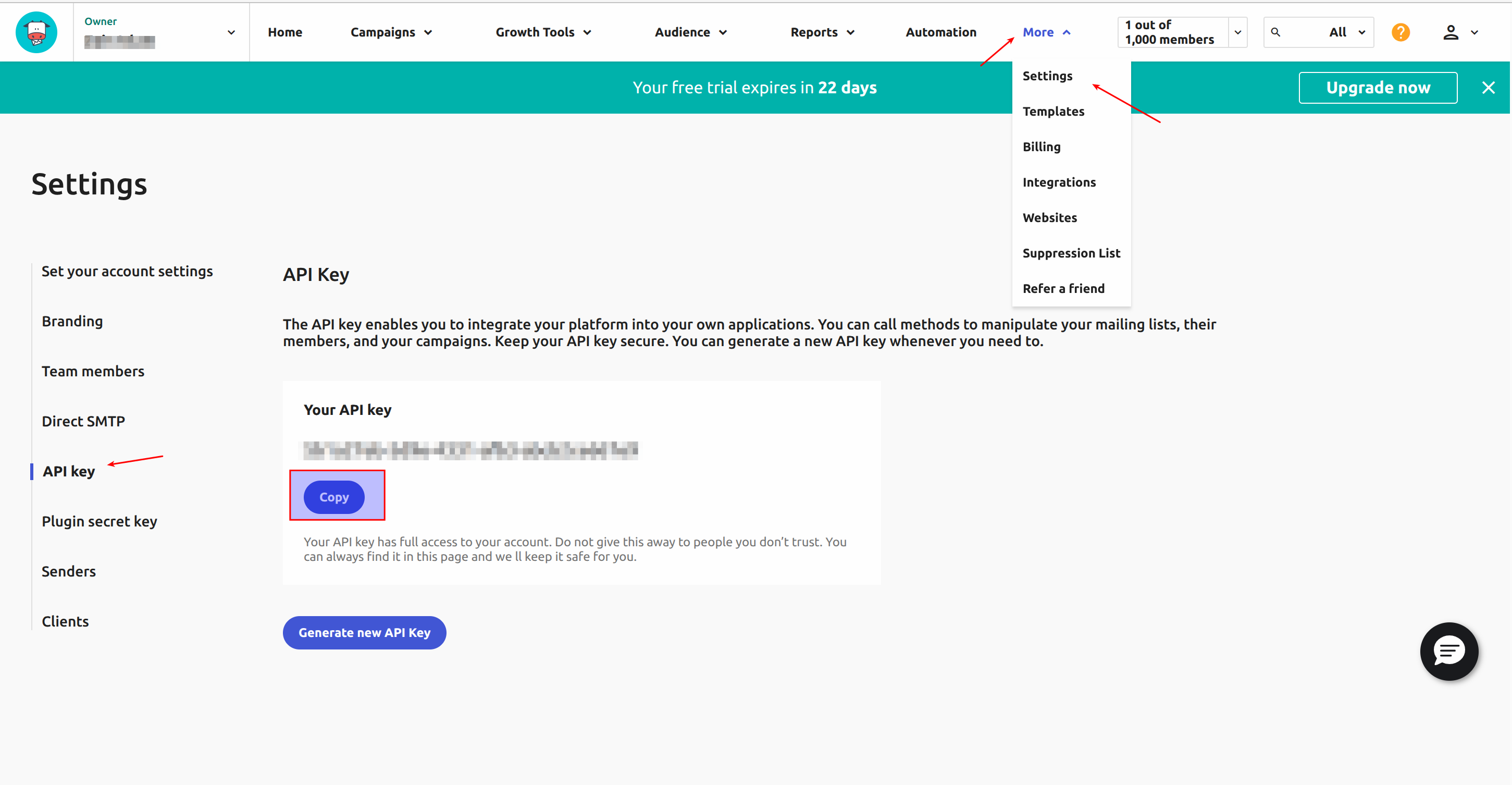
Log in to your Moosend account. Navigate to More → Settings → Developer, then copy your API key. Keep it ready for the next step.
Step 4: Authorize Moosend in EmailVerify.io
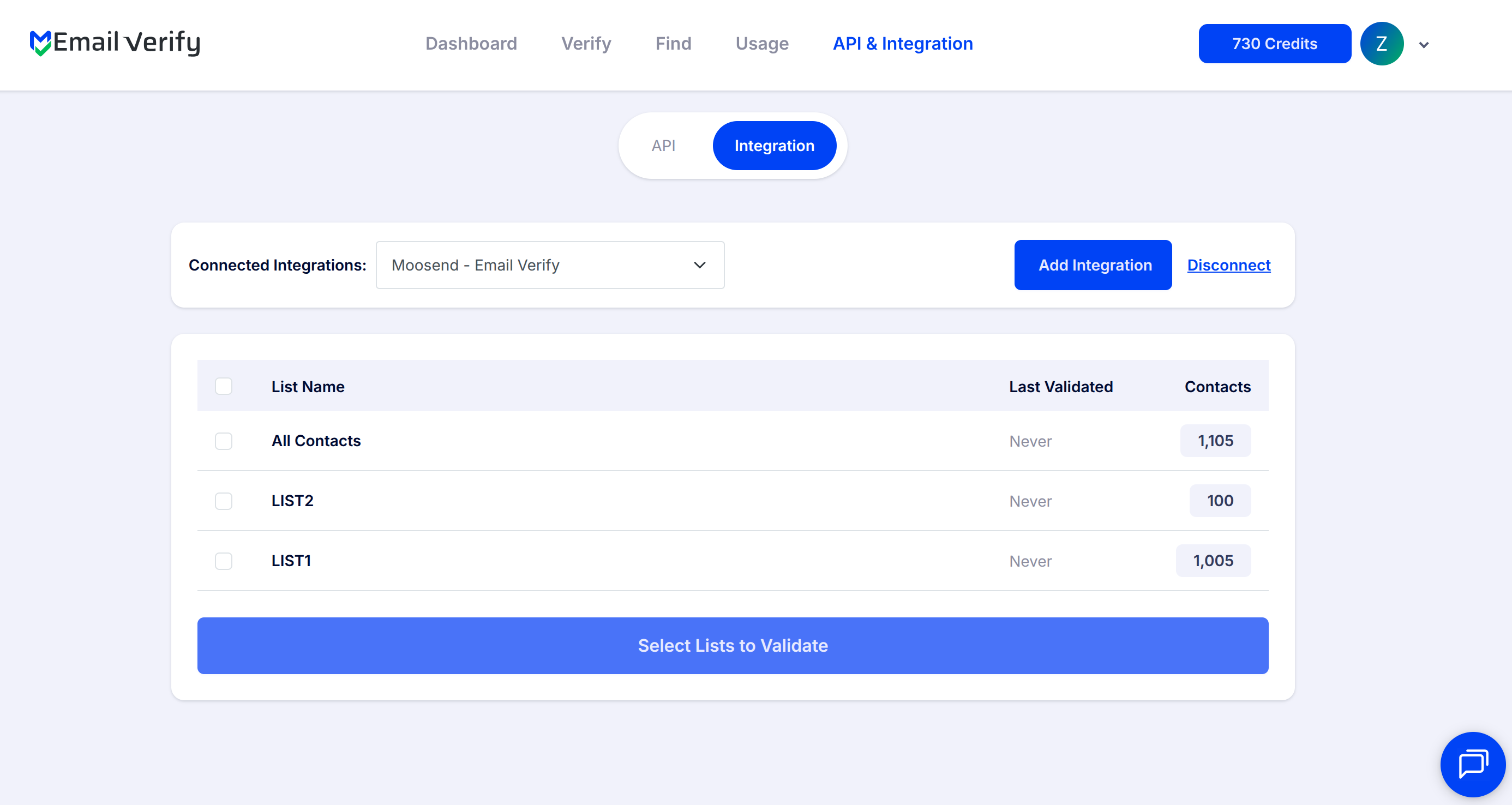
Paste the API Key and your account name into EmailVerify.io. Authorize the connection. Once successful, your Moosend subscriber lists will appear in the Integrations section.
Step 5: Select Lists to Verify
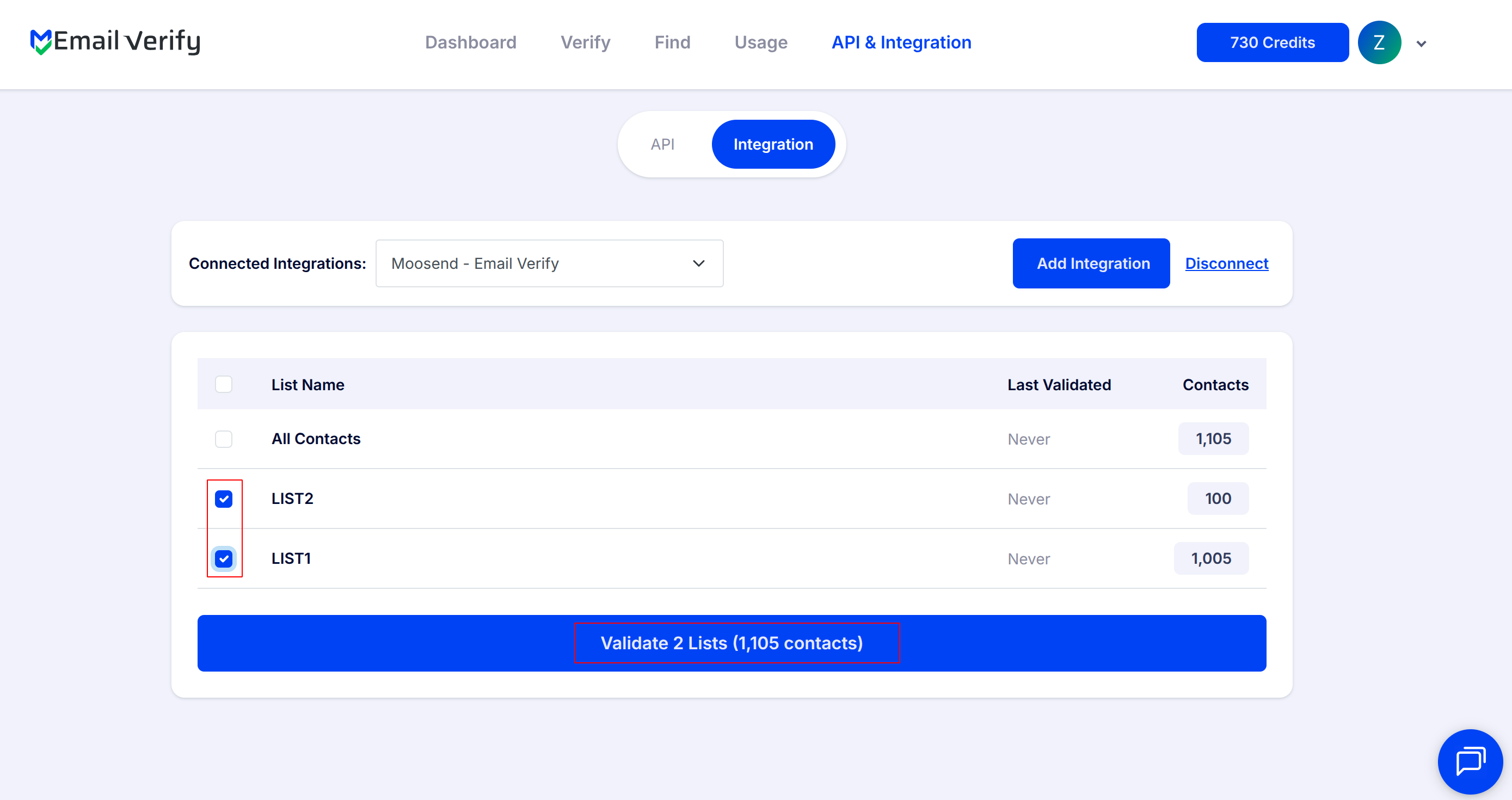
Pick the subscriber lists you want to validate and start the verification process. Only subscribed contacts are included; archived, bounced, or unsubscribed addresses are ignored.
Step 6: Monitor Verification Progress
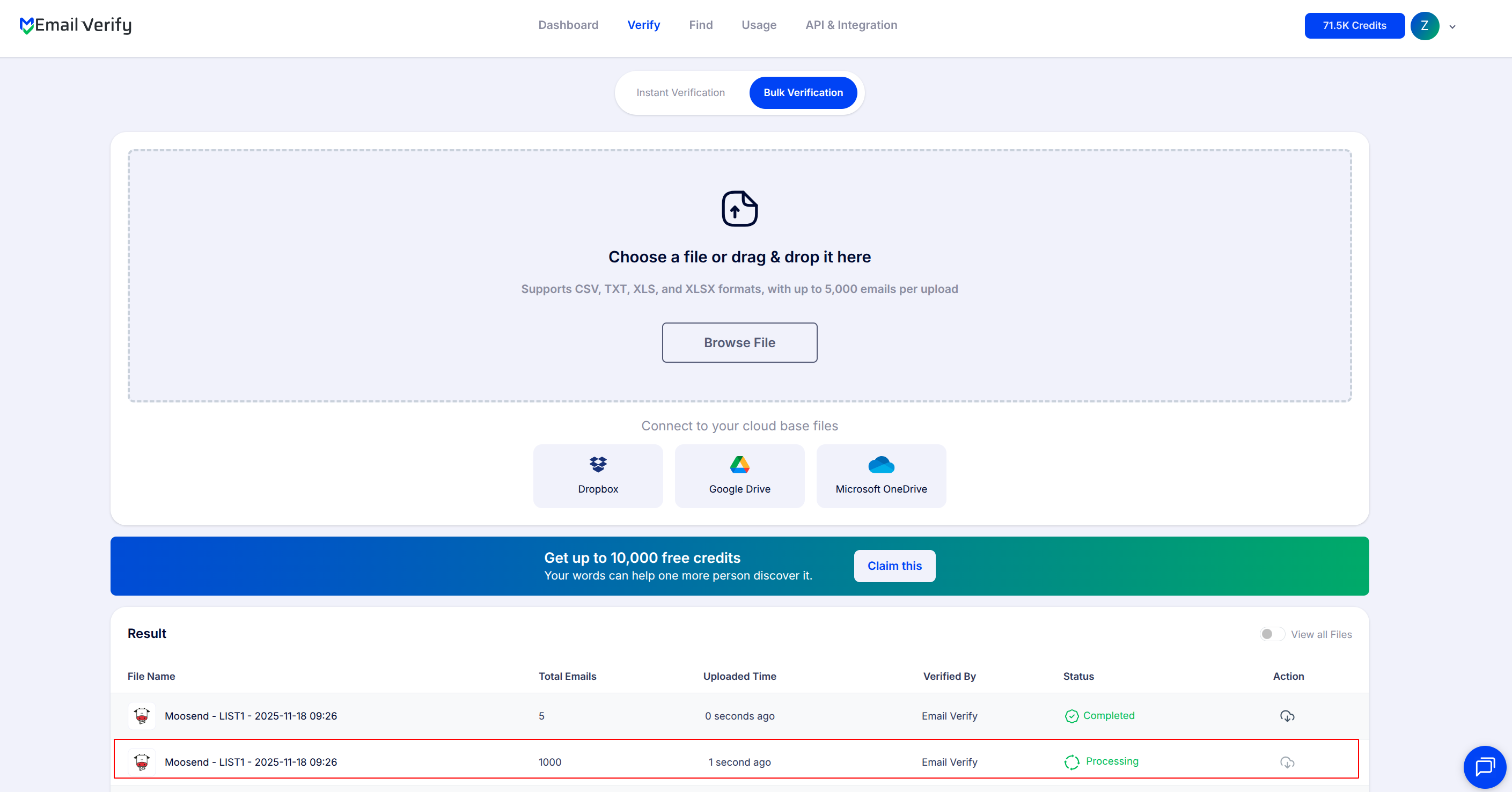
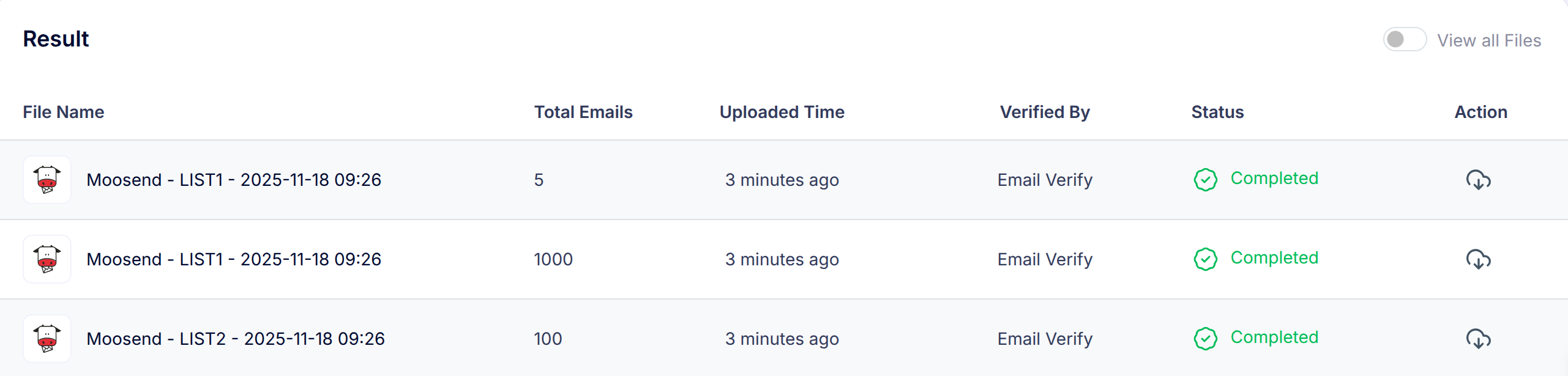
Check the Bulk Verification page to track the status of your lists. You will also receive a notification email once verification is complete.
Step 7: Access and Download Results
After processing is finished, results are automatically synced back to Moosend.
Each verified email will have these custom fields:
- EV_Status
- EV_SubStatus
- EV_Validation_Timestamp
These fields help maintain accurate, up-to-date contact data and improve how you manage and interact with your email lists.
You may also download the data to review, segment, or clean your subscriber lists.
Troubleshooting & Tips
If you encounter issues during setup or verification, review the following:
- If your Moosend lists do not appear after connecting, ensure you entered the correct API key and that the key has sufficient permissions to access list data in your Moosend account.
- Test verification on a small list before running large subscriber lists to confirm the integration is working as expected.
- Confirm your EmailVerify.io account has sufficient credits before submitting lists for bulk verification.
- If custom fields are not visible in Moosend after verification, wait a few minutes for the sync to complete, then refresh your contact view.
- If errors occur during verification, try reconnecting Moosend through the Integrations page and resubmitting the list.