
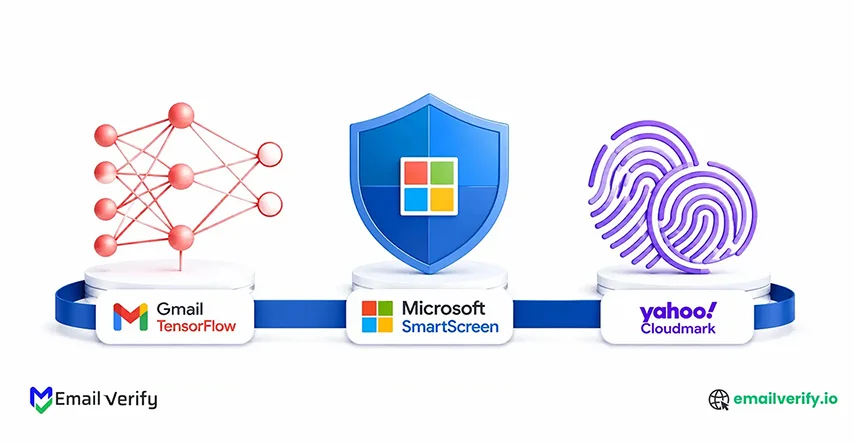

Most email deliverability advice treats Gmail, Outlook, and Yahoo as if they filter mail the same way. They don’t. That’s why one campaign can land in the inbox at Gmail while the exact same email gets pushed to spam or “Other” at Microsoft.
And the gap is getting worse.
According to the Validity 2025 Email Deliverability Benchmark Report, global inbox placement rates dropped to nearly 83%, meaning roughly 1 in 6 marketing emails never reaches the inbox. Microsoft was hit hardest, with Office 365 inbox placement falling more than 26 percentage points year over year.
So what’s actually happening behind the scenes?
Gmail uses TensorFlow machine learning to evaluate thousands of sender and engagement signals. Microsoft relies heavily on SmartScreen plus SCL/BCL scoring, where negative engagement signals like deleted-without-opening rates can quietly destroy sender reputation. Yahoo uses Cloudmark fingerprinting, which tracks campaign-level patterns across billions of mailboxes.
The challenge is that most senders optimize for deliverability as a single metric, while mailbox providers evaluate trust in completely different ways. A strategy that improves placement at Gmail can still fail badly at Outlook or Yahoo.
This guide breaks down how inbox placement works at each provider, which signals matter most, why placement varies so much across platforms, and what tactics actually improve inbox visibility in 2026.
You’ll also see a side-by-side signal-weight comparison matrix to help diagnose provider-specific deliverability problems before they turn into long-term reputation damage.
Let’s start with the short version, then go deep.
Inbox placement is the share of your sent mail that lands in the recipient’s primary inbox not the spam folder, not the Promotions tab, not Other or junk. Each major provider calculates placement using its own filtering technology: Gmail uses TensorFlow machine learning, Microsoft uses SmartScreen plus SCL/BCL scoring, and Yahoo uses Cloudmark fingerprinting plus increasing ML. The same campaign can place very differently at each provider because the underlying systems weigh signals differently.
- Gmail weighs domain reputation and DMARC alignment heaviest, with bulk-sender requirements (one-click unsubscribe, spam rate below 0.3%) enforced strictly since November 2025.
- Microsoft weighs IP reputation and recipient engagement (especially deleted-without-opening rates) heaviest, with the 2025 Outlook collapse hitting B2B harder than other audiences.
- Yahoo weighs spam complaint rate (calculated from inbox-delivered mail since October 2025) and Cloudmark fingerprint matches heaviest Yahoo’s system is particularly sensitive to campaign-level template reuse across many senders.
The right tactics differ by provider. Gmail responds to engagement-driven sending and tight bulk-sender compliance. Microsoft responds to disciplined volume management and aggressive list quality. Yahoo responds to varied content and tight complaint-rate management. The cross-provider optimization framework in Section 13 covers how to layer all three.
Table of Contents
Why Do Gmail, Outlook, and Yahoo Filter Emails Differently?
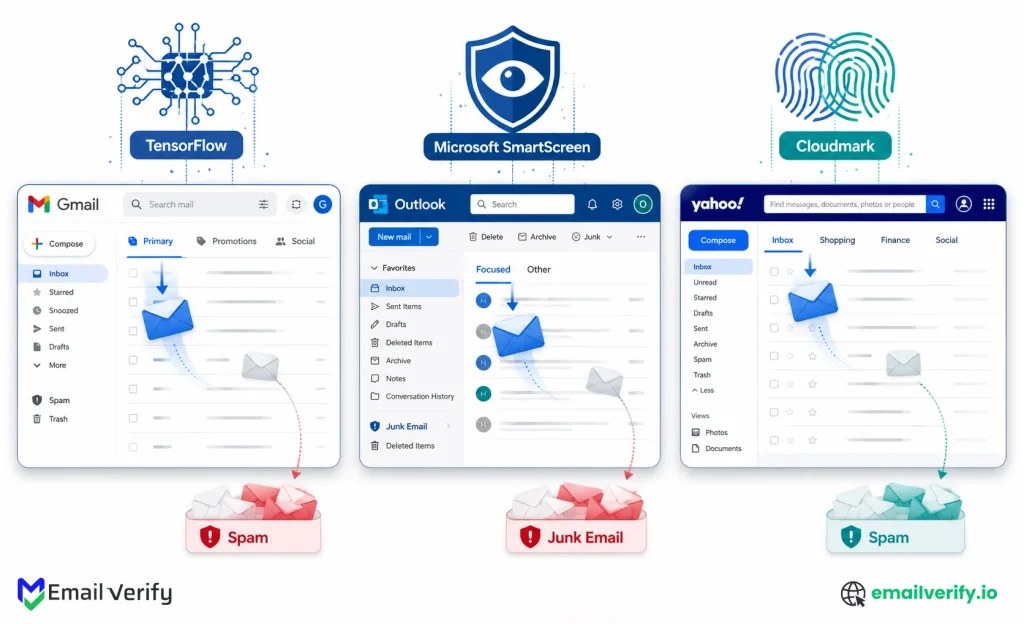
Each major mailbox provider uses different underlying filtering technology with different design philosophies. Gmail uses TensorFlow machine learning to find patterns across thousands of signals per email. Microsoft uses SmartScreen for URL/content reputation plus SCL/BCL scoring driven heavily by user feedback. Yahoo uses Cloudmark, a fingerprint-based system that hashes email components and matches them across 1.6 billion mailboxes. The implication: a tactic that wins at one provider can lose at another.
The reason inbox placement varies dramatically across providers isn’t accident. It’s the natural consequence of three different filtering philosophies operating in parallel:
1. Gmail: Pattern Recognition At Scale
Gmail’s philosophy is machine-learning pattern recognition. TensorFlow models evaluate thousands of signals per message and find correlations that predict spam with high accuracy. The models retrain continuously; when a new spam technique emerges, the system adapts within hours from user reports. Personalized per-user signals matter; Gmail learns what each individual user considers spam and applies that learning at the user level.
This makes Gmail responsive to engagement at the individual recipient level. A user who consistently opens, clicks, or replies to your mail will see future messages in their inbox even if your overall reputation is borderline. A user who deletes without opening will see future messages routed to Promotions or spam regardless of what other recipients do. The ML model personalizes.
2. Microsoft: User Feedback Amplification
Microsoft’s philosophy is user-feedback amplification. SmartScreen evaluates URL reputation and content patterns, but the heavyweight signals come from aggregated user feedback. Mark-as-junk rates, deleted-without-opening rates, and complaint rates feed directly into SCL (Spam Confidence Level) and BCL (Bulk Complaint Level) scoring. Once a sender’s SCL score climbs, mail routes to junk regardless of authentication or content quality.
This makes Microsoft particularly sensitive to engagement signals specifically negative ones. The deleted-without-opening rate is a critical signal Microsoft weighs heavily. Recipients who delete your mail without opening are sending Microsoft a quiet signal that they don’t want it; over enough volume, that signal alone can collapse your domain reputation across the entire Microsoft 365 tenant network.
3. Yahoo: collaborative fingerprint matching
Yahoo’s philosophy (via Cloudmark) is collaborative fingerprint matching. Cloudmark’s patented system, originally based on Vipul’s Razor from 1998, hashes the components of every incoming email, header, body, URL, and structure, and compares those fingerprints against a global catalog built from 1.6 billion mailboxes.
When enough recipients flag a fingerprint as spam, future messages matching that fingerprint are filtered automatically. This makes Yahoo particularly sensitive to template reuse across many senders. Campaign-level patterns that aren’t caught by Gmail’s ML or Microsoft’s SCL scoring can still be caught by Cloudmark’s fingerprint matching. Yahoo has also been augmenting Cloudmark with machine learning content analysis since 2023, so the system increasingly resembles Gmail’s pattern recognition for content-level signals.
The practical implication: optimizing for one provider doesn’t automatically optimize for the others. Gmail rewards engagement-rich sending to opted-in audiences. Microsoft rewards low complaint rates and clean engagement signals. Yahoo! rewards varied content and avoids ESP-templated patterns that match other senders’ fingerprints. Senders who only optimize for Gmail (typically the biggest provider in their list) often have hidden problems at Microsoft and Yahoo.
What Is Inbox Placement and How Is It Different From Delivery, Spam, and Promotions?
Inbox placement and delivery rate measure different things. Delivery rate measures whether the receiving server accepted the message (usually 95–99% for legitimate senders). Inbox placement measures the share of accepted mail that actually reaches the recipient’s primary inbox not Promotions, not spam, not the Outlook “Other” folder. Industry average inbox placement is 83.1% globally; healthy senders target 90%+.
Before we go deeper, the terminology matters because it changes how you measure the problem.
The 5 distinct outcomes for any sent message:
| Outcome | What it means | Where it shows up |
|---|---|---|
| Delivered (or accepted) | The receiving server didn’t bounce the message. Could be in the inbox, spam, or anywhere. | ESP “delivered” metric (98–99% for healthy senders). |
| Primary inbox | Recipient’s main inbox. The placement marketers actually care about. | Visible only via testing or seed-list tools. |
| Promotions tab (Gmail only) | Delivered but routed to a secondary tab. Not spam, but lower visibility. | Gmail Promotions tab. |
| Other / Focused (Outlook) | Microsoft’s Focused Inbox routing. Low-engagement senders go here. | Outlook Other tab effectively invisible to many users. |
| Spam / junk | Filtered before recipient sees it. Worst outcome forinbox;rs. | Spam folder. Most users never check. |
All five count as “delivered” in your ESP’s default reporting. Your ESP’s 99% delivery rate doesn’t mean 99% of your emails reached the inbox, it means 99% weren’t hard-bounced. The gap between delivery rate and inbox placement is where most deliverability problems hide.
Global average inbox placement is approximately 83.1%. Microsoft’s 2025 placement collapsed: Office 365 dropped 26.7 percentage points year over year, and Outlook/Hotmail dropped 22.6 pp. Microsoft’s average inbox placement now sits at 75.6% with spam rates exceeding 14%. Gmail and Yahoo are more stable, with healthy senders typically hitting 88–95% inbox placement.
Sources: Validity 2025 Email Deliverability Benchmark Report and GlockApps Q1 2025 vs. Q1 2024 placement update.
How Do Gmail, Microsoft, and Yahoo Weight Email Signals Differently?
Different mailbox providers weigh the same signals very differently. Gmail prioritizes domain reputation, DMARC alignment, and bulk-sender compliance. Microsoft prioritizes IP reputation and recipient engagement (especially deleted-without-opening). Yahoo prioritizes content fingerprinting, list quality, and complaint rate. The matrix below shows the relative weight of 11 key signals across all three providers it’s the centerpiece visual for understanding cross-provider differences.
This is the most important table in the guide. Each row is a deliverability signal; each column is a major provider. The cells show relative weighting from “Light” (the provider doesn’t care much) to “Very heavy” (the signal is decisive).
Use this to identify which signals matter most for your situation. If your audience is heavily Microsoft, the IP reputation row matters more than for a Gmail-heavy audience.
| Signal | Gmail (TensorFlow) | Microsoft (SmartScreen + SCL/BCL) | Yahoo (Cloudmark + ML) |
|---|---|---|---|
| Domain reputation | Heavy | Moderate | Heavy |
| IP reputation | Light | Heavy | Heavy |
| Recipient engagement (opens, clicks) | Heavy | Heavy | Heavy |
| Deleted-without-opening rate | Moderate | Very heavy (key signal) | Moderate |
| Spam complaint rate | Heavy | Heavy | Very heavy |
| DMARC alignment | Very heavy | Heavy | Heavy |
| Content fingerprint matching | Light (ML pattern-based) | Light | Very heavy (Cloudmark fingerprints) |
| URL reputation | Moderate | Very heavy (SmartScreen) | Heavy |
| List quality / spam trap hits | Heavy | Heavy | Very heavy |
| Bulk-sender requirement compliance | Very heavy (since 2024) | Moderate | Heavy |
| Personalized per-user signals | Heavy | Heavy | Light |
A few patterns stand out from the matrix:
- Gmail is uniquely sensitive to bulk-sender requirement compliance, a consequence of the November 2025 enforcement shift. Missing one-click unsubscribe or DMARC alignment fails fast at Gmail.
- Microsoft is uniquely sensitive to the deleted-without-opening rate, a signal nobody else weighs as heavily. This is why Microsoft’s placement collapsed in 2025: senders who didn’t protect against silent disengagement got hit hardest.
- Yahoo is uniquely sensitive to content fingerprint matching, a consequence of Cloudmark’s collaborative filtering model. ESP-templated emails reused by many senders fingerprint the same way, and Yahoo filters them collectively.
- All three weigh recipient engagement, list quality, and DMARC alignment heavily. These are the universal foundations; get these right first.
The matrix doesn’t mean you should optimize independently for each provider. It means you should understand which signals to prioritize when your audience is concentrated at one provider. The rest of this guide breaks down the implications provider by provider.
How Does Gmail’s TensorFlow Machine Learning Decide Between Inbox and Spam?
Gmail uses TensorFlow, Google’s open-source machine learning framework, to filter mail. The system evaluates thousands of signals per email and adapts within hours of new spam patterns emerging. For senders of 5,000+ messages/day, Gmail enforces explicit bulk-sender requirements with strict rejection as of November 2025.
Gmail handles approximately 1.8 billion mailboxes globally and processes about 300 billion emails annually. It is typically the largest single provider in any consumer or B2B-mixed list.
Understanding Gmail’s filtering model first is essential because Gmail tends to be both the largest provider and the one whose filtering decisions have the most volume impact.
How Tensorflow Filtering Actually Works
TensorFlow is a machine-learning framework, not a single algorithm. Gmail uses TensorFlow to train and run multiple ML models that evaluate incoming mail against a learned spam-detection function. The technical details aren’t all public, but the directional behavior is well-documented:
Gmail uses TensorFlow to power detection of spam categories that rules-based filters miss, particularly image-based spam, hidden embedded content, and mail from newly created domains that try to hide low-volume spam within legitimate traffic. Google reports this catches approximately 100 million additional spam messages per day on top of existing rule-based protections, while their existing ML and rule systems already block over 99.9% of spam, phishing, and malware. TensorFlow also enables granular per-user spam preferences, newsletter subscriptions, and consistent app notifications to get personalized treatment.
- Per-message signal evaluation. Each email is scored against thousands of signals: sender reputation, content patterns, link analysis, header structure, recipient engagement history, and many more.
- Personalized filtering. The model includes per-user signals. What one Gmail user considers spam, another might consider valuable. The model learns these distinctions and applies them at the recipient level.
- Continuous retraining. Models retrain on new data continuously. When a new spam technique emerges, the system adapts within hours from user reports dramatically faster than rules-based filters.
- Adversarial protection. Gmail deployed RETVec (Resilient & Efficient Text Vectorizer) specifically to detect adversarial text manipulations like Unicode character swaps and homoglyph substitutions used to evade keyword-based filters.
The Bulk-Sender Requirements Layer
- DMARC policy at minimum p=none: Senders must have a functional policy. Use a DMARC Checker to verify your current status or a DMARC Generator to build a new one.
- SPF and DKIM Alignment: Authenticated mail must have a valid SPF Checker pass and aligned DKIM signatures. If you are missing these, use an SPF Generator or a DKIM Checker to ensure compliance.
- One-click unsubscribe (RFC 8058): Mandatory for bulk marketing mail to reduce friction.
- Spam complaint rate below 0.3%: Ideally, keep this below 0.1% to maintain high deliverability for SMBs and Agencies.
- TLS encryption: Required for all incoming connections.
These requirements operate as a hard floor. Mail that doesn’t meet them faces delivery failures regardless of TensorFlow scoring. The requirements are enforced gradually as senders cross the 5,000/day threshold, but enforcement is now strict for senders sustained at that volume.
Gmail Postmaster Tools v2 surfaces the data Gmail uses to make filtering decisions. The most important views: Domain Reputation (Bad/Low/Medium/High), Spam Rate (target below 0.1%), Authentication pass rates (target near 100%), and the Compliance Status dashboard added March 2024 which tells you in plain language whether you’re passing each bulk-sender threshold.
What Are the Best Practices to Improve Gmail Inbox Placement?
Tactic 1: Comply With Bulk-Sender Requirements Completely
DMARC policy at p=none minimum. One-click unsubscribe header (RFC 8058). Spam complaint rate sustained below 0.1%. Honor unsubscribes within 48 hours.
Tactic 2: Build Engagement With The Most Active Recipients First
Sending campaigns first to your highest-engagement segment builds a layer of “wanted mail” signals that protects placement when you ramp to broader audiences.
Tactic 3: Avoid Esp-Template Patterns That Fingerprint With Other Senders
Templates that get reused identically across thousands of senders develop spam-pattern fingerprints over time. Customize your templates beyond ESP defaults.
Tactic 4: Maintain Consistent Volume To Gmail Specifically
Gmail punishes inconsistency hard. Ramp Gmail volume by no more than 25% per week to avoid triggering suspicious pattern alerts.
Tactic 5: Match Content To Subscriber Expectation
Gmail’s ML weighs the gap between subscriber expectation and content delivered. A subscriber who signed up for weekly newsletter content but receives daily promotional blasts will produce engagement-decay signals. Send what you promised. segment if you offer multiple cadences; use a preference center for subscribers to choose frequency.
If your Gmail placement is suffering, the Compliance Status dashboard is the first place to look. Anything marked “Needs work” is your immediate fix. The other views (Domain Reputation, Spam Rate) confirm the trajectory.
Don’t treat Gmail Promotions placement as success. Promotions is a separate tab; many users never check it. Mail-in Promotions still count as “delivered” in your ESP and rarely show up in spam-folder reports, but they produce lower opens, clicks, and conversions than primary inbox placement. Test for the primary inbox specifically; treat the Promotions placement as a soft fail and address it through engagement improvements (Section 6, Tactic 2).
Why Does Microsoft Outlook Have Lower Inbox Placement in 2025–2026?
Microsoft’s filtering combines SmartScreen for URL reputation with SCL (Spam Confidence Level) and BCL (Bulk Complaint Level) scoring driven heavily by user feedback. The system is most sensitive to engagement signals, specifically deleted-without-opening rates, which is why the 2025 inbox placement collapse hit Microsoft harder than other providers.
Microsoft handles consumer Outlook (Outlook.com, Hotmail, and Live), business Office 365, and a long tail of other Microsoft-hosted mail. Together these account for the second-largest share of mail globally and the dominant share of B2B. Microsoft is also the provider most B2B senders should worry about most in 2026 the 2025 collapse hit B2B harder than B2C.
1. How Smartscreen Works?
SmartScreen is Microsoft’s URL reputation and content analysis engine, used in Outlook and Edge. It evaluates incoming mail against:
- URL reputation: whether links resolve to known phishing or malware sites.
- Page content: SmartScreen analyzes the landing page, not just the URL.
- Sender behavior patterns: volume consistency, engagement patterns, complaint rates.
- Aggregate user feedback: Mark as junk, deleted-unread, and replied-to signals.
SmartScreen contributes to scoring but isn’t the final decision-maker. The final decision happens at the SCL/BCL layer.
2. Scl And Bcl: The Heavyweight Scoring
Microsoft uses two named internal scores that aggregate everything:
| Score | Range | What it means |
|---|---|---|
| SCL (Spam Confidence Level) | -1 (safe sender) to 9 (almost certainly spam). | Routes messages to junk above the configured threshold (typically 5+). |
| BCL (Bulk Complaint Level) | 0 (no complaints) to 9 (very high complaint rate). | Routes messages to junk regardless of SCL when high. |
SCL combines authentication results, reputation signals, content analysis, and user feedback into a single score. BCL is calculated specifically from complaint rates against bulk mail. Both feed routing decisions for every incoming message; once a sender’s scores climb, mail routes to junk regardless of what other signals look favorable.
3. The Deleted-Without-Opening Trap
This is the signal that defines Microsoft’s 2025 collapse. Microsoft weighs deleted-without-opening rates more heavily than any other provider. Recipients who delete your mail without opening are sending Microsoft a quiet signal that they don’t want it. Over enough volume, that signal alone can collapse domain reputation across the entire Microsoft 365 tenant network even from senders with otherwise excellent metrics.
Office 365 inbox placement dropped 26.7 percentage points year over year in Q1 2025. Outlook/Hotmail dropped 22.6 pp. Microsoft’s average inbox placement is now 75.6%, with spam rates exceeding 14% the highest among major mailbox providers. The collapse hit B2B harder than B2C because B2B audiences are concentrated on Office 365 and have lower engagement velocity, which feeds the deleted-without-opening signal Microsoft weights heavily.
Sources: GlockApps Q1 2025 vs. Q1 2024 update; Validity 2025 Email Deliverability Benchmark Report.
4. The Sweep And Focused Inbox Routing Layer
On top of SCL/BCL filtering, Microsoft has two user-facing features that affect placement:
- Sweep: a feature that lets users automatically delete or move mail from specific senders. Sweep rules signal Microsoft that the sender is unwanted; sustained Sweep activity from many recipients amplifies negative signals.
- Focused Inbox: the two-tab system (Focused / Other) that routes mail based on engagement patterns. Mail landing in Other rather than Focused is effectively soft-spam placement; many users never check Other.
Mail in the Focused Inbox’s Other folder counts as delivered and not spam but produces dramatically lower engagement than Focused. Senders concentrated on Outlook need to optimize for Focused placement specifically, not just for staying out of junk.
Microsoft SNDS (Smart Network Data Services) covers Outlook.com, Hotmail, and Live.com, not Office 365 corporate. Despite being less polished than Gmail Postmaster, it surfaces data nothing else does: Filter Result (Red/Yellow/Green per IP), Complaint Rate, Spam Trap Hits, and Mail with Junk volumes.
Important caveats: SNDS is IP-level (relevant if you’re on a shared IP), and it doesn’t cover Office 365 corporate mailboxes. If your audience is heavily Office 365 (typical for B2B), SNDS gives you partial visibility you’ll need to combine it with bounce data and engagement signals from your ESP for the Office 365 portion.
How Can You Improve Email Deliverability in Microsoft Outlook and Office 365?
Microsoft’s engagement-driven filtering means tactics are different from Gmail. Volume discipline matters more, list quality matters more, and the deleted-without-opening signal needs active protection.
Tactic 1: Aggressively Visibility of Dormant Subscribers
Dormant subscribers are what drives the deleted-without-opening rate up. They didn’t unsubscribe; they’re just not engaging, and Microsoft interprets the silence as negative. Define dormant by 6–12 months of no opens for B2B; 90–180 days for B2C. Suppress them from active sending streams. Don’t delete; keep the records for re-engagement experiments, but stop sending standard campaigns to them.
Tactic 2: Reduce Volume To Microsoft Specifically During Reputation Issues
Microsoft is more volume-sensitive than Gmail or Yahoo. If your Microsoft placement is suffering, reduce volume to Microsoft addresses specifically by 50–70% for 2–4 weeks while you fix the underlying issue. Keep sending to Gmail and Yahoo at normal volumes the issue is provider-specific, and reducing universal volume is unnecessary.
Tactic 3: Register For Snds And Jmrp
Microsoft SNDS (Smart Network Data Services) is the postmaster equivalent for Outlook.com/Hotmail/Live. JMRP (Junk Mail Reporting Program) is Microsoft’s feedback loop it forwards complaint reports directly to senders. Both are free, both require setup, both produce data nothing else gives you. The first action when troubleshooting Microsoft placement should be registering for both if you haven’t already.
Tactic 4: Use A Dedicated Subdomain For Cold Or Marketing Mail
If you’re sending to Microsoft addresses with mixed mail types (transactional, marketing, cold outbound), Microsoft’s SCL scoring can drag everything down to the level of your worst-performing stream. Use a dedicated subdomain for marketing or cold mail (e.g., marketing.yourcompany.com) and another for transactional (e.g., notify.yourcompany.com). The subdomains build separate reputations; problems with one don’t damage the other.
Tactic 5: Authenticate Everything, Verify Dmarc Alignment Specifically
Microsoft enforced DMARC alignment on bulk senders starting May 2025. Mail that fails DMARC alignment routes to junk regardless of other signals. Common alignment failures: SPF is aligned but DKIM is not; the DMARC record is present but failing because the From: domain doesn’t match the SPF or DKIM domain; third-party tools (CRM transactional and support ticket systems) are sending unauthenticated mail in your name.
Don’t assume your Office 365 corporate placement matches your Outlook.com consumer placement. They’re filtered through the same SCL/BCL system but have different tenant configurations, different engagement profiles, and different SNDS coverage. Test placement at a corporate Office 365 test account separately from a consumer Outlook.com account. The two often diverge significantly.
How Does Yahoo Cloudmark Fingerprinting Filter Emails?
Yahoo uses Cloudmark, a fingerprint-based collaborative filtering system covering 1.6 billion mailboxes including Yahoo, EarthLink, Comcast, AT&T, and other ISPs. Cloudmark hashes the components of every email header, body, URLs, structure and matches them against a global catalog. When enough recipients flag a fingerprint as spam, future messages matching that fingerprint are filtered. Yahoo also runs increasing machine learning content analysis on top of Cloudmark, with Yahoo Sender Hub Insights launched in October 2025.
Yahoo (which now includes AOL after the 2017 merger) sits in third place among major US mailbox providers but remains significant for any B2C audience. Yahoo’s filtering technology is fundamentally different from Gmail or Microsoft it uses Cloudmark, a system originally based on Vipul’s Razor from 1998, designed for collaborative spam-fingerprint matching.
How Cloudmark works?
Cloudmark’s patented system has three components, all working together:
- Global Threat Network: A reputation network made up of ISP abuse teams, system administrators, webmail end-users, desktop users, and honeypot spam-trap networks. Approximately 1.6 billion mailboxes contribute signals.
- Advanced Message Fingerprinting: Real-time algorithms create fingerprints (hashes) of various components of each email header, body, attachments, URLs, structure. The fingerprints abstract away from specific words and capture pattern characteristics.
- Cloudmark Services and Trust Evaluation System (TES): Collects, analyzes, and classifies fingerprints received through the Global Threat Network. When TES determines a fingerprint is spam, the fingerprint is added to the Catalog server. All subsequent messages matching that fingerprint are filtered automatically.
The result: Cloudmark scans the entire email when it arrives at a participating ISP, compares it to fingerprints of past messages, and classifies five components as either spammy or legitimate. Cloudmark places these results into the headers of your email, where the receiving domain uses them as a factor in its filtering decision.
Cloudmark provides anti-spam, phishing, and virus protection to email providers covering over 1.6 billion mailboxes worldwide. Customers include EarthLink, Comcast, Cablevision, Time Warner, AT&T, Virgin Mobile, Sprint, British Telecom, Swisscom, and many others plus consumer Yahoo. When Cloudmark scans an email, it classifies five components as spammy or legitimate (header, body, attachments, URLs, IP-related signals) and writes the results into the message headers for the receiving ISP’s use.
Sources: Validity “A Marketer’s Field Guide to Cloudmark Email Filtering”; SparkPost Cloudmark Reputation Troubleshooting Guide; SocketLabs Cloudmark overview.
Why fingerprinting matters for senders
Cloudmark’s fingerprinting model has practical implications most articles don’t cover:
- Template reuse fingerprints across senders: ESP-templated emails that look identical across thousands of senders develop the same fingerprints. If any sender using that template generates enough complaints, the fingerprint gets cataloged and your mail using the same template can suffer collateral damage.
- Pattern abstraction: Cloudmark fingerprints abstract above specific keywords. Changing “FREE” to “FR3E” or “FREE!” doesn’t evade detection the fingerprint captures the pattern, not the specific characters.
- Reputation expiration: Cloudmark IP reputations are built up over time and expire over time. Sending consistently good mail rebuilds reputation; gaps allow reputation to fade in either direction.
- Header-level results: Cloudmark places its analysis results in your email’s headers when the receiving ISP’s system processes them. This is a useful debug signal if you have access to message headers from a Yahoo or Cloudmark-using mailbox you control.
Yahoo’s ML augmentation
Yahoo has been augmenting Cloudmark with machine learning content analysis since approximately 2023. The ML layer evaluates content elements that Cloudmark fingerprints don’t capture well personalized signals, subscriber behavior patterns, sender engagement velocity. The combined system increasingly resembles Gmail’s pattern recognition for content, while retaining Cloudmark’s collaborative fingerprint matching for cross-sender campaign detection.
Yahoo Sender Hub Insights the methodology shift
Yahoo launched Sender Hub Insights on October 23, 2025 the equivalent of Gmail Postmaster Tools, with a critical methodology difference. Yahoo calculates Spam Complaint Rate from inbox-delivered mail only, not total sent. Reasoning: users can only complain about mail that actually reaches the inbox, so calculating against inbox-delivered makes the rate reflect actual recipient sentiment. The result: Yahoo’s complaint rate numbers will look different (and arguably more accurate) than what your ESP reports against total sent.
Sender Hub Insights provides aggregated delivery statistics for verified DKIM domains, with data populating within 24–48 hours for domains meeting Yahoo’s minimum daily volume threshold. Most B2B senders won’t produce enough Yahoo volume to populate it; consumer-focused senders almost always will.
Pair Sender Hub Insights with Yahoo’s Complaint Feedback Loop (CFL) program for faster signal. CFL forwards complaint reports directly to senders within hours, allowing immediate suppression of complainers much faster than waiting for Sender Hub Insights to update.
What Strategies Improve Yahoo Inbox Placement and Reduce Spam Filtering?
Yahoo’s fingerprinting model means tactics differ from Gmail and Microsoft. Content variation matters more, template differentiation matters more, and complaint-rate management requires more discipline because Yahoo’s methodology produces higher complaint numbers than other providers.
Tactic 1: Vary Content Beyond Esp Defaults
Cloudmark’s fingerprint matching is the strongest argument against using identical ESP templates. Customize beyond defaults: unique HTML structure, custom CSS, distinctive copy patterns, varied content blocks. The goal is to fingerprint differently from other senders using the same ESP. This protects you when other senders’ content gets flagged, since their fingerprints won’t match yours.
Tactic 2: Manage Complaint Rate Against Yahoo’s Methodology
Yahoo calculates complaint rate from inbox-delivered mail only a stricter measure than what your ESP reports. If your ESP shows 0.05% complaint rate, your Yahoo-specific rate is likely 0.10–0.20% because Yahoo doesn’t count mail that already filtered to spam. Target sustained Yahoo-specific complaint rate below 0.1%.
Tactic 3: Sign Up For Yahoo Cfl (Free, Takes 30 Minutes)
Yahoo’s Complaint Feedback Loop is the most timely complaint signal available for any provider Gmail no longer offers an equivalent. CFL forwards complaint reports directly to senders within hours of recipient action. Setup requires DKIM verification on your sending domain. Once active, integrate the feedback into your suppression workflow so complainers stop receiving future mail immediately.
Tactic 4: Test Yahoo Placement Separately From Gmail And Microsoft
Yahoo’s filtering quirks (Cloudmark fingerprinting, the inbox-delivered complaint methodology) make Yahoo placement diverge from Gmail and Microsoft. Test Yahoo specifically with a Yahoo Mail test account; don’t assume Gmail placement predicts Yahoo placement. If you’re seeing strong Gmail placement and weak Yahoo placement, the cause is almost always Cloudmark fingerprinting or complaint rate.
Tactic 5: Maintain Dkim Alignment Specifically
Yahoo was an early DMARC enforcer and continues to weight it heavily. Yahoo bulk-sender requirements (5,000+/day to Yahoo addresses) mandate DKIM-aligned authentication. Verify alignment specifically against Yahoo recipients; misalignment that passes at other providers can fail at Yahoo.
Cloudmark is the most underappreciated filtering system in B2B deliverability advice. Most articles focus exclusively on Gmail and Microsoft and treat Yahoo as a minor edge case. But Yahoo audiences exist in many B2C verticals (e-commerce, lifecycle marketing, older demographic concentrations), and Cloudmark’s fingerprinting catches campaign-level patterns that ML systems don’t. Don’t skip Yahoo just because it’s smaller the placement penalties for ignoring it are real.
How Do Apple Icloud And Other Email Providers Handle Spam Filtering?
Beyond the big three, several other providers handle a meaningful share of consumer and business mail. Quick notes on each:
Apple iCloud
Apple iCloud (icloud.com, me.com, and mac.com domains) does not offer a postmaster equivalent. Apple’s filtering is opaque: no public dashboards, no SCL-equivalent score, and no documented bulk-sender requirements beyond standard authentication.
What we know: Apple Mail Privacy Protection (introduced 2021) inflates open rates by pre-fetching images, making open-rate signals less reliable; Apple Hide My Email creates relay addresses that can produce odd bounce patterns; iCloud filtering generally aligns with Gmail-style ML approaches but with Apple-specific privacy weighting.
Tactical implications: optimize for Gmail and Yahoo; iCloud generally follows. Don’t over-rely on open rates from Apple recipients.
Corporate Office 365 (B2B)
Office 365 for corporations is the largest single B2B audience in 2026. Filtering uses the same SCL/BCL system as consumer Outlook, but with tenant-specific configurations, IT administrators can adjust SCL thresholds, configure connectors, and deploy custom transport rules. This means Office 365 placement varies by tenant, not just by sender. The same campaign can place at 95% inbox at one Office 365 tenant and 60% at another, depending on tenant configuration. Monitoring requires test accounts at multiple tenant configurations.
Google Workspace (B2B)
Google Workspace (formerly G Suite) uses the same TensorFlow filtering as consumer Gmail, but with tenant-specific configurations and stricter default behaviors. Bulk-sender requirements apply equally. Postmaster Tools coverage is the same. The main difference: Workspace audiences typically have lower engagement velocity than consumer Gmail (work mail competes with more mail per recipient), which compounds the engagement-decay risk.
Smaller And Regional Providers
Comcast, AT&T, EarthLink, and most smaller US ISPs use Cloudmark so optimizing for Yahoo via Cloudmark fingerprinting also helps with these. Regional and international providers vary widely; the universal foundations (authentication, list quality, engagement) matter at all of them.
How Do You Test Email Inbox Placement Across Gmail, Outlook, and Yahoo?
Testing inbox placement at each major provider requires a layered approach: (1) manual checks with test accounts you control at each provider, (2) seed-list testing tools like GlockApps or MailReach for breadth, and (3) postmaster signals from Gmail, Microsoft, and Yahoo for trend monitoring. None alone gives the full picture. Manual checks confirm exact placement; seed-list tests cover provider variation; postmaster tools monitor trends over time.
Inbox placement isn’t something your ESP shows you. The ESP’s 99% delivery rate doesn’t mean 99% reached the inbox it means 99% weren’t hard-bounced. To know placement, you need explicit testing. Three layers, used together:
Layer 1: Manual Checks At Test Accounts
The fastest and most direct method. Maintain test accounts at: Personal Gmail (gmail.com), Google Workspace, Personal Outlook.com, Office 365 corporate, Yahoo Mail (yahoo.com), and Apple iCloud (icloud.com). Add these as recipients on your campaigns; check after each send. Free personal accounts cost nothing; the paid Workspace and Office 365 accounts run $6–12/month each. Total cost for full coverage: under $30/month.
Layer 2: Seed-List Testing
Tools like GlockApps, MailReach, Validity Everest, and InboxAlly maintain panels of test addresses across major providers and report inbox placement breakdown. Useful for breadth (more providers than you can manually check) and for time-series tracking. Limitations: small sample sizes, synthetic engagement, no per-recipient accuracy.
Layer 3: Postmaster Signals
Free first-party signals from each provider:
| Provider | Tool | What it tells you |
|---|---|---|
| Gmail | Postmaster Tools v2 | Domain reputation, IP reputation, spam rate, authentication pass rates, compliance status. |
| Microsoft | SNDS | IP-level filter result, complaint rate, spam trap hits (Outlook.com only not Office 365). |
| Microsoft | JMRP | Junk Mail Reporting Program forwards complaint reports directly. |
| Yahoo | Sender Hub Insights | Domain-level complaint rate (inbox-delivered methodology), engagement signals. |
| Yahoo | Complaint Feedback Loop | Forwards complaint reports directly within hours. |
Setup time for all five: roughly 1–2 hours of DNS verification work. Data starts populating within 24–48 hours. The combined view is the most authoritative cross-provider signal you can get.
Our companion guide on how to test email deliverability walks through the five testing methods in detail, including which combinations are right for which use cases.
What Is a Cross-Provider Email Deliverability Optimization Strategy?
Cross-provider deliverability optimization layers three approaches: (1) get the universal foundations right at all providers authentication, list quality, engagement, complaint rate; (2) tune provider-specific tactics for whichever provider dominates your audience; (3) monitor each provider separately so you catch divergence early. Most senders should start with foundations, then add provider-specific tactics in proportion to audience composition.
The temptation is to optimize separately for each provider. Don’t. You’ll spread thin and underperform everywhere. Instead, layer the optimization in three tiers.
Tier 1: Universal Foundations (Do These At All Providers)
These work everywhere. Get them right before doing anything provider-specific:
- SPF, DKIM, and DMARC fully configured with DMARC at p=quarantine or p=reject.
- DMARC alignment confirmed either SPF or DKIM aligned to your From: domain.
- Bulk verification on every list before sending; real-time verification at signup forms.
- Quarterly re-verification of active subscribers.
- Engagement-based suppression with appropriate windows (90–180 days B2C; 6–12 months B2B).
- Sustained spam complaint rate below 0.1%.
- Sustained hard bounce rate below 2%.
- One-click unsubscribe header in bulk mail.
- Honor unsubscribes within 48 hours.
- Consistent sending cadence; warm new domains over 4–8 weeks.
Tier 2: Provider-Specific Tactics (Proportional To Audience)
Add tactics for your dominant provider. If 60% of your audience is on Gmail, prioritize the Gmail-specific tactics from Section 6. If 50% is on Microsoft (typical for B2B), prioritize Section 8. If you have a meaningful Yahoo audience, add Section 10.
| If your audience is... | Prioritize... |
|---|---|
| Heavily Gmail (50%+ of recipients). | Section 6 Gmail bulk-sender compliance, engagement-first sending. |
| Heavily Microsoft (B2B, Office 365). | Section 8 SNDS/JMRP setup, dormant suppression, DMARC alignment. |
| Mixed B2C with significant Yahoo (consumer e-com, lifecycle). | Section 10 Yahoo CFL setup, Cloudmark-aware content variation. |
| Heavily Apple iCloud (consumer, mobile-first). | Apple has no postmaster; optimize for Gmail and Yahoo as proxies. |
| Mixed Office 365 corporate audience. | Section 8 plus tenant-specific test accounts corporate Office 365 placement varies by tenant. |
Tier 3: Monitor Separately, React Separately
Cross-provider monitoring catches divergence early. The most common pattern in 2026: Gmail placement holds steady while Microsoft placement collapses, or Yahoo complaint rate climbs while Gmail stays clean. Aggregate metrics smooth over the divergence; per-provider monitoring surfaces it.
Set up the monitoring rhythm:
- Weekly: Gmail Postmaster Tools, Microsoft SNDS, Yahoo Sender Hub Insights review.
- Monthly: manual inbox checks at test accounts (Gmail, Outlook.com, Yahoo, plus paid Workspace/Office 365 if relevant).
- Quarterly: seed-list test for breadth across providers.
On any per-provider divergence: investigate that provider specifically before escalating to a universal recovery plan.
What Are the Most Common Email Deliverability Mistakes That Hurt Inbox Placement?
- Optimizing only for the dominant provider: If 60% of your recipients are on Gmail, it’s easy to focus there and ignore the other 40%. But the 40% still produces engagement signals that feed your overall reputation, and Microsoft or Yahoo problems can drag down composite metrics that affect Gmail placement too. Tune for your dominant provider primarily, but don’t ignore the others.
- Treating placement metrics as universal: Your ESP’s 99% delivery rate, your overall complaint rate, your aggregate open rate none of these tell you anything about per-provider performance. Two senders with identical aggregate metrics can have very different per-provider profiles. Always look at metrics per-provider when troubleshooting placement issues.
- Using identical content across providers: This isn’t about A/B testing per provider that’s overcomplicated. It’s about avoiding ESP-templated content that fingerprints with thousands of other senders. Customize your templates beyond defaults; use distinctive structure; vary subject-line patterns. The same campaign can survive at Gmail and Microsoft (which use ML pattern recognition) and fail at Yahoo (which fingerprints aggressively).
- Confusing Gmail Promotions placement with Spam: Promotions tab placement is a different problem from spam folder placement. Promotions is delivered, just routed to a secondary tab. The fix is engagement (more recipients pulling your mail to Primary), not technical (authentication, content, reputation). Mixing them up leads to fixing the wrong thing.
- Ignoring Microsoft because it’s smaller than Gmail: Microsoft is the second-largest provider globally and the dominant provider in most B2B audiences. Office 365 corporate inbox placement collapsed 26.7 percentage points YoY in 2025. Senders who treat Microsoft as a minor edge case in their deliverability strategy are the ones most affected by the collapse. If your audience is even 30% Microsoft, prioritize accordingly.
- Not warming new sending domains for each provider: Warm-up isn’t universal each provider builds reputation independently. A domain warmed at Gmail still has zero reputation at Yahoo until volume to Yahoo addresses ramps up. New domains face approximately a 30 percentage point inbox placement penalty in their first 30 days at each provider, separately. Warm to all three providers in proportion to your audience composition.
How Does Email Verification Impact Inbox Placement and Deliverability?
Email verification operates upstream of every inbox placement signal at every provider. Hard bounces from invalid addresses damage reputation at all three (Gmail, Microsoft, Yahoo) equally. Spam trap hits trigger blacklist listings that cause spam-folder routing universally. Verification at signup, on every imported list, and on a recurring schedule prevents bad data from entering the sending stream, which prevents the bounce damage that no provider-specific tactic can reverse after the fact.
Inbox placement at every provider depends on signals that verification controls upstream. The five signal categories the major providers weigh, engagement, negative feedback, authentication, volume consistency, and list quality, are mostly downstream effects of list quality.
Pristine spam traps almost always come from purchased or scraped lists. Hard bounces come from invalid addresses. Complaint rate spikes come from sending to recipients who didn’t opt in. Volume spikes are often the result of importing a third-party list.
Real-time verification at signup catches typos, disposable addresses, and obvious junk before they enter your database. Bulk verification on imported lists removes the 20–30% bad addresses bundled with most third-party data. Quarterly re-verification catches the decay (~2.1% monthly for B2B, slower for B2C) that accumulates over time. Each layer prevents a different category of provider-specific reputation damage. Whether you’re troubleshooting a placement problem or building preventive infrastructure, list verification is the single highest-leverage action.
Verification benefits cross-provider equally. Gmail rewards the engagement signals that come from sending to real engaged subscribers (which verification preserves). Microsoft rewards the low complaint rates that come from sending only to people who actually want your mail (which verification supports). Yahoo rewards the clean fingerprints that come from sending to delivered recipients only (which verification enables). The foundation compounds across providers; provider-specific tactics build on top of it.
Frequently Asked Questions
How Do I Check Email Inbox Placement?
Three layers: (1) manual checks at test accounts you control at Gmail, Outlook.com, Yahoo, and corporate Workspace/Office 365 if relevant; (2) seed-list testing tools like GlockApps or MailReach for breadth across providers; (3) postmaster signals from Gmail Postmaster Tools, Microsoft SNDS, and Yahoo Sender Hub Insights for trend monitoring. None alone is sufficient use all three layered together.
What Is Gmail Inbox Placement?
Gmail inbox placement is the percentage of your sent mail that lands in the recipient’s primary Gmail inbox not the Promotions tab, not the spam folder, not Other. Gmail uses TensorFlow machine learning to make placement decisions, evaluating thousands of signals per email. Heavy weighting on domain reputation, DMARC alignment, recipient engagement, and bulk-sender requirement compliance. Healthy Gmail placement is 88–95% for legitimate senders following best practices.
What Is Outlook Inbox Placement?
Outlook inbox placement is the percentage of your sent mail that lands in the recipient’s primary Outlook inbox not the spam folder, not Other. Microsoft uses SmartScreen for URL/content reputation plus SCL/BCL scoring driven heavily by user feedback. Microsoft’s 2025 inbox placement collapsed 22–27 percentage points YoY, especially for B2B audiences on Office 365. Microsoft is the most engagement-sensitive provider, with deleted-without-opening rates being a critical signal.
What Is Yahoo Inbox Placement?
Yahoo inbox placement is the percentage of your sent mail that lands in the recipient’s primary Yahoo Mail inbox. Yahoo uses Cloudmark, a fingerprint-based collaborative filtering system covering 1.6 billion mailboxes, plus increasing machine learning content analysis. Yahoo Sender Hub Insights (launched October 2025) calculates spam complaint rate from inbox-delivered mail only a stricter measure than other providers use. Yahoo is particularly sensitive to template reuse across senders due to Cloudmark fingerprinting.
Why Does The Same Campaign Place Differently At Gmail Vs Outlook?
Each provider uses different filtering technology with different signal weighting. Gmail’s TensorFlow weighs domain reputation and DMARC alignment heaviest. Microsoft’s SCL/BCL weighs IP reputation and recipient engagement (especially deleted-without-opening) heaviest. The same authentication, content, and recipient list can produce very different placement because the underlying systems prioritize different signals. The signal-weight matrix in Section 4 of this guide shows the differences.
What’s An Inbox Placement Test?
An inbox placement test sends your campaign to a panel of test addresses at multiple mailbox providers and reports where each message landed (inbox, Promotions, spam, Other). Tools like GlockApps, MailReach, Validity Everest, and InboxAlly all work this way. Useful for breadth and time-series tracking. Limitations: small sample sizes (typically 30–100 seed addresses), synthetic engagement, no per-recipient accuracy. Pair with manual checks and postmaster signals for full coverage.
What’s A Good Inbox Placement Rate?
Healthy inbox placement is 90%+ across major providers, with 88%+ at Gmail and Yahoo and 75%+ at Microsoft (which is structurally lower since the 2025 collapse). Below 80% inbox placement at any provider warrants investigation. The 83.1% global average is dragged down by senders with reputation issues; well-maintained senders consistently hit 90%+.
How Does Gmail Decide Inbox Vs Spam Vs Promotions?
Gmail’s TensorFlow ML evaluates each message against thousands of signals including domain reputation, recipient engagement history, content patterns, authentication results, and personalized per-user preferences. Mail goes to the primary inbox when signals consistently suggest the recipient wants it. Mail goes to Promotions when signals suggest it’s commercial/promotional but not unwanted. Mail goes to spam when signals suggest the recipient doesn’t want it or it’s suspicious. Per-user signals matter the same message can land in different folders for different Gmail users.
Why Does Microsoft Outlook Block More Emails Than Gmail?
Microsoft’s 2025 inbox placement collapse made it the most aggressive of the major providers Office 365 inbox placement dropped 26.7 percentage points YoY, with average placement now 75.6% and spam rates exceeding 14%. Microsoft’s SCL/BCL scoring is heavily user-feedback driven; deleted-without-opening rates particularly hurt domain reputation. Combined with Sweep and Focused Inbox routing, Microsoft effectively filters more mail than Gmail or Yahoo for similar sender profiles.
How Does Yahoo Cloudmark Filter Spam?
Cloudmark uses a fingerprint-based collaborative filtering model. When email arrives, Cloudmark hashes various components (header, body, URLs, structure) and matches the fingerprints against a global catalog built from 1.6 billion mailboxes. When enough recipients flag a fingerprint as spam, the fingerprint is added to the catalog server, and future messages matching that fingerprint are filtered automatically. The result: campaigns that look identical to other senders’ spam fingerprints get filtered, even if your sending reputation is otherwise good.
What’s The Difference Between Inbox Vs Spam Folder Placement?
Inbox placement means the message reached the recipient’s primary inbox where they’ll see it. Spam folder placement means the message was filtered before the recipient saw it; most users never check spam, so spam-folder placement is functionally invisible. Both count as “delivered” in your ESP’s default reporting. The difference between inbox and spam placement is what produces the gap between high delivery rates and disappointing engagement metrics.
How Do I Improve Inbox Placement At All Providers?
Layer three approaches: (1) get the universal foundations right SPF, DKIM, DMARC alignment, bulk verification, engagement-based suppression, complaint rate below 0.1%, hard bounce rate below 2%; (2) add provider-specific tactics for your dominant provider Gmail bulk-sender compliance, Microsoft engagement protection, or Yahoo Cloudmark-aware content variation; (3) monitor each provider separately so you catch divergence early. The cross-provider optimization framework in Section 13 covers this in detail.
Does Apple Icloud Have A Postmaster Equivalent?
No. Apple does not offer a public postmaster dashboard like Gmail or Microsoft, nor a sender insights tool like Yahoo. Apple’s filtering is opaque, and senders must rely on indirect signals bounce rates, engagement metrics, and seed-list testing to assess iCloud placement. Apple Mail Privacy Protection (2021) also inflates open rates by pre-fetching images, making engagement signals less reliable for Apple recipients.
How Does Office 365 Corporate Placement Differ From Outlook?
Office 365 corporate uses the same SCL/BCL filtering as Outlook.com but with tenant-specific configurations. IT administrators can adjust SCL thresholds, configure connectors, and deploy custom transport rules, meaning the same campaign can place 95% in the inbox at one Office 365 tenant and 60% at another. Office 365 audiences are also more business-focused, with lower engagement velocity than consumer Outlook. Microsoft SNDS does not cover Office 365 corporate; testing requires dedicated test accounts at multiple tenant configurations.
Why Does Cloudmark Matter For Senders Who Don’t Use Yahoo?
Cloudmark is used by Yahoo, EarthLink, Comcast, Cablevision, Time Warner, AT&T, Virgin Mobile, Sprint, British Telecom, Swisscom, and many others, covering 1.6 billion mailboxes total. Most US ISPs and many international ones rely on Cloudmark for primary spam filtering. Optimizing for Yahoo via Cloudmark-aware content variation also improves placement at all of these. Senders with B2C audiences in the US likely have meaningful Cloudmark exposure even if their nominal Yahoo audience is small.
How Long Does It Take To Improve Inbox Placement?
Depends on the cause. Authentication misconfigurations resolve in hours (DNS update + propagation). Blacklist removals take 24–48 hours for automated delisting plus 1–2 weeks for sender reputation recovery. List quality improvements take a single bulk verification. Volume pattern fixes take 4–6 weeks of disciplined ramp. Engagement rebuilds take 2–4 weeks of clean sends to engaged subscribers. Severe reputation damage (Postmaster at Bad, Cloudmark blocks, and Microsoft SCL elevated) takes 8–12+ weeks. Most placement improvements compound over multiple weeks.
Should I Optimize For Gmail Or Microsoft First?
Whichever provider dominates your audience. If 60%+ of your recipients are on Gmail, prioritize Gmail tactics (bulk-sender compliance, engagement-first sending). If your audience is heavily B2B Office 365, prioritize Microsoft (SNDS/JMRP setup, dormant suppression, and DMARC alignment). The universal foundations apply equally; provider-specific tactics layer on top. Don’t try to optimize equally for both; you’ll spread yourself thin and underperform at both.
Final Thoughts
Inbox placement is the metric that separates campaigns that produce business value from campaigns that produce only delivery rate. Knowing how each major provider calculates placement, the technologies, the signal weighting, the dashboards, and the quirks is the foundation of effective deliverability work.
Three things worth carrying away from this guide:
First, the providers are genuinely different. Gmail’s TensorFlow ML, Microsoft’s SmartScreen plus SCL/BCL, and Yahoo’s Cloudmark fingerprinting represent fundamentally different filtering philosophies.
The same signal can be weighted differently at each provider; the same campaign can place differently at each. Senders who treat all providers as interchangeable miss the diagnostic clarity that comes from per-provider analysis.
Second, optimize foundations first, then provider-specifics. The universal foundations of authentication, list quality, engagement, complaint rate, and bulk-sender compliance work everywhere.
Understanding how sender reputation influences inbox placement makes it easier to see why these foundational signals carry so much weight across Gmail, Microsoft, and Yahoo filtering systems. Get them right before adding provider-specific tactics. Provider-specific tactics multiply foundations; they don’t replace them. Skipping foundations to chase provider-specific optimizations produces marginal returns at best.
Third, monitor each provider separately. Aggregate metrics smooth over per-provider divergence. The most common deliverability failure pattern in 2026 is gradual collapse at one provider while others stay healthy and invisible in aggregate dashboards but are obvious in per-provider monitoring.
Set up Gmail Postmaster Tools, Microsoft SNDS, and Yahoo Sender Hub Insights, and follow these best practices to boost email deliverability in Gmail, Outlook, and Yahoo.
Inbox placement is what your business actually cares about. Knowing how the major providers calculate it, the technologies behind the decisions turn deliverability from guesswork into engineering.
The tactics work because they map to the underlying systems; the diagnoses work because they identify which system is the problem. Get the foundations right, tune for your dominant provider, monitor separately, and the placement that emerges reflects the work you put in.
Better Inbox Placement Starts With Better Data
Clean your list before optimizing Gmail, Outlook, and Yahoo filtering signals, stronger inputs improve deliverability everywhere.


