Integrately Email Verification Integration — 1-Click Email Validation for Any Workflow
Integrately is a 1-click automation platform where pre-built recipes let you connect EmailVerify.io to 1,100+ apps — including Facebook Lead Ads, HubSpot, Google Sheets, and Mailchimp — without any manual setup. Select a recipe for your app pair, authenticate both accounts, and click Go. Your email verification automation is live in under 60 seconds. Integrately's Smart Data Mapping automatically identifies email fields between apps so no manual field configuration is needed. Start free →


Quick Summary: Integrately Email Verification Integration
- What it does: Pre-built 1-click recipes connect EmailVerify.io to 1,100+ apps — trigger, action, and field mapping all pre-configured
- Key differentiator: 1-click recipes: select your app pair, authenticate both accounts, click Go — live in under 60 seconds with no configuration required
- Smart Data Mapping: Integrately automatically identifies email fields between apps — no manual field selection needed for most workflows
- Plan note: Integrately's free plan has limited automation runs; production email verification workflows typically require a paid plan
- Free to start: EmailVerify.io offers a free trial — see <a href='https://emailverify.io/pricing/' target='_blank' class='text-[#1519FA] hover:underline'>pricing</a>
How to use the Integrately integration
Follow these simple steps to start validating your emails using Integrately. You can find our official listing at https://integrately.com/integrations/emailverify-io.
Step 1: Sign in and Navigate
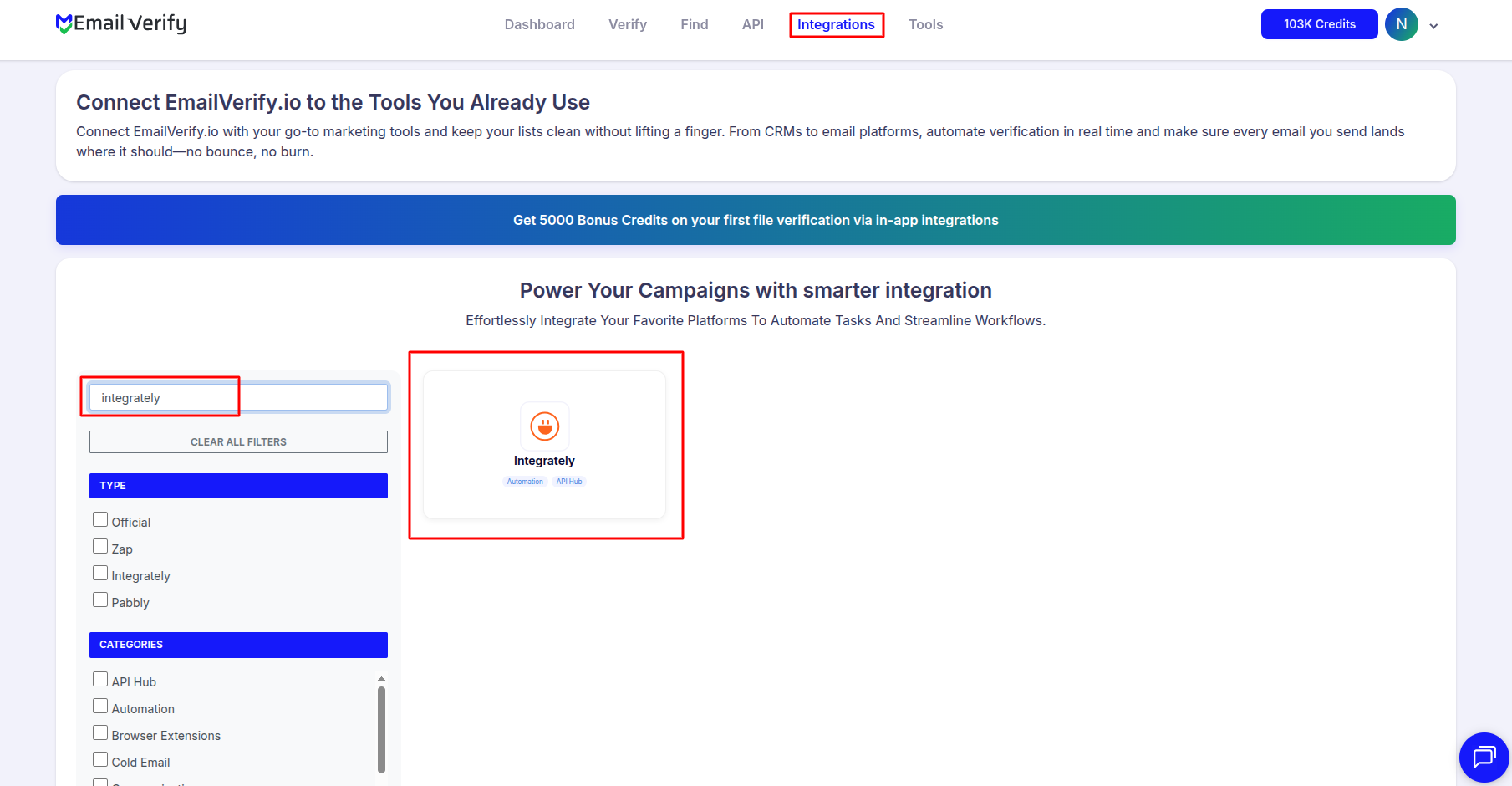
Step 2: Access Configuration
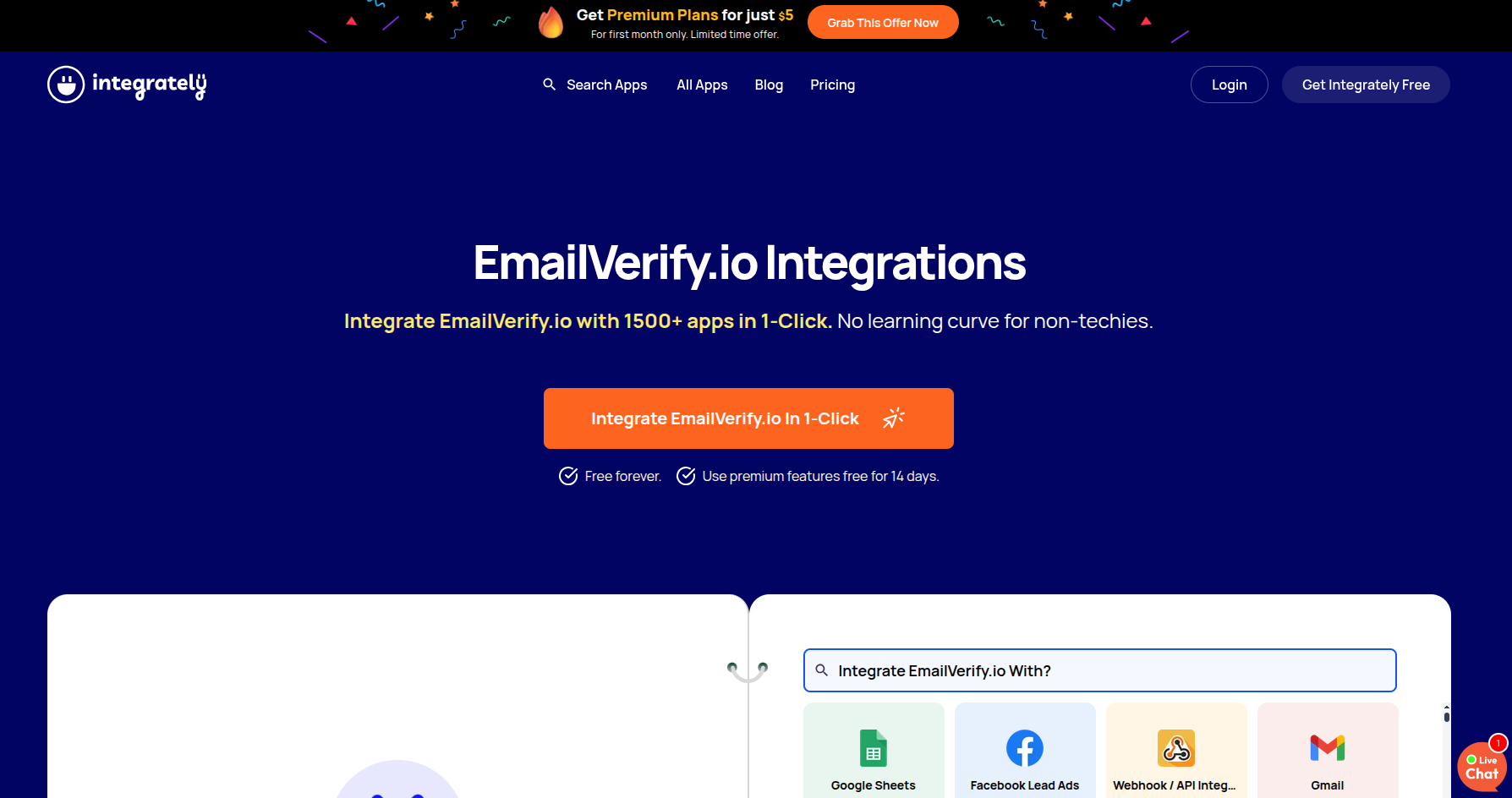
Step 3: Choose Your Target App
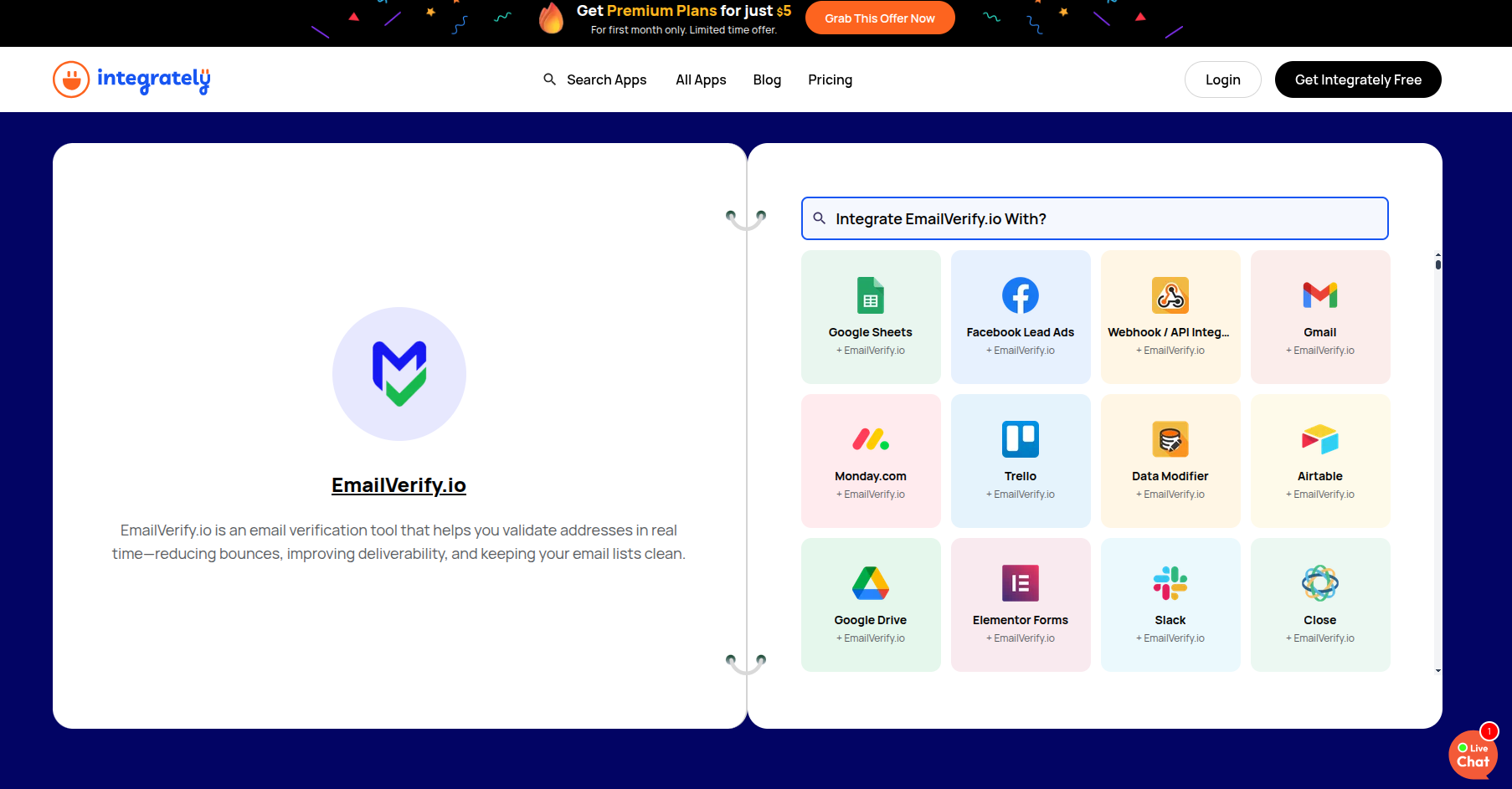
Step 4: Launch Integration
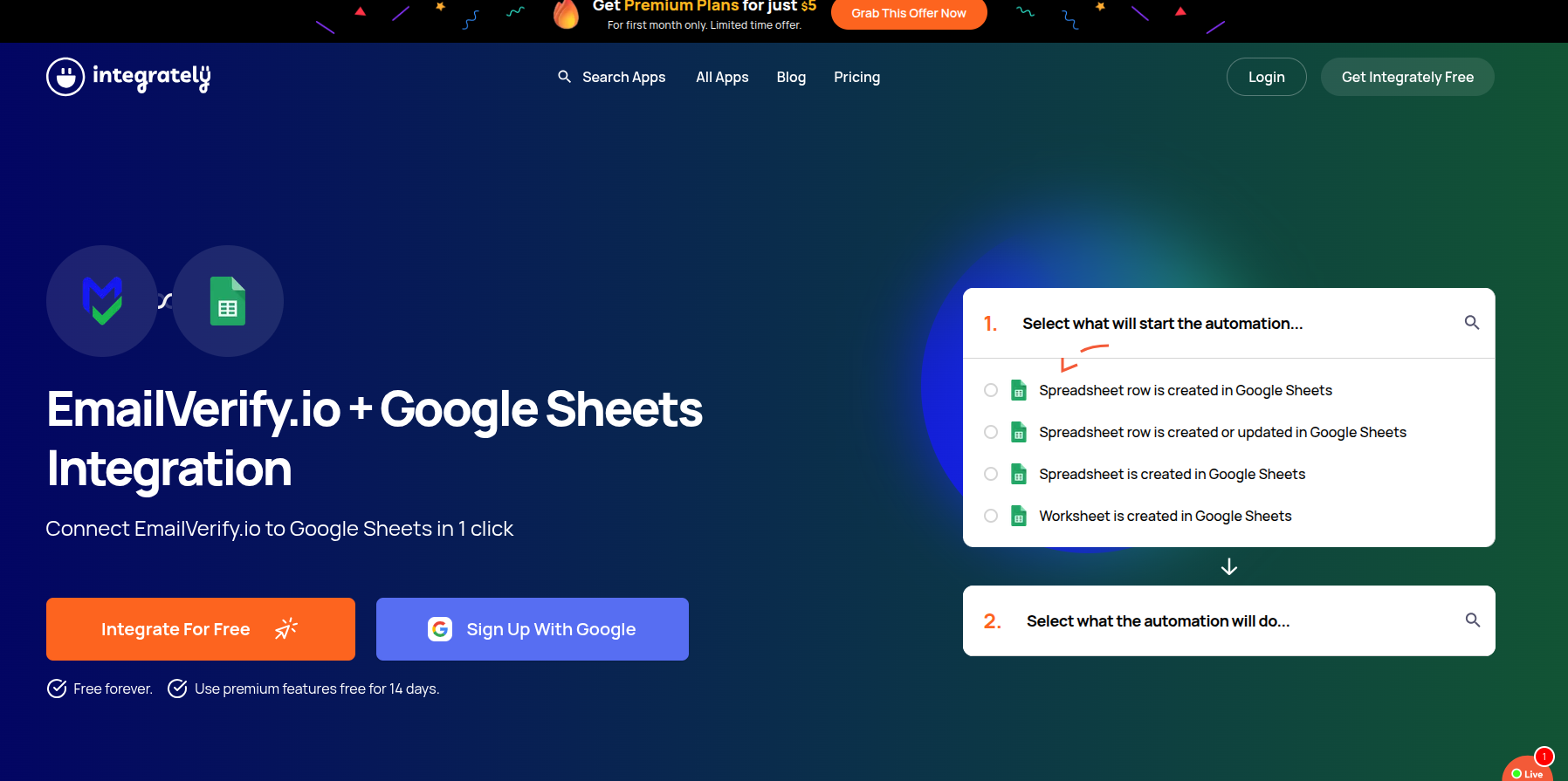
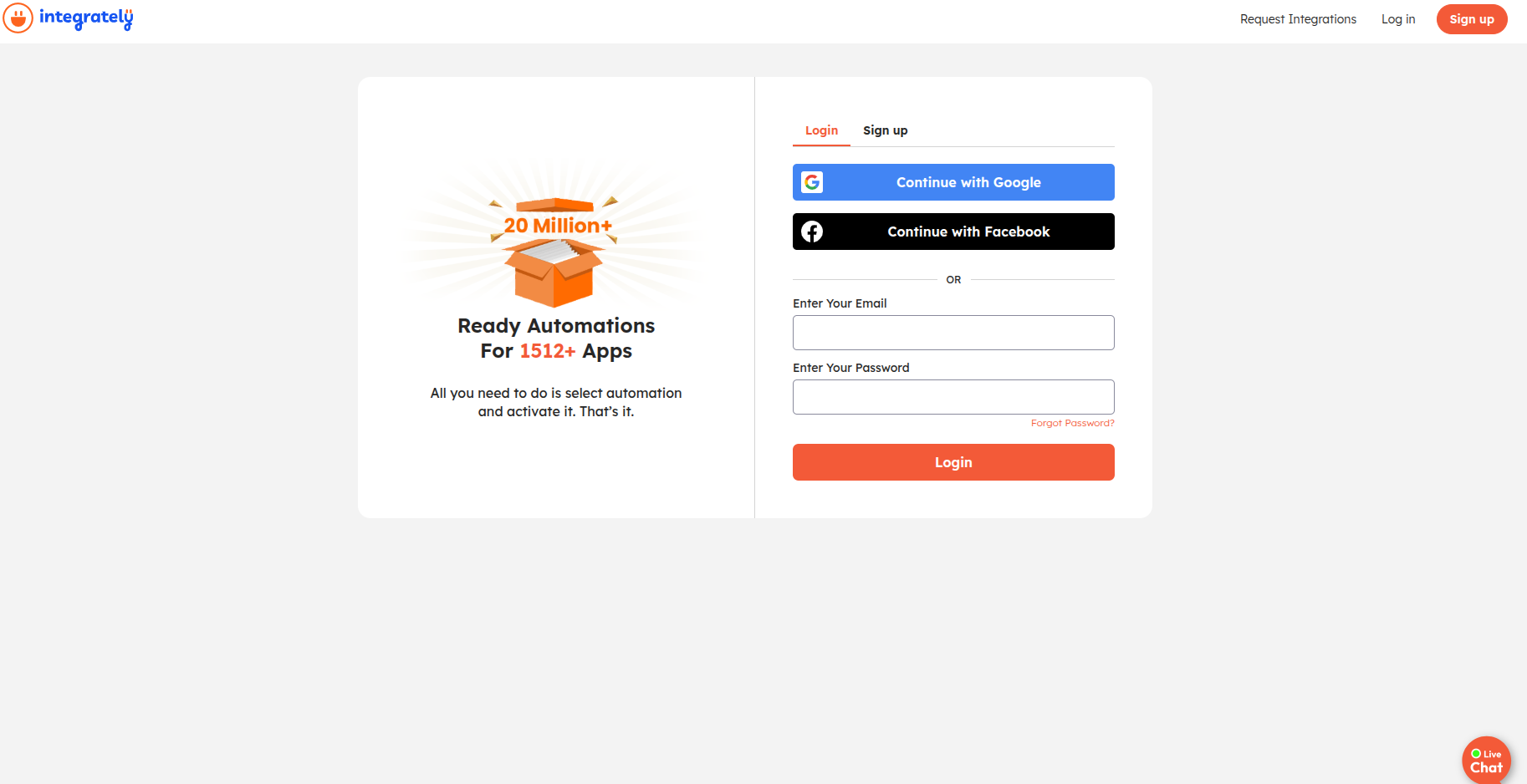
Step 5: Log in to Integrately
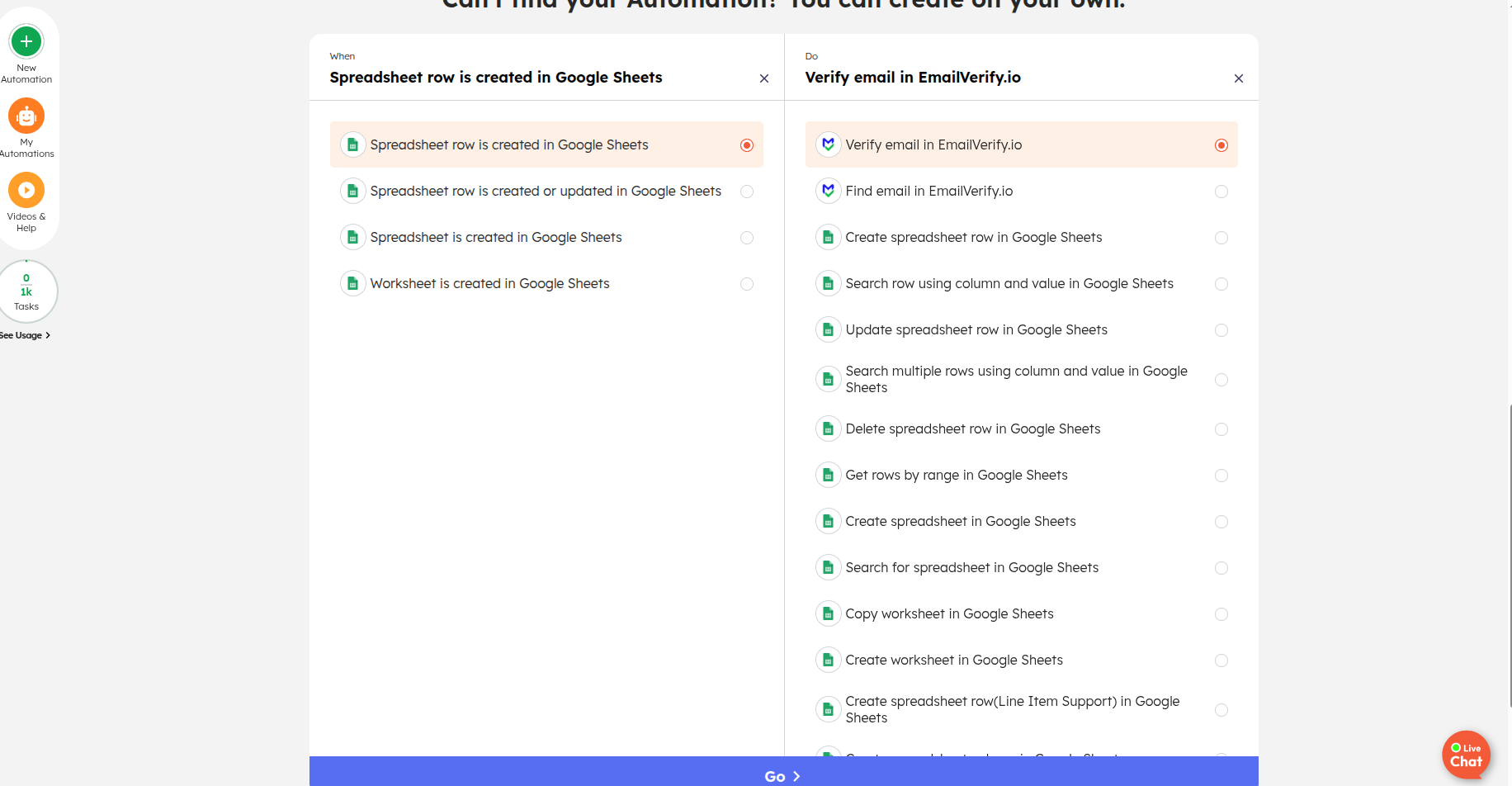
Step 6: Select 'When' and 'Do'
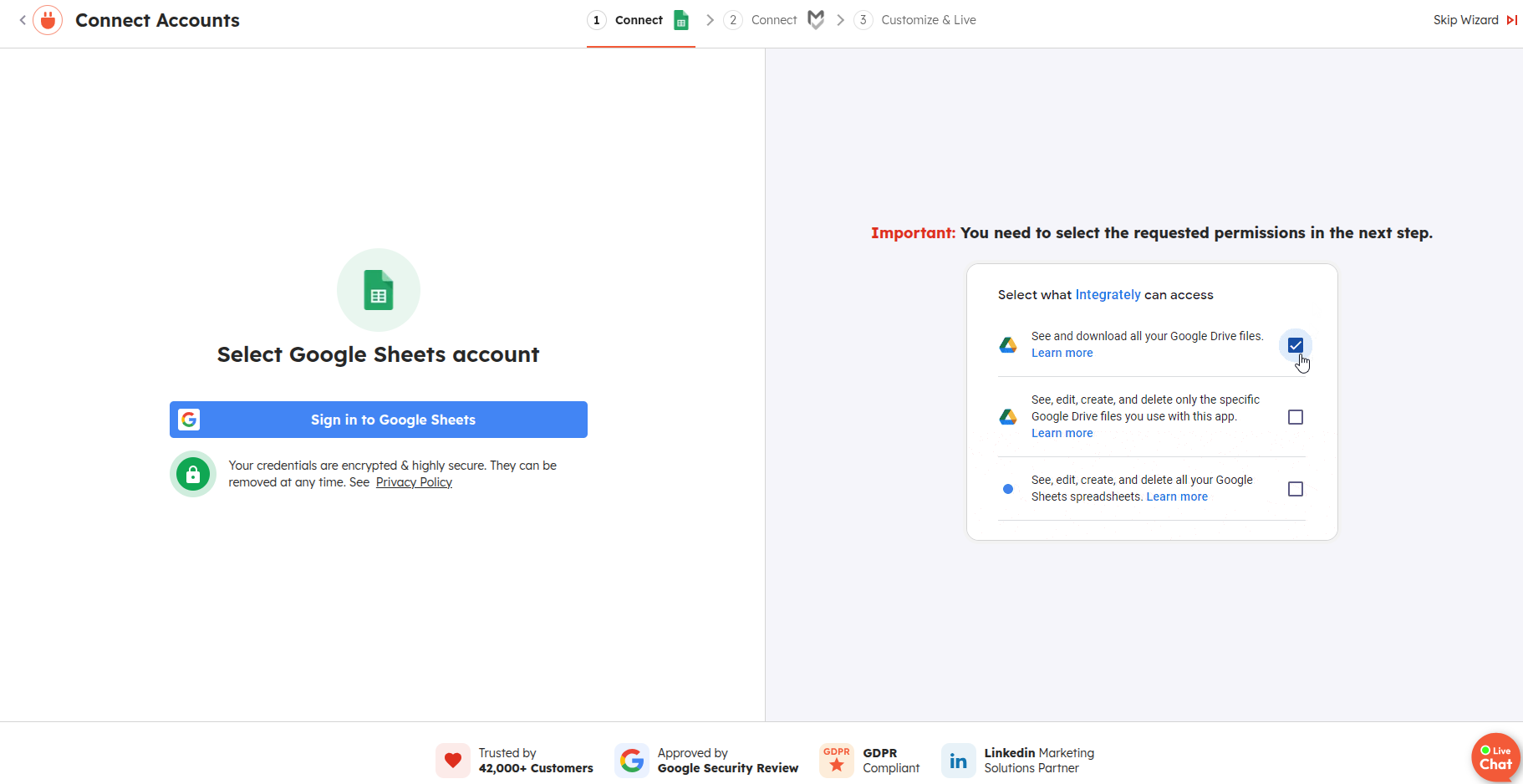
Step 7: Provide Permissions
Integrately Integration Key Features
Build 'ready-to-use' automations in seconds. Integrately's simple interface makes connecting EmailVerify.io to your business tools easier than ever.
1-Click Setup
Choose your apps and select from thousands of pre-built automation recipes that work instantly.
1,100+ App Integrations
Connect EmailVerify.io to 1,100+ apps including CRMs, lead capture forms, email platforms, and webhooks.
Smart Data Mapping
Integrately automatically identifies and maps your email fields between apps to save you time.
Real-Time Lead Cleaning
Verify emails as soon as they are captured in your 'Trigger' app and sync only valid data.
Automation Monitoring
Easily track your verification workflows and see how many EmailVerify.io credits are being consumed in real-time.
Zero Coding Required
A completely visual builder designed for non-techies to manage professional data hygiene.
Who Uses the Integrately + EmailVerify.io Integration?
Non-Technical Marketers and SMBs
Integrately's 1-click setup and Smart Data Mapping make it the easiest automation platform to get started with. No technical configuration or field-mapping knowledge is required — just authenticate and click Go.
Teams Already Using Integrately
Businesses that have chosen Integrately as their automation platform can add EmailVerify.io using pre-built recipes. The integration activates in under 2 minutes without leaving the Integrately dashboard.
Facebook and Google Ads Lead Managers
Teams capturing leads from paid ad campaigns into HubSpot, Pipedrive, or Mailchimp use Integrately's pre-built recipes to verify leads at the point of capture with zero setup time.
Users Who Find Zapier Too Complex
For users who have tried Zapier and found the step-by-step Zap builder time-consuming, Integrately's pre-built recipes offer the same functionality with a significantly simpler activation experience.
No-Code Founders Needing the Fastest Setup
Founders building product-led workflows who need email verification live immediately prefer Integrately for its pre-built recipe library — no workflow building required, just app authentication.
Technical Questions: Integrately + EmailVerify.io
How does Smart Data Mapping work with EmailVerify.io?
When you connect two apps in Integrately, Smart Data Mapping scans the fields available from your trigger app and automatically matches fields named Email, Email Address, contact_email or similar variations to the email parameter in EmailVerify.io. For most standard app pairs, this eliminates the manual field mapping step entirely. For custom schemas or unusual field names, verify the mapping in the workflow builder before activating.
What pre-built Integrately recipes are available for EmailVerify.io?
Integrately maintains pre-built recipes for popular EmailVerify.io app pairs including: Facebook Lead Ads + EmailVerify.io (verify leads at capture, route to CRM), Google Sheets + EmailVerify.io (verify new rows, update with status), Typeform + EmailVerify.io (verify submissions, add to email platform), and Pipedrive + EmailVerify.io (verify new person emails, update contact record). Browse the full recipe library at app.integrately.com when logged in.
How does Integrately compare to Zapier and Pabbly for email verification?
Integrately is the fastest to set up for common app pairs thanks to pre-built 1-click recipes and Smart Data Mapping — typically live in under 60 seconds. Zapier has the largest app library (6,000+ apps) and more powerful conditional logic (Paths, Filters), making it better for complex or unusual workflows. Pabbly Connect offers a one-time lifetime deal with no monthly task fees, making it the most cost-effective for high-volume workflows. Choose Integrately for speed and simplicity, Zapier for breadth and power, and Pabbly for cost control at volume.
Also integrate with Zapier Email Verification Integration , Pabbly Connect Email Verification Integration , HubSpot Email Verification Integration , All EmailVerify.io Integrations . Or use ourAPI for programmatic access.
Frequently Asked Questions

What is Integrately and how does it work with EmailVerify.io?
Integrately is a 1-click automation platform that connects apps through pre-built 'recipes' — pre-configured workflows that activate with a single click. EmailVerify.io is available as an action app in these recipes. When a trigger event occurs (such as a new lead in Facebook Lead Ads), the recipe automatically verifies the email with EmailVerify.io and routes the result to your CRM or email platform.
How many apps does Integrately support?
Integrately supports approximately 1,100+ applications. Popular integrations include HubSpot, Pipedrive, Mailchimp, Facebook Lead Ads, Google Sheets, Typeform, ActiveCampaign, Zoho CRM, and many more. Check integrately.com for the current app directory.
What is a 1-click automation recipe?
A 1-click recipe is a pre-configured automation workflow already set up by Integrately. Instead of selecting apps, choosing events, and mapping fields manually, you:
- Find the recipe for your app pair (e.g., Facebook Lead Ads + EmailVerify.io)
- Click Activate
- Authenticate your accounts (typically 30–60 seconds)
- The automation runs immediately — no field mapping required
For common email verification workflows, this is significantly faster than building a Zap or Pabbly workflow from scratch.
What is Smart Data Mapping in Integrately?
Smart Data Mapping is Integrately's automatic field recognition system. When you connect two apps, it identifies email fields named 'Email', 'Email Address', 'contact_email', and similar variations — and maps them to the correct parameter in EmailVerify.io automatically. For most users, this eliminates manual field mapping entirely.
Which apps can I connect to EmailVerify.io via Integrately?
Integrately connects EmailVerify.io to 1,100+ apps. Common email verification automation pairs include:
- Lead sources: Facebook Lead Ads, Google Ads Lead Form Extensions, Typeform, JotForm
- CRMs: HubSpot, Pipedrive, Zoho CRM, Salesforce
- Email platforms: Mailchimp, ActiveCampaign, Brevo, Klaviyo
- Data tools: Google Sheets, Airtable, Notion
Is the Integrately integration free?
Integrately has a free plan with limited automation runs. Most production email verification workflows require a paid Integrately plan. Connecting your EmailVerify.io account is free. Verification consumes EmailVerify.io credits. See pricing for current credit bundle pricing.
How does Integrately protect my sender reputation?
By verifying email addresses in real time through an Integrately workflow, invalid and disposable emails are filtered out before they reach your CRM or email platform. This prevents hard bounces from undeliverable addresses — protecting your sending domain's reputation with ISPs like Gmail and Outlook.
Do I need to be technical to use Integrately?
No. Integrately is designed for non-technical users. Pre-built 1-click recipes require only app authentication — no field mapping, no configuration, no code. For custom workflows, Integrately's visual 'When/Do' builder is intuitive enough for anyone to use within minutes.
What does 'Automation Monitoring' mean in the Integrately integration?
Automation Monitoring refers to Integrately's workflow history and run logs, which let you see how many times your automation has executed and track how many EmailVerify.io verification credits have been consumed. This helps you estimate ongoing credit usage.
How does Integrately compare to Zapier for email verification?
Integrately offers pre-built 1-click recipes and Smart Data Mapping, making it the fastest setup for common app pairs. Zapier offers a larger app library and more complex conditional logic. Choose Integrately for simplicity and speed; choose Zapier for maximum breadth and complex logic.
You're just one click away from clean email lists.
Start verifying your email addresses instantly and improve your campaign deliverability
* No credit card required