Klaviyo Email Verification Integration — Clean Profiles, Reliable Flows
EmailVerify.io’s Klaviyo email verification integration validates every profile in your Klaviyo lists before they enter your e-commerce flows. Connect via Klaviyo’s OAuth 2.0 in minutes, select the lists to verify, and get results synced back as profile properties — EV_Status, EV_SubStatus, and EV_Validation_Timestamp — on each Klaviyo profile. Invalid profiles break abandoned cart sequences, corrupt revenue attribution, inflate Klaviyo plan costs, and distort Predictive Analytics. EmailVerify.io catches them before they cause damage — so every flow, campaign, and win-back sequence reaches a real, deliverable customer inbox.

Quick Summary: Klaviyo Email Verification Integration
- What it does: Imports Klaviyo lists, validates every profile with 20+ checks, and syncs results back as profile properties automatically.
- Who it’s for: E-commerce brands, Shopify merchants, DTC companies, and agencies managing Klaviyo accounts.
- Connection: Secure OAuth 2.0 via Klaviyo’s own login. No credentials stored by EmailVerify.io.
- Setup time: Under 5 minutes.
- Key output: EV_Status | EV_SubStatus | EV_Validation_Timestamp written as Klaviyo profile properties on each profile.View pricing.
How to use the integration
To get started with the Klaviyo integration, you’ll need an active Klaviyo account, which you can create at https://www.klaviyo.com/sign-up, along with an EmailVerify.io account.
Step 1: Sign in to EmailVerify.io
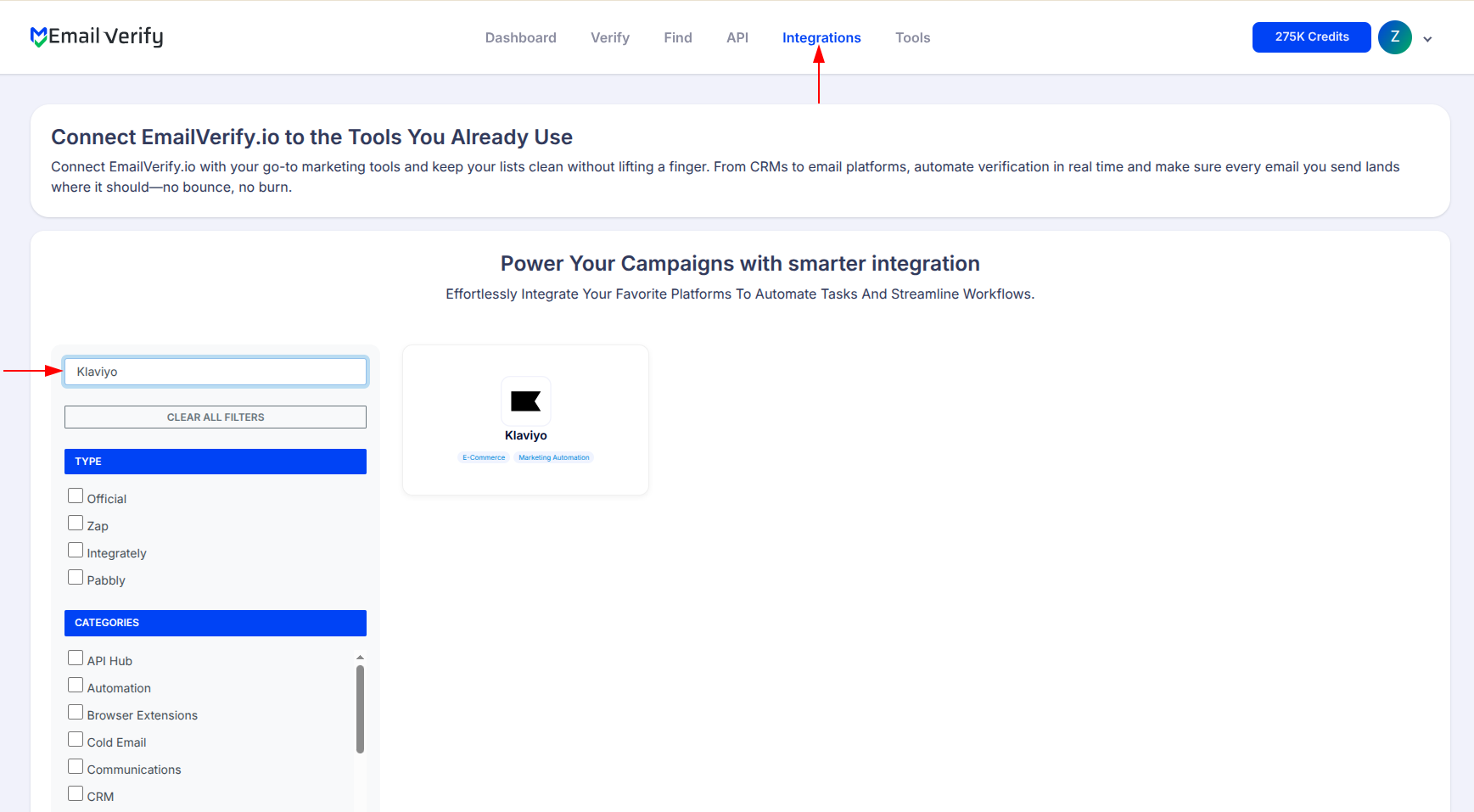
Step 2: Open the Klaviyo Integration
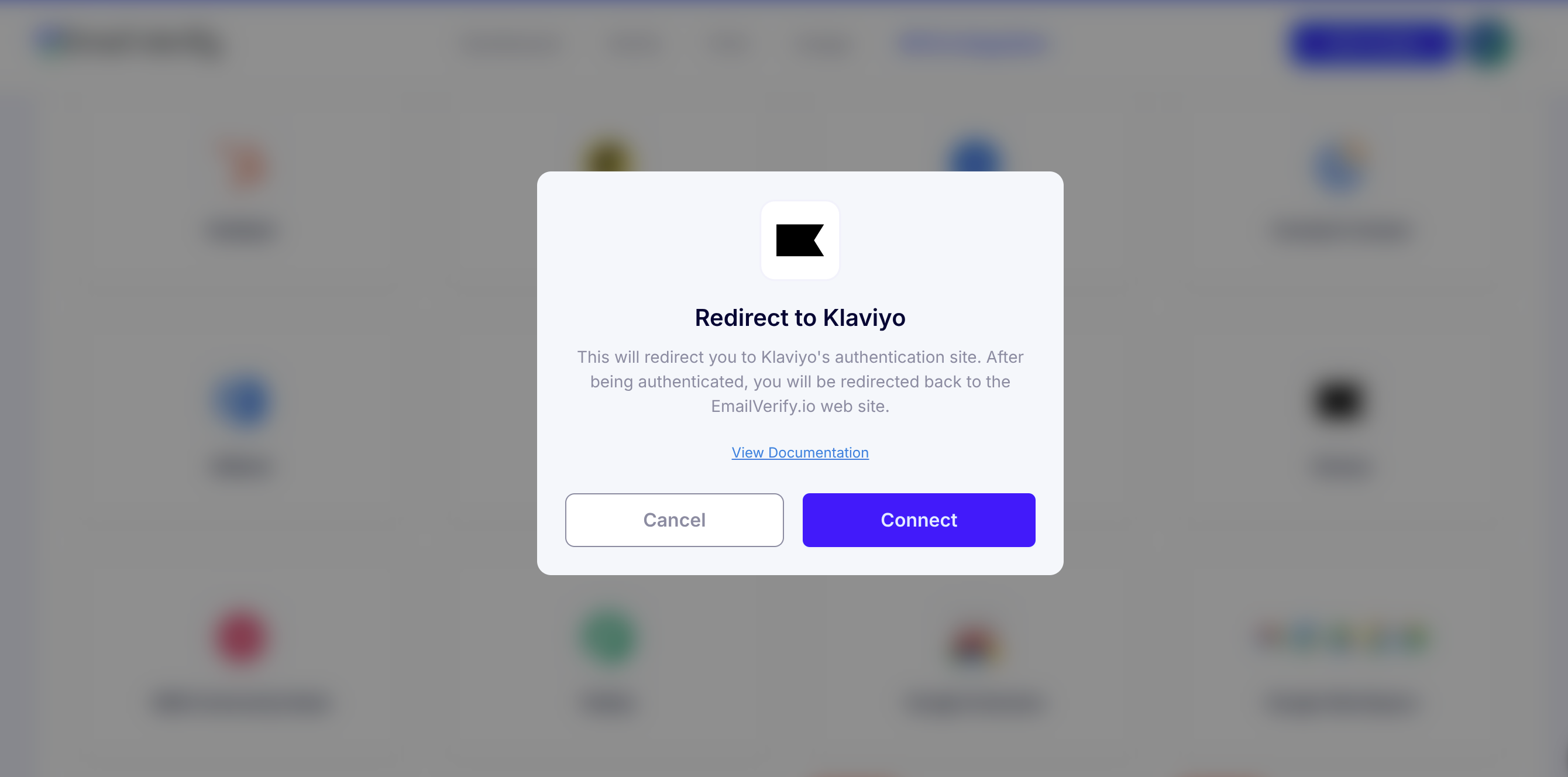
Step 3: Continue to Klaviyo Authorization
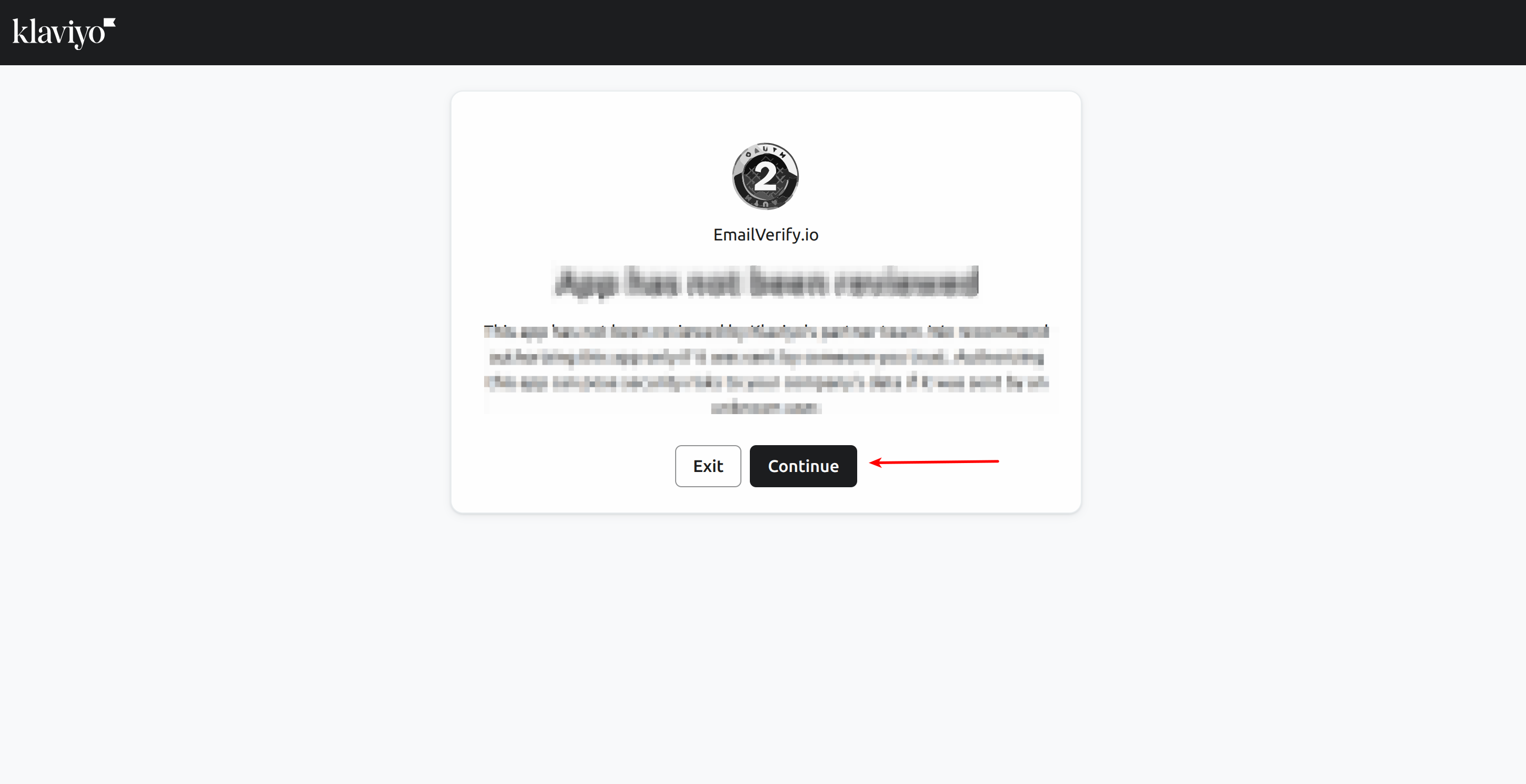
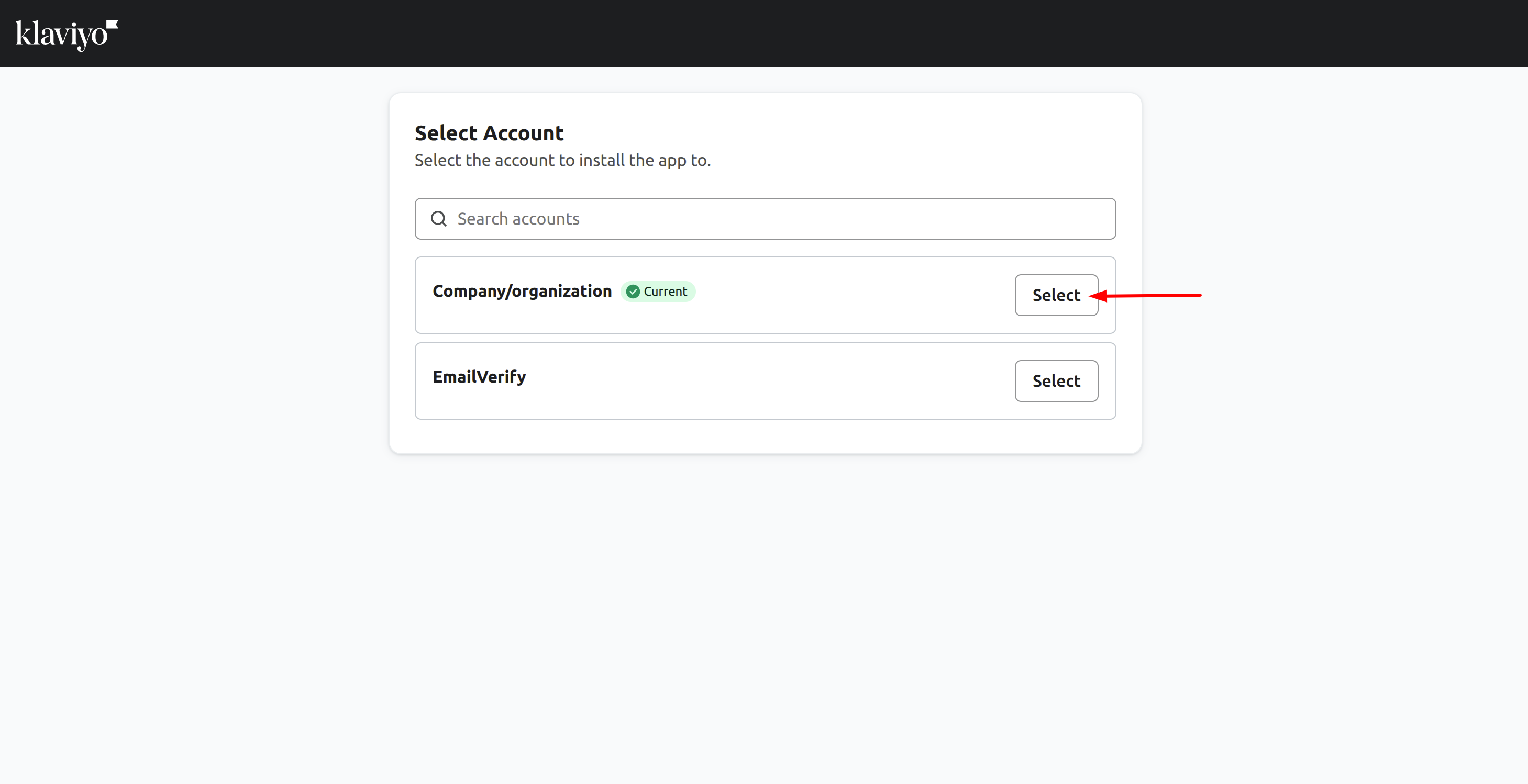
Step 4: Choose Your Klaviyo Account
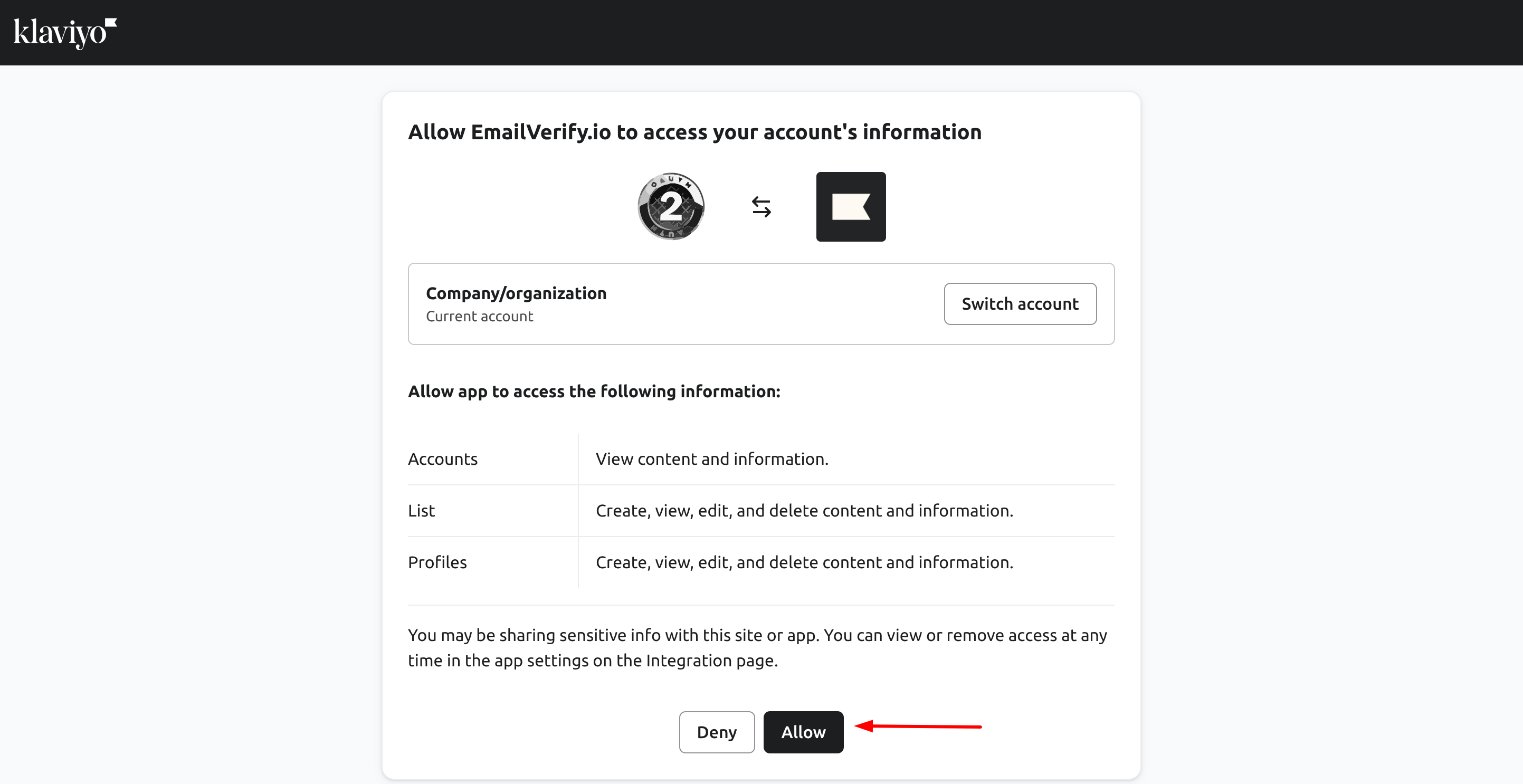
Step 5: Grant Permission
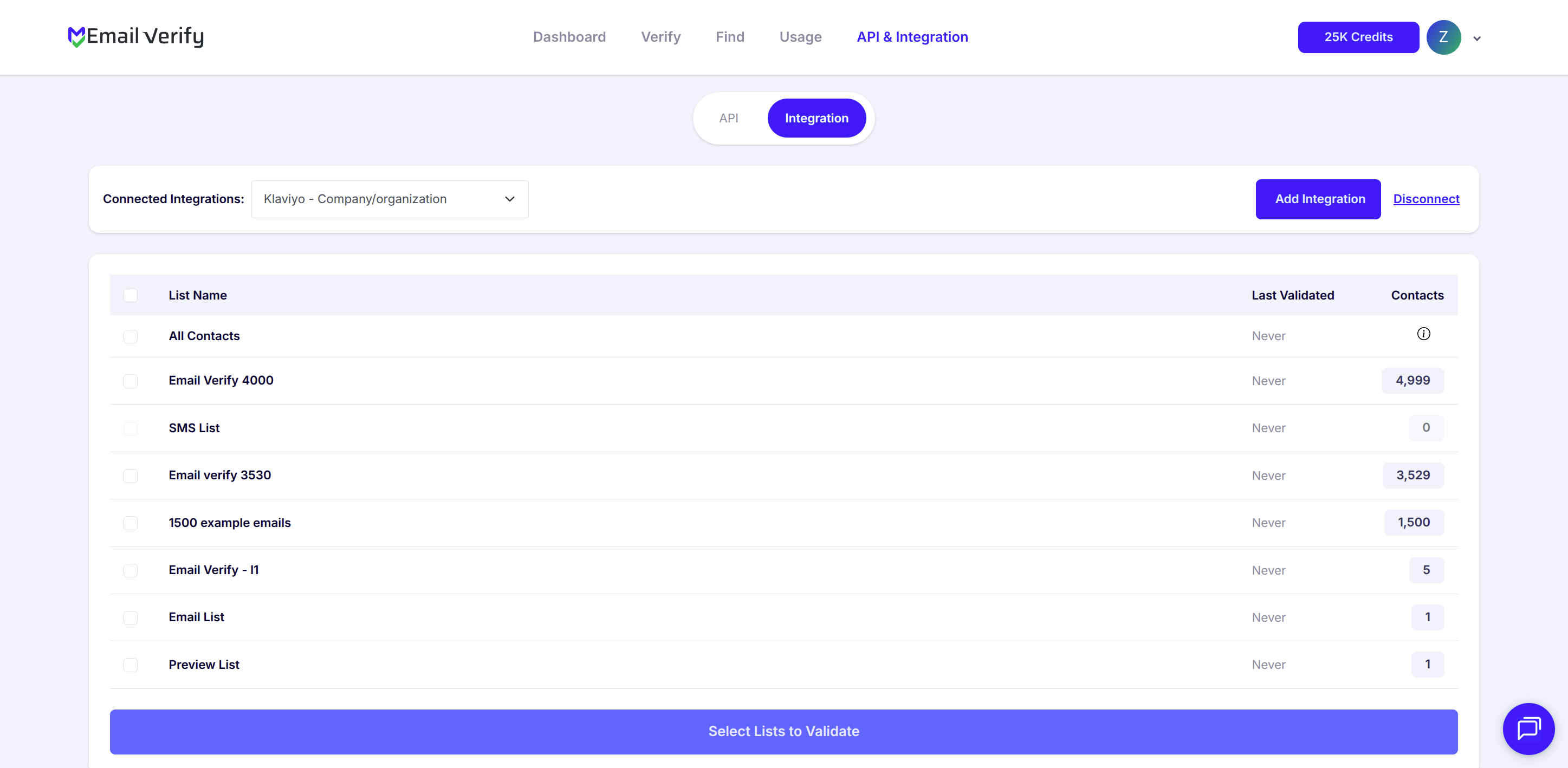
Step 6: View Available Klaviyo Lists
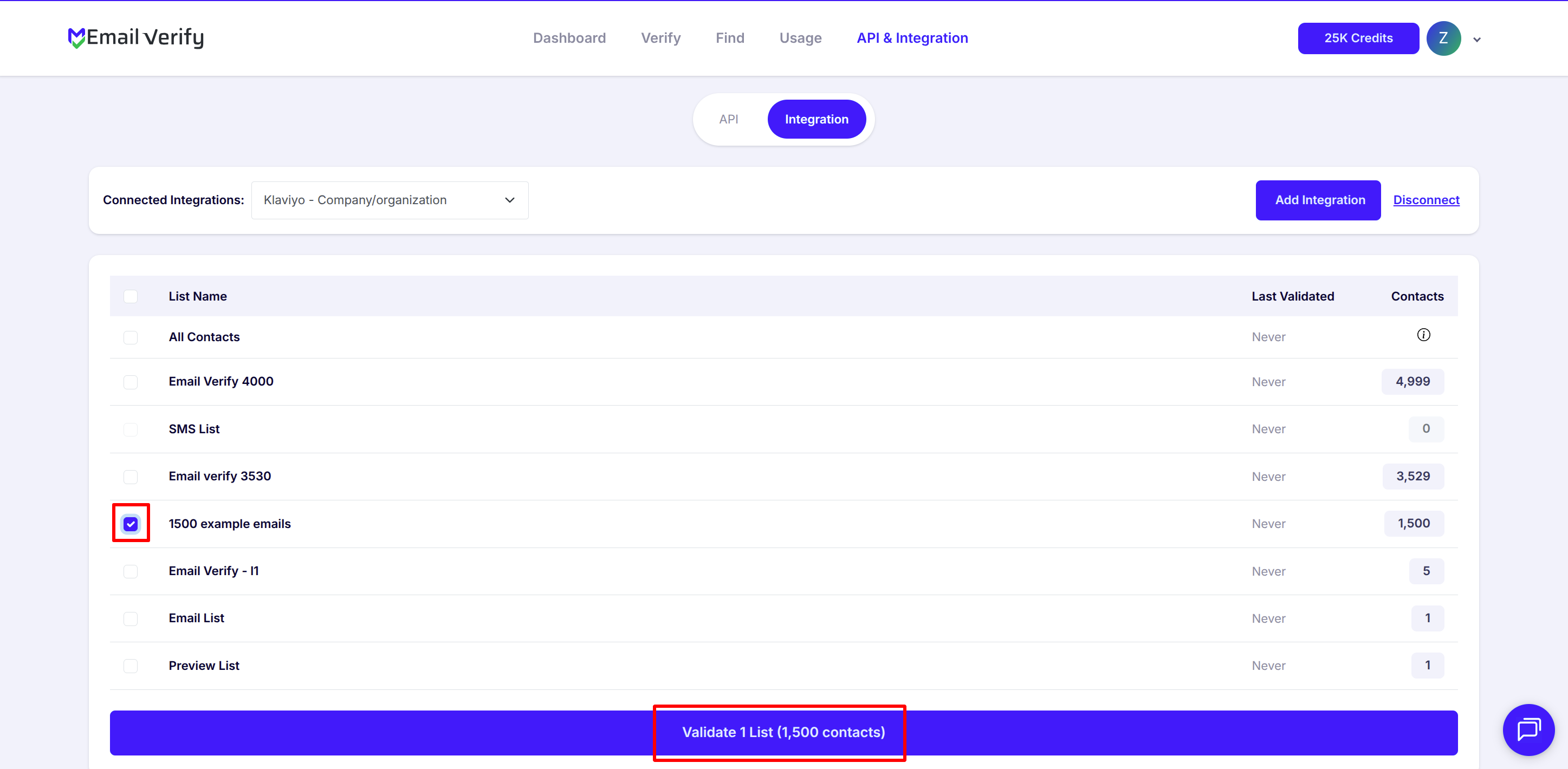
Step 7: Select Lists for Validation
Note: The results of the validation are automatically exported to the integration they originated from.
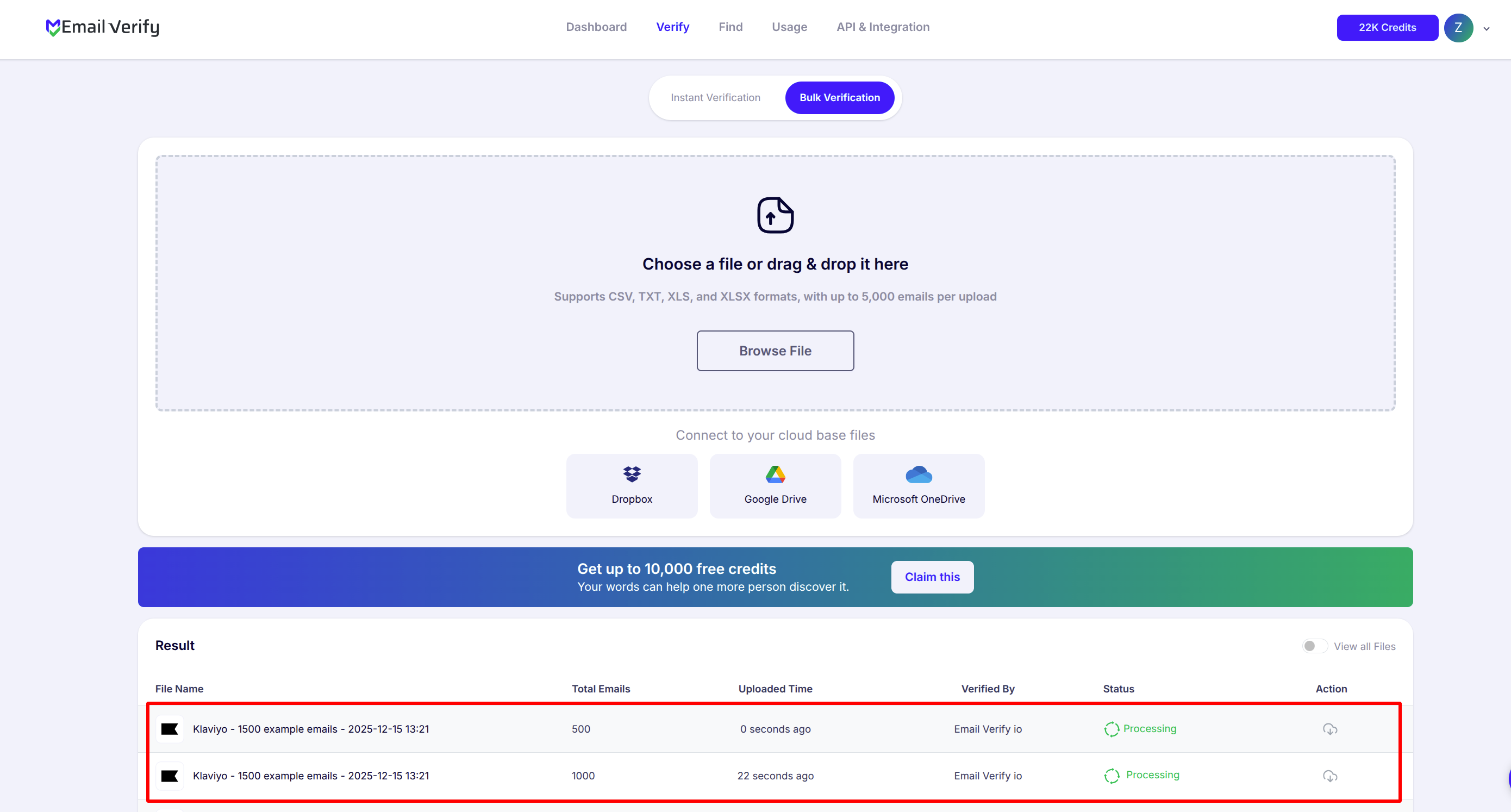
Step 8: Track Validation Progress
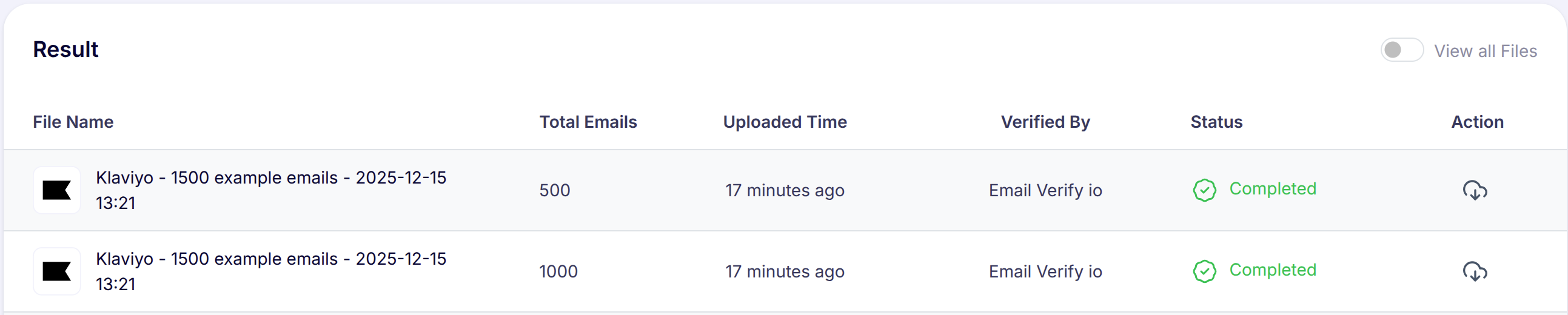
Step 9: Receive and Access Validation Results
Note: Validation results are automatically sent to your Klaviyo account. Three profile properties are added to each verified profile: EV_Status, EV_SubStatus, and EV_Validation_Timestamp. Use these profile properties in Klaviyo segments, flow filters, and campaign conditions to suppress invalid profiles and protect your flows.
Klaviyo Email Verification Integration Features
To use this integration, you’ll need a valid Klaviyo account. During setup, you’ll be asked to connect your Klaviyo account to EmailVerify.io. We use OAuth2 for secure authorization, which allows EmailVerify.io to access your Klaviyo data without needing your credentials.
Import Email Addresses from Klaviyo
Import email addresses from your Klaviyo lists directly into EmailVerify.io for verification.
Reliable Email Verification
Verify your contacts with EmailVerify.io’s robust verification service to quickly detect invalid email addresses.
Export Results Back to Klaviyo
When exporting the validation results to Klaviyo, custom properties are added to each email: EV_Status, EV_SubStatus, and EV_Validation_Timestamp.
Secure OAuth 2.0 Connection
We use OAuth 2.0 for secure authorisation — the same standard used by all major Klaviyo integrations. You connect via Klaviyo's own login page. EmailVerify.io never sees or stores your Klaviyo credentials. Revoke access at any time from your Klaviyo account settings.
Auto-Validation
With Auto-Validation, EmailVerify.io automatically verifies new profiles added individually to your Klaviyo account in real time. Toggle Auto-Validation ON to ensure every new profile is verified before it enters any active flow.
Cleaner Profiles, Better Delivery
Reduce bounces and improve flow deliverability by keeping your Klaviyo profile lists clean and up to date with verified, accurate data.
Why Klaviyo Users Need Email Verification
Klaviyo does not validate email addresses when profiles are added. Profiles enter from Shopify checkouts, pop-up forms, Facebook lead ads, API integrations, and CSV imports — none of which verify deliverability. For e-commerce brands running revenue-critical flows, invalid profiles cause compounding damage.
- ✗ Abandoned cart flows fire on invalid emails — Klaviyo records the send but the email never arrives, distorting flow revenue attribution and making recovery rates appear lower than they are.
- ✗ Klaviyo’s Predictive Analytics models predict customer lifetime value and purchase timing. Invalid profiles skew these predictions — making highest-value segment identification less accurate.
- ✗ Klaviyo pricing is based on active profile count. Invalid profiles inflate your count and can push you into a higher plan tier, raising monthly costs without any campaign or revenue value.
- ✗ Pop-up forms and discount code sign-ups carry the highest disposable email rates — users provide throwaway addresses to access gated offers with no intent to receive further email.
- ✗ Migrated or imported lists from previous platforms, CRM exports, or trade show sign-ups decay significantly — lists older than 12 months can carry 15–25% invalid profile rates.
EmailVerify.io removes invalid profiles before they enter flows, distort analytics, or inflate plan costs — protecting both deliverability and the accuracy of Klaviyo’s revenue reporting.
What EmailVerify.io Checks on Every Klaviyo Profile
Each Klaviyo profile email passes through 20+ real-time verification checks before results sync back as profile properties.
| Check | What It Detects |
|---|---|
| Syntax validation | Formatting errors — missing @, invalid characters, malformed structure |
| Domain / DNS check | Whether the email domain exists and is active |
| MX record check | Active mail server records on the domain |
| SMTP verification | Whether the individual mailbox exists on the server |
| Catch-all detection | Domains that accept all emails regardless of whether the mailbox exists |
| Disposable email check | Temporary or burner addresses from 10,000+ known providers |
| Role-based detection | Generic addresses: info@, admin@, noreply@, support@ |
| Free email provider flag | Gmail, Yahoo, Hotmail and 500+ consumer providers |
Results written as Klaviyo profile properties: EV_Status | EV_SubStatus | EV_Validation_Timestamp
What Klaviyo Users See After Verification
EmailVerify.io writes results directly to Klaviyo profile properties — no manual export or re-import required.
Klaviyo Flow Deliverability With vs Without Email Verification
Invalid profiles corrupt flow metrics, revenue attribution, and Klaviyo plan costs. Here is what changes with EmailVerify.io.
| Approach | Time Required | Accuracy | Auto-Sync | Ongoing Protection |
|---|---|---|---|---|
| No verification | 0 min setup | Unknown | No | All invalids enter flows and inflate plan cost |
| Manual CSV clean | Hours of manual work | Basic | No | Partial — misses catch-all and disposable |
| EmailVerify.io + Klaviyo | Under 5 min setup | 20+ checks pre-flow | Yes — EV profile properties on every profile | Full — flows, attribution, and plan costs protected |
Who Should Use Klaviyo Email Verification
Shopify and e-commerce brands
Guest checkout emails and pop-up discount sign-ups introduce invalid profiles regularly. Verify before every major promotional send — Black Friday, seasonal campaigns, new collection launches — to protect abandoned cart and post-purchase flow performance.
DTC (Direct-to-Consumer) companies
DTC brands running CLV strategies depend on Klaviyo’s Revenue Attribution and Predictive Analytics. Invalid profiles corrupt these models. Verification ensures highest-value segments are identified from real, accurate profile data.
Klaviyo agencies
Verify client lists quarterly. Protecting client sender reputations, flow performance, and plan cost efficiency is a defensible, billable service that agencies can offer across all managed Klaviyo accounts.
Subscription and loyalty program managers
Loyalty sign-ups frequently use disposable emails to claim rewards without genuine intent. Verify before win-back and loyalty flow enrolment to avoid wasted sends on addresses that will never convert.
Technical Questions About Klaviyo Email Verification
How do I use EV_Status in Klaviyo segments?
In Klaviyo, go to Segments > Create Segment. Add condition: Properties > EV_Status > equals > Invalid. Save the segment. Use this segment as an exclusion condition on all flows and campaign audiences to prevent invalid profiles from receiving emails.
Can I filter invalid profiles out of my Klaviyo flows?
Yes. In any flow trigger settings, add a filter condition: EV_Status is not Invalid. This prevents invalid profiles from entering the flow at the trigger point. For abandoned cart flows specifically, this filter ensures only deliverable emails receive the sequence.
What happens to EV_Status when a profile is re-verified?
When you run a new verification on a list containing previously verified profiles, EV_Status, EV_SubStatus, and EV_Validation_Timestamp are all overwritten with the new results. The Timestamp field makes it easy to identify which profiles have been re-verified most recently.
Does Auto-Validation work with Shopify checkout profiles?
Auto-Validation applies to profiles added individually to your Klaviyo account. Shopify sync creates profiles in batches — these are not covered by Auto-Validation and require a manual list verification run after each significant batch import or sync event.
Also integrate with Mailchimp Email Verification , ActiveCampaign Email Verification , HubSpot Email Verification , GetResponse Email Verification . Or use ourAPI for programmatic access.
Frequently Asked Questions

How do I connect EmailVerify.io to Klaviyo?
- Sign in at app.emailverify.io
- Go to Integrations and select Klaviyo
- Click Connect — the Klaviyo authorisation page opens
- Choose the Klaviyo account and click Allow
Is the Klaviyo integration free?
What profile properties does EmailVerify.io add to Klaviyo profiles?
- EV_Status: Valid / Invalid / Catch-All / Disposable / Unknown
- EV_SubStatus: Reason code — mailbox_not_found, smtp_timeout, etc.
- EV_Validation_Timestamp: Date and time of last verification
How does email verification protect my Klaviyo flows?
Invalid profiles generate hard bounces that skew flow metrics and produce missed revenue attribution. Verifying profiles before enrolment ensures every abandoned cart or win-back sequence reaches a real customer.
Does EmailVerify.io detect disposable emails from Klaviyo pop-up forms?
Yes. Disposable and temporary addresses (Mailinator, TempMail, etc.) are flagged as EV_Status: Disposable. Removing them improves genuine engagement and open rate accuracy for discount-based sign-ups.
Can invalid Klaviyo profiles increase my plan cost?
Yes. Klaviyo pricing is based on active profiles. Invalid profiles count toward this total. Verifying and removing them can reduce your profile count and potentially move you to a lower, cheaper plan tier.
How long does it take to verify a Klaviyo list of 50,000 profiles?
For 50,000 profiles, verification typically completes in 30–60 minutes. Results write back to Klaviyo profile properties automatically — no manual action required.
What Klaviyo plan do I need to use this integration?
The integration works with all Klaviyo plans. Klaviyo's standard API and profile properties are available on all account tiers.
How often should I re-verify my Klaviyo profiles?
We recommend monthly verification for Shopify brands with frequent imports, every 3 months for regular senders, and before every major campaign launch.
You're just one click away from clean email lists.
Start verifying your email addresses instantly and improve your campaign deliverability
* No credit card required