Pipedrive Email Verification Integration — Clean Person Data, Reliable Outreach
EmailVerify.io’s Pipedrive email verification integration validates every Person email address in your Pipedrive CRM before it reaches your outreach sequences or campaign tools. Connect via OAuth 2.0 in minutes, select the Person records to verify, and get results synced back as custom columns — EV_Status, EV_SubStatus, and EV_Validation_Timestamp — directly on each Person record. Invalid Person emails waste sales rep time, corrupt pipeline metrics, and damage your sender reputation. EmailVerify.io catches them before they cost you deals.


Quick Summary: Pipedrive Email Verification Integration
- What it does: Imports Pipedrive Person records, validates every email with 20+ checks, and syncs results back as custom columns — EV_Status, EV_SubStatus, EV_Validation_Timestamp — on each Person record.
- Who it’s for: Sales teams, SDRs, account executives, and sales ops teams using Pipedrive for pipeline and contact management.
- Connection: Secure OAuth 2.0 via Pipedrive’s own login — no credentials stored by EmailVerify.io.
- Key benefit: Verify Person emails before outreach sequences to eliminate hard bounces that damage sender reputation and waste SDR time.View pricing.
- Setup time: Under 5 minutes.
How to use the integration
To get started with the Pipedrive integration, you’ll need an active Pipedrive account, which you can create at https://www.pipedrive.com/, along with an EmailVerify.io account.
Step 1: Sign in to EmailVerify.io
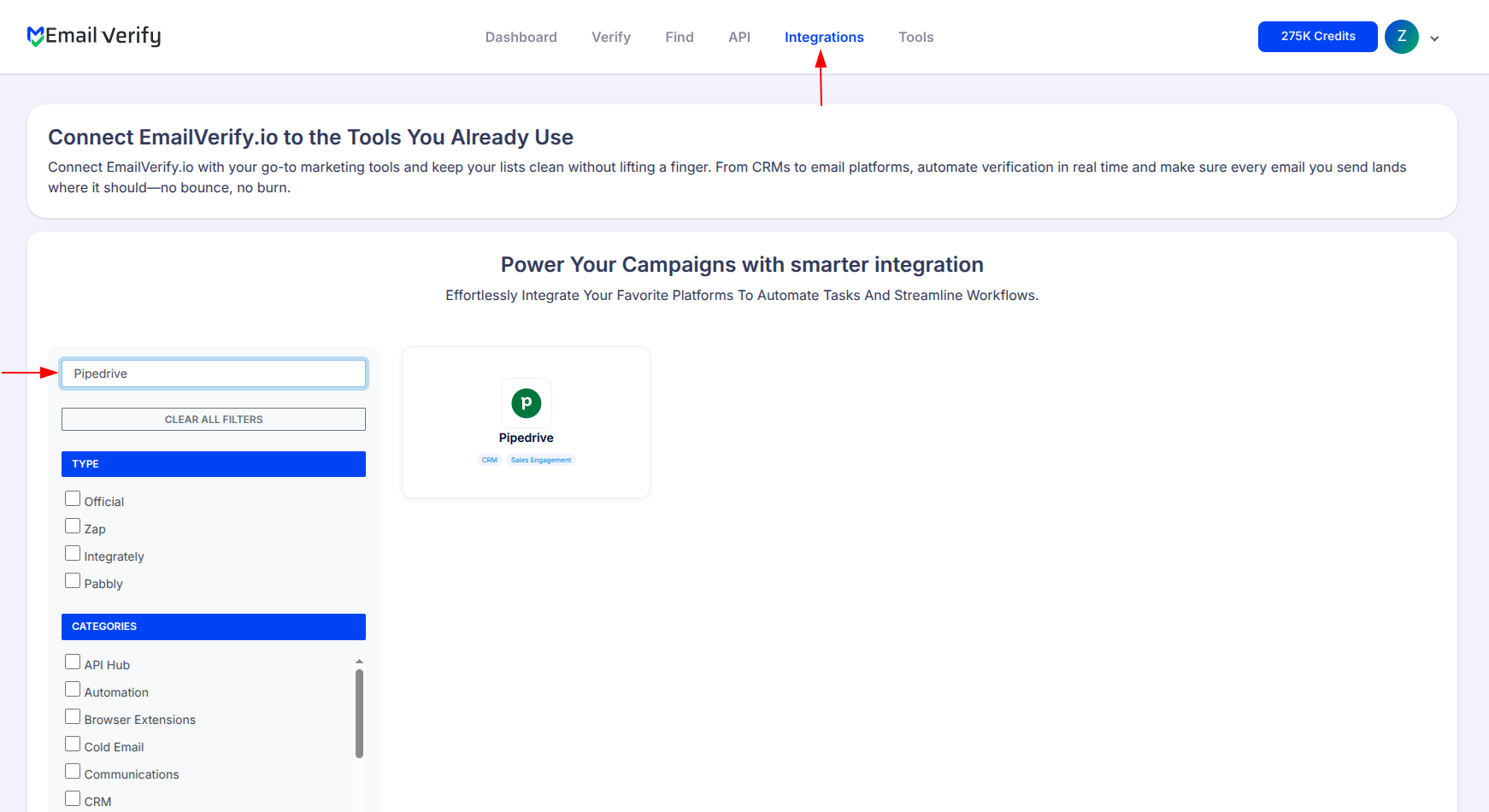
Step 2: Open the Pipedrive Integration
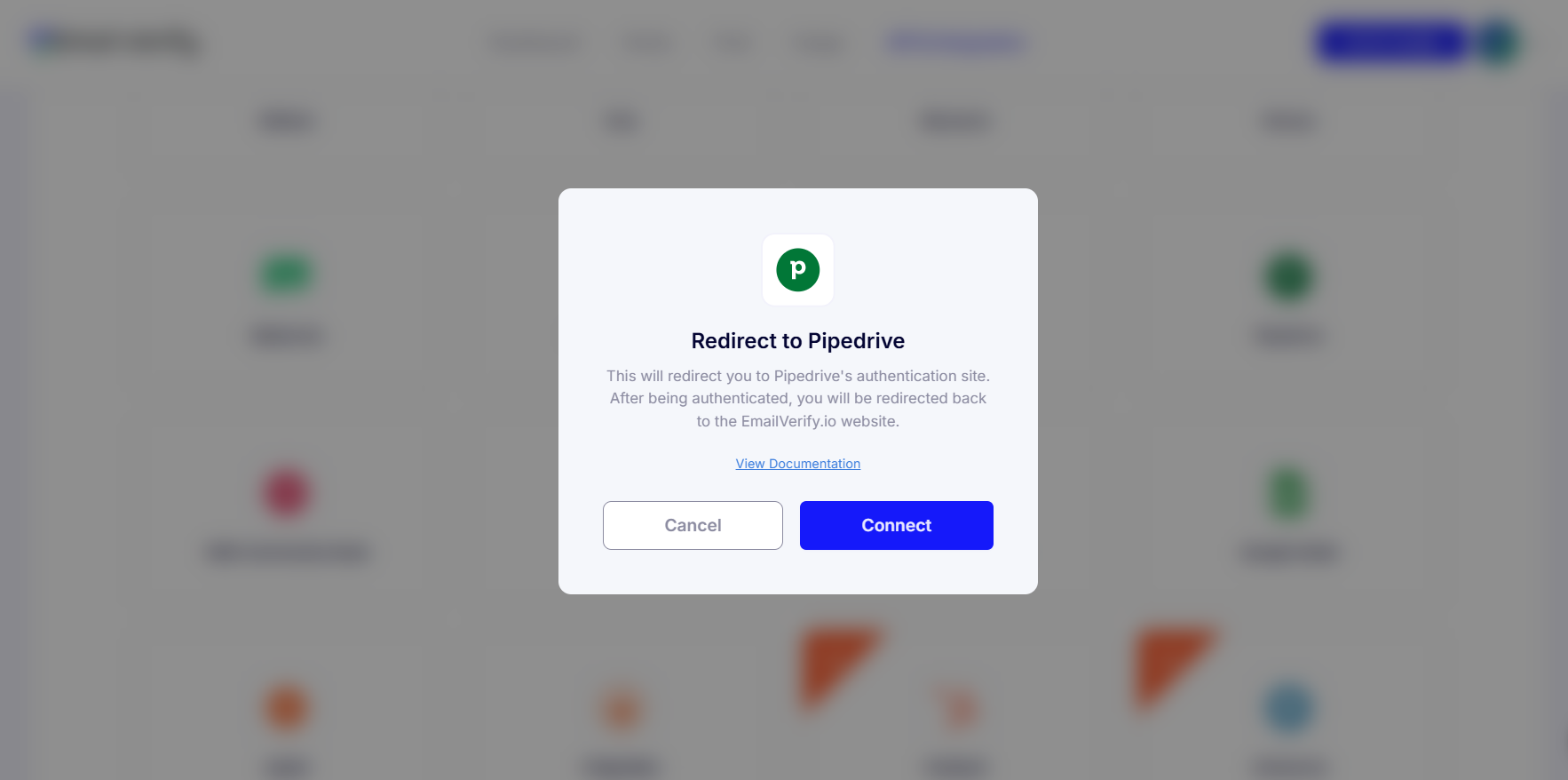
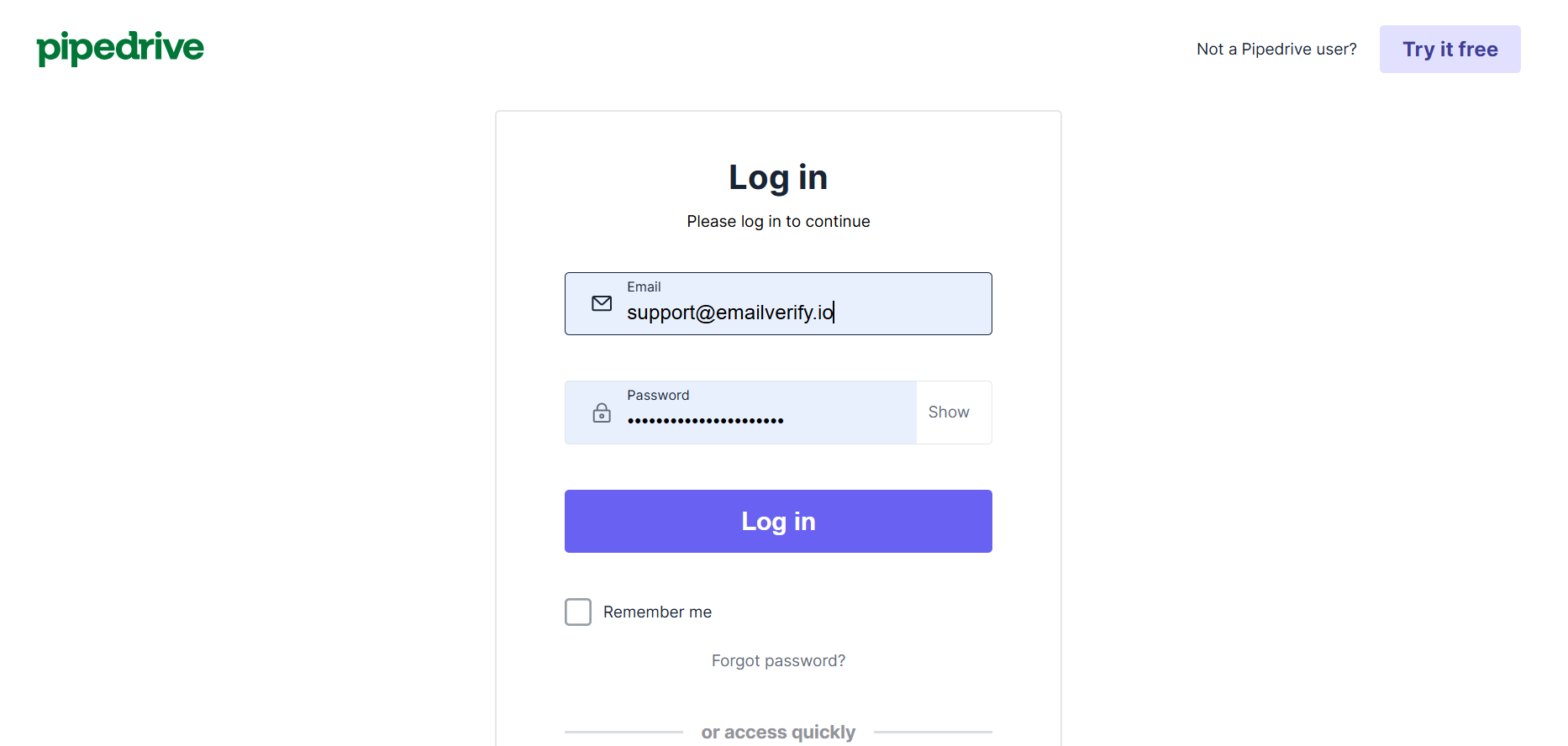
Step 3: Pipedrive Sign in
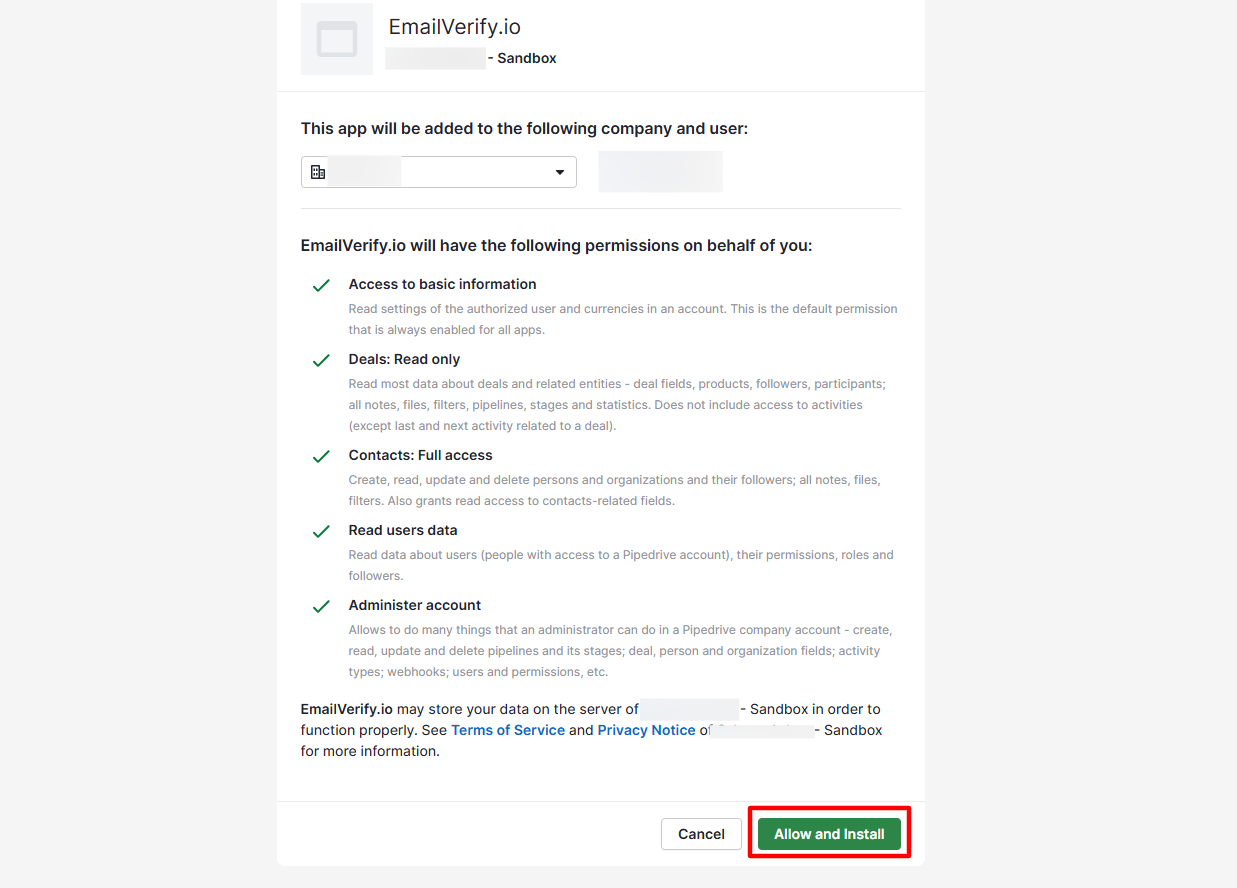
Step 4: Grant Permission
Step 5: View Pipedrive Contacts
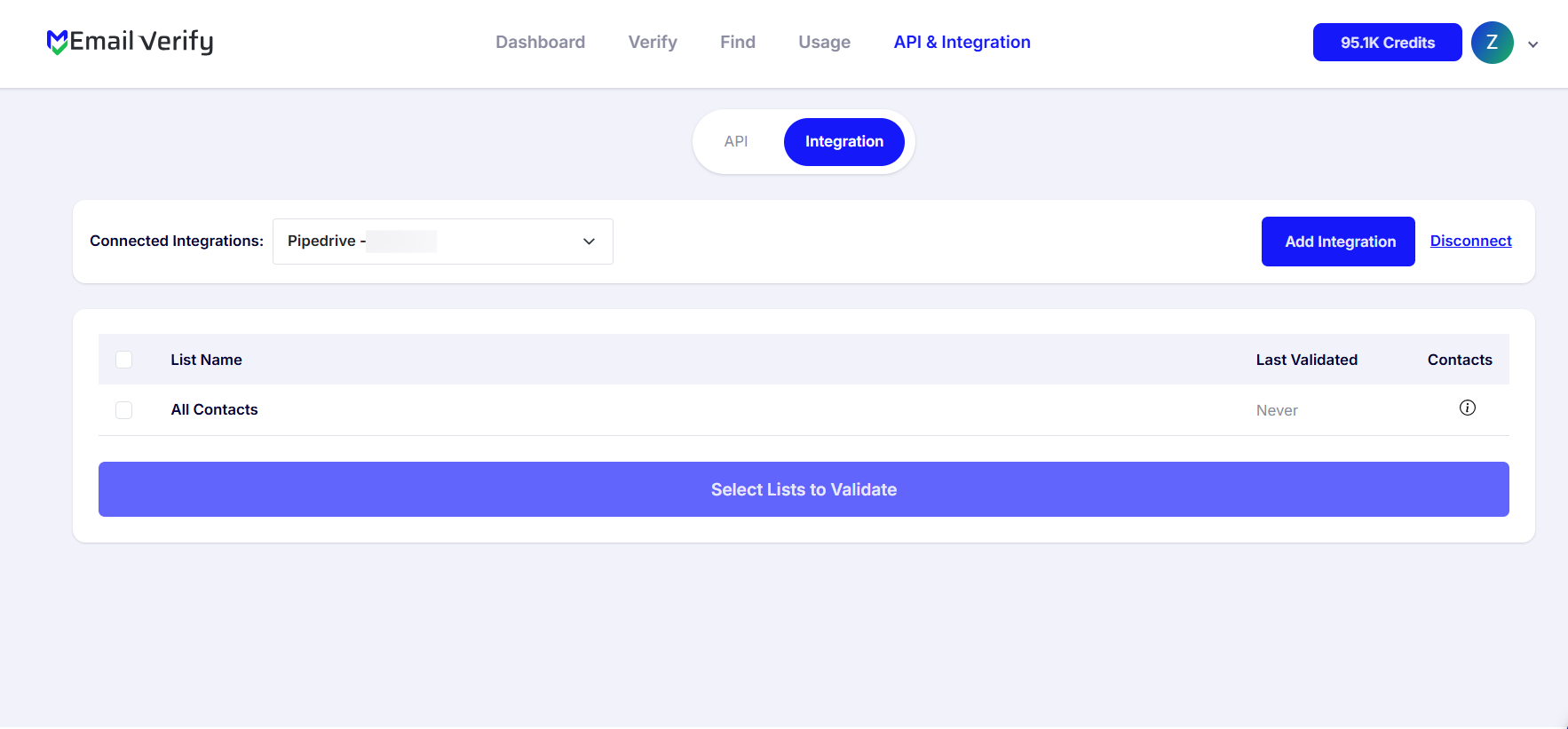
Step 6: Choose Contacts to Validate
Note: The results of the validation are automatically exported to the integration they originated from.
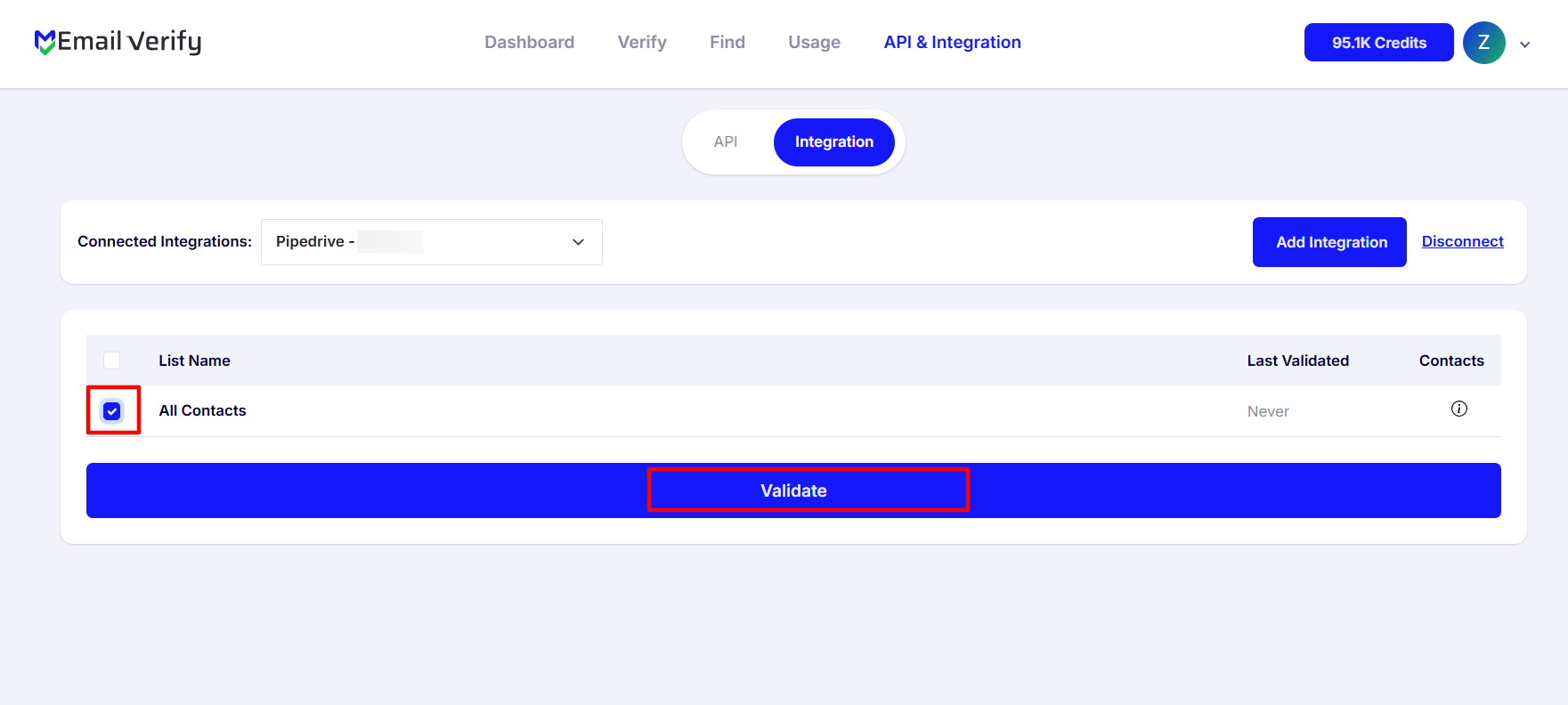
Step 7: Track Validation Progress
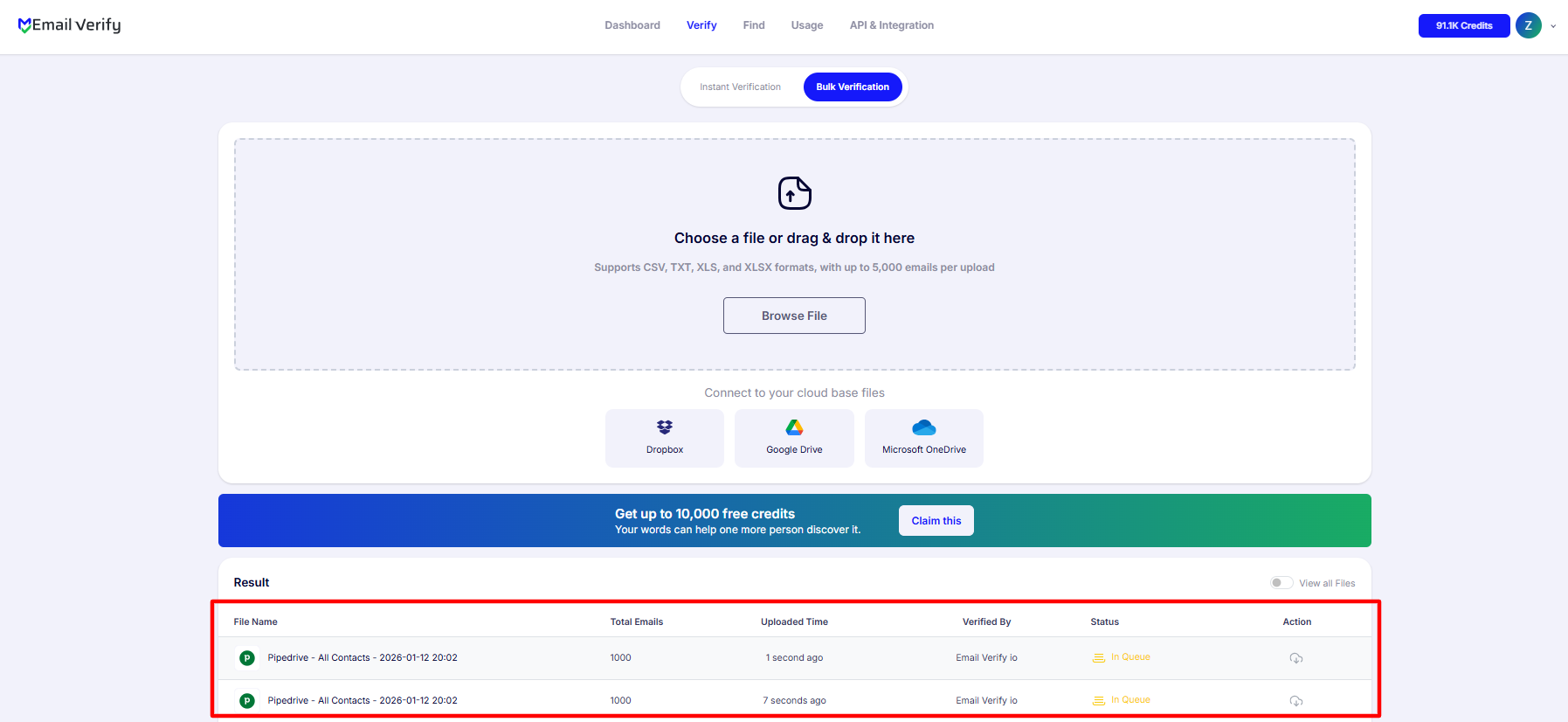
Step 8: Receive and Access Validation Results
Note: Validation results are automatically sent to the connected integration. Three custom columns will be added to each verified person i.e EV_Status, EV_SubStatus, and EV_Validation_Timestamp. These custom columns are essential for maintaining up-to-date and accurate contact information, allowing for better management and engagement with your contacts.
Pipedrive Email Verification Integration Features
To use this integration, you’ll need a valid Pipedrive account. During setup, you’ll be asked to connect your Pipedrive account to EmailVerify.io. We use OAuth2 for secure authorization, which allows EmailVerify.io to access your Pipedrive data without needing your credentials.
Clean Pipedrive Emails in Minutes
Bring your Pipedrive contacts into EmailVerify.io and identify invalid emails with ease.
Advanced Email Verification for Pipedrive Contacts
Use EmailVerify.io’s powerful email verification engine to detect invalid, disposable and catch-all email addresses before they impact your campaigns.
Export Verification Results Back to Pipedrive
Automatically sync verification results back to Pipedrive with custom contact columns, including EV_Status, EV_SubStatus, and EV_Validation_Timestamp, for full visibility and control.
Secure OAuth 2.0 Authorization
Connect EmailVerify.io to Pipedrive using secure OAuth 2.0 authorization—no passwords required and no compromise to your CRM data security.
Cleaner Pipedrive Contacts, Higher Email Deliverability
Reduce email bounce rates, improve sender reputation, and increase inbox placement by keeping your Pipedrive contact lists clean and up to date.
Preserve CRM Data Integrity
Add verification statuses to each contact without deleting records, making it easy to filter, segment, and target verified emails while keeping your Pipedrive lists intact.
Why Pipedrive Users Need Email Verification
Pipedrive is a pipeline-first sales CRM — its primary function is to track deals from lead to close. Every Person record in Pipedrive represents a real sales opportunity, and every email address attached to that Person is a direct line to that opportunity. Pipedrive does not validate email addresses when Person records are created — Persons enter from web forms, LinkedIn exports, business card scans, and manual entry, all of which produce invalid addresses.
- ✗ SDRs waste prospecting time sequencing invalid addresses. Bounce events from invalid Persons disrupt email sequence logic and damage domain sender reputation.
- ✗ Revenue forecasting based on pipeline Persons with bad email data is fundamentally unreliable — invalid contacts inflate pipeline stage counts with unreachable opportunities.
- ✗ Invalid Person emails distort pipeline metrics at every stage — open rates, reply rates, activity completion rates, and conversion ratios all become inaccurate.
- ✗ Email addresses decay at 22–30% per year. Pipedrive databases built over time contain a growing proportion of stale, unreachable Person emails.
- ✗ Role-based and disposable emails entered through web forms and lead capture add noise to Person records that cannot be identified without verification.
EmailVerify.io removes invalid Person emails before they corrupt pipeline data, waste outreach effort, or distort CRM reporting — keeping your Pipedrive workspace accurate and actionable.
What EmailVerify.io Checks on Every Pipedrive Person Email
Each Person email address in your Pipedrive CRM passes through 20+ real-time verification checks before results sync back as custom columns.
| Check | What It Detects |
|---|---|
| Syntax validation | Formatting errors — missing @, invalid characters, malformed structure |
| Domain / DNS check | Whether the email domain exists and is active |
| MX record check | Active mail server records on the domain |
| SMTP verification | Whether the individual mailbox exists on the server |
| Catch-all detection | Domains that accept all emails regardless of whether the mailbox exists |
| Disposable email check | Temporary or burner addresses from 10,000+ known providers |
| Role-based detection | Generic addresses: info@, admin@, noreply@, support@ |
Results written as custom columns on each Person: EV_Status | EV_SubStatus | EV_Validation_Timestamp
What Pipedrive Users See After Verification
EmailVerify.io writes results directly to Pipedrive Person records as custom columns — visible and filterable inside your CRM without any re-import.
Pipedrive Person Data Quality With vs Without Email Verification
Invalid Person emails corrupt pipeline metrics, waste SDR time, and damage sender reputation. Here is what changes with EmailVerify.io.
| Approach | Time Required | Accuracy | Auto-Sync | Ongoing Protection |
|---|---|---|---|---|
| No verification | 0 min setup | Unknown | No | All invalid Person emails corrupt pipeline data and outreach |
| Manual CSV clean | Hours of manual work | Basic | No | Partial — misses catch-all and disposable addresses |
| EmailVerify.io + Pipedrive | Under 5 min setup | 20+ checks per Person | Yes — EV columns on every Person record | Full — pipeline accuracy, outreach, and sender reputation all protected |
Who Should Use Pipedrive Email Verification
Sales Development Representatives (SDRs)
Before running any outbound sequence, verify the Person email addresses in your target Pipedrive pipeline stage. Invalid emails generate hard bounces that damage your domain reputation and disrupt sequence tracking — costing you delivery on every subsequent send.
Account Executives managing active deals
Verify Person emails for active deals when re-engagement is needed or when a contact’s email may have changed due to a job change or company rebrand. Avoid wasting follow-up effort on unreachable addresses tied to live deal records.
Sales Operations and RevOps teams
Maintaining Pipedrive data quality is a RevOps responsibility. Quarterly verification of Person records keeps pipeline metrics accurate, forecast models reliable, and outreach efficiency measurable.
Agencies managing Pipedrive for sales clients
Verify client Person databases quarterly. Clean Person data protects client outreach deliverability, ensures CRM reporting is actionable, and is a defensible, billable data quality service.
Technical Questions About Pipedrive Email Verification
How do I build a Pipedrive filter using EV_Status to find invalid Persons?
In Pipedrive, go to Contacts > People and click the Filter icon. Add a condition: Custom Field > EV_Status > equals > Invalid. Save the filter as ‘Invalid Person Emails’. This view shows all Persons with invalid email addresses. From here you can bulk-select, archive, or assign them for review before your next outreach run.
What happens to Person records that fail verification — are they deleted?
No. EmailVerify.io only adds custom columns to Person records — it does not delete, archive, or modify any existing Pipedrive data. EV_Status is added to each Person so you can decide what action to take. The decision to remove or archive a Person record remains entirely within Pipedrive and with your team.
Can I automate re-verification using Pipedrive workflows?
You can use EV_Validation_Timestamp to track when a Person was last verified. Set a Pipedrive filter for Persons where EV_Validation_Timestamp is older than 90 days. Combine this with a Pipedrive automation to assign a task to your sales ops team when Persons in active pipeline stages haven’t been re-verified recently.
Does the OAuth connection give EmailVerify.io write access to my Pipedrive data?
The OAuth 2.0 connection gives EmailVerify.io the access required to read your Person records and write the three EV custom columns back after verification. It does not have access to delete records, modify Deals, access financial data, or manage your Pipedrive account settings. You can revoke access at any time from your Pipedrive OAuth settings.
Also integrate with HubSpot Email Verification , Salesforce Email Verification , ActiveCampaign Email Verification , monday.com Email Verification . Or use ourAPI for programmatic access.
Frequently Asked Questions

How do I connect EmailVerify.io to Pipedrive?
- Sign in at app.emailverify.io and go to Integrations
- Select Pipedrive and click Connect
- Enter your Pipedrive credentials and authorise access
- Your Pipedrive Person records appear in EmailVerify.io automatically
Is the Pipedrive integration free?
What custom columns does EmailVerify.io add to Pipedrive Person records?
- EV_Status: Valid / Invalid / Catch-All / Disposable / Unknown
- EV_SubStatus: Detailed reason code
- EV_Validation_Timestamp: Date and time of last verification
Why should I verify Person emails in Pipedrive before outreach?
Invalid Person emails generate hard bounces. Hard bounces damage your domain sender reputation — which affects deliverability for every subsequent send. Verifying before outreach protects your reputation.
Does EmailVerify.io detect disposable emails in Pipedrive?
Yes. Disposable and temporary addresses are flagged as EV_Status: Disposable. Common in Pipedrive Person records built from web forms where prospects provide throwaway emails.
Will results automatically sync back to Pipedrive Person records?
Yes. After verification, EV_Status, EV_SubStatus, and EV_Validation_Timestamp sync automatically to each Pipedrive Person record as custom columns. No manual download or re-import required.
What Pipedrive plan do I need for this integration?
All Pipedrive plans are supported (Essential, Advanced, Professional, Enterprise). The integration uses Pipedrive's standard OAuth 2.0 API.
How often should I re-verify Pipedrive Person emails?
We recommend verifying before any outreach campaign, after large imports, and quarterly for your active pipeline to ensure data remains clean.
Can I filter Pipedrive Persons by EV_Status?
Yes. EV_Status is added as a custom field. In Pipedrive, you can create a list view filtered by EV_Status = Invalid to identify and exclude non-deliverable contacts.
How long does verification take for 5,000 Pipedrive Persons?
For 5,000 Person records, verification typically completes in 5–10 minutes. You receive an email notification when done.
You're just one click away from clean email lists.
Start verifying your email addresses instantly and improve your campaign deliverability
* No credit card required