Zapier Email Verification Integration — Automate Email Validation Across 6,000+ Apps
Use EmailVerify.io with Zapier to build no-code email verification workflows that connect to 6,000+ apps. Capture a lead from Facebook Lead Ads, verify the email in real time, then use a Zapier Filter to route only valid emails to HubSpot, Mailchimp, Salesforce, or any destination app. Every lead is verified at the point of capture — before it ever enters your CRM or email platform. EV_Status results are mapped directly into your destination app so your team always knows which contacts are safe to contact. Get started instantly at app.emailverify.io/zap-it.


Quick Summary: Zapier Email Verification Integration
- What it does: Connects EmailVerify.io to 6,000+ apps via Zapier — verifies emails at the point of capture and routes only valid leads to your CRM or email platform.
- Who it's for: No-code automation teams, marketing teams managing lead quality, and sales operations teams using Zapier to connect their marketing and sales stack.
- Key feature: Zapier Filter step — only emails with EV_Status = 'valid' continue to your destination app. Invalid addresses stop automatically.
- Zapier plan note: Filter steps require Zapier Starter plan or higher. Basic single-action Zaps work on the free plan.
- Free to start: EmailVerify.io offers free verification credits to get started.View pricing.
How to use the Zapier integration
To get started, you will need an active Zapier account and an EmailVerify.io account. You can explore our integration directly at https://app.emailverify.io/zap-it.
Step 1: Sign in and Navigate
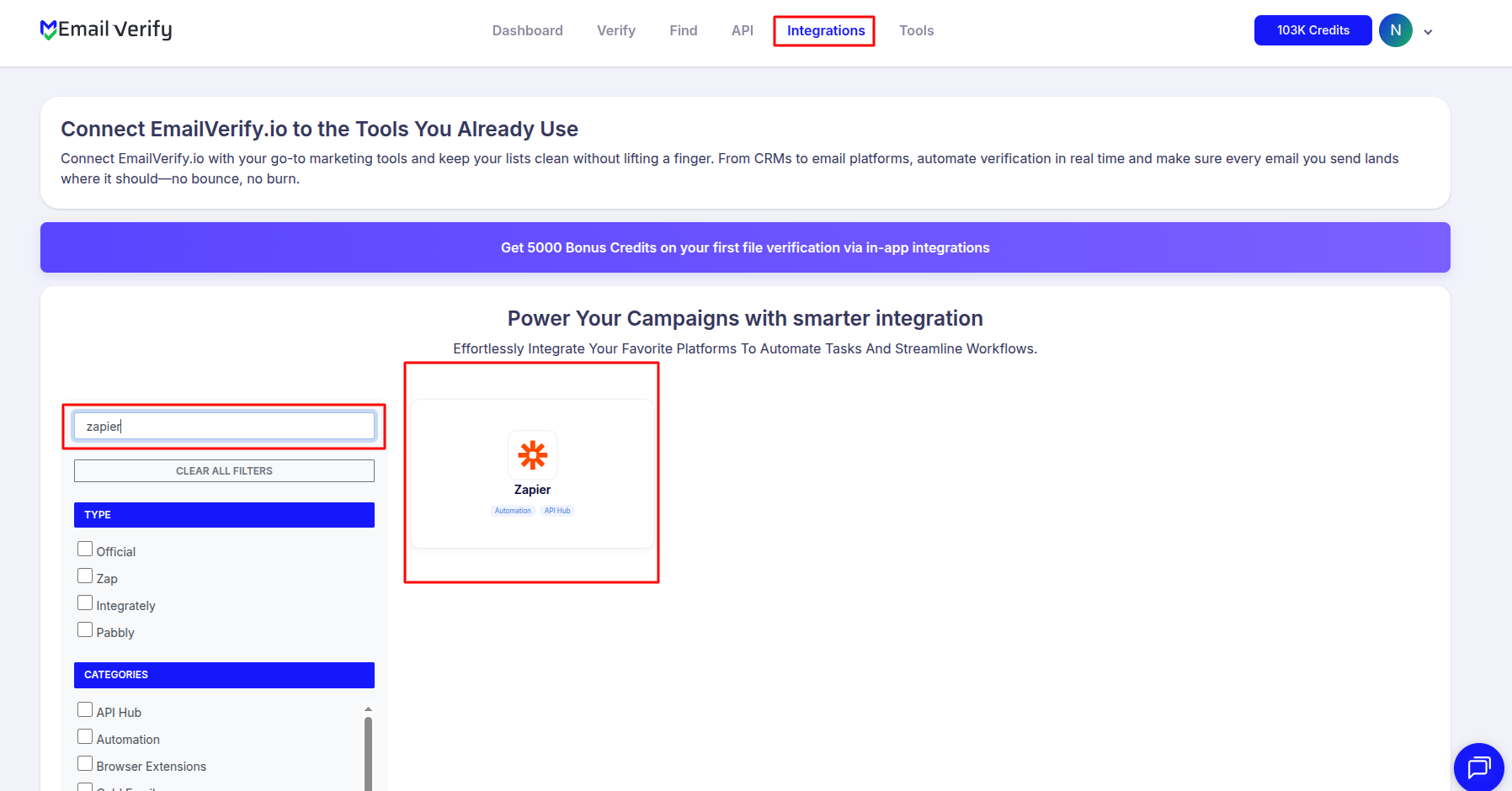
Step 2: Access Zapier Integration
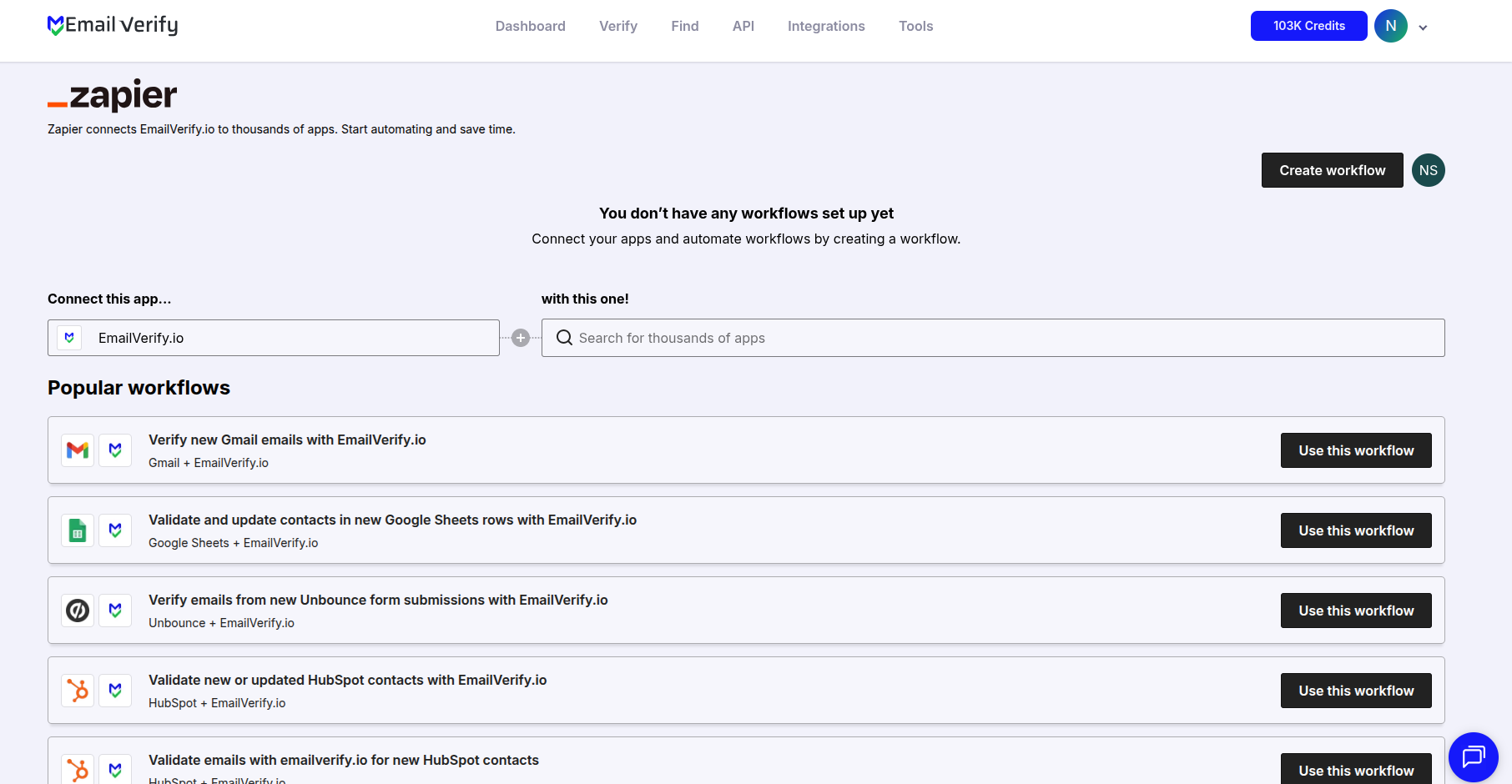
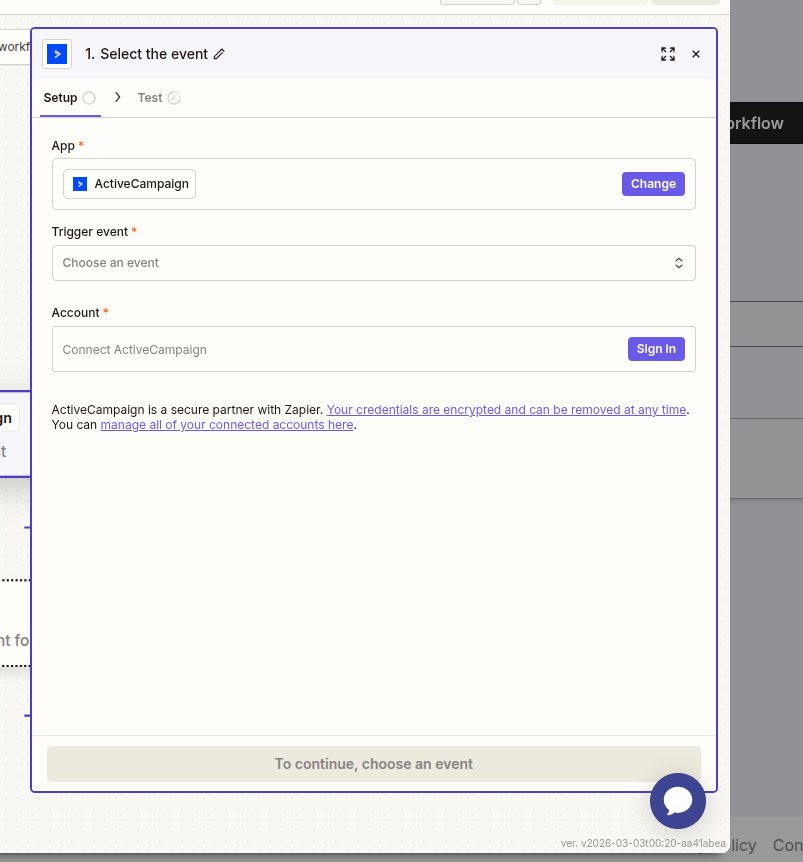
Step 3: Choose Your App
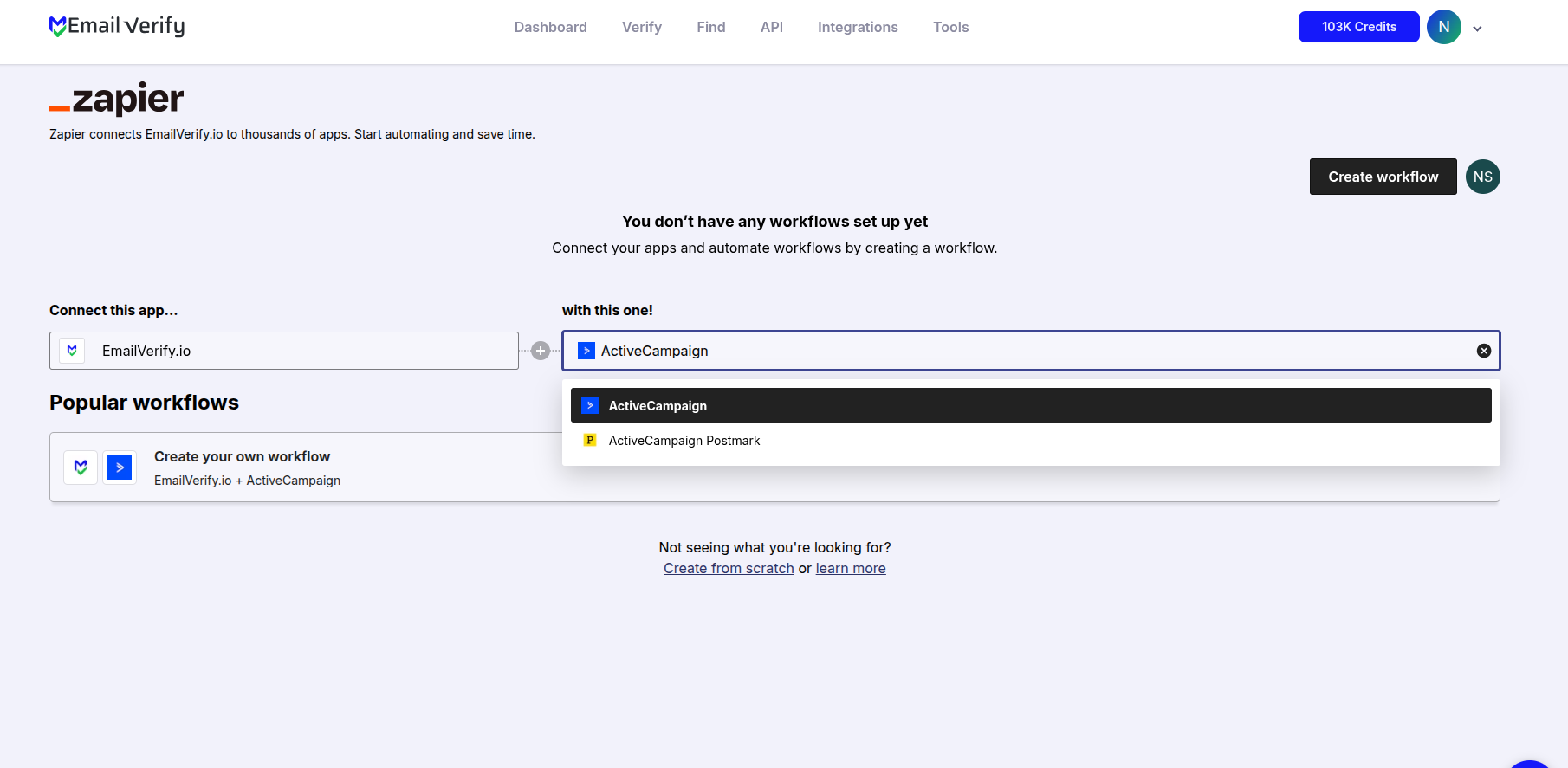
Step 4: Select a Workflow
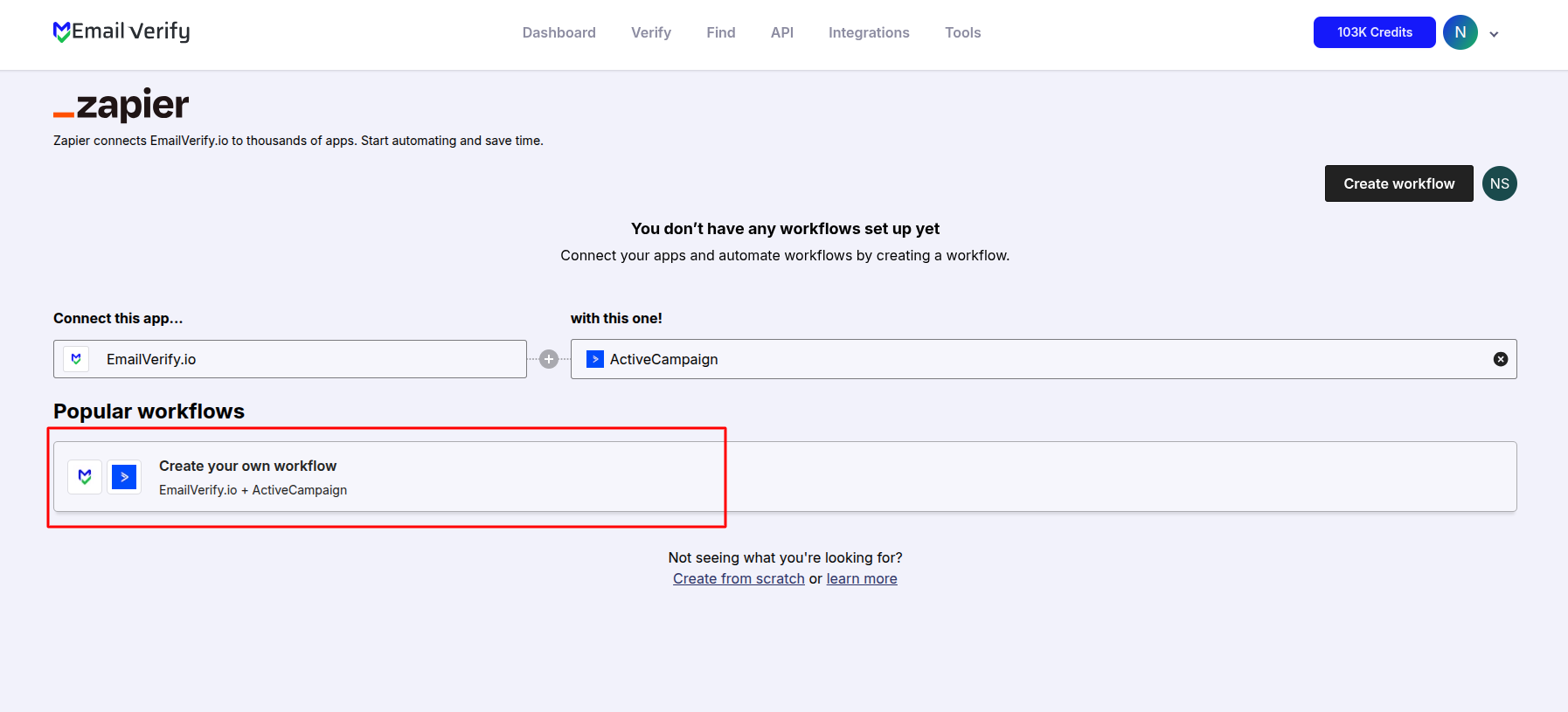
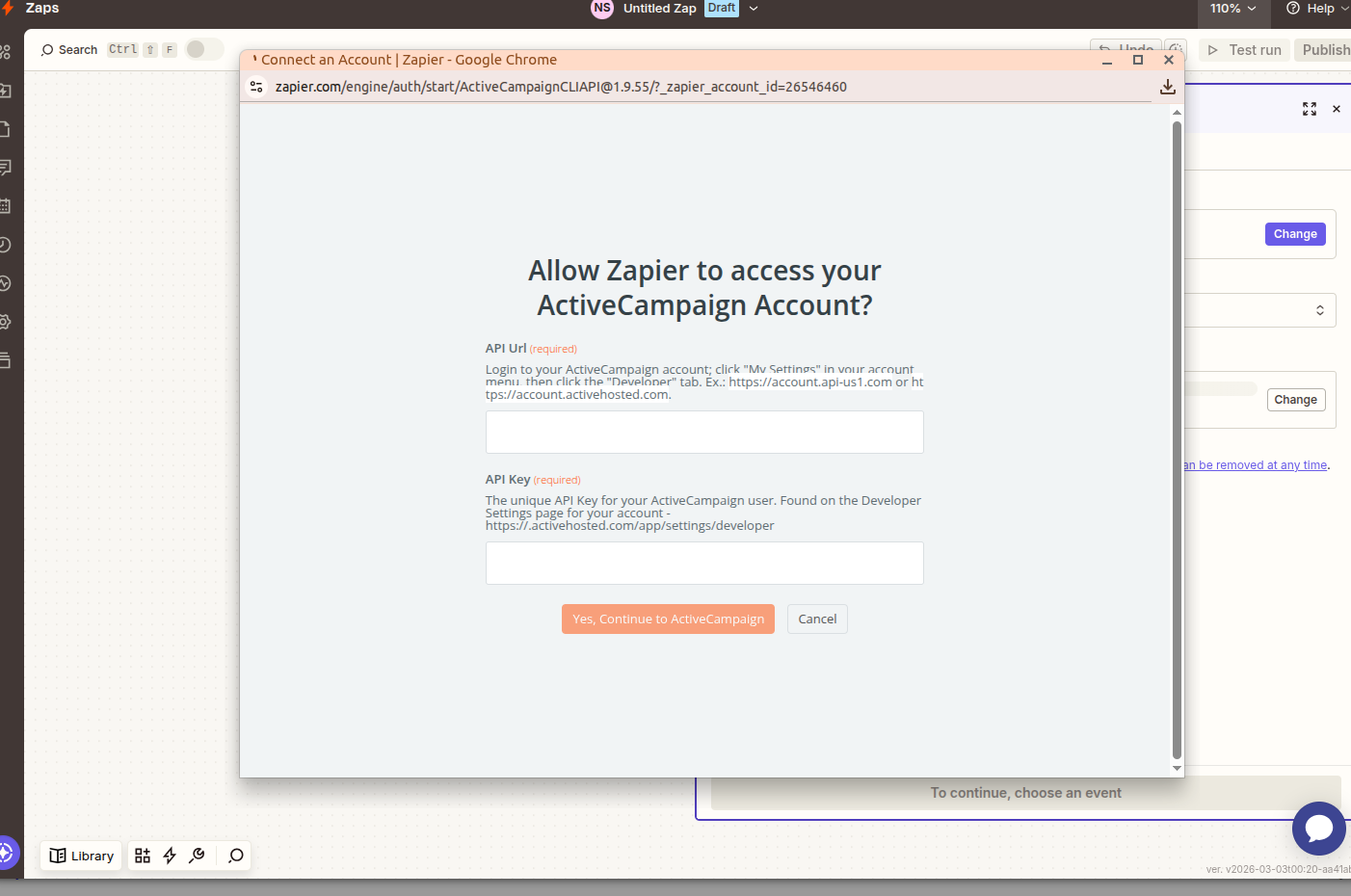
Step 5: Authenticate Your App
Step 6: Map Fields and Test
Zapier Integration Key Features
Automate your lead management and data hygiene by bridging EmailVerify.io with your entire tech stack using Zapier’s powerful automation engine.
6,000+ App Integrations
Connect EmailVerify.io to virtually any app in your stack, from CRMs to databases and form builders.
Real-Time Validation
Trigger email verification the second a new lead is captured in your trigger app.
No-Code Automation
Build complex, multi-step automation workflows without writing a single line of code.
Detailed Results Mapping
Sync specific data like EV_Status (Valid/Invalid) and EV_SubStatus directly into your destination app.
Conditional Logic
Use Zapier 'Filters' to only allow 'Valid' emails into your marketing sequences, saving you money on ESP costs.
Zapier Filter Integration
Add a Zapier Filter step after verification: only emails with EV_Status = 'valid' proceed to your CRM or email platform. Invalid and risky addresses stop automatically.
Who Should Use the EmailVerify.io Zapier Integration
No-Code Automation Teams
Teams using Zapier to connect their marketing and sales stack can add EmailVerify.io as a verification step to any Zap that processes email addresses — no engineering resources required.
Marketing Teams Managing Lead Quality
Paid media teams receiving leads from Facebook, LinkedIn, and Google Ads use the Zapier integration to verify leads at the moment of capture — before they enter the CRM and inflate pipeline metrics with undeliverable contacts.
Sales Operations and RevOps
Teams managing CRM data hygiene use the Zapier integration to verify contacts from multiple inbound sources before they reach HubSpot, Salesforce, or Pipedrive.
SMBs Without Platform-Specific Integrations
Businesses using tools not in EmailVerify.io's direct integration list can use Zapier as the connectivity layer to get verification working with virtually any app in their stack.
Agencies Managing Multiple Client Stacks
Agencies connecting different tools across different client accounts use Zapier to quickly implement email verification into any client workflow without custom development.
Technical Notes
What does EV_Status mean in a Zapier workflow?
EV_Status is the verification result returned by EmailVerify.io in your Zap output. It returns 'valid' (safe to send), 'invalid' (undeliverable), 'disposable' (temporary address), or 'unknown' (inconclusive). Use a Zapier Filter on EV_Status = 'valid' to route only safe emails to your destination app.
Can I use Zapier Paths to route valid and invalid emails separately?
Yes. Zapier Paths (available on Professional plan and above) allow parallel branches — route valid emails to HubSpot while simultaneously logging invalid addresses to a Google Sheet or sending a Slack notification. Paths are more powerful than Filter, which simply stops the Zap for non-matching records.
How do I find my EmailVerify.io API key for Zapier?
Log in to your EmailVerify.io account, go to Settings, and copy your API key. You will be prompted to enter this key when connecting EmailVerify.io as an action app in Zapier for the first time.
Also integrate with HubSpot Direct Integration , Mailchimp Direct Integration , ActiveCampaign Direct Integration , View All Integrations . Or use ourAPI for programmatic access.
Frequently Asked Questions

What is the EmailVerify.io Zapier integration?
The EmailVerify.io Zapier integration connects EmailVerify.io's email verification engine to over 6,000 apps via Zapier's automation platform. You build 'Zaps' — automated workflows that trigger email verification when a new email address enters any connected app, then route the result to downstream tools. Example: New Facebook lead → verify email → if valid, add to HubSpot CRM. No coding required.
Do I need to know how to code to use Zapier with EmailVerify?
No. Zapier is a no-code automation platform with a visual, point-and-click interface. Building an email verification Zap typically takes 5–10 minutes: choose your trigger app, add EmailVerify.io as the action, add a Filter for valid-only routing, and choose your destination app. No coding knowledge is required at any step.
Which apps can I connect to EmailVerify.io via Zapier?
- CRMs: HubSpot, Salesforce, Pipedrive, Zoho CRM
- Email platforms: Mailchimp, ActiveCampaign, Klaviyo, Brevo
- Form tools: Typeform, JotForm, Webflow Forms, Gravity Forms
- Ads: Facebook Lead Ads, Google Ads Lead Forms
- E-commerce: Shopify, WooCommerce
- Data: Google Sheets, Airtable
- And any app with a Zapier integration
How does the Zapier Filter step work with EmailVerify results?
- Field: EV_Status (from EmailVerify output)
- Condition: Text contains 'valid'
- Effect: Zap continues only for verified, deliverable emails
Invalid, disposable, and risky emails stop at the Filter and never reach your CRM or email platform. Filter steps require Zapier Starter plan or higher.
Do my EmailVerify.io credits get used with Zapier?
Yes. Each time a Zap triggers the EmailVerify.io verification action, one verification credit is consumed — the same as a direct API call or platform integration verification. Monitor your credit usage in your EmailVerify.io dashboard. For high-volume Zaps, estimate monthly credit needs based on your average daily lead volume.
What Zapier plan do I need for email verification?
- Free plan (5 Zaps, 100 tasks/month): Sufficient for low-volume testing
- Starter plan: Required for multi-step Zaps with Filter steps
- Professional and above: For high-volume workflows and Paths with custom logic
The Filter step — which prevents invalid emails from reaching your CRM — requires Zapier Starter or higher.
Can Zapier save me money on email marketing costs?
Yes. Adding an EmailVerify.io Filter step in your Zap means invalid emails never enter your email platform — saving you the cost of storing and sending to undeliverable addresses. For example, if 15% of your leads from Facebook Ads are invalid and you receive 1,000 leads per month, filtering them out saves you 150 platform contacts per month — which can reduce your Mailchimp, HubSpot, or Klaviyo plan costs at scale.
What is the dedicated Zapier page at app.emailverify.io/zap-it?
Can I use Zapier to verify emails from a form in real time?
Yes — this is one of Zapier's most valuable use cases for email verification. Connect any form tool (Typeform, JotForm, Gravity Forms, Webflow Forms) as the trigger, add EmailVerify.io as the verification action, and use a Filter to route only valid submissions to your CRM or email platform. Every form submission is verified instantly — invalid emails are filtered out before they reach your database.
When should I use Zapier instead of a direct integration?
Use Zapier when:
- Your platform is not in EmailVerify.io's direct integrations
- You need real-time verification at data capture (not list cleaning)
- You want conditional routing — valid emails to one place, invalid to another
- You are connecting 3 or more apps in one workflow
Use a direct integration (HubSpot, Mailchimp, etc.) when:
- You need bulk cleaning of existing contacts already in a platform
- You want verification results written as platform-native fields
- You need Auto-Validation for individually added contacts
You're just one click away from clean email lists.
Start verifying your email addresses instantly and improve your campaign deliverability
* No credit card required