
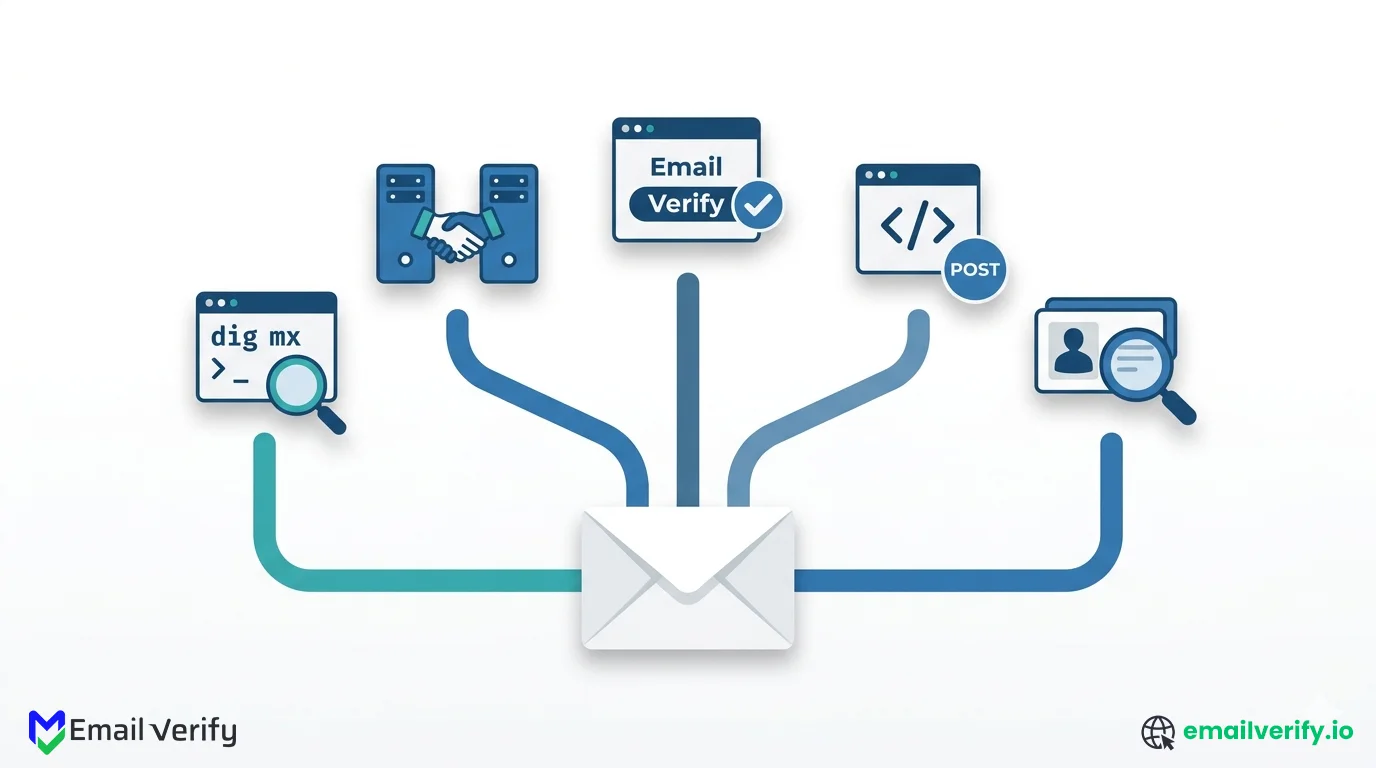

There are many reasons to verify a single email address. You might be checking a lead before reaching out, confirming a contact your team handed you, troubleshooting why a confirmation email never arrived, or just curious whether the personal address you wrote down for someone five years ago still works.
Whatever the reason, you don’t need to send a real email to find out. There are several ways to check, each suited to a different situation.
What makes this step more important than it seems? Email data decays faster than most teams expect. According to a 2026 report published via PR Newswire, nearly 23% of email addresses become invalid or risky within a year based on large-scale dataset analysis.
This guide compares the 5 most common methods. They range from a 30-second command-line check to a full API call backed by a real verification engine, and they trade off accuracy, speed, ease of use, and cost in clearly different ways.
Some are free and instant; others require setup but produce a much higher-quality answer. None of them is wrong; they’re just designed for different scenarios.
By the end, you’ll know which method fits your situation, what each one actually does under the hood, and the limitations every approach shares. We’ll also cover the common mistakes that produce misleading results, regardless of method, so you can avoid them no matter how you choose to verify.
There are five practical ways to verify a single email address: a manual MX lookup with command-line tools, a telnet or netcat SMTP probe, a browser-based free verifier, a full verifier API call, or an email-finder cross-check that combines verification with first-party data.
For most people most of the time, the right answer is the browser-based free verifier. It runs the full verification pipeline (syntax, DNS, MX, SMTP, classification) in a few seconds, requires no setup, and doesn’t need you to think about IP reputation or rate limits.
For developers integrating verification into a product, the API is the right answer. For anyone needing to verify thousands of addresses, neither approach is right; bulk verification is the answer there. The manual SMTP and dig methods are mostly useful for learning what’s happening under the hood.
Table of Contents
Why Would You Need to Verify a Single Email Address?
Single-address verification is its own use case. It’s not the same problem as cleaning a 50,000-row list, and it’s not the same as wiring an API into a signup form.
The scenarios that drive it tend to share one feature: you have an address in front of you right now, and you want a fast answer about whether it’s real before you do anything with it.
The most common scenarios:
- 1. Pre-Outreach Check on a Single Lead: A salesperson or recruiter has a contact’s email and wants to confirm it’s real before sending a personalized outreach. The cost of sending to a bad address is small in this case (it’s one email, not a campaign), but the salesperson would rather know in advance than waste a carefully crafted message on a dead inbox.
- 2. Confirming a Contact Handed Off Internally: A teammate forwards you a contact for follow-up. The address looks plausible, but you want to make sure you’re not chasing a typo before you reply or schedule a meeting.
- 3. Troubleshooting Why a Confirmation Email Didn’t Arrive: A user signed up but never received the confirmation message. You want to confirm whether the address itself is the problem or whether the issue is somewhere in your sending infrastructure.
- 4. Reactivating an Old Personal Contact: You’re reaching out to someone you haven’t been in touch with in years and want to confirm their old email address still works before composing a longer message.
- 5. Supporting an Account Recovery or Identity Verification: A customer service rep needs to confirm an address on file before resetting a password or sending account-related information. A quick verification check can rule out a typo before it becomes a support ticket.
All five methods covered in this article assume you’re verifying an address you have a legitimate reason to look at. None of them are appropriate for harvesting addresses, validating scraped data without permission, or any use case that wouldn’t be welcomed by the address owner. The technical capability and the appropriate use are two separate questions, and only one of them is in scope for this guide.
5 Methods to Verify a Single Email Address at a Glance
Before going into each method in detail, here’s the at-a-glance comparison. The accuracy, speed, and ease ratings are based on what each method actually delivers in typical use. The detailed sections that follow explain how to use each one and what its real-world trade-offs are.
| Method | Accuracy | Speed | Ease | Scales? | Best For |
|---|---|---|---|---|---|
| 1. Manual MX lookup | Low | Fast | Hard | No | Quick domain-level sanity check; not a real address verification. |
| 2. Telnet SMTP probe | OK | OK | Hard | No | Learning what RCPT TO actually returns; protocol exploration. |
| 3. Browser free verifier | Good | Fast | Easy | No | Most one-off checks; no-setup answer for non-developers. |
| 4. Full verifier API | Good | Fast | OK | Yes | Programmatic checks, signup forms, automation pipelines. |
| 5. Email-finder cross-check | Good | OK | Easy | Limited | Sales workflows where you need verification plus context. |
None of the methods is objectively best. The right choice depends on whether you’re a developer or a non-developer, whether you need a one-off answer or programmatic access, and whether you care more about speed or about the depth of the result.
Method 1: Manual MX Lookup with dig or nslookup
This is the simplest method, and it’s also the most limited. A manual MX lookup tells you whether the recipient’s domain can receive email at all. It doesn’t tell you whether a specific mailbox at that domain exists, only whether the domain is configured to receive mail in the first place.
How to Do It?
Open a terminal and run a DNS query for the recipient’s MX records. Any of these commands work:
If you get back a list of mail servers, the domain can receive email. If you get back nothing, the domain can’t, and you know any address there is undeliverable.
What Does This Tell You?
- Whether the recipient’s domain is configured to receive email at all.
- Which provider is hosting the mail (Google, Microsoft, Zoho, self-hosted, etc.) based on the hostname pattern.
- Whether the domain follows the expected MX configuration (a single record for hosted providers, multiple records for redundancy).
What Doesn’t This Tell You?
- Whether the specific mailbox exists. The MX lookup is at the domain level, not the address level.
- Whether the mailbox is full, role-based, disposable, or any other category.
- Whether the domain is a catch-all that accepts mail for any address.
This method is useful as a five-second sanity check. It’s not a real address verification. If you’re checking [email protected] and example.com has no MX records, you’ve confirmed the address is undeliverable. If example.com has MX records, you’ve confirmed nothing about jane specifically.
Method 2: Telnet/Netcat SMTP Probe
This is the manual version of what every email verifier does under the hood. You connect directly to the recipient’s mail server, walk through the SMTP handshake, and read the response to the RCPT TO command. It’s the most technically interesting method and also the least practical.
How to Do It?
First, find the recipient domain’s MX server (Method 1). Then connect to it on TCP port 25 and run through the SMTP commands by hand:
If the server responds with 250 OK to your RCPT TO line, the mailbox accepts mail. If it responds with 550, the mailbox doesn’t exist. The verifier closes the connection cleanly with QUIT, without ever sending DATA, so no email is delivered.
What Does This Tell You?
- Whether the specific mailbox exists on cooperative mail servers.
- How the recipient server actually responds (useful when troubleshooting weird delivery problems).
- What’s happening under the hood when a verifier API runs the same probe.
What Doesn’t This Tell You?
- Anything reliable on Yahoo, AOL, or anti-probe-hardened providers, which return ambiguous responses regardless of whether the mailbox exists.
- Whether the domain is a catch-all, since a single probe can’t distinguish that from a real mailbox.
- Whether the server is greylisting your probe, which would be marked as a temporary failure that should be retried.
Why Is Manual SMTP Probing Not Practical for Email Verification?
Three things conspire to make manual SMTP probing impractical for anything beyond learning the protocol:
- Most ISPs block outbound port 25 to prevent spam. From a residential or office connection, the probe usually never reaches the destination.
- Major providers throttle probing IPs aggressively. After a few probes from a single IP, Gmail, Microsoft, and Yahoo start returning ambiguous responses or blocking the source.
- There’s no catch-all detection, no retry logic, and no classification. You’re reading raw SMTP responses without any of the layers a real verifier adds on top.
Building production verification logic on top of raw RCPT TO probes from your application server. We’ve seen teams configure their app to probe inline at signup, and the application server’s IP gets added to anti-abuse blocklists within a week, breaking unrelated outbound mail from the same machine. Manual SMTP probing belongs in a learning environment. Production belongs on a managed verifier with rotating IPs and abuse handling.
Our deeper guide on SMTP verification covers the full response-code reference, the providers that return misleading answers, and the layers a real verifier adds on top of raw SMTP.
Method 3: Browser-Based Free Verifier
For most one-off checks, this is the right method. A browser-based free verifier runs the full verification pipeline in the background and gives you a clean answer in a few seconds, without any setup or technical knowledge required.
How to Do It
Open the verifier in a browser, paste the address, and click verify. Most tools return a result within two to five seconds. The output typically includes:
- Primary status: Deliverable, Risky, Unknown, or Undeliverable.
- Reason codes: catch-all, role-based, disposable, free provider, etc.
- Underlying signals: syntax check passed, MX present, SMTP response received.
Why This Beats Manual Methods for Most People
A free verifier does everything a manual probe does, plus several things a manual probe can’t: it handles catch-all detection, checks against role-based and disposable databases, handles greylisting retries, and surfaces a structured result.
| What it does | Why it matters |
|---|---|
| Runs the full five-stage pipeline. | Catches issues at every layer, not just one. |
| Probes from a managed IP pool. | Avoids the throttling that breaks manual probes. |
| Detects catch-all domains automatically. | Returns Risky instead of falsely confident Deliverable. |
| Handles greylisting with retries. | Doesn’t mistake temporary failures for permanent ones. |
| Applies provider-aware logic. | Surfaces the right answer for Yahoo, AOL, etc. |
What to Watch Out For
Not all free verifiers are equal. Some run only the cheap stages (syntax and MX) and skip the expensive SMTP probe entirely, which means they give the same “Deliverable” answer to every well-formed address regardless of whether the mailbox actually exists.
The honest test of any free verifier: paste in a clearly fake address at a real domain (something like [email protected]) and see what it returns. A real verifier flags it as Undeliverable. A surface-level one returns a confident Deliverable.
Our own free email verifier runs the full pipeline and returns reason codes alongside the status, so you can see exactly which layer produced the result.
If you’re going to use a free browser verifier regularly, run a small calibration test the first time. Try three addresses you know the answer to: one definitely real (your own), one definitely fake (a clearly invented local part at a real domain), and one ambiguous (a role-based address like [email protected]). The verifier’s answers on those three tell you whether the underlying pipeline is genuinely doing its work.
Method 4: Full Verifier API
If you’re a developer, the API is the right method. It’s the same engine as the browser-based free verifier, but called programmatically, with structured input and output that fits cleanly into application code, integrations, and automation pipelines.
How to Do It?
A typical real-time API request looks like this:
The structured response is what makes the API valuable for application logic. You can branch on the status, surface the reason to your UI, and segment by the underlying signals. The same call works for a single address or, with a different endpoint, for an entire list.
Why Would You Choose the API Over the Browser Tool?
- You’re wiring verification into a signup form or onboarding flow.
- You need to verify addresses arriving from automation pipelines, CRMs, or integrations.
- You want consistent, structured output that fits into application code rather than is copy-pasted from a web page.
- You’re running the same checks frequently and want them to be reproducible.
What to Watch Out For?
Two things matter when integrating a verifier API into a production flow. The first is timeout handling: if the API ever responds slowly (or your network has a hiccup), every signup attempt depending on it will fail until the issue clears.
Always set a 1–2 second timeout that accepts the address with a flag for later bulk re-check, so verification never becomes the reason a user can’t sign up. The second is error semantics: a clean Undeliverable status is different from an Unknown response, and your code should handle them differently.
Full API documentation, including endpoint references, authentication, and example responses, is available on the EmailVerify.io API. For the broader pattern of where API verification fits versus bulk verification, see our companion guide on real-time vs. bulk email verification.
Method 5: Email-Finder Cross-Check
Email-finder tools (Hunter, Apollo, Snov, RocketReach, and similar) are designed to find email addresses associated with a person or company, but they also include a verification step. This makes them a useful single-address check in sales and outreach workflows, where you often want both the address and the context around it.
How does it work?
You start with a name and a company domain or with an existing address. The tool either generates likely address patterns based on what it knows about the company’s email format or looks the address up in its first-party database, then runs each candidate through a verification step before returning a result.
The output usually includes a confidence score, the source of the data (database lookup, pattern guess, public source), and a verification status.
What does this tell you?
- Whether the address is a known one in the finder’s database (often with metadata like the person’s name and role).
- Verification status of the address (whether the underlying mailbox accepts mail).
- Source confidence (“we’ve seen this address in our data” vs “we guessed it from the company’s pattern”).
Where’s It Most Useful?
This method shines in sales and recruiting workflows where you’ve identified a prospect by name and company and want to confirm the address before reaching out.
The combination of finder data and verification gives you more context than a pure verifier would: not just “this address is real,” but “this address is real, belongs to a CMO at this company, and was last confirmed three weeks ago.” That context matters when you’re personalizing outreach.
Where It Falls Short
Email-finder verification is usually less rigorous than a dedicated verifier. The finder’s primary product is data discovery, and verification is bolted on.
The accuracy of the verification step varies more than at a dedicated verifier, and the finders rarely surface reason codes or graded confidence scores. For checking an arbitrary address you don’t have prior context on, a dedicated verifier is more reliable.
Two practical caveats:
- Email finders often charge per lookup or per credit. Costs add up faster than dedicated verification at scale.
- The data sourcing varies by vendor. Some operate on first-party data and public sources; others rely heavily on pattern-guessing. The latter produces a lot of plausible-looking addresses that don’t actually exist.
If you already use an email finder for sales workflows, the verification step it includes is good enough for routine pre-outreach checks. If you’re not in a sales workflow and you don’t need the finder’s contextual data, going straight to a dedicated verifier is cheaper and produces a more rigorous answer.
How Do Different Email Verification Methods Compare Side by Side?
Here’s the detailed comparison across every dimension that matters when picking a method. The summary at the top of the article showed the broad ratings; this table shows the underlying detail.
| Dimension | MX Lookup | Telnet SMTP | Browser Free | API | Email Finder |
|---|---|---|---|---|---|
| Mailbox-level check | No | Yes (limited) | Yes | Yes | Yes (varies) |
| Catch-all detection | No | No | Yes | Yes | Sometimes |
| Greylist handling | N/A | No | Yes | Yes | Sometimes |
| Provider-aware logic | N/A | No | Yes | Yes | Sometimes |
| Reason codes | No | Raw codes only | Yes | Yes | Limited |
| Setup required | Terminal | Terminal + open port 25 | None | API integration | Account creation |
| Cost | Free | Free | Free or low | Per-call pricing | Per-credit pricing |
| Programmatic access | Yes (DNS) | Yes (raw SMTP) | No | Yes | Yes |
| Suitable at scale | No | No (gets blocked) | No | Yes (with bulk) | Limited |
| Useful for learning | Some | Yes | No | No | No |
The pattern is clear when you read across the rows. Manual methods (MX lookup, telnet SMTP) win on cost and on transparency about what’s happening but lose on every other dimension.
Browser and API verifiers win on accuracy and convenience but cost something. Email finders sit in a separate category, useful when you want context with verification rather than verification alone.

How Do You Choose the Right Email Verification Method for Your Situation?
Match your use case to the right method so you can verify a single email address quickly, accurately, and without unnecessary steps.
Here’s the decision shortcut. Match your scenario to the method that fits, and you’ll spend the next minute checking your address instead of reading more of this article.
| If you... | Use this method |
|---|---|
| Have one address and need a quick answer right now | Browser-based free verifier. |
| Want to learn what the SMTP probe actually does | Telnet SMTP probe. |
| Are integrating verification into a product or workflow | Full verifier API. |
| Are in sales and want context with the verification | Email-finder cross-check. |
| Just want to confirm a domain accepts mail at all | Manual MX lookup. |
| Need to verify thousands of addresses | Bulk verification, not a single-address method. |
| Are a developer evaluating verifiers | Both API and browser tool, on the same address. |
| Are troubleshooting why an email didn’t deliver | Telnet SMTP probe (raw responses) + API (structured result). |
Quick self-check before you start:
- Do you have one address to check, or many? (Many = bulk, not single-address.)
- Do you need a programmatic answer, or a one-off result? (Programmatic = API.)
- Do you need extra context about the contact? (Yes = email finder.)
- Do you want to understand what’s happening under the hood? (Yes = telnet/dig; No = browser tool.)
What Can Email Verification Methods Not Detect or Guarantee?
All five methods share the same fundamental limits, even though they cover them in different ways. Knowing what verification can’t tell you (regardless of approach) keeps your expectations calibrated and prevents the most common mistake: treating a verifier’s confident answer as more certain than it really is.
1. Engagement
None of these methods can tell you whether the address owner reads their email, has read it in the last twelve months, or will engage with anything you send. A 250 OK from the SMTP probe means the mailbox accepts mail. It says nothing about whether the person behind it ever opens it. Engagement signals come from your own sending history, not from any verifier.
2. Quality
[email protected] is technically deliverable. It’s also a shared inbox staffed by no one in particular. Verifiers can flag the address as role-based (most do), but they can’t tell you whether the human you’re trying to reach is actually monitoring it. Quality of response is a separate signal from technical deliverability.
3. Catch-All Truth
On a catch-all domain, every address technically returns 250 OK at the SMTP layer. The verifier flags this as Risky, but it can’t tell you whether [email protected] is a real person or a non-existent address that’s just being silently accepted by the catch-all configuration. You’ll need engagement data over time to figure that out.
4. Hardened Provider Truth
Yahoo, AOL, and certain Microsoft tenants intentionally obscure their RCPT TO responses. No method covered in this article can give you a clean answer for those addresses. A good verifier acknowledges this with a Risky status and a reason code naming the provider; a bad one returns Deliverable and hopes for the best.
These are limits of the underlying email infrastructure, not of any specific verifier. They apply equally to manual SMTP probing, browser tools, and APIs. The honest move, for any method, is to read the result as a graded confidence statement and not as a binary truth.
What Are the Most Common Mistakes in Email Verification?
Treating an MX Lookup as Address Verification:
MX records tell you whether the domain can receive mail. They don’t tell you whether a specific mailbox exists. If you stop at MX and skip the SMTP probe, you’ll mark every well-formed address at a real domain as deliverable, including the addresses that don’t exist.
Trusting a Single SMTP Response:
A single 4xx response could be greylisting, which a competent verifier would retry. A single 250 could be a catch-all, which a competent verifier would detect with a parallel probe. Building a verification decision on one raw SMTP response is how easy mistakes happen.
Running Manual Probes from a Production Server:
Once your server’s IP starts probing recipient mail servers in production, anti-abuse infrastructure starts treating it as a probe source. The IP gets throttled or blocklisted, breaking unrelated outbound mail from the same machine. SMTP probing belongs on dedicated infrastructure with rotating IPs.
Confusing a Free Verifier with a Quick MX Check:
Some “free email verifiers” only run syntax and MX checks under the hood, which is faster but produces the same false positive rate as a manual MX lookup.
Treating Risky as Definitely Deliverable:
A Risky status with a catch-all or anti-probe reason code isn’t a green light. It’s a graded confidence signal that says “the underlying infrastructure can’t give a clean answer.” Treating Risky as Deliverable in production is one of the most common ways to inflate bounce rates without realizing it.
The most expensive single-address mistake we see: someone running a manual SMTP probe from their company server, getting a clean 250 from a Yahoo address, and concluding the address is deliverable. Yahoo deliberately returns ambiguous responses to RCPT TO probes; a single clean 250 there means almost nothing. A graded verifier with provider-aware logic would have flagged it as Risky, with a reason code naming Yahoo as the source of uncertainty.
How Does EmailVerify.io Work Across All Email Verification Methods?
EmailVerify.io is built around the same verification engine across every entry point. The same five-stage pipeline runs whether you’re using the free browser tool, calling the API programmatically, or running a bulk file through the dashboard. That means the answer you get for a single address through any of our entry points is the same answer you’d get through any other, with consistent statuses and reason codes.
In the context of this article’s five methods:
| Method | EmailVerify.io equivalent |
|---|---|
| 1. Manual MX lookup | Use our MX lookup tool for a quick domain-level check. |
| 2. Telnet SMTP probe | Not provided; the API does the same probe with all the layers a manual probe lacks. |
| 3. Browser free verifier | Our free email verifier runs the full pipeline with no setup. |
| 4. Full verifier API | Our API for programmatic single and bulk checks. |
| 5. Email-finder cross-check | Not provided directly; integrates cleanly with finder workflows that need verification. |
if you’re looking for the fastest single-address answer, the free email verifier runs every check in your browser. If you’re a developer wiring verification into a workflow, the API documentation has the endpoints and response schemas you’ll need.
If you’re evaluating whether to upgrade from manual methods to a managed verifier, run the same address through both on the same day. The browser tool typically returns within seconds with a graded result, reason code, and underlying signals. The manual telnet probe gives you the raw SMTP response and nothing else. The difference in usable information is the difference between a five-second answer and a fifteen-minute investigation.
Frequently Asked Questions
Can You Verify An Email Without Sending One?
Yes. Every method covered in this article verifies addresses without sending mail. The SMTP probe at the heart of email verification stops at the RCPT TO step, before the DATA command that would actually transmit a message. The recipient's mailbox sees nothing; from their perspective, the check is invisible.
Is Verifying an Email Address Legal?
In most jurisdictions, yes, when you have a legitimate reason to verify an address you already have access to. Verification is the same first half of an email exchange that real sending servers perform; it doesn't deliver mail and doesn't access mailbox contents. The methods in this article assume you have a legitimate reason to check the address. Bulk harvesting of verified addresses for unsolicited contact has its own legal and ethical considerations that aren't covered here.
Which method Of Email Veriication is most accurate?
Browser-based free verifiers and full API verifiers tie for the most accurate, because they share the same underlying engine. Manual MX lookup is the least accurate (it only confirms the domain, not the mailbox). Manual SMTP probing is technically accurate on cooperative servers but unreliable in practice because it can't handle catch-all detection, greylisting, or provider-aware logic. Email-finder verification varies by vendor.
How Do You Check If An Email Is Real Without Using A Tool?
You can run a manual SMTP probe with telnet or netcat against the recipient's MX server on port 25, then issue HELO, MAIL FROM, and RCPT TO by hand. The server's response to RCPT TO tells you whether the mailbox exists. In practice, most ISPs block outbound port 25 and major providers throttle probing IPs, so this works in lab conditions but breaks in production. For anything beyond protocol learning, a managed verifier is more reliable.
How Long Does Single-Address Verification Take?
With a browser-based verifier or API, usually 2 to 5 seconds. With a manual SMTP probe, similar in optimal conditions but unpredictable when greylisting or anti-probe responses get involved. With an email finder, slightly longer because of the additional database lookup. With a manual MX lookup, under a second (but you're getting a much weaker signal).
Will The Recipient Know You Verified Their Email?
No. Every method in this article stops short of actually sending mail. The recipient mailbox is never written to, no inbox notification is sent, and no entry appears in the user's mail. The receiving server's logs will show a brief connection that ended without DATA, but that's not visible to the user.
What Does It Mean If A Verifier Says "Risky" For Your Address?
It means the verifier got an ambiguous response from the recipient server, usually for one of three reasons: the domain is catch-all (accepts every address regardless of validity), the address is at a hardened provider like Yahoo or AOL that obscures RCPT TO responses, or the address is role-based or disposable. Risky doesn't mean the address is bad; it means the underlying infrastructure can't give a clean yes-or-no answer. Decide what to do based on the reason code attached to the result.
Can You Verify Thousands Of Addresses With These Methods?
No. All five methods in this article are designed for one address at a time. Verifying thousands of addresses through any of them, especially the manual ones, will trigger anti-abuse infrastructure quickly. For larger volumes, use bulk verification, which is purpose-built for the scale and applies the same five-stage pipeline with parallelism and proper IP rotation.
Why Does You Mx Lookup Show Records But The Verifier Still Says Undeliverable?
MX records tell you the domain can receive mail. They don't tell you whether a specific mailbox exists. The verifier is going one layer deeper, opening an SMTP connection to the MX host and asking about the specific address; the receiving server is responding that the mailbox doesn't exist (typically with a 550 code). The MX presence is real; the mailbox just isn't there.
Final Thoughts
Verifying a single email address is a small problem, but it’s a useful one to do well. Five methods cover almost every situation: a manual MX lookup for a fast domain-level check, a telnet SMTP probe for understanding the protocol, and a browser-based free verifier for most one-off checks. Using an API for single email verification for developers and integrations, and an email finder when you need verification with context.
None of them are objectively best. The right method depends on whether you’re a developer or not, whether you want a fast answer or a deep one, and whether you need verification on its own or wrapped in additional sales context.
However, the decision shortcuts in this article should let you pick correctly in under a minute, and once you’ve picked the right method, the answer takes seconds.
Across all of them, the underlying limits are the same. Verification can tell you whether a mailbox accepts mail; it can’t tell you whether the person reads it. It can flag catch-all and anti-probe ambiguity; it can’t resolve them. Reading every result as a graded confidence signal, not a binary truth is what separates teams that use verification well from teams that get burned by edge cases. Pick the right method. Read the result honestly. Move on. That’s the whole playbook.
Run any single address through the EmailVerify.io free verifier
Verify your address now in your browser, or build it into your stack with the API.


