
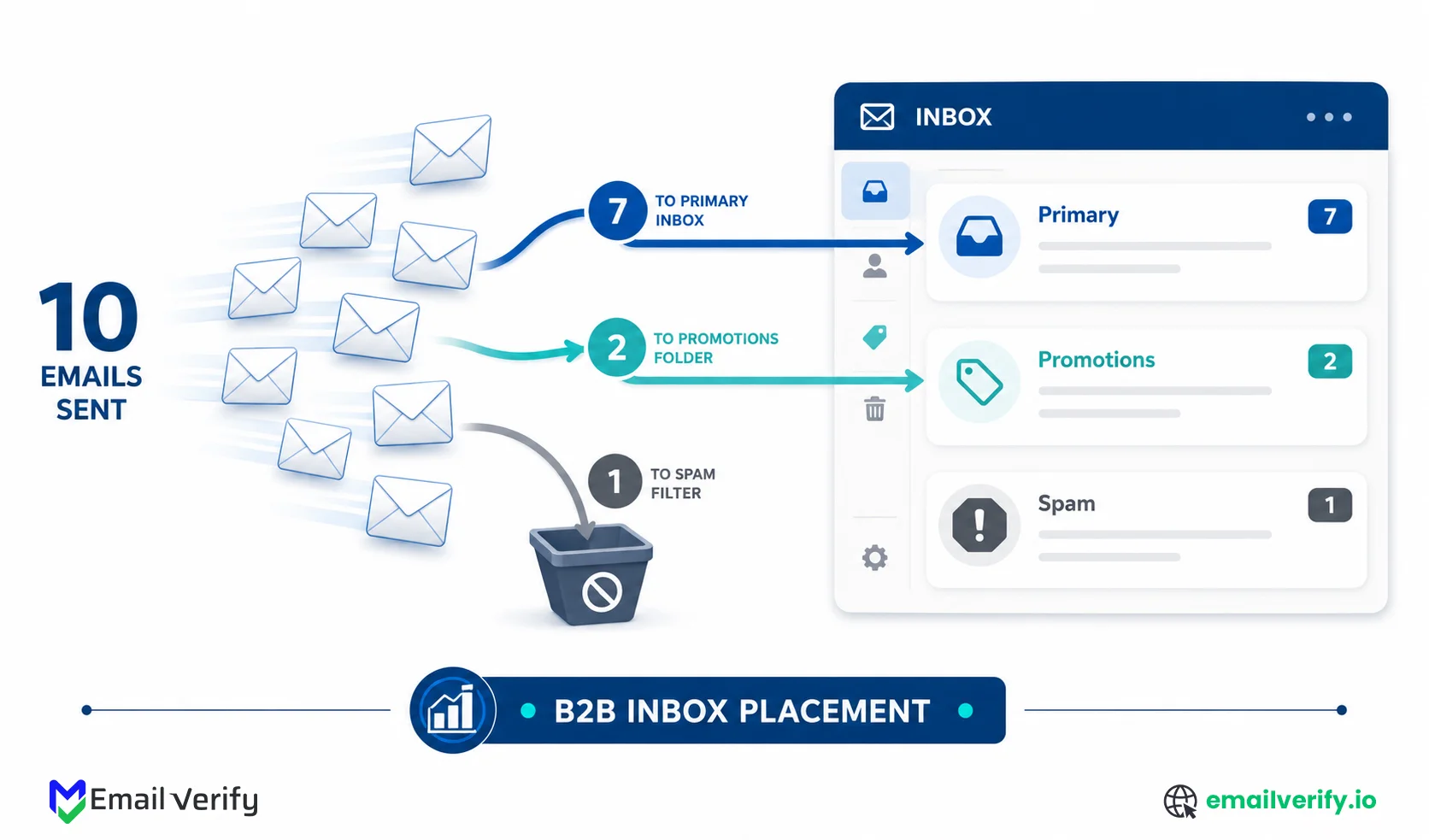

Email deliverability issues in B2B rarely look like technical failures. They show up as emails missing the primary inbox, low reply rates from high-value accounts, and campaigns that generate activity but fail to drive real pipeline. For teams running ABM, cold outbound, or lifecycle email, this creates a consistent gap between effort and results.
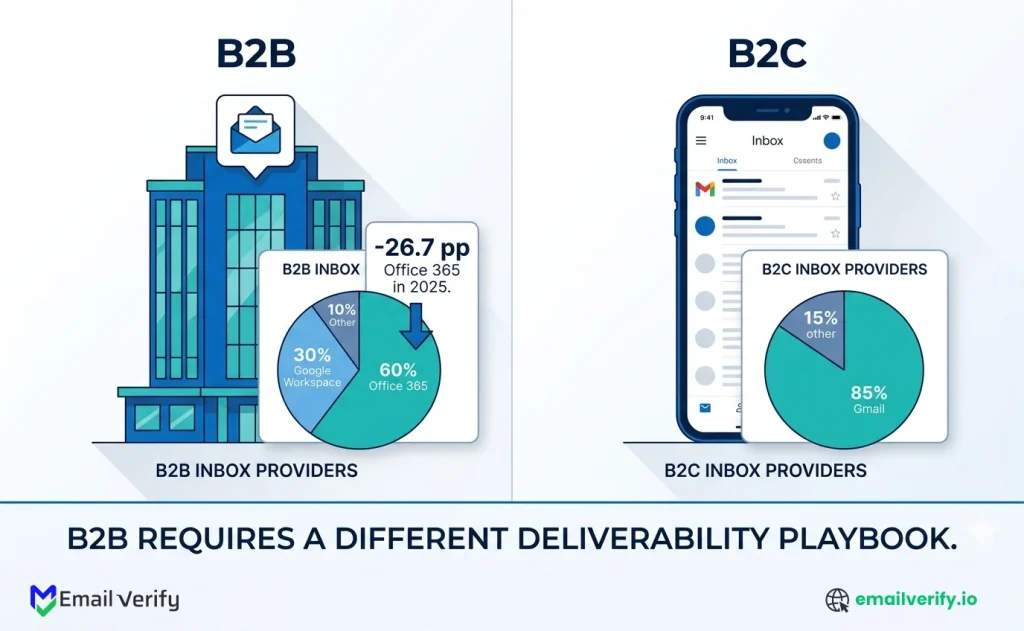
The situation has become more difficult in the past year. According to the GlockApps 2025 email deliverability report, Office 365 inbox placement dropped by 26.7 percentage points year over year, while Outlook and Hotmail declined by 22.6 percentage points.
This decline reflects a broader tightening of filtering systems, especially across Microsoft-heavy B2B environments. These shifts have exposed deeper challenges. Many B2B teams still rely on unverified data, incomplete authentication setups, inconsistent domain warm-up, and cold or third-party lists. Combined with longer sales cycles and faster list decay, these factors make standard eCommerce deliverability advice less effective in a B2B context.
In this guide, we focus on the 10 deliverability practices that directly impact B2B inbox placement in 2026. It explains how to improve list quality, strengthen authentication, and align sending practices with how modern mailbox providers evaluate trust. Applied correctly, these practices help reduce bounce rates, protect sender reputation, and improve inbox placement where it matters most.
The 10 email deliverability best practices for B2B senders, in priority order: (1) verify every address before it hits your CRM, (2) set up SPF, DKIM, and DMARC — and enforce DMARC, (3) warm new domains gradually using ABM cadence, (4) treat Microsoft as its own deliverability problem, (5) never rent or buy lists, (6) tighten free-tier signup hygiene, (7) keep spam complaints below 0.1%, (8) hold bounce rate below 2% (1% for cold), (9) use engagement-based suppression for long sales cycles, and (10) re-verify lists quarterly because B2B lists decay 22–30% per year.
The single most leveraged practice is list verification—the foundation under every other layer. Sending to bad addresses produces hard bounces, which damage sender reputation, which depresses inbox placement on every future campaign. The second highest-leverage practice is full authentication with DMARC enforcement, which makes authenticated senders 2.7x more likely to reach the inbox.
These practices are written specifically for B2B — cold email, ABM, lifecycle, and free-tier signup flows. They differ from e-commerce deliverability advice in important ways: B2B audiences are smaller and more concentrated on Microsoft, sales cycles are longer (so engagement signals decay differently), and B2B lists decay much faster than B2C lists.
Table of Contents
Why B2B Email Deliverability Is Harder in 2026: Microsoft, List Decay, and Structural Challenges
Short answer: B2B email deliverability is harder than B2C in 2026 because B2B audiences are concentrated on Microsoft Office 365 and Outlook (where inbox placement collapsed 22–27 percentage points in 2025); B2B lists decay roughly 2.1% per month; B2B sales cycles are longer (so engagement signals are spread thinner); and B2B senders are far more likely to use cold outbound and rented lists—both of which damage sender reputation faster than B2C marketing patterns.
Most deliverability advice online is written for e-commerce. The patterns assumed—large opt-in lists, frequent sends, a transactional-and-promotional mix, consumer mailbox providers, and short purchase cycles, don’t match how B2B sends actually work. Applying eCommerce best practices to a B2B program leaves real money on the table because the actual problems are elsewhere.
Why Is B2B Email Deliverability Harder in 2026?
Five structural differences shape B2B deliverability:
| Dimension | B2C / E-commerce | B2B |
|---|---|---|
| Mailbox provider mix | Gmail-dominant, consumer Outlook minor. | Office 365 / Outlook heavy; corporate Google Workspace also significant. |
| List size and decay | Large lists, slow decay. | Smaller lists, fast decay (2.1%/month ≈ 22–30% annually). |
| Send cadence | Frequent (weekly+); strong engagement signals. | Lower frequency; engagement signals diluted across long cycles. |
| List acquisition | Mostly opt-in (signup, purchase, account creation). | Mix of opt-in, ABM, cold outbound — and the ever-tempting rented list. |
| Authentication norm | Mature ESPs handle SPF/DKIM/DMARC by default. | Often DIY; many B2B domains never enforce DMARC. |
B2B inbox placement collapse — 2025
Office 365 inbox placement dropped 26.7 percentage points year over year in Q1 2025. Outlook/Hotmail dropped 22.6 pp. Senders with 1M+ emails per month saw average inbox rates fall from 49.98% to 27.63% — a 22.35 pp decline.
Source: GlockApps, Updated Email Deliverability Statistics (Q1 2025 vs Q1 2024).
Two consequences flow from this data. First, if your B2B audience is Microsoft-heavy (and almost every B2B audience is), you’re sending into the inbox provider where 2025 deliverability collapsed the hardest. Second, the practices that would have produced 80% inbox placement two years ago now produce far less. The bar has moved, and the gap between authenticated, disciplined senders and everyone else has widened.
Authentication advantage — 2025
Fully authenticated senders (SPF + DKIM + DMARC) are 2.7x more likely to reach the inbox than unauthenticated counterparts. Yet only 18.2% of top 10 million domains have valid DMARC records, and only 7.6% enforce DMARC at quarantine or reject.
Sources: Validity 2025 Email Deliverability Benchmark Report; EasyDMARC enforcement research.
The combined picture is the rationale for everything that follows. B2B deliverability has never been more sensitive to the practices below. The gap between teams that follow them and teams that don’t has been bigger.
Best Practice #1: Verify Every Email Before It Enters Your CRM
Short answer: Verify every email address before it enters your CRM — in real time at signup forms, on every imported list, and on a recurring quarterly schedule. List verification is the foundation under every other deliverability practice; without it, hard bounces accumulate and sender reputation degrades faster than the other practices can compensate.
If you only do one thing on this list, do this. List verification is the foundation under every other deliverability practice for B2B senders, and skipping it means the rest of your work compounds at a fraction of its potential.
List verification adoption gap — 2025
Only 23.6% of B2B marketers verify email lists before campaigns, despite the practice having one of the highest documented impacts on deliverability. Regular list cleaning every 90 days reduces bounce rate by up to 37%.
Sources: InsightMark Research / Validity B2B benchmarks; sqmagazine 2025 B2B email marketing statistics.
Sources: InsightMark Research / Validity B2B benchmarks; sqmagazine 2025 B2B email marketing statistics.
Where Email Verification Fits in a B2B Program?
Verification is a three-point system, not a one-time job:
- Real-time API verification at every signup form, demo request form, content download form, and free-trial signup. Every B2B form is an entry point for typo addresses, role-based contacts you don’t want, and disposable email throwaways from people gaming your free tier.
- Bulk verification on every imported list. whether it’s a conference attendee list, a webinar registration export, a sales-team-uploaded prospect list, or any third-party data source. Always verify before importing into the CRM, never after.
- Quarterly bulk re-verification of the entire active database. B2B lists decay continuously as people change jobs, companies merge, and domains expire.
Each entry point catches a different category of bad data. Real-time stops the typo (“[email protected]” instead of “[email protected]”) before it becomes a bounce. Pre-import verification catches the 20–30% bad addresses that come bundled with most third-party data. Quarterly sweeps catch decay.
EmailVerify.io covers all three points with one engine:
- Real-time at signup goes through the API.
- Bulk imports and quarterly sweeps go through bulk verification.
For implementation patterns at the form layer, see our companion guide on the email verification API at signup.
Verifying lists only when something breaks. The teams that wait until they have a deliverability problem before introducing verification are always playing catch-up. The reputation damage from a single bad campaign takes weeks to recover from. Continuous verification is preventive; reactive cleaning is repair work, and repair always costs more than prevention.
Best Practice #2: Set Up SPF, DKIM, and DMARC and Actually Enforce DMARC
Short answer: Configure all three authentication standards (SPF, DKIM, DMARC) and progress your DMARC policy from p=none through p=quarantine to p=reject. Authentication alone makes your mail 2.7x more likely to reach the inbox, but only 7.6% of domains enforce DMARC — most senders stop at p=none, leaving the strongest deliverability signal on the table.
Authentication is no longer optional. Gmail and Yahoo made SPF/DKIM/DMARC mandatory for bulk senders (5,000+ daily emails) starting February 2024. Microsoft followed with equivalent rules in May 2025, requiring DMARC at p=none minimum, with messages routed to Microsoft domains required to pass DMARC alignment based on either SPF or DKIM.
DMARC enforcement gap — 2025
18.2% of top 10 million domains have valid DMARC records, but only 7.6% enforce policies (p=quarantine or p=reject). Authenticated senders are 2.7x more likely to reach the inbox than unauthenticated senders. Combined SPF + DKIM + DMARC enforcement adds approximately 38.6 percentage points to inbox placement.
Sources: Validity 2025 Benchmark Report; EasyDMARC; PowerDMARC enforcement studies
Sources: Validity 2025 Benchmark Report; EasyDMARC; PowerDMARC enforcement studies.
DMARC Progression Most B2B Teams Skip (p=none to p=reject)
DMARC has three policy levels, and most teams never move past the first one:
| Policy | What it does | When to use |
|---|---|---|
| p=none | Monitoring only. Reports who’s sending in your name; no enforcement. | First 4–8 weeks after deploying DMARC; lets you find legitimate senders. |
| p=quarantine | Receiving servers send unauthenticated mail to spam. | After confirming legitimate senders are aligned. Most B2B senders should be here. |
| p=reject | Receiving servers drop unauthenticated mail entirely. | Mature programs with full sender visibility and no surprise senders left. |
Stopping at “none” p=none means you’re reporting on but not preventing spoofing of your domain, and you’re missing most of the deliverability advantage DMARC offers. Quarantine or rejection is where the actual signal lives.
The progression typically takes 2–3 months: deploy and p=none, watch the aggregate reports, fix any legitimate senders that aren’t aligned, then graduate to quarantine. The rejection comes a few months later, once nothing surprises you in the reports.
Beyond the protocols themselves, watch the supporting layers: valid forward and reverse DNS for sending IPs, TLS on connections, and a properly formatted one-click unsubscribe header (RFC 8058) on marketing mail.
DNS Records for Email Setup and Configuration also tie into how these records are structured and interact with authentication systems.
The DMARC enforcement journey also connects closely with how authentication breaks down in real-world systems, especially when alignment issues occur between SPF and DKIM, which relates to Why DMARC Failures Happen in Email Authentication Systems.
The progression typically takes 2–3 months: deploy and p=none, watch the aggregate reports, fix any legitimate senders that aren’t aligned, then graduate to quarantine. The rejection comes a few months later once nothing surprises you in the reports.
Best Practice #3: Warm New Domains the ABM Way, Not the eCom Way
Short answer: Warm new B2B sending domains using ABM cadence — starting at 20–50 emails per day to a small list of high-engagement target accounts, ramping over 4–6 weeks. Generic e-commerce warm-up schedules (which assume large existing engaged audiences) don’t fit B2B because B2B teams typically don’t have a 50,000-person warm list to draw from.
Domain warm-up is the practice of starting a new sending domain at low volume to high-engagement recipients and gradually increasing volume over weeks. The standard advice (“start at 50, ramp to 1,000, ramp to 10,000”) was written for e-commerce senders with large existing opt-in audiences. B2B senders rarely have that.
ABM teams typically have a few thousand named target accounts; cold-outbound teams are starting from a fresh prospect list with no prior engagement at all.
New domain penalty — 2025
New sending domains face approximately a 30 percentage point penalty in inbox placement compared to mature domains during the first 30 days. Full authentication plus disciplined warm-up restores 85–95% inbox placement at maturity. Sending more than 50 emails per day from a fresh domain materially raises the risk of spam-folder placement
Sources: Warmbox domain age and deliverability research; Suped IP warm-up timeline studies; ListKit cold email deliverability guide.
A B2B-specific warm-up schedule
Calibrated for ABM and cold outbound at typical B2B volumes:
| Week | Daily volume | Audience | Notes |
|---|---|---|---|
| 1 | 20–50 | Internal team and most-engaged existing customers (if any). | Establish baseline engagement signals. |
| 2 | 50–150 | Top engagement decile / strongest customer relationships. | Watch open and reply rates closely. |
| 3 | 150–400 | Top 25% of named target accounts (ABM). | Reply rates should still feel real. |
| 4 | 400–1,000 | Half of target list / first cold-outbound wave. | Bounce rate should stay below 1%. |
| 5–6 | 1,000–2,500 | Full named-account list / scaled cold cadence. | Plateau here for at least a week before ramping further. |
| 7+ | Steady ramp. | Full audience. | Maintain consistency; avoid sudden volume spikes. |
Two B2B-specific notes on this schedule. First, if you’re running cold outbound, the “engaged existing customers” audience for week 1 doesn’t exist. Use the warmest possible cold list (verified in advance, named-account, with company research showing relevance) and keep the volume even lower than the table suggests. Second, B2B audiences engage on a slower cadence than B2C. A Tuesday send may not see opens until Wednesday afternoon, so don’t ramp until you’ve seen the engagement data settle for the previous week’s volume.
Run separate sending domains for separate purposes. Transactional mail (signup confirmations, password resets, account notifications) should run on a dedicated subdomain isolated from marketing. Cold outbound should run on a completely separate domain (often a near-identical alternative spelling) so any reputation damage stays isolated. Lifecycle marketing on yet another. The cost is minimal, the reputation isolation is significant.
Best Practice #4: Treat Microsoft Like Its Own Deliverability Problem
Short answer: Microsoft Office 365, Outlook.com, and Hotmail have collapsed in inbox placement during 2025 — with Office 365 dropping 26.7 percentage points and Outlook/Hotmail dropping 22.6 percentage points year over year. B2B senders heavily exposed to Microsoft mailboxes need Microsoft-specific tactics: register with Microsoft SNDS, comply with the May 2025 DMARC requirement, monitor Microsoft’s SCL/BCL filtering signals, and adapt to engagement-driven Focused Inbox routing.
Microsoft is its own world. Where Gmail leans heavily on engagement and content, Microsoft leans heavily on sender reputation, IP/domain history, and user feedback signals through its Spam Confidence Level (SCL) and Bulk Complaint Level (BCL) systems. The filtering algorithms behave differently, the recovery dynamics are different, and the 2025 collapse hit Microsoft harder than any other major provider.
Microsoft inbox placement — 2025
Validity’s 2025 data shows Microsoft’s average inbox placement at 75.6%, with spam rates exceeding 14% — the highest among major mailbox providers. Microsoft’s Sweep and Focused Inbox features automatically redirect messages from low-engagement senders to secondary folders, mimicking spam placement even when messages are technically delivered. Outlook/Hotmail inbox placement averaged 26.77% in Q1 2025 — 7 in 10 emails to those domains were filtered away.
Sources: Validity 2025 Email Deliverability Benchmark; The Digital Bloom B2B Deliverability Report 2025.
Microsoft-specific actions for B2B senders
- Register your sending IPs with Microsoft SNDS (Smart Network Data Services). It’s free, it surfaces filtering signals you can’t see anywhere else.
- Verify your DMARC alignment is passing for messages routed to Microsoft domains. Since May 2025, Microsoft requires bulk senders (5,000+/day) to publish DMARC at minimum p=none.
- Watch the Sweep and Focused Inbox effect. If your engaged subscribers are seeing your mail in the “Other” inbox tab, that’s effectively soft-spam placement.
- Treat declines from Microsoft as leading indicators. A drop in Microsoft engagement often precedes deliverability problems at other providers by 2–4 weeks.
- If you’re cold emailing into Microsoft-heavy enterprises, expect lower inbox placement than to Gmail-dominant audiences.
Treating all mailbox providers as one. The teams that report “deliverability dropped” often mean Microsoft deliverability dropped — their Gmail numbers are fine. Filtering decisions are provider-specific, and remediation strategies are provider-specific too. Diagnose by provider, not in aggregate.
Best Practice #5: Don’t Rent or Buy B2B Lists and What to Do Instead
Short answer: Renting or buying B2B lists is the fastest way to destroy sender reputation. Purchased lists typically contain 20–30% bad addresses, no legitimate consent, and a high density of spam traps. Reputable ESPs ban the practice in their acceptable use policies. Use verified data providers, content-led inbound, and named-account ABM with manual research instead.
This is the practice B2B senders most consistently violate, usually under deadline pressure. A vendor offers a list of 50,000 “verified CFOs at SaaS companies” for a few thousand dollars; a sales leader needs a pipeline this quarter; the temptation is real. The math against it is overwhelming, but it’s easier to see the upfront cost (the list price) than the downstream cost (months of sender reputation damage).
Purchased list damage—2025
Purchased B2B lists typically deliver bounce rates of 15–30% on first send. Industry research consistently shows hard bounce rates above 2% trigger ISP throttling, and rates above 5% trigger blacklist-listing risk. Approximately 17% of cold outreach emails never reach any inbox at all, with the rate climbing further when lists weren’t verified before sending. Recovery from a tarnished sender reputation typically takes 8–12 weeks once the underlying list is fixed.
Sources: Suped purchased lists guide; Martal B2B cold email statistics 2026; Instantly B2B list decay research.
Why Do Purchased Lists Destroy Email Deliverability?
Three failure modes compound on a purchased list:
- High bounce density. B2B contacts decay at 2.1% per month. A list verified six months ago is already 12–15% invalid.
- Spam trap exposure. Old lists almost always contain recycled spam traps — addresses that mailbox providers reactivate as honeypots.
- Complaint rate spike. The 0.1% complaint threshold is easy to cross when zero recipients consented to receive your mail.
What to do instead
There are three legitimate B2B list-building approaches that scale:
- Inbound content-led growth. Slower, but the addresses arrive opted-in, engaged, and verified through your signup form.
- Named-account ABM with manual research. A list of 1,000 carefully researched named accounts almost always outperforms a list of 50,000 randomly purchased ones.
- Verified data providers (used carefully). Run every imported list through your own verification before sending.
Whatever your sourcing approach, the universal control is verification before send. Our guides on B2B email validation and verifying email lists without damaging reputation walk through the operational pattern for safely processing imported lists.
Best Practice #6: Tighten Your Free-Tier Signup Hygiene
Short answer: Free-tier B2B signup forms are a major source of bad data — disposable addresses, role-based contacts, abuse signups, and competitor reconnaissance. Block disposable email at signup, route role-based addresses through additional verification, rate-limit signups per IP and domain, and verify every address in real time before it enters the user database.
Free-tier signups attract a specific mix: disposable email users who want to bypass usage limits, competitors monitoring your product, automated bots scraping or testing, and legitimate users who typo their address by accident. Each category requires a different defense.
The 4 Categories Of Free-Tier Signup Risk
| Risk category | What it looks like | How to handle |
|---|---|---|
| Disposable email | Signups using mailinator, tempmail, 10minutemail, etc. | Block at signup; reject the form submission with a soft message. |
| Role-based addresses | info@, admin@, support@, contact@. | Soft-warn at signup; route to a manual review queue or require a non-role address. |
| Typo / honest error | Real-looking addresses with character mistakes (jonh@, gmial.com). | Verify in real time; offer typo suggestion if confidence is high. |
| Bot signups | Auto-submitted forms, often with random-looking local parts. | Rate-limit per IP, add invisible captcha, verify before account creation. |
If your B2B product offers a free tier, freemium plan, or self-serve trial, your signup form is the largest single source of bad email data in your CRM.
Disposable email scale — 2025–2026
Disposable and temporary email providers represent a meaningful share of B2B free-tier signups. Industry research shows that companies running real-time verification at signup catch a substantial portion of disposable, role-based, and invalid addresses before they enter the database — reducing downstream bounce rates and protecting sender reputation across all subsequent lifecycle email.
Sources: EmailVerify.io operational data; sqmagazine 2025 B2B benchmarks (engagement-based suppression and signup hygiene improve deliverability by ~12%).
The free-tier verification flow
- User submits signup form.
- Application calls verification API server-side.
- Result is Deliverable: account is created, welcome email sent.
- Result is Risky (catch-all): account created with a flag for later monitoring.
- Result is Risky (disposable): signup is rejected with a polite message.
- Result is Risky (role-based): account created but flagged.
- Result is Undeliverable: signup is rejected with typo suggestion.
- Result is Unknown (timeout): soft-accept the signup but flag for batch re-verification.
Don’t block role-based addresses outright. Some B2B teams legitimately use “info@” or “support@” as their primary contact—especially small consulting firms and one-person shops. Soft-warn and let the user proceed if they confirm. Hard blocks lose legitimate signups.
Best Practice #7: Keep Spam Complaints Below 0.1% (Not 0.3%)
Short answer: Keep spam complaint rate below 0.1% — not the commonly cited 0.3% threshold. Gmail tightened enforcement in late 2024 to flag senders above 0.3% and recommend below 0.1% as best practice. Microsoft followed in May 2025. Crossing 0.3% triggers immediate filtering; the safe operating zone is below 0.1%, with active monitoring above 0.05%.
Tightened spam complaint thresholds — 2024–2026
Google implemented stricter complaint thresholds in Q4 2024, explicitly flagging senders above 0.3% and recommending below 0.1% as best practice. Microsoft adopted equivalent rules in May 2025. Pre-2024 industry guidance suggesting 0.5% as acceptable is obsolete. The current B2B average spam complaint rate is approximately 0.09% — already at the new best-practice threshold.
Sources: Verified.email B2B benchmarks 2026; Martal B2B cold email statistics; sqmagazine 2025 B2B email marketing statistics.
Where Do B2b Spam Complaints Come From?
- Sending to lists where consent is shaky: purchased, rented, or scraped data.
- Reactivation campaigns for long-dormant subscribers who don’t remember signing up.
- Frequency mismatch, sending more sales emails than expected.
- Confusing or hidden unsubscribe links.
How To Keep The Complaint Rate Low?
- Use a clear, easy unsubscribe link in every marketing email.
- Honor unsubscribes within 48 hours.
- Never reactivate dormant subscribers without re-permission.
- Match cadence to segment.
- Set up Gmail Postmaster Tools and Microsoft SNDS.
Treating 0.3% as the operating ceiling. By the time you’ve crossed 0.3%, mailbox providers are already flagging your domain. The safe operating range is below 0.1%, with active monitoring above 0.05%. Treat 0.1% as your ceiling; treat 0.05% as your warning line.
Best Practice #8: Hold Bounce Rate Below 2% — 1% if You’re Cold
Short answer: Keep hard bounce rate below 2% for warm B2B mail and below 1% for cold outbound. Bounce rates above 2% trigger ISP throttling; rates above 5% trigger blacklist-listing risk. The B2B average bounce rate is currently 2.0–2.48% — already at the warning threshold for warm mail and well above the safe range for cold outbound.
Bounce rate thresholds and B2B benchmarks — 2025–2026
Industry research consistently identifies the same thresholds: a bounce rate above 2% triggers ISP throttling; above 5% raises blacklist-listing risk; above 3% in cold outbound is a clear warning sign of a data-source problem. The current B2B average bounce rate is 2.0–2.48%, with cold outreach averaging 7.5%. Hard bounce rate for healthy B2B senders is approximately 0.5%.
Sources: Instantly B2B list decay research; Verified.email B2B benchmarks 2026; sqmagazine 2025 B2B email marketing statistics.
Hard vs. Soft Bounces: Which One To Worry About?
Bounces are split into 2 categories with very different deliverability implications:
| Bounce type | What it means | Deliverability impact |
|---|---|---|
| Hard bounce | Permanent failure: address doesn’t exist, domain doesn’t accept mail. | High. Logged against sender domain. Should produce immediate suppression. |
| Soft bounce | Temporary failure: mailbox full, server unavailable, greylisting. | Lower. Retry typically resolves; pattern of repeated soft bounces becomes hard. |
The 2% threshold applies to hard bounces. Soft bounces have their own threshold (typically below 5%), and the standard practice is to retry soft-bounced addresses 1–2 times before treating them as hard.
Understanding the technical differences between hard vs. soft email bounces helps in maintaining a healthy sender reputation and ensuring higher inbox placement.
How to keep bounce rate below 2% (or 1%)?
Maintaining a low bounce rate is not just about cleaning a list once; it requires a proactive strategy to protect your sender reputation. High bounce rates signal to ISPs that you are sending stale or unverified data, which leads to your emails being flagged as spam.
- Verify every address before sending. This is the single biggest lever on bounce rate.
- Suppress hard bounces immediately.
- Re-verify the active list quarterly to catch decay.
- For cold outbound, verify lists immediately before sending—not at vendor handoff.
- Watch the bounce rate per campaign, not just the lifetime aggregate.
Staying below the 2% mark is the industry standard for “safe” sending. Once you consistently hit 1% or lower, mailbox providers view your domain as a high-quality sender, which directly improves your overall inbox placement and campaign ROI.
Best Practice #9: Use Engagement-Based Suppression for Long Sales Cycles
Short answer: Suppress unengaged subscribers from regular sending streams — but adapt the timing window for B2B sales cycle length. Where B2C suppression triggers at 90 days of no engagement, B2B should be 6–12 months for ABM and lifecycle email, and 2–3 months for cold outbound. Sending to non-engagers degrades engagement signals across the whole list.
Engagement-based suppression is the practice of moving recipients out of your active sending list when they stop opening, clicking, or replying. Mailbox providers read aggregate engagement signals across your domain. If a high share of your sends are going to people who never engage, your sender reputation suffers even on the engaged half of the list.
Engagement-based suppression impact — 2025
Engagement-based suppression rules improve deliverability by approximately 12% on average. Companies that maintain double opt-in lists report a 94% inbox placement rate. Triggered re-engagement campaigns (before purging inactive leads) can recover 8–12% of dormant subscribers.
Source: sqmagazine 2025 B2B email marketing statistics.
B2B-specific engagement windows
Apply different suppression timelines to different streams:
| Stream | Engagement window | Logic |
|---|---|---|
| Cold outbound | 60–90 days, no opens. | Fast cycle. Non-responders aren’t responding. |
| Lead nurture (top of funnel) | 90–180 days, no engagement. | Some leads need months to come back; don’t purge too quickly. |
| ABM / target accounts | 6–12 months. | Sales cycles are long; account may not be ready yet. |
| Customer / lifecycle | 12–18 months. | Active customers may not engage with marketing email but still pay you. |
| Newsletter | 90–180 days. | Mid-window. |
Two B2B-specific notes. First, never apply a single global engagement window across all streams. Second, run a re-engagement campaign before suppression, not after. A short 2–3 message sequence typically recovers 8–12% of them.
Best Practice #10: Re-Verify Quarterly Because B2B Lists Decay 22–30% Per Year
Short answer: Re-verify your active B2B list every quarter (every 90 days) because B2B email addresses decay at approximately 2.1% per month — compounding to 22–30% per year. A list verified at the start of the year is roughly 25% invalid by year-end if untouched.
This is the practice that makes the difference between a deliverability program that holds steady over time and one that quietly degrades. Verification at signup catches new bad data; quarterly re-verification catches decay. Both are necessary.
B2B list decay rate — 2025
B2B email lists decay at an average rate of 2.1% per month, compounding to 22–30% annually. A 10,000-contact list from January will have 2,250–3,000 invalid addresses by December if untouched. Static lists purchased once and stored locally are liabilities that decay the moment they’re downloaded.
Source: Instantly B2B email list decay research
What causes B2B list decay?
- People change jobs. Average B2B employee tenure is 3–4 years.
- Companies merge or rebrand. The acquired company’s domain may stop accepting mail.
- IT policies rotate addresses. Some enterprises rotate first names.
- Domains expire. Smaller companies fail or get acquired.
- Mailboxes get archived. After a long absence, providers may move accounts to inactive status.
The quarterly re-verification rhythm?
Establishing a consistent maintenance cycle is the only way to counteract this natural data erosion. Deciding between monthly vs. quarterly email list verification typically depends on your sending volume and the speed at which your specific industry data changes.
A standard maintenance cycle involves:
- Extraction: Export the active subscriber list from your CRM or ESP.
- Bulk Verification: Process the entire list to identify current statuses.
- Suppression: Immediately remove all addresses flagged as “Undeliverable.”
- Risk Assessment: Flag “Risky” results for further review; high catch-all density often accounts for these results.
- Re-importing: Sync the cleaned data back to your CRM, ensuring hard suppressions are locked in.
- Trend Tracking: Monitor the decay rate over time. A rising decay rate often signals a problem with lead acquisition quality upstream.
Following a structured process for email list cleaning ensures that these operational steps are handled end-to-end, preventing manual errors from affecting your sender reputation.
Putting the 10 Practices Together: A B2B Deliverability Playbook
The 10 practices above stack into a sensible operational rhythm. Here’s how a healthy B2B deliverability program runs across daily, weekly, monthly, and quarterly cadences.
| Cadence | Practice |
|---|---|
| Daily | Verify every signup in real time. Monitor bounce and complaint rates per campaign as they go out. |
| Weekly | Review Gmail Postmaster Tools and Microsoft SNDS for reputation signals. Check warm-up ramp progress for any new sending domains. |
| Monthly | Audit DMARC aggregate reports for unauthorized senders. Review engagement-based suppression flags across each stream. Validate that no purchased lists have entered any sending list. |
| Quarterly | Re-verify the entire active subscriber list. Audit list-acquisition sources for compliance. Review deliverability-by-provider trends; investigate any decline above 5%. |
| Annually | Audit DMARC policy progression. Review domain segregation strategy. Update authentication records as ESP relationships change. |
B2B deliverability quick checklist:
- Real-time verification on every signup form? (Best Practice #1)
- SPF, DKIM, DMARC configured — with DMARC at p=quarantine or p=reject? (Best Practice #2)
- New sending domains warming over 4–6 weeks at B2B-appropriate volumes? (Best Practice #3)
- Microsoft SNDS registered, Microsoft-specific filtering monitored? (Best Practice #4)
- Zero purchased or rented lists in any active sending stream? (Best Practice #5)
- Free-tier signup flow blocking disposable, soft-warning role-based, verifying at signup? (Best Practice #6)
- Spam complaint rate below 0.1% on every campaign? (Best Practice #7)
- Hard bounce rate below 2% (1% for cold) on every campaign? (Best Practice #8)
- Engagement-based suppression with stream-appropriate windows? (Best Practice #9)
- Quarterly bulk re-verification of the active subscriber list? (Best Practice #10)
What are the Common B2B Deliverability Mistakes to Avoid?
- Applying eCommerce deliverability advice to B2B: Generic deliverability advice will get you about 70% of the way; the B2B-specific practices in this article are the remaining 30%.
- Treating Microsoft like a minor edge case: Microsoft is your dominant deliverability problem in 2026. The 26.7 percentage point Office 365 collapse hit B2B harder than B2C.
- Renting lists “just this once”: The bounce rate damage and complaint rate damage from a single bad campaign produces months of degraded reputation. The math never works out.
- Stopping DMARC at p=none: 92.4% of domains with DMARC stop at p=none, leaving the bulk of the deliverability advantage on the table.
- Skipping verification because “we trust our data sources”: Trust isn’t a deliverability strategy. Even high-quality data sources produce 5–10% bad addresses.
- Reacting to deliverability problems instead of preventing them: Continuous verification, monitoring, and engagement-based suppression are preventive controls.
Frequently Asked Questions FAQs
How Is B2b Email Deliverability Different From B2c?
B2B audiences are concentrated on Microsoft Office 365 and Outlook (where 2025 inbox placement collapsed 22–27 percentage points), B2B lists decay roughly 2.1% per month, B2B sales cycles are longer so engagement signals are spread thinner, and B2B senders are more likely to use cold outbound and rented lists — both of which damage reputation faster than B2C marketing patterns. B2B requires its own playbook.
What Is a Good B2B Email Deliverability Rate?
Healthy B2B inbox placement is 85–95% for fully authenticated senders with mature sending domains. The current global average is approximately 83.1%, with B2B specifically at 84.3% deliverability and 98.16% delivery rate (delivery and inbox placement are different metrics). Anything below 80% inbox placement signals deliverability problems worth investigating.
How can You Improve your B2B email deliverability?
Walk the 10 practices in this article in order, starting with verification (the foundation), then authentication (SPF/DKIM/DMARC enforcement), then domain warming and Microsoft-specific tactics. Most B2B teams find the biggest improvements come from Practices #1 (verification) and #2 (DMARC enforcement), which together can move deliverability by 30+ percentage points for senders starting with weak foundations.
Is It Ok To Send Cold Emails To A Purchased B2b List?
No — purchased B2B lists destroy sender reputation in a single campaign. Bounce rates of 15–30% and complaint rate spikes are typical, and most reputable ESPs ban the practice in their acceptable use policies. Use named-account ABM with manual research, content-led inbound, or verified data providers (with your own verification before send) instead.
How Often Should B2B Email Lists Be Verified?
Verify in real time at every signup form, before every list import, and on a quarterly bulk schedule for the active subscriber list. B2B email addresses decay at approximately 2.1% per month, compounding to 22–30% annually. Quarterly re-verification catches the decay before it produces enough hard bounces to damage sender's reputation.
What Is A Good Spam Complaint Rate For B2B Email?
Below 0.1% — not the older 0.3% threshold. Gmail tightened enforcement in late 2024 to flag senders above 0.3% and recommend below 0.1% as best practice. Microsoft adopted equivalent rules in May 2025. The current B2B average is approximately 0.09%, already at the new best-practice threshold. The safe operating range is below 0.1% with active monitoring above 0.05%.
What Bounce Rate Is Acceptable For B2b Email Senders?
Below 2% for warm B2B mail; below 1% for cold outbound. Bounce rates above 2% trigger ISP throttling; above 5% trigger blacklist-listing risk. The current B2B average is 2.0–2.48%, already at the warning threshold for warm mail and well above the safe range for cold outbound. Verification is the single biggest lever on bounce rate.
Why Is B2B Deliverability Dropping In 2025–2026?
Three combined factors: (1) Microsoft (Office 365 and Outlook/Hotmail) tightened filters dramatically, with Office 365 inbox placement dropping 26.7 percentage points year over year; (2) Gmail and Microsoft adopted bulk-sender authentication requirements that punished senders without DMARC enforcement; (3) high-volume senders (1M+ emails monthly) saw the biggest declines because mailbox providers focused enforcement on volume tiers most associated with abuse.
Do I Need A Separate Sending Domain For Cold Outbound?
Yes, ideally on a completely separate domain from your main marketing and transactional email. Cold outbound carries a higher reputation risk (higher bounce and higher complaint) than opt-in marketing, and isolating it on a separate domain prevents reputation damage from spilling onto your transactional email (where deliverability matters most). The cost of a second domain is minimal; the reputation isolation is significant.
What is ABM warm-up cadence, and how is it different from regular warm-up?
ABM (account-based marketing) warm-up cadence starts at lower daily volume (20–50/day in week 1 vs. 100–500 in standard schedules) and uses a smaller, more carefully chosen audience of named target accounts rather than a large existing engaged list. The reason: B2B teams typically don’t have a 50,000-person warm list, so the e-commerce warm-up math doesn’t apply. ABM warm-up emphasizes engagement quality from named accounts over engagement volume from a generic warm list.
How Do You Handle Catch-All Email Domains In B2b?
Catch-all domains accept email for every address regardless of whether the mailbox exists. Most B2B custom domains run as catch-all, so you’ll see them constantly in B2B verification. Modern verifiers detect catch-all and grade results as Risky with a reason code. The right handling: send to catch-all addresses cautiously (lower volume, shorter ramp), monitor bounce rate carefully, and be willing to suppress entire catch-all domains if their bounce rate consistently exceeds 5%.
Should You Use A Free Email Verifier Or a Paid One For B2B?
Free verifiers are fine for occasional one-off checks (verifying a single address before sending). For any volume above a few hundred addresses, or for real-time verification on signup forms, a paid verifier is the right answer because of accuracy, scale, IP rotation, retry logic for greylisting, and provider-aware handling of Yahoo/AOL/Microsoft anti-probe responses. The cost difference is small relative to the deliverability impact.
What’s The Relationship Between Email Verification And B2B Deliverability?
Verification is the foundation of deliverability. It’s Layer 1 in the four-layer deliverability stack—list quality is what every other layer (authentication, sending practices, and content) depends on. Without verified, current addresses, every other deliverability practice produces less return. Industry data shows that the 23.6% of B2B marketers who verify before campaigns consistently outperform the rest on inbox placement and engagement rates.
How Long Does It Take To Recover From B2B Deliverability Damage?
Depends on severity. Mild damage (one bad campaign, slight bounce rate spike) recovers in 2–4 weeks with disciplined sending. Moderate damage (sustained complaint rate above 0.3%, repeated spam-trap hits) takes 6–12 weeks. Severe damage (blacklisting, sustained reputation collapse) takes 8–16 weeks of disciplined recovery, sending at lower volume to highly engaged segments. Prevention is always cheaper than recovery.
Is Cold Email Legal for B2B?
In most jurisdictions, yes, with regional variations. CAN-SPAM (US) requires accurate identification, a valid physical address, and an easy unsubscribe but doesn’t require prior consent for B2B. PECR (UK) allows B2B cold email under limited conditions. GDPR (EU) is stricter ,consent or legitimate interest is typically required. Always verify legality in your specific jurisdiction; the deliverability practices in this article apply regardless of legality, because deliverability is determined by mailbox providers, not regulators.
Final Thoughts
The 10 best practices in this article aren’t a checklist of nice-to-haves. They’re the operational reality of running a B2B email program in 2026, the year when Microsoft inbox placement collapsed, authentication enforcement became mandatory, and the gap between disciplined senders and everyone else got measurably wider. Industry data shows authenticated senders are 2.7x more likely to reach the inbox; senders who verify before campaigns produce a fraction of the bounce damage of those who don’t; senders who treat Microsoft as their own problem outperform those who don’t.
If you’re starting from scratch, work the practices in order. Practice #1 (verification) is the foundation; everything else compounds from there. Practice #2 (authentication with DMARC enforcement) is the biggest single lever on inbox placement after verification. The remaining practices are operational discipline; they don’t produce dramatic single-day wins, but they compound over months into sustainably high inbox placement rates.
And if you’re struggling now, the diagnostic order is the same as the practice order: check Layer 1 first (list quality and verification), then Layer 2 (authentication), then sending practices, and then content. Most B2B deliverability problems trace back to the foundation, not the surface. Fix the foundation; the surface tends to take care of itself. Verification is the foundation. Authentication is the structure. Cadence and content are the practice. Get the foundation right and build the structure properly, and the practice becomes tractable. Skip the foundation, and no amount of cadence and content can compensate.
Achieve <1% Bounce Rates
Deploy the single biggest lever for deliverability with our seamless bulk and API verification.


