

“Oh no! My emails aren’t reaching anyone! I didn’t send spam, so why am I on a blocklist?”
Many businesses face email deliverability issues without even realizing it, and often the culprit is email blocklists. These lists track domains or IPs flagged for suspicious activity, blocking emails from landing in inboxes.
Email marketing benchmarks show that the average deliverability rate is around 83.1%, meaning roughly 16.9% of legitimate marketing emails never reach the inbox. They either disappear or land in spam folders, costing brands missed opportunities and engagement losses.
In this guide, we’ll explain what an email blacklist is, explore how to avoid email blacklists, and show actionable steps for email blacklist removal.
Plus, we’ll share how Email Verify can help protect your email reputation and ensure your messages actually reach your audience.
Table of Contents
What is an Email Blacklist (Blocklist)?
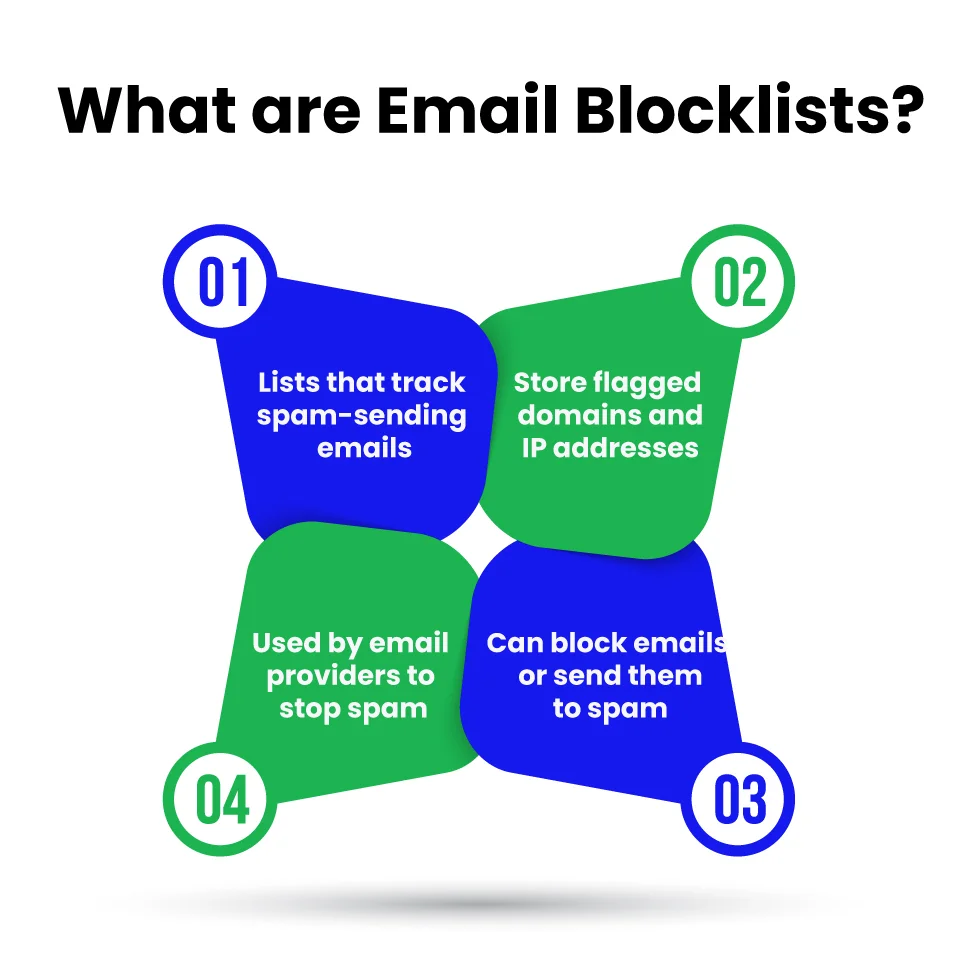
An email blocklist is a database that tracks domains or IP addresses flagged for sending spam or suspicious emails. If your domain or IP is listed, email providers may block your messages or route them to recipients’ spam folders, causing serious email deliverability issues and damaging your sender reputation.
Not all blocklists are the same; understanding the differences can help prevent and resolve issues effectively:
- Real-time blocking vs. reputation-based filtering: Some blocklists operate in real time, analyzing each incoming message to decide whether to accept or reject it immediately. Others are reputation-based, assigning a score to your domain or IP over time based on sending history, spam complaints, and email engagement.
- ESP filtering vs. public RBLs: Email Service Providers (ESPs) often maintain private blocklists tailored to their users’ experience, while public Real-time Blackhole Lists (RBLs) are managed by anti-spam organizations and are widely used across multiple mail servers. Being listed on a public RBL can affect emails across many platforms, whereas an ESP block affects emails sent through that specific provider.
- Temporary vs. persistent listings: Some blacklists mark entries temporarily, allowing them to be removed after addressing issues such as high bounce rates or misconfigured servers. Others are persistent and require formal requests and proof of remediation before they are removed.
Being listed on a blacklist doesn’t always mean you’re intentionally sending spam. Legitimate businesses can be flagged for poor email practices, technical errors, or outdated lists. Understanding these distinctions helps you monitor your email reputation and take corrective action before deliverability suffers.
With this clarity, the next step is to understand how to check if your domain or IP is on an email blacklist and take action early.
How to Check Whether Your Domain or IP Address Is on an Email Blacklist?
Even careful senders can end up on a blacklist without realizing it. That’s why it’s essential to regularly monitor your domain and IP reputation to prevent email deliverability issues and protect your sender reputation.
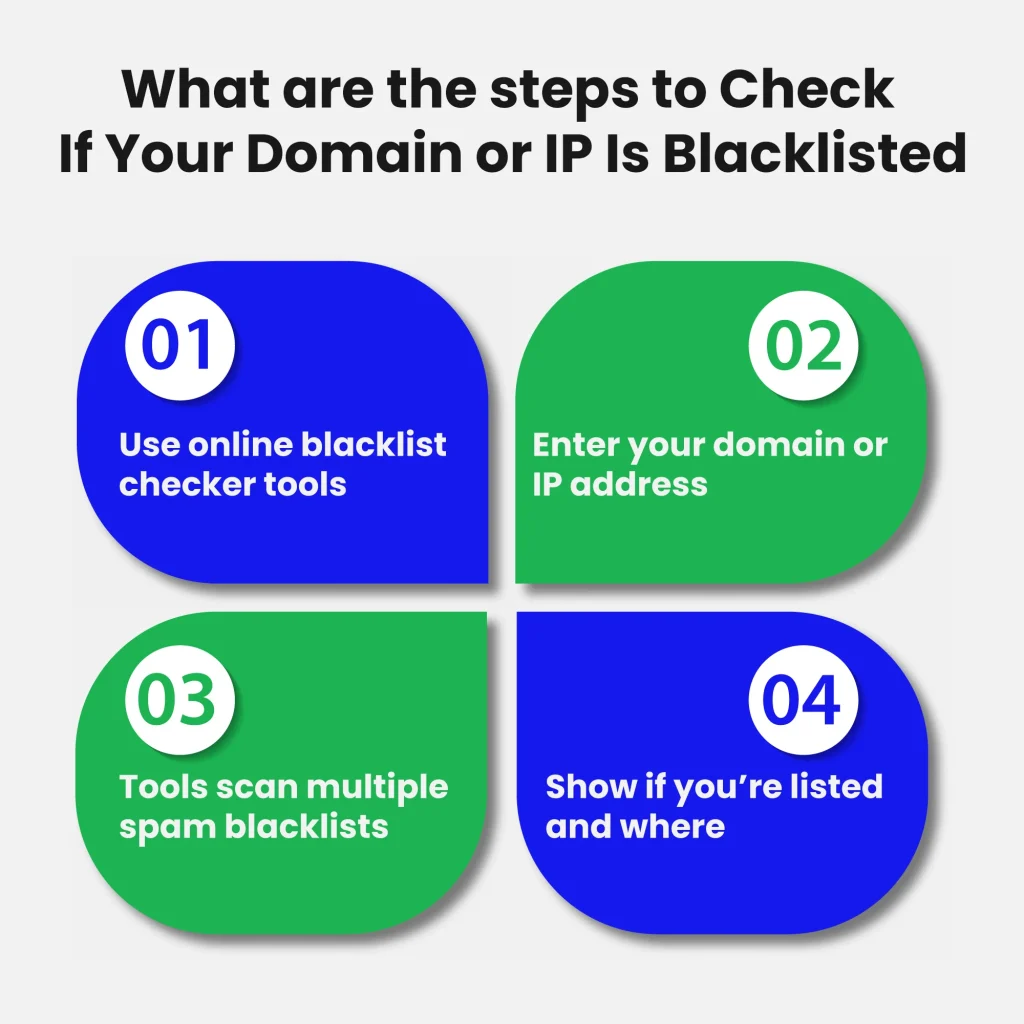
You can check your status using trusted tools that scan multiple email blacklists. Simply enter your domain or IP address, and the tool will show whether you’re listed and the type of blacklist.
Here are some reliable blacklist-check tools:
For high-volume senders, manual checks are impractical. In such cases, automated monitoring and alerting through APIs or scheduled scans help ensure you are notified immediately if your domain or IP is listed.
This allows you to respond quickly and integrate blacklist monitoring into broader email reputation management workflows.
Being listed does not always mean you are intentionally sending spam. Outdated contact lists, invalid addresses, or spam traps can also trigger blacklists.
Regular and automated checks help identify issues early, enabling corrective actions before emails start landing in spam folders or failing to deliver.
Once you confirm your blacklist status, the next step is to identify the causes of domain and IP blockage and how to avoid repeating those mistakes.
Could your domain or IP already be on a blacklist without you knowing Check now and protect your emails before your next campaign.?
What are the Common Types of Email Blacklists?
Emails can be blocked for different reasons, and the type of blacklist your domain or IP ends up on determines how it affects your email deliverability issues and sender reputation.
Understanding these blacklist types helps you act faster and protect your email campaigns. If spam traps are the issue, EmailVerify.io can help you identify and remove risky addresses before they harm your sender reputation, especially when you’re using shared IPs or cold email lists.
Understanding these blacklist types helps you act faster and protect your email campaigns. If spam traps are the issue, EmailVerify.io can help you identify and remove risky addresses before they harm your sender reputation, especially when you’re using shared IPs or cold email lists.
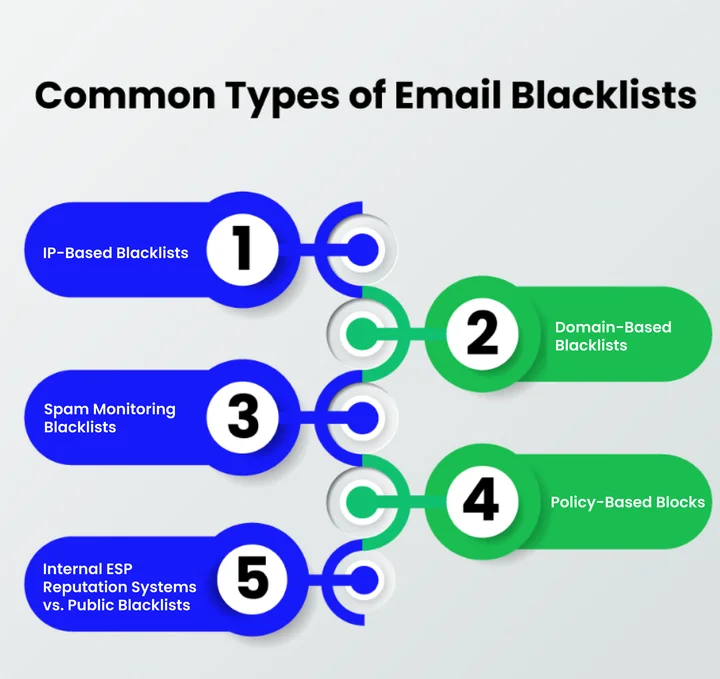
1. IP Blacklist Email
An IP blacklist tracks the IP addresses of sending servers. If the IP is flagged for suspicious activity, all emails sent from that server can be blocked or sent to spam.
This is especially important for businesses using shared hosting or cloud email servers, as one compromised user can affect the reputation of everyone sharing the same IP.
Impact: A listed IP can cause widespread deliverability failures until the issue is resolved. Businesses should closely monitor IP reputation and implement email authentication protocols such as SPF, DKIM, and DMARC.
2. Domain Blacklist Email
A domain blacklist targets your specific sending domain rather than the IP. Even if you switch servers, emails from a blacklisted domain are more likely to land in spam folders.
Impact: Domain blacklisting directly affects brand credibility. Maintaining clean contact lists, authenticating your emails, and avoiding spamy content are critical preventive steps.
3. Email Spam Blacklists
These are databases maintained by anti-spam organizations, email providers, and security groups. They track both domains and IPs involved in sending spam.
Impact: Being listed here can significantly reduce inbox placement rates across multiple providers, not just your own ESP. Regularly monitoring public blacklists helps catch issues before they escalate.
4. Policy-Based Blocks
Some Email Service Providers (ESPs) temporarily throttle or block emails in accordance with their internal sending policies. For example, sending large volumes to unengaged users, hitting rate limits, or triggering automated spam filters can result in temporary restrictions.
Impact: Policy-based blocks are usually temporary but can disrupt campaigns if not monitored. Understanding your ESP’s sending policies and maintaining good engagement rates can prevent such blocks.
5. Internal ESP Reputation Systems vs. Public Blacklists
Many ESPs maintain private reputation systems to track the quality of senders within their platform. These internal systems may flag domains or IPs even if they are not listed on public blacklists. Public blocklists, on the other hand, are widely referenced across multiple providers and have broader implications.
Impact: Monitoring both internal and public reputations is crucial. Ignoring ESP-specific reputations can reduce deliverability on major platforms, while public blacklists affect emails sent across the entire internet.
Recognizing these differences allows you to modify your email practices, proactively monitor your reputation, and take corrective actions before your campaigns are affected.
Once you understand these types, you can explore why emails get blacklisted and implement strategies to avoid it.
Why Emails Get Blacklisted: Common Causes and Red Flags
Emails can get blocked even if you think you’re doing everything right. Spoting warning signs early is essential to protecting your sender’s reputation and keeping your messages out of spam folders.
Let’s explore the main reasons emails end up on blacklists so you can take action before deliverability drops.
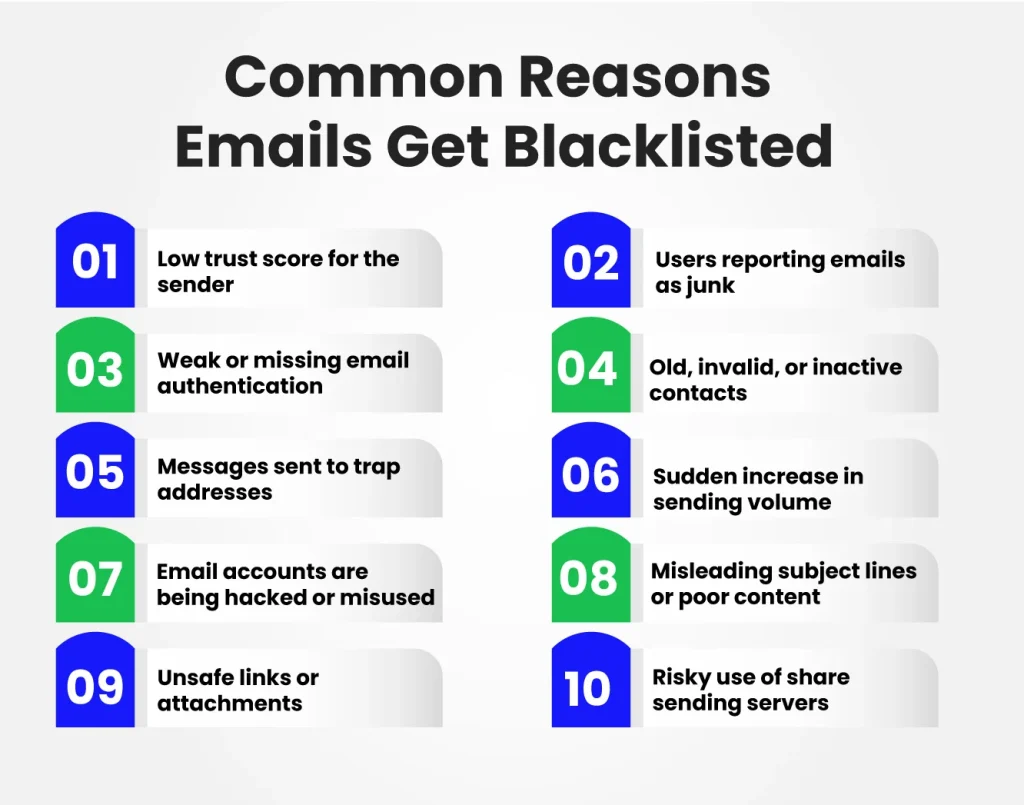
1. Poor Sender Reputation and Engagement
Your domain or IP builds trust over time. If emails frequently bounce, go unopened, or are marked as spam, this trust erodes. Low engagement or high spam complaints are often the first triggers for ESP warnings, campaign throttling, or even temporary inbox delivery blocks.
Impact: Reduced inbox placement, throttled campaigns, and long-term reputation damage.
2. Technical Misconfigurations
Incorrect or missing SPF, DKIM, or DMARC records make it easy for spammers to spoof your domain. This can trigger automated filtering and blacklisting by both ESPs and public blocklists.
Impact: Emails may be rejected, routed to spam, or flagged as suspicious by email providers.
3. List Hygiene and Spam Traps
Sending to outdated, invalid, or inactive addresses increases bounce rates. Including spam traps in your lists can result in instant blacklisting. Both poor list hygiene and spam traps signal to ESPs that your emails are risky. Regularly clean your email lists and remove unengaged users to reduce risk.
Impact: Account warnings, temporary sending restrictions, or placement on ESP-specific blocklists.
Rapid increases in email volume or irregular sending patterns appear suspicious to ESPs, even for legitimate campaigns. Gradual IP warming and consistent sending behavior reduce these risks.
Impact: Temporary throttling, delayed delivery, and monitoring alerts from ESPs.
5. Compromised Accounts or Servers
Hacked accounts or servers can send spam without your knowledge, damaging your domain and IP reputation. Monitoring access, enforcing strong passwords, and using multi-factor authentication are essential preventive steps.
Impact: Blacklisting, user complaints, and loss of trust in your brand.
6. Content and Link Issues
Misleading subject lines, excessive links, spammy keywords, or attachments from flagged domains can trigger filters. Delivering valuable, clear, and relevant content keeps your emails trusted.
Impact: Emails diverted to spam folders, increased complaints, and long-term reputation damage.
7. Shared or Free IP Risks
Bulk sending from shared IPs exposes your campaigns to the behavior of other senders. If others engage in spammy practices, your emails may be affected. Dedicated IPs for critical campaigns are safer.
Impact: Collapsed inbox delivery rates, campaign throttling, and cross-sender reputation impact.
You can prioritize fixes that preserve inbox placement, prevent blacklisting, and safeguard your sender reputation by understanding these causes and their effects.
How Can You Avoid Email Blacklists and Keep Emails in the Inbox?
To ensure your emails reach the inbox consistently, it is essential to follow practices that protect your sender reputation and prevent blacklisting.
These steps focus on pre-campaign risk control as well as ongoing monitoring:
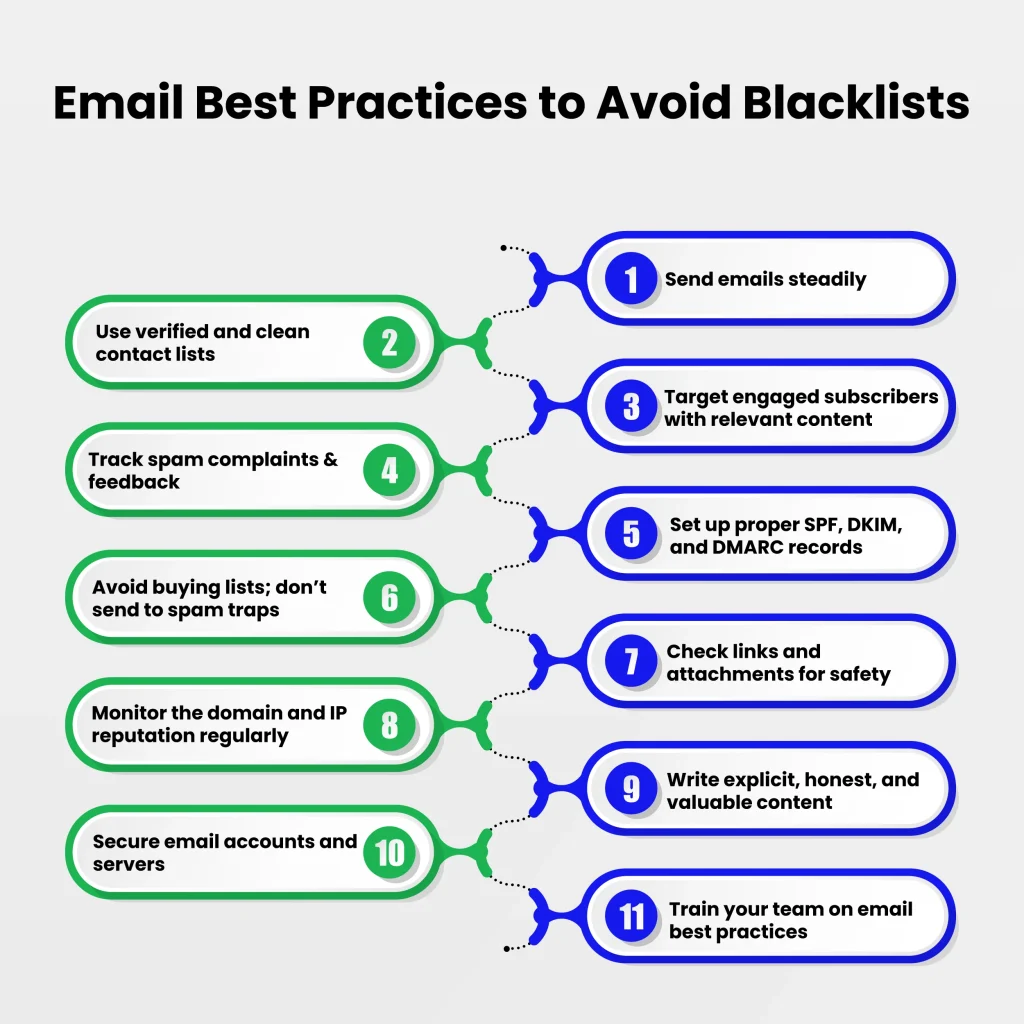
- Authenticate your emails properly: Set up SPF, DKIM, and DMARC to prove your messages are legitimate and prevent domain spoofing.
- Warm up new IPs and domains gradually: Start with small sending volumes and scale slowly to build trust with email providers.
- Avoid buying email lists: Purchased lists often contain invalid addresses, spam traps, or uninterested recipients, which can trigger blocklisting.
- Use a clear opt-in process: Double opt-in confirms subscriber intent and reduces spam complaints.
- Plan sending schedules carefully: Maintain a consistent sending rhythm and avoid sudden spikes, which can raise flags with ESPs.
- Verify your email list before campaigns: Pre-campaign verification removes invalid or risky addresses, reducing bounce rates and the risk of hitting spam traps.
- Keep content relevant and clean: Avoid misleading subject lines, excessive links, or spammy phrases that trigger filters.
- Check links and attachments before sending: Unsafe or blacklisted URLs can cause emails to be blocked.
- Provide a clear unsubscribe option: Making it easy to unsubscribe reduces complaints and protects your reputation.
- Monitor email metrics closely: Track bounce rates, spam complaints, and engagement, and act quickly if issues appear.
Implementing these measures allows you to proactively manage risks before sending campaigns, maintain a healthy sender reputation, and reduce the likelihood of being blacklisted.
If your domain or IP is already listed, the next step is immediate remediation, which we cover in the following section.
How Can You Remove Your Email or IP from a Blacklist?
Landing on an email blacklist can be stressful, but taking swift action can help restore your sender reputation and improve inbox placement. Most blacklist issues can be resolved once you identify the cause and address it properly.
Follow these steps to remove your domain or IP from a blacklist:
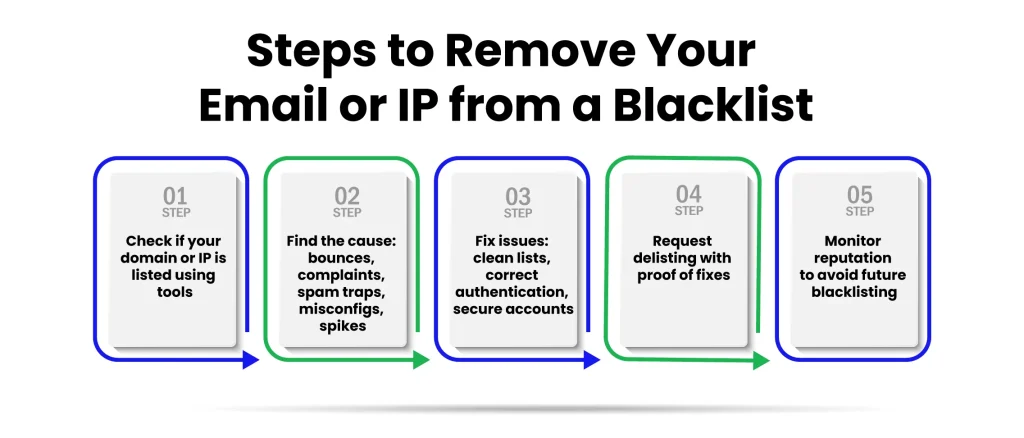
- Check Your Blocklist Status: Use tools such as MXToolbox, Spamhaus, or MultiRBL to confirm whether your domain or IP is listed.
- Identify the Cause: Look for issues such as high bounce rates, spam complaints, sending to spam traps, technical misconfigurations, or sudden spikes in sending volume.
- Fix the Problem: Clean your email lists, correct authentication records, secure accounts or servers, and adjust sending volume.
- Request Delisting: Submit a removal request on the blacklist provider’s website and provide evidence that the issues have been resolved.
- Monitor Your Reputation: Keep an eye on your domain and IP to prevent future blacklisting.
Important Cautions:
- Some blacklists auto-expire, meaning listings may be removed automatically after a period of time without any action.
- Some ESP-level blocks do not allow delisting; in these cases, resolving the underlying issue and waiting for reputation recovery is the only option.
Even after successful delisting, inbox placement may not be restored immediately. It can take days or weeks for your sender reputation to recover fully.
Taking these steps promptly helps restore inbox placement, protects your sender reputation, and reduces the risk of future blacklisting.
Frequently Asked Questions (FAQs)
2. How Often Should you Monitor your Email Reputation?
Regular monitoring is essential. Experts recommend:
- Weekly checks for active campaigns
- Monthly deep scans for overall domain and IP reputation
This proactive approach helps spot issues before they impact deliverability.
3. Are There any Hidden Spam Traps You Should Know About?
Yes, some spam traps are “honey pot” addresses created specifically to catch careless senders. You may not see these addresses on your list, but sending to outdated or purchased lists increases the likelihood of hitting them. Always verify contacts and remove unengaged users.
4. Can Blacklisted Links in My Emails Cause Problems?
Absolutely. Even if your email content is clean, including URLs or attachments from previously blacklisted domains can trigger spam filters. Always check external links and attachment sources before sending campaigns.
5. Does Email Frequency Affect Your Blacklist Risk?
Yes, sending emails too frequently or with inconsistent timing can look suspicious to email providers. Gradually ramping up campaigns and maintaining a steady schedule reduces the chance of being flagged as spam.
6. How Do You Recover from a Compromised Email Account Before It Hits a Blacklist?
- Immediately reset passwords and enable two-factor authentication
- Scan for malware or unauthorized access
- Inform your email provider about suspicious activity
- Pause mass sending temporarily until the account is secured
Taking these steps quickly prevents blacklisting and protects your sender reputation.
Conclusion: Maintain Long-Term Email Deliverability with Email Verify
Keeping your emails out of spam folders and off blacklists requires consistent effort, from maintaining clean lists to monitoring your domain and IP reputation.
The Takeaway: protect your sender reputation email, send to verified and engaged contacts, authenticate your emails, and monitor campaigns regularly. These steps reduce risks and ensure your messages reach the right audience.
How Email Verify helps:
It allows you to verify email addresses, identify risky or invalid contacts, and monitor your sender reputation. You can proactively minimize bounces, steer clear of spam traps, and lessen the likelihood of ending up on a blocklist by using Email Verify.
It acts as a safety net to keep your emails in the inbox and your campaigns performing at their best. This is especially helpful for verified email data for email marketing, which keeps your campaigns safe from spam traps and improves deliverability.
Start using tools like Email Verify today to protect your email reputation, prevent blacklisting, and maintain consistent long-term deliverability.
A small investment in verification can prevent inbox loss and missed opportunities before your next send.


