GoHighLevel Email Verification Integration — Clean Sub-Accounts, Protected Email Delivery
EmailVerify.io's GoHighLevel (HighLevel) email verification integration validates every contact in your GHL sub-accounts before they reach your campaigns and automation workflows. Connect via OAuth2 in minutes, select the Tags and Smart Lists to verify, and sync results back as custom fields — EV_Status, EV_SubStatus, and EV_Validation_Timestamp — on each GoHighLevel contact record. GoHighLevel sends email through Mailgun or Twilio SendGrid. Both services can suspend accounts for high bounce rates — and a suspension affects ALL sub-accounts under your agency, not just one client. EmailVerify.io removes invalid contacts before they generate the bounces that trigger those suspensions.


Quick Summary: GoHighLevel Email Verification Integration
- What it does: Imports GoHighLevel Tags and Smart Lists, validates every contact with 20+ checks, and syncs EV_Status, EV_SubStatus, EV_Validation_Timestamp back as custom fields automatically.
- Who it's for: Digital marketing agencies, consultants, coaches, and any GoHighLevel user managing one or multiple sub-accounts.
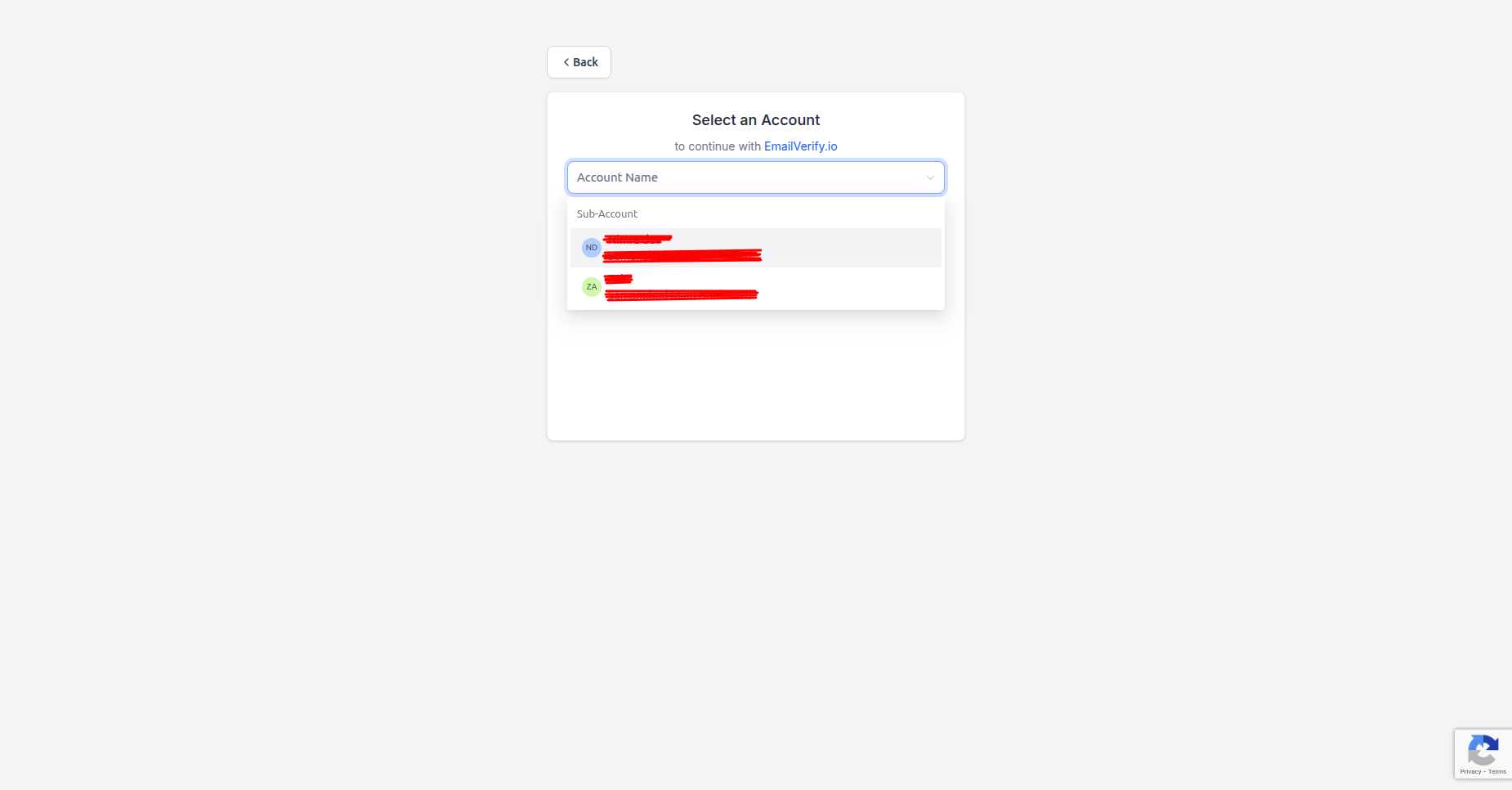
- Connection method: OAuth2 — with sub-account selection step (select which GHL location to connect during authorisation).
- Critical risk: GHL routes email via Mailgun or Twilio. High bounce rates from invalid contacts can suspend your email delivery service — affecting all sub-accounts under your agency.
How to use the integration
To get started with the GoHighLevel integration, you’ll need an active HighLevel account along with an EmailVerify.io account.
Step 1: Sign in to EmailVerify.io
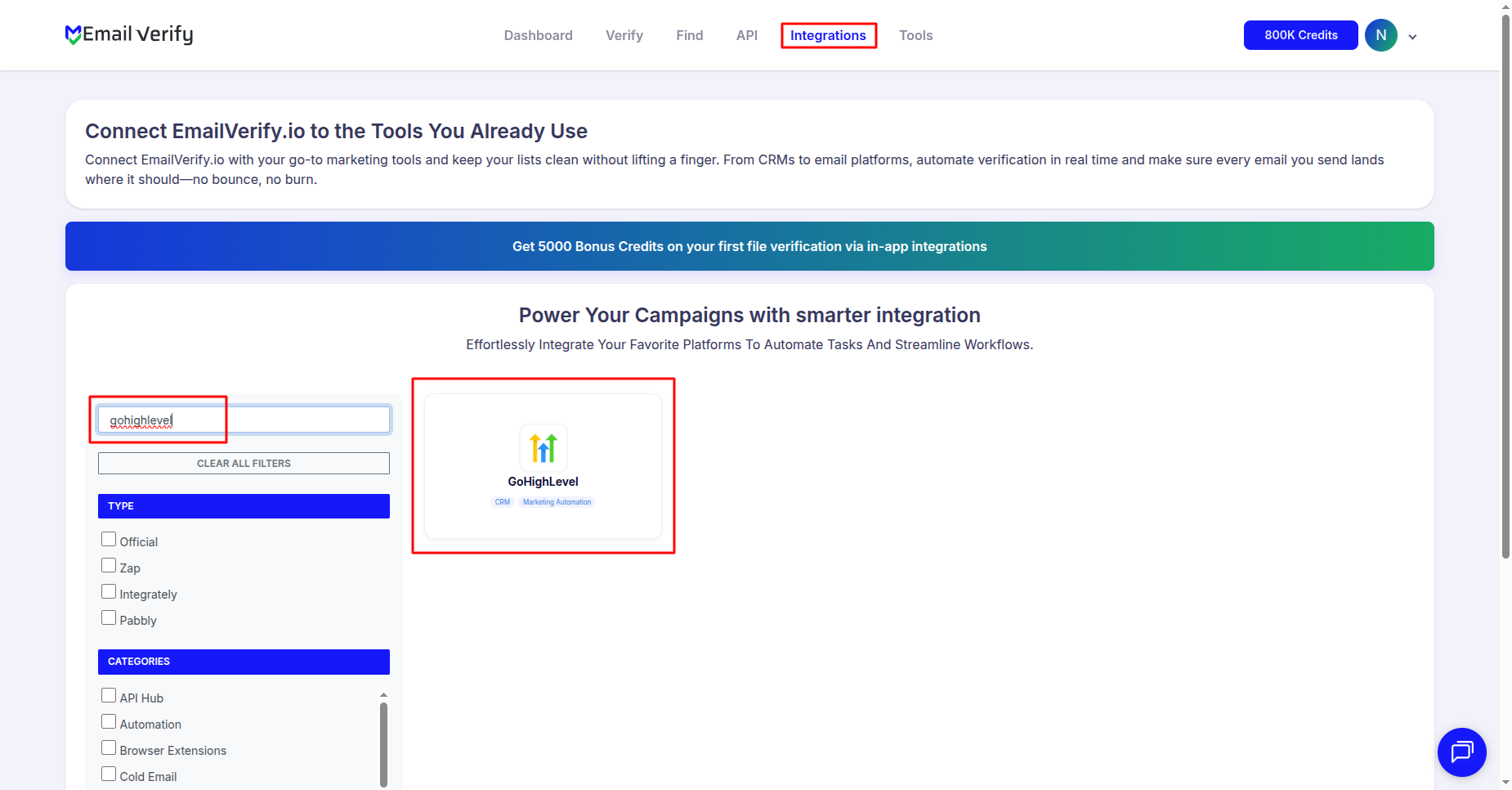
Step 2: Open the GoHighLevel Integration
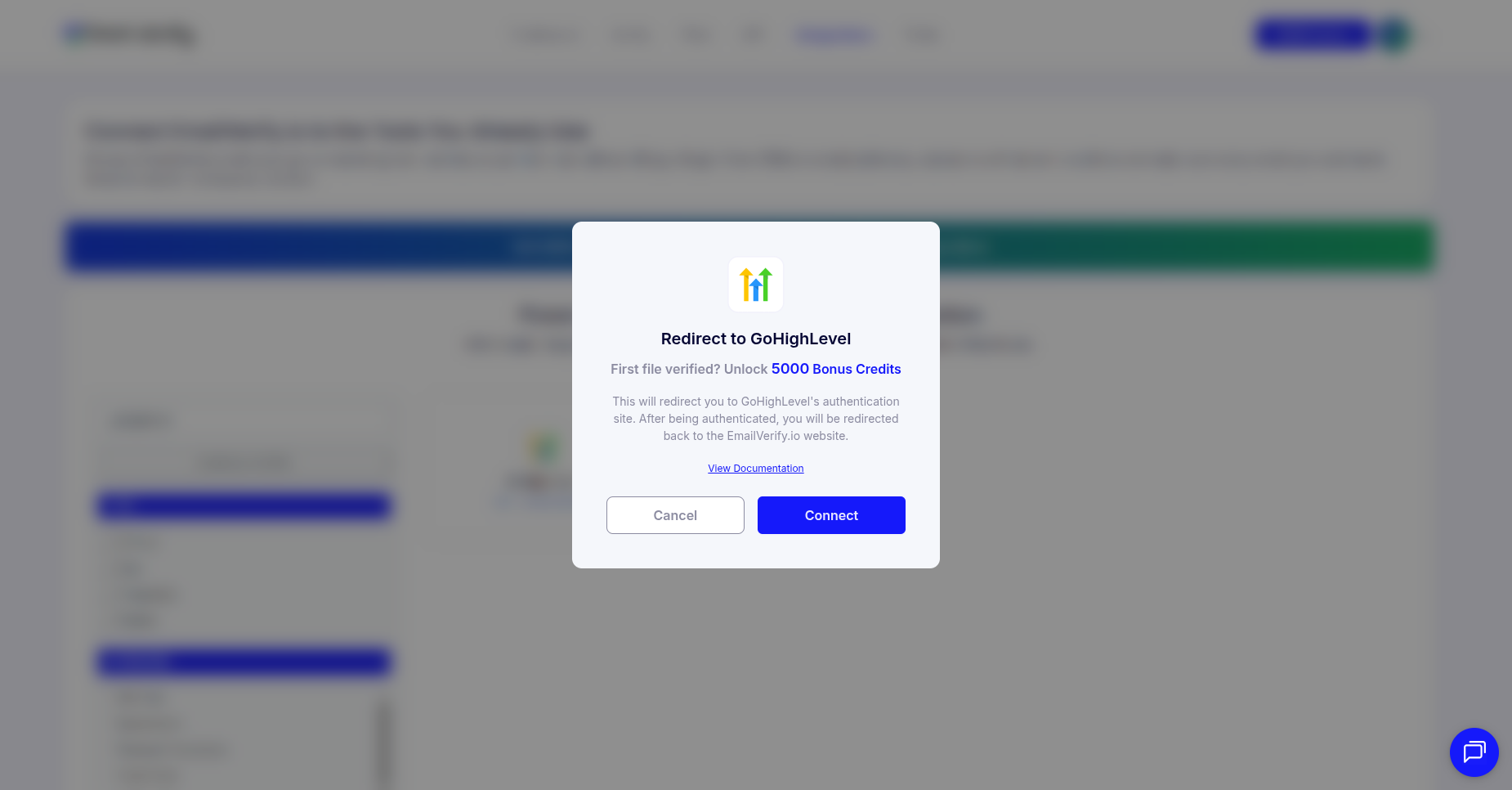
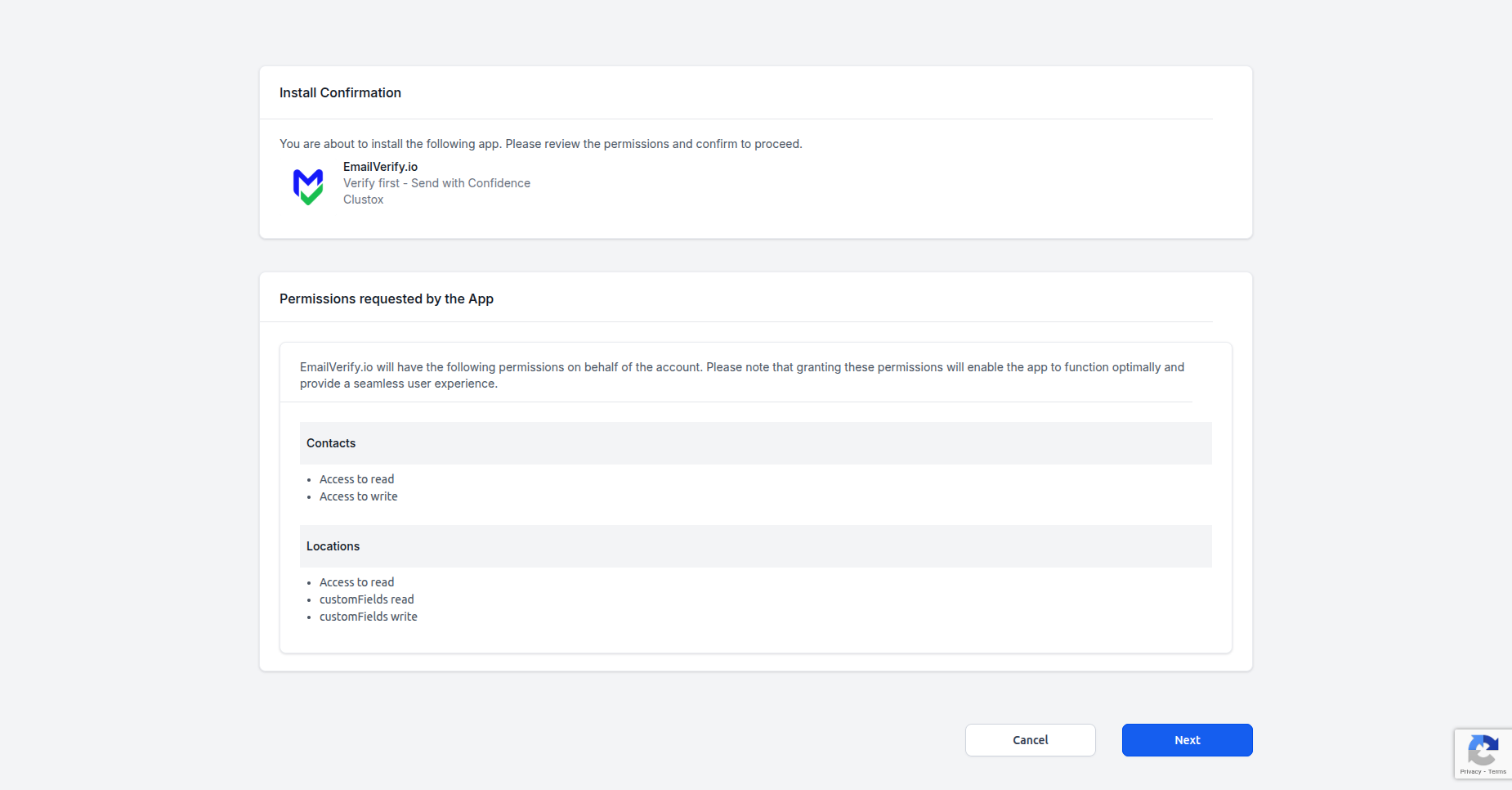
Step 3: Grant Access
Step 4: Select Account to Continue
Step 5: View Your Contacts
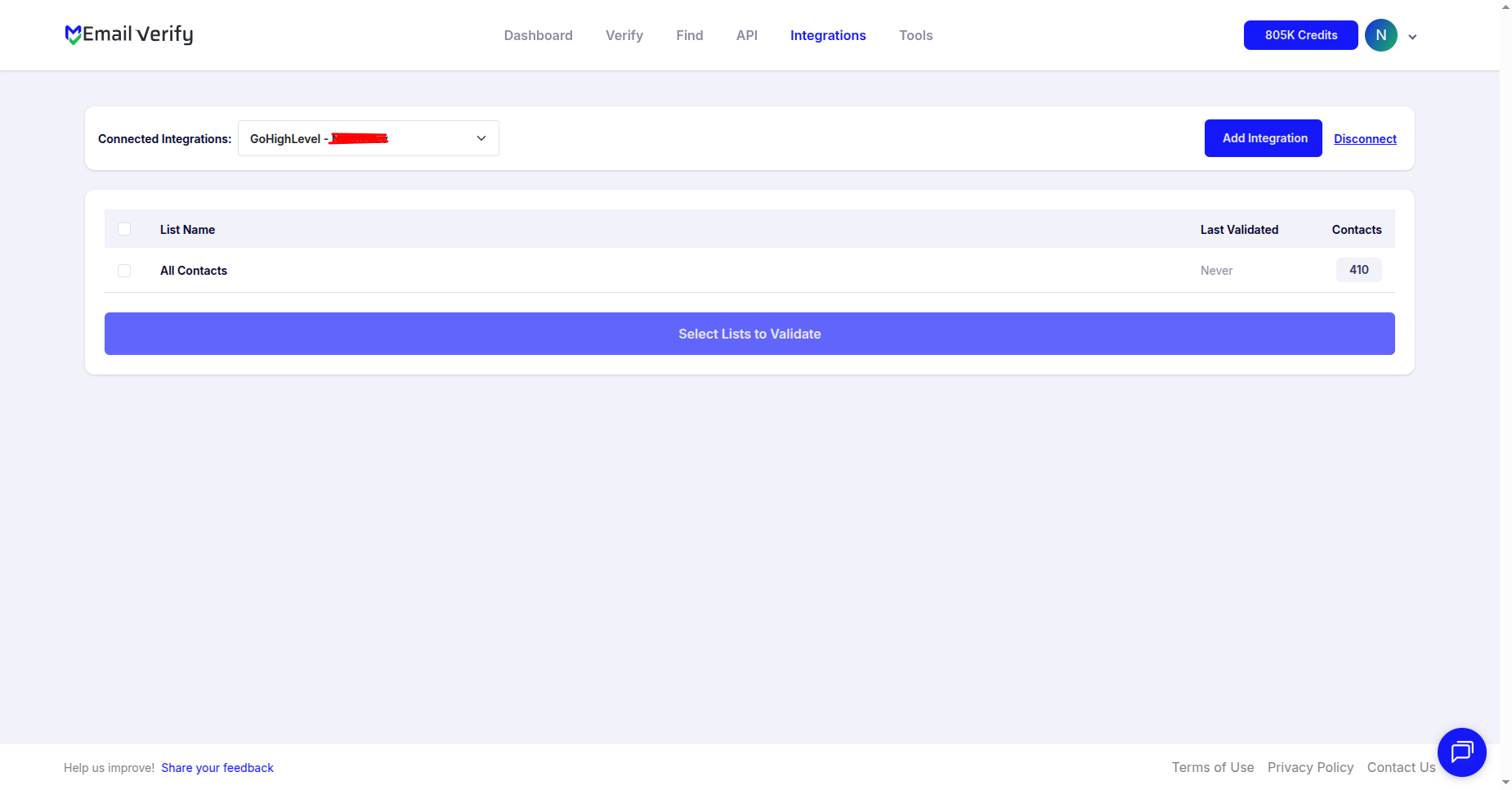
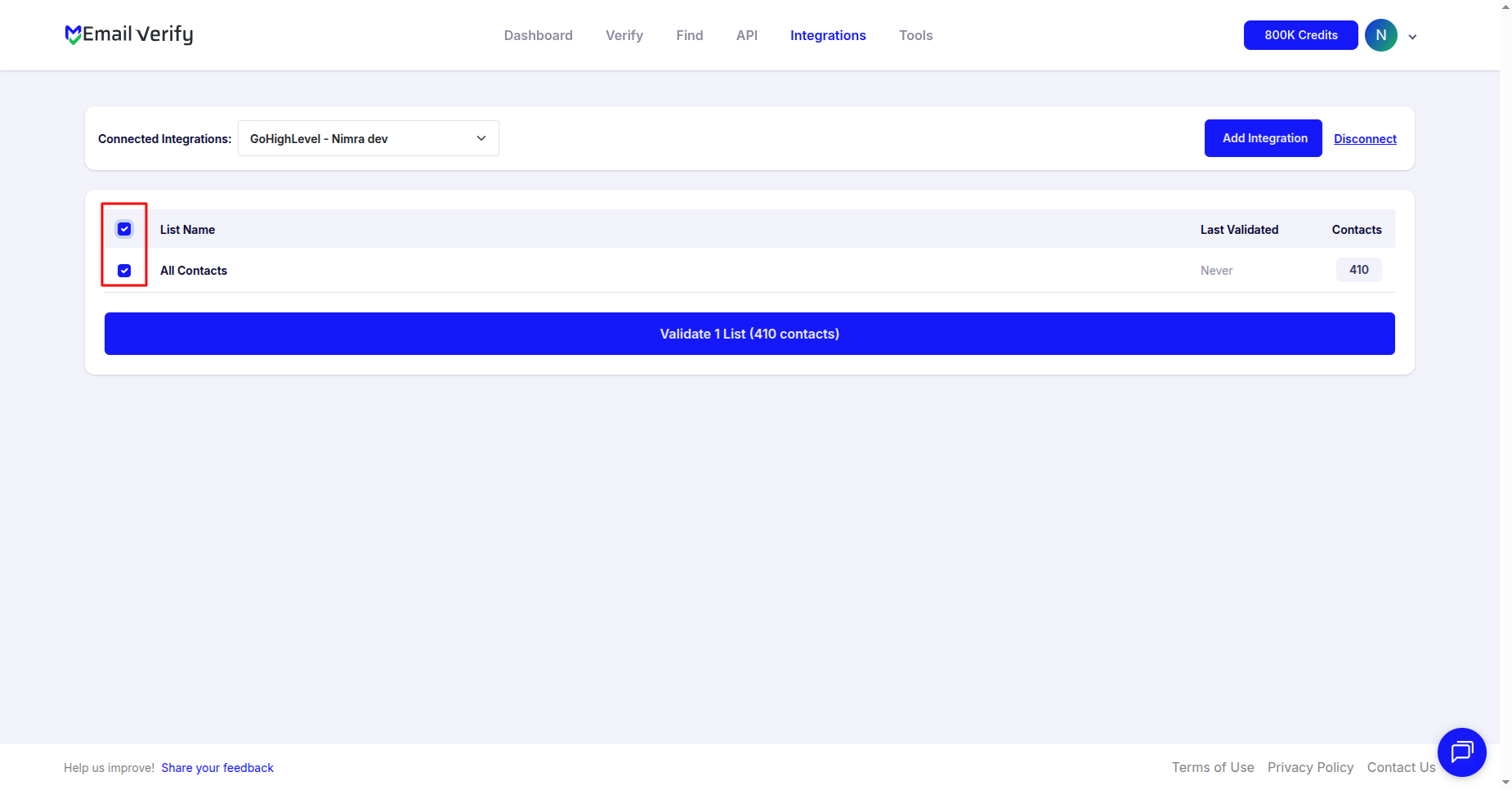
Step 6: Select Lists to Verify
Note: The results of the validation are automatically exported back to the HighLevel contact record.
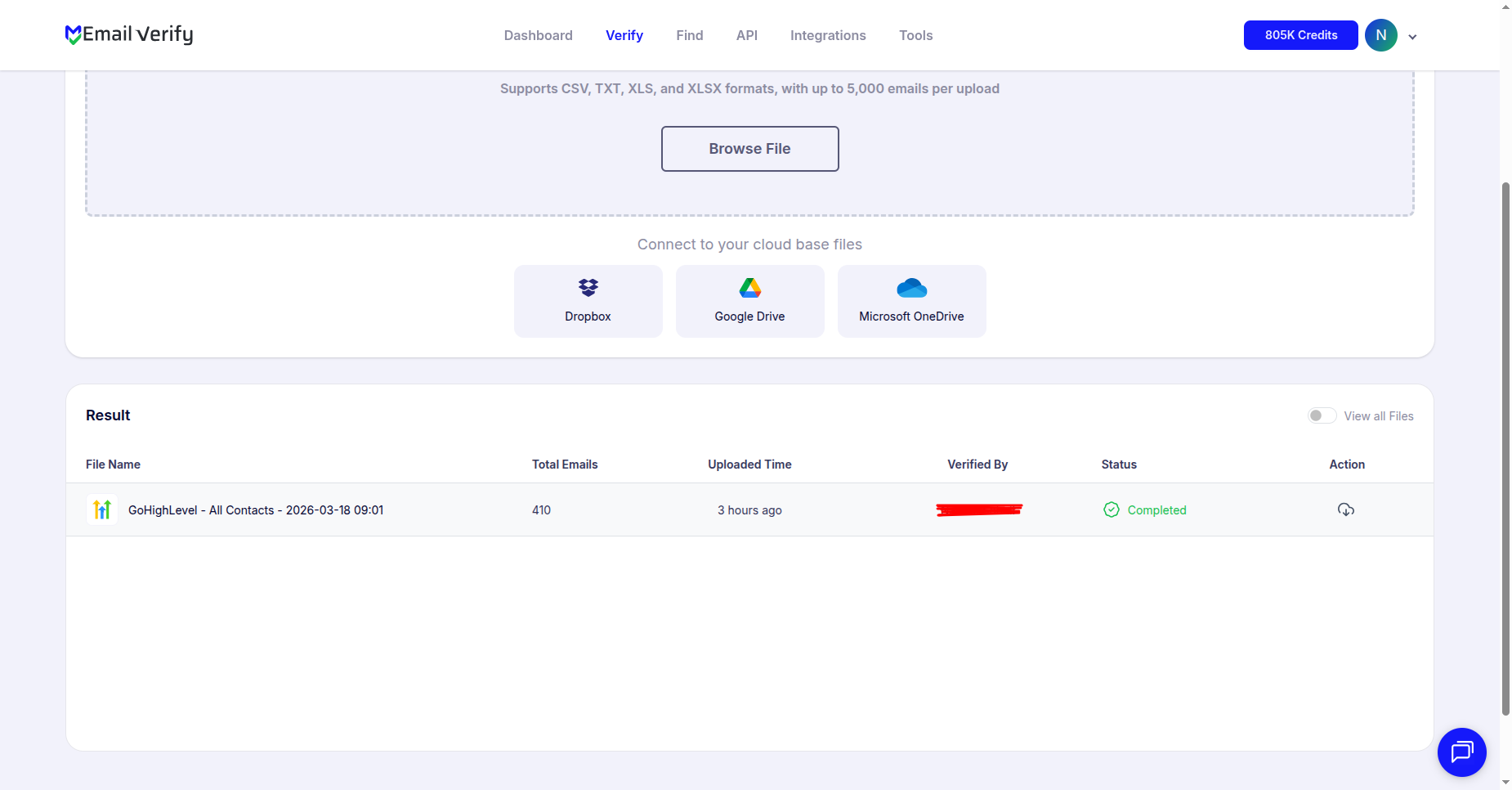
Step 7: Monitor Progress
GoHighLevel Email Verification Integration Features
When importing contacts from GoHighLevel to EmailVerify.io using the integration service, you can filter by specific tags or smart lists to ensure only the necessary data is validated.
Import Contacts from GoHighLevel
Import email addresses from your GoHighLevel Tags or Smart Lists directly into EmailVerify.io for validation.
Powerful Email Verification
Validate imported emails using EmailVerify.io's powerful email verification service to identify invalid and risky addresses.
Export Results with custom Fields
When exporting results back to HighLevel, we add specific fields to the contact: EV_Status, EV_SubStatus, and EV_Validation_Timestamp.
Secure OAuth2 Connection
We use GoHighLevel's official OAuth2 protocol for secure authorization, allowing EmailVerify.io to access your data without needing your password.
Protect Sender Reputation
Maintain accurate lists and improve deliverability on your Mailgun or Twilio accounts by removing invalid emails from your GHL workflows.
The Mailgun and Twilio Risk — Why GoHighLevel Email Verification Matters
GoHighLevel does not send email directly. It routes all email campaigns and automation messages through Mailgun or Twilio SendGrid — third-party delivery services that enforce their own reputation scoring and abuse policies.
- ✗ Mailgun: accounts with bounce rates consistently above 5% are flagged and can be suspended without warning.
- ✗ Twilio SendGrid: accounts exceeding 2% hard bounce rate trigger automatic sending suspension until the issue is resolved.
- ✗ Agency-wide risk: a single sub-account with dirty contacts can generate enough bounces to get your entire Mailgun or Twilio account flagged — taking down all email sending across every client sub-account simultaneously.
- ✗ Invalid contacts in GHL funnels and lead capture pages are common — users enter throwaway emails to access lead magnets, resulting in 8–20% invalid email rates on funnel-sourced lists.
- ✗ GoHighLevel Workflows, Conversations, and Opportunity pipelines all depend on valid contact emails — invalid addresses corrupt automation data and revenue attribution.
EmailVerify.io removes invalid contacts before they generate the bounces that trigger Mailgun and Twilio suspensions — protecting your agency's delivery infrastructure across all client sub-accounts.
What EmailVerify.io Checks on Every GoHighLevel Contact
Each GoHighLevel contact passes through 20+ real-time verification checks before results sync back as custom fields.
| Check | What It Detects |
|---|---|
| Syntax validation | Formatting errors — missing @, invalid characters, malformed structure |
| Domain / DNS check | Whether the email domain exists and is active |
| MX record check | Active mail server records on the domain |
| SMTP verification | Whether the individual mailbox exists on the server |
| Catch-all detection | Domains that accept all emails regardless of whether the mailbox exists |
| Disposable email check | Temporary or burner addresses from 10,000+ known providers |
| Role-based detection | Generic addresses: info@, admin@, noreply@, support@ |
| Bounce history | Cross-reference with known hard-bounce databases |
Results written to GHL contacts as custom fields: EV_Status | EV_SubStatus | EV_Validation_Timestamp
What GoHighLevel Users See After Verification
EmailVerify.io writes results directly to your GoHighLevel contact records as custom fields — no manual export or re-import required.
GoHighLevel Campaigns With vs Without Email Verification
Invalid contacts corrupt Mailgun/Twilio delivery, GHL Workflow logic, and agency sender reputation. Here is what changes with EmailVerify.io.
| Approach | Time Required | Accuracy | Auto-Sync | Ongoing Protection |
|---|---|---|---|---|
| No verification | 0 min setup | Unknown | No | All invalids enter Mailgun/Twilio delivery |
| Manual CSV clean | Hours of manual work | Basic | No | Partial — misses catch-all and role-based |
| EmailVerify.io + GHL | Under 5 min setup | 20+ checks pre-send | Yes — EV fields on every contact | Full — Mailgun/Twilio accounts protected |
Who Should Use GoHighLevel Email Verification
Digital marketing agencies using GHL
Agencies with multiple client sub-accounts are most at risk from invalid email data. A single client list with high bounce rates can affect your entire Mailgun or Twilio sending infrastructure. Verify client lists quarterly and before every major campaign launch.
Coaches and consultants on GoHighLevel
Solo operators and small teams using GHL for their own business often build contact databases from webinar registrations, funnel leads, and manual imports — sources that carry 8–20% invalid email rates. Verify before every broadcast.
White-label GHL SaaS providers
Agencies that resell GoHighLevel as their own SaaS product are responsible for the email delivery health of all their clients. Email verification is a critical deliverability service to include as part of the package.
GHL course and membership operators
GoHighLevel's built-in course and membership community features collect member emails at sign-up. Verify member lists before announcement and launch emails to protect deliverability on new content releases.
Technical Questions About GoHighLevel Email Verification
How do I connect multiple GoHighLevel sub-accounts?
Connect one sub-account at a time: go to Integrations in EmailVerify.io, select GoHighLevel, authorise via OAuth2, and select the sub-account. After verifying that sub-account's lists, reconnect and select the next sub-account. Each sub-account is a separate connection in EmailVerify.io.
Can I use EV_Status as a trigger in GoHighLevel Workflows?
Yes. EV_Status is a custom contact field that can be used as a Workflow trigger condition. Set the trigger as 'Contact custom field updated' where EV_Status equals 'Invalid', then add actions such as applying a tag, removing from a campaign sequence, or adding to a suppression Smart List.
Where do EV fields appear in GoHighLevel?
EV_Status, EV_SubStatus, and EV_Validation_Timestamp appear as custom fields on each contact record in GoHighLevel. Find them in the contact detail view under Custom Fields, or reference them in Workflows, Smart List filters, and bulk action filters.
How long does it take to verify 10,000 GHL contacts?
For 10,000 GoHighLevel contacts, verification typically completes in 10–20 minutes. You receive an email notification when complete. Results sync back to GHL contact custom fields automatically — no further action required.
Also integrate with ActiveCampaign Email Verification , HubSpot Email Verification , Mailchimp Email Verification , Drip Email Verification . Or use ourAPI for programmatic access.
Frequently Asked Questions

How do I connect EmailVerify.io to GoHighLevel?
Why can invalid emails in GoHighLevel suspend my Mailgun account?
GoHighLevel routes email campaigns through Mailgun or Twilio. These services monitor bounce rates and will suspend accounts that generate high bounce rates — typically above 2–5%. EmailVerify.io removes invalid contacts before they generate the bounces that trigger these suspensions.
Does EmailVerify.io support verification across multiple GHL sub-accounts?
Yes. You can verify contacts across multiple GoHighLevel sub-accounts by connecting each one separately in EmailVerify.io. For agencies managing many clients, prioritise sub-accounts with active campaigns first.
What are GoHighLevel Tags and Smart Lists in the context of verification?
GoHighLevel organises contacts using Tags and Smart Lists. EmailVerify.io imports contacts from both. You can verify all contacts with a specific tag or those matching criteria in a Smart List before a campaign send.
Can I use EV_Status in GoHighLevel Workflows?
Yes. EV_Status is a custom field on each GHL contact and can be used as a trigger. Example: when EV_Status changes to 'invalid', you can automatically add a tag 'invalid-email' and remove them from active sequences.
Does EmailVerify.io detect disposable emails in GoHighLevel?
Yes. Disposable and temporary email addresses (like Mailinator) are flagged as EV_Status: Disposable. These are common in lead capture pages where users enter throwaway addresses to access lead magnets.
Is the GoHighLevel integration free?
What custom fields does EmailVerify.io add to GoHighLevel contacts?
EmailVerify.io adds three custom fields: EV_Status (Valid, Invalid, etc.), EV_SubStatus (detailed reason), and EV_Validation_Timestamp (date and time of last verification).
How often should I re-verify GoHighLevel contacts?
We recommend verifying before every major campaign launch, quarterly for full sub-account lists, and immediately after importing external lists.
You're just one click away from clean email lists.
Start verifying your email addresses instantly and improve your campaign deliverability
* No credit card required