Wix Email Verification Integration — Clean Website Contacts, Better Campaigns
Wix powers millions of websites — from eCommerce stores and Wix Bookings service businesses to event organisers and content creators. Every Wix contact form, checkout, or booking creates a contact record, but Wix does not validate whether those email addresses are real and deliverable. EmailVerify.io connects to Wix via OAuth 2.0, imports your Wix contacts, runs 20+ real-time verification checks on every email address, and writes results back as three custom fields — EV_Status, EV_SubStatus, and EV_Validation_Timestamp — directly on each Wix contact. No re-import needed. Verify before every campaign and ensure your messages reach real, active inboxes.

Quick Summary: Wix Email Verification Integration
- What it does: Imports Wix contacts, validates every email with 20+ checks, and syncs results back as three custom fields — EV_Status, EV_SubStatus, EV_Validation_Timestamp — on each Wix contact record.
- Who it's for: Wix website owners, eCommerce store operators, Wix Bookings service businesses, event organisers, and agencies managing Wix sites.
- Connection: Secure OAuth 2.0 via Wix's own login — no passwords or credentials stored by EmailVerify.io.
- Key benefit: Verify Wix contact emails before every campaign to eliminate hard bounces and protect sender reputation.View pricing.
- Setup time: Under 5 minutes.
How to use the integration
To get started with the Wix integration, you'll need an active Wix account, which you can create at https://www.wix.com/ along with an EmailVerify.io account.
Step 1: Sign in to EmailVerify.io
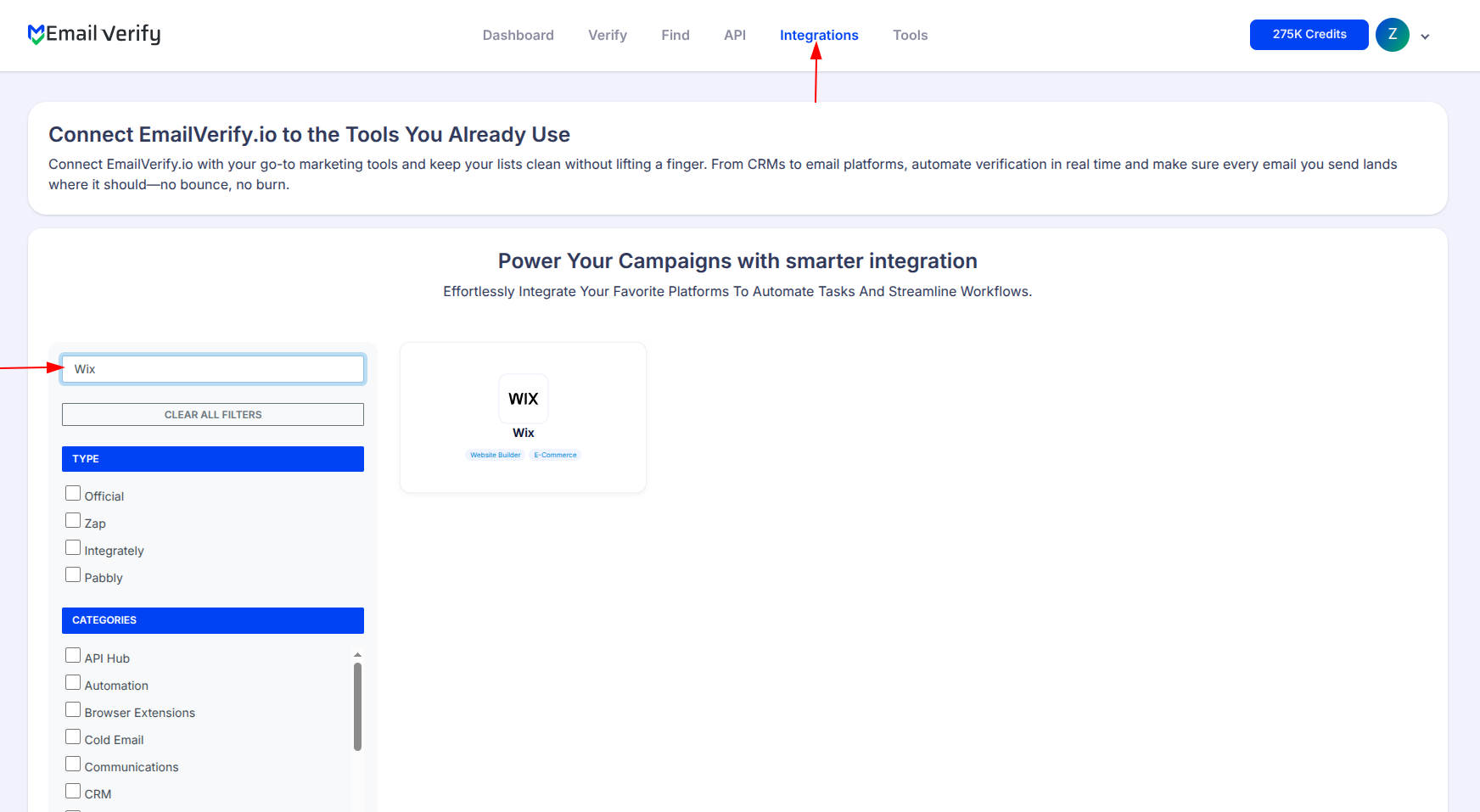
Step 2: Open the Wix Integration
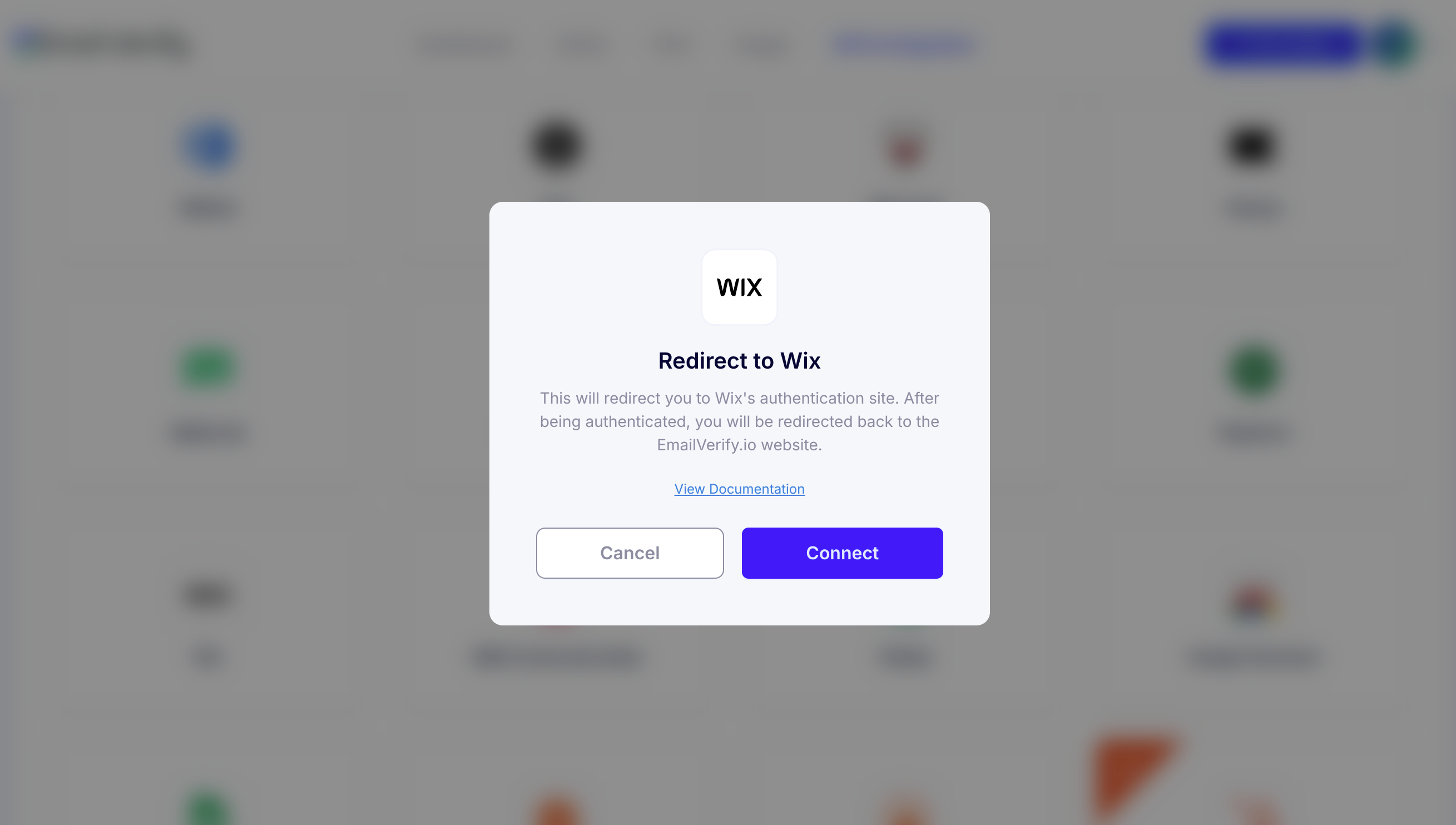
Step 3: Sign in to Wix
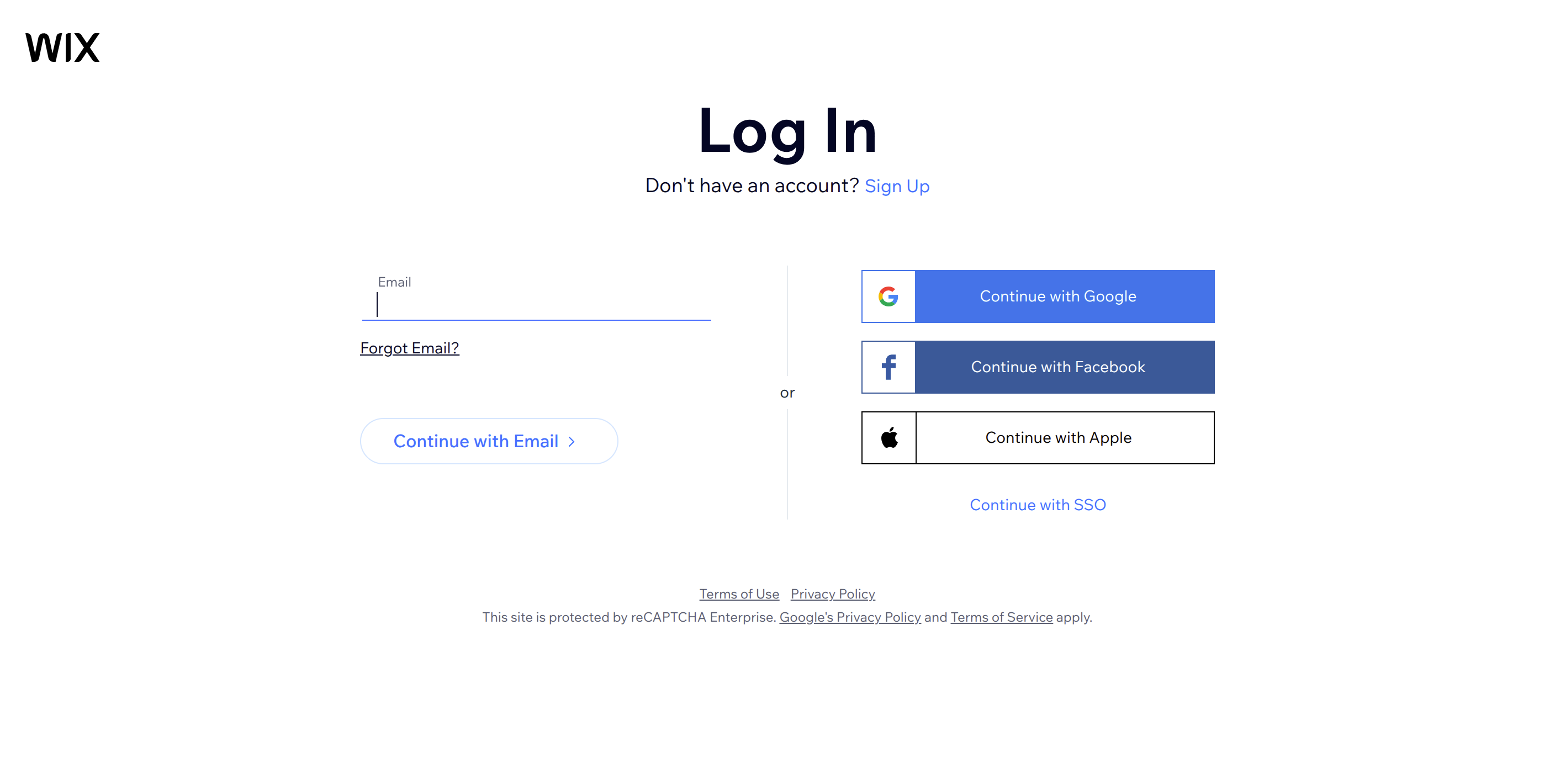
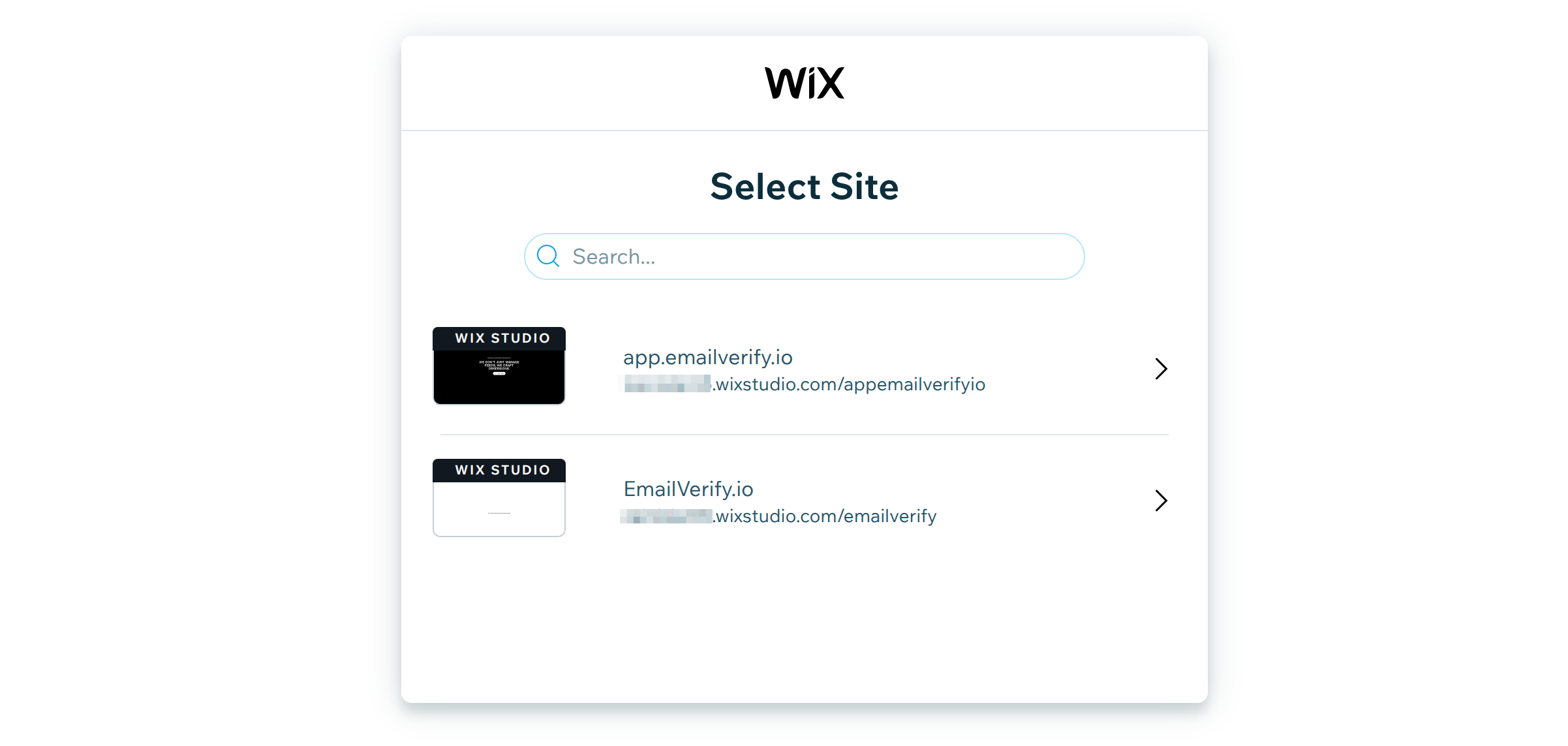
Step 4: Select Your Wix Site
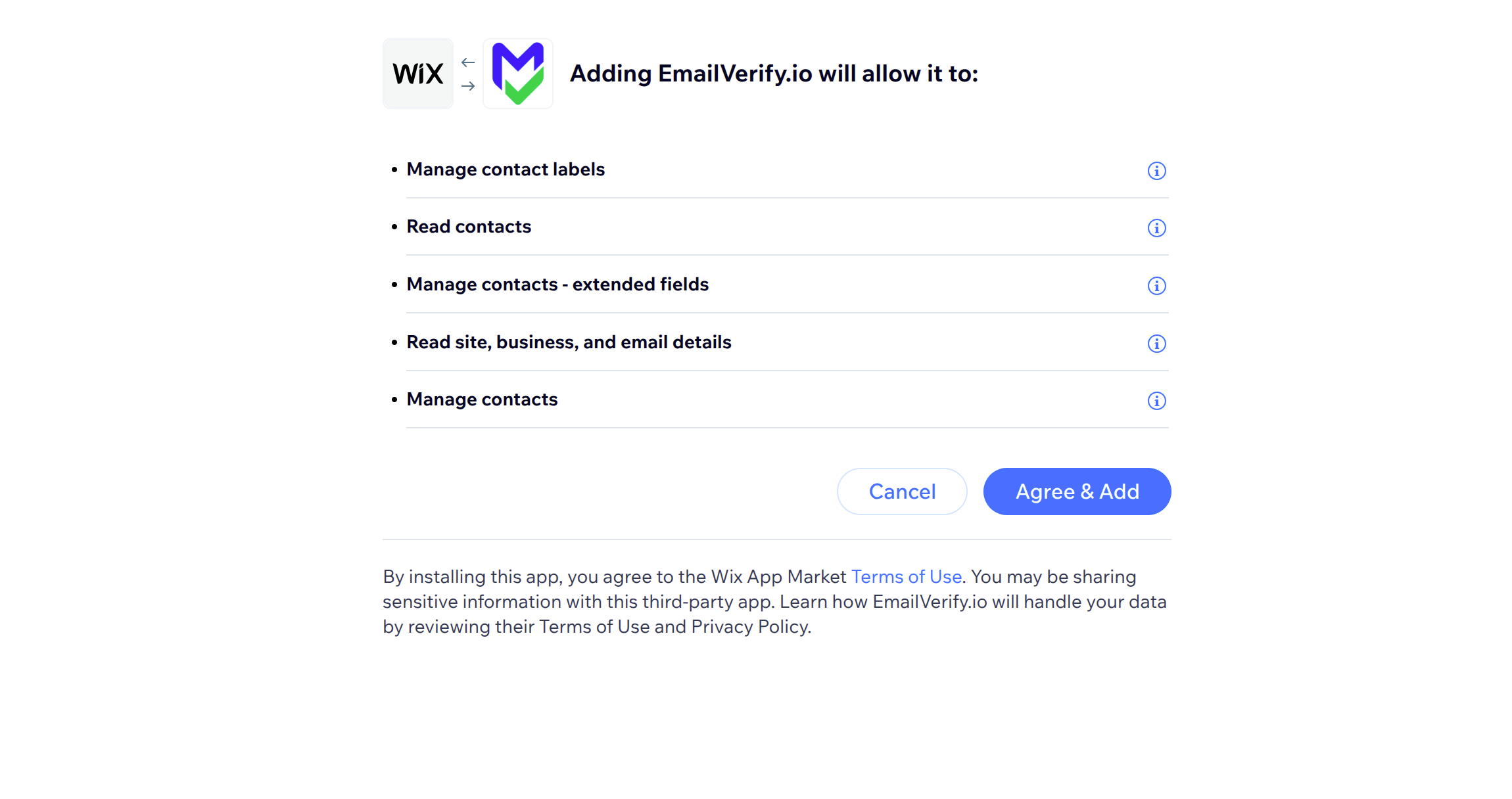
Step 5: Grant Permission
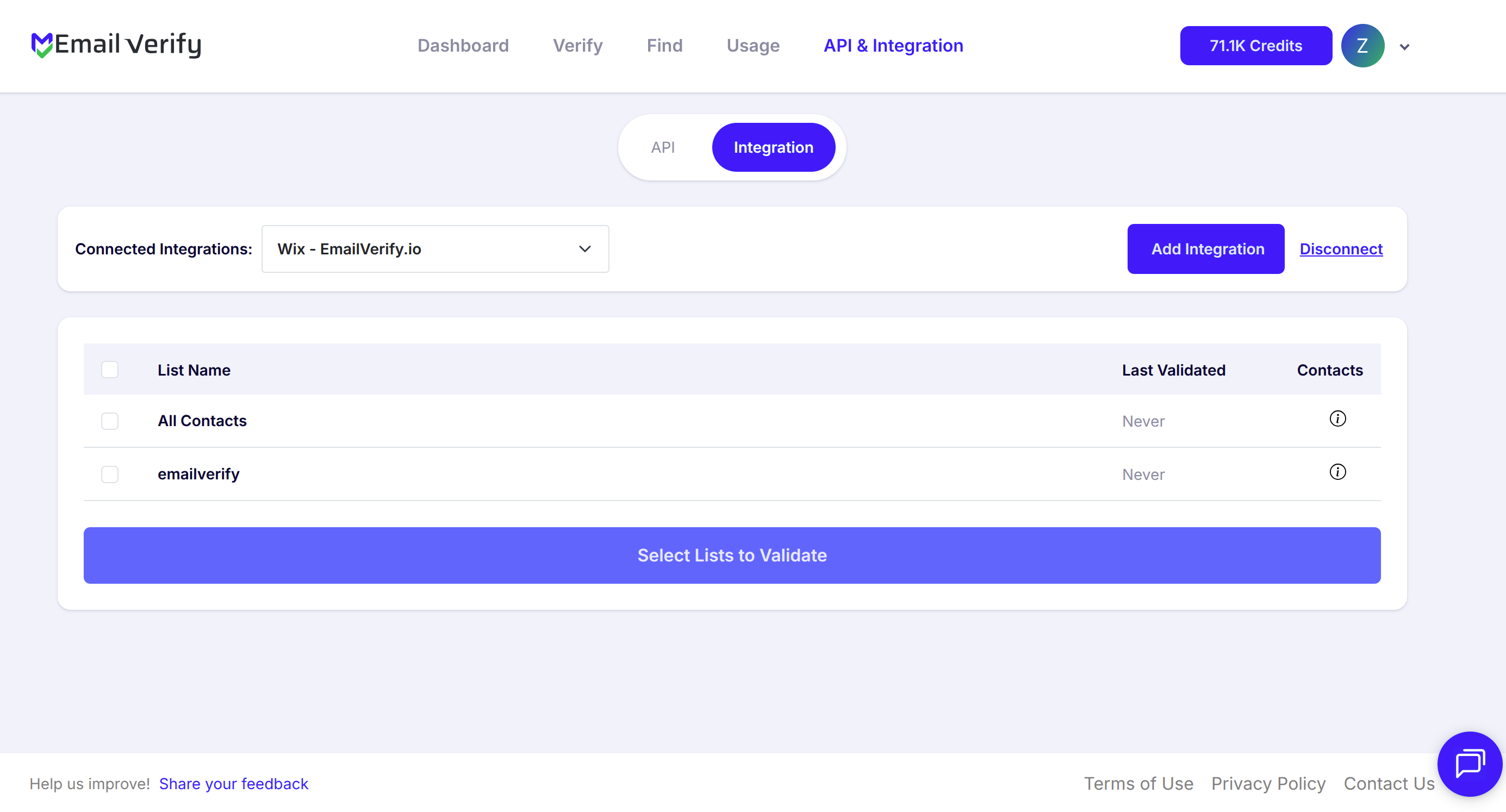
Step 6: View Available Wix Contacts
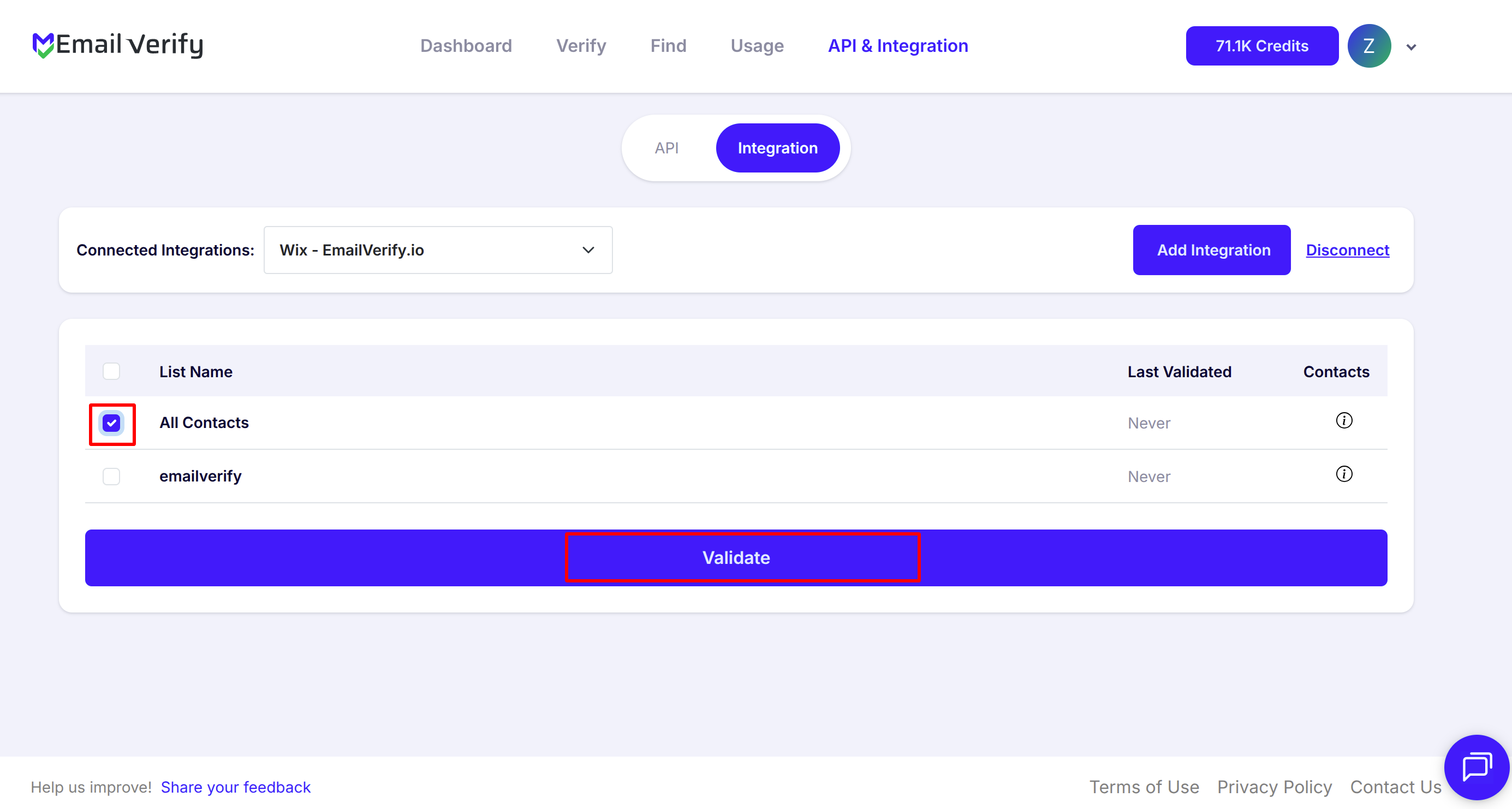
Step 7: Select Contacts for Validation
Note: The results of the validation are automatically exported to the integration they originated from.
Step 8: Track Validation Progress
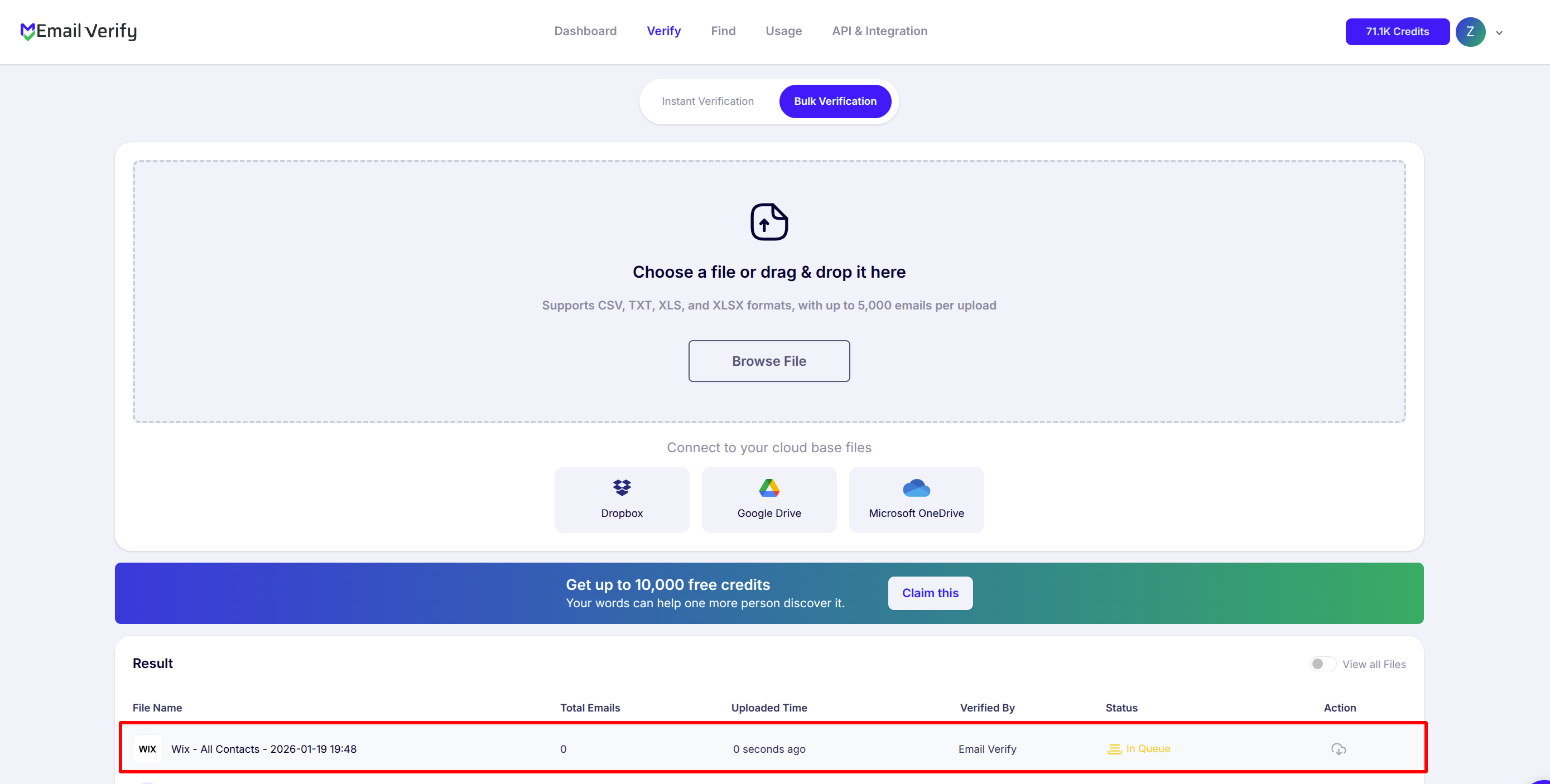
Step 9: Receive and Access Validation Results
Note: Validation results are automatically sent to the connected integration. Three custom fields will be added to each verified contact: EV_Status, EV_SubStatus, and EV_Validation_Timestamp. These custom fields allow you to filter, segment, and target Wix contacts based on verified email deliverability.

Wix Email Verification Integration Features
To use this integration, you need a valid Wix account. During setup, you connect your Wix site to EmailVerify.io using OAuth 2.0 — no passwords or credentials stored by EmailVerify.io.
Clean Wix Contacts in Minutes
Import your Wix contacts into EmailVerify.io and identify invalid, disposable, and catch-all email addresses instantly.
Advanced Email Verification for Wix Contacts
Use EmailVerify.io's powerful verification engine to detect invalid, disposable, and catch-all email addresses before they affect your Wix campaigns.
Sync Verification Results Back to Wix
Automatically sync verification results back to Wix with custom contact fields, including EV_Status, EV_SubStatus, and EV_Validation_Timestamp, for full visibility and control.
Secure Wix OAuth Integration
Connect EmailVerify.io to Wix using secure OAuth 2.0 authorization — no passwords required and no compromise to your Wix data security.
Cleaner Wix Contacts, Higher Email Deliverability
Reduce email bounce rates, improve sender reputation, and increase inbox placement by keeping your Wix contact lists clean and up to date.
Maintain Wix Contact Accuracy
Keep your Wix contact records intact while adding verification statuses for easy filtering, segmentation, and targeted outreach.
Why Wix Users Need Email Verification
Wix collects contact emails through forms, eCommerce checkouts, Wix Bookings, event sign-ups, and newsletter subscriptions — all without validating whether those email addresses are real and deliverable. Over time, this means your Wix contacts list contains a mix of valid, invalid, disposable, and catch-all addresses — and Wix has no built-in tool to identify which is which.
- ✗ Wix contact forms have no email validation — any string with an @ symbol is accepted, including typos, fake addresses, and disposable emails.
- ✗ Email addresses decay at 22–30% per year. A Wix contact list built over 12–18 months may already have a significant percentage of unreachable addresses.
- ✗ Hard bounces from invalid Wix contacts damage your sending domain reputation — reducing deliverability for all your genuine subscribers over time.
- ✗ Disposable addresses from free gated content downloads and competition entries inflate your Wix contact count without adding real marketing reach.
- ✗ Catch-all domains appear valid but may not deliver — campaigns sent to catch-all addresses produce uncertain delivery and skewed open rate reporting.
EmailVerify.io identifies invalid, disposable, and catch-all contacts in your Wix list before you send — protecting deliverability, sender reputation, and campaign accuracy.
What EmailVerify.io Checks on Every Wix Contact Email
Each Wix contact email passes through 20+ real-time verification checks before results sync back as custom fields.
| Check | What It Detects |
|---|---|
| Syntax validation | Formatting errors — missing @, invalid characters, malformed structure |
| Domain / DNS check | Whether the email domain exists and is active |
| MX record check | Active mail server records on the domain |
| SMTP verification | Whether the individual mailbox exists on the server |
| Catch-all detection | Domains that accept all emails regardless of whether the mailbox exists |
| Disposable email check | Temporary or burner addresses from 10,000+ known providers |
| Role-based detection | Generic addresses: info@, admin@, noreply@, support@ |
Results written as custom fields on each Wix contact: EV_Status | EV_SubStatus | EV_Validation_Timestamp
What Wix Users See After Verification
EmailVerify.io writes results directly to Wix contact records as custom fields — visible and filterable inside Wix without any re-import.
Wix Contact Data Quality With vs Without Email Verification
Invalid contacts inflate your Wix list, damage sender reputation, and reduce campaign performance. Here is what changes with EmailVerify.io.
| Approach | Time Required | Accuracy | Auto-Sync | Ongoing Protection |
|---|---|---|---|---|
| No verification | 0 min setup | Unknown | No | All invalid contacts remain — hard bounces damage sending reputation |
| Manual CSV clean | Hours of manual work | Basic | No | Partial — misses catch-all and disposable addresses |
| EmailVerify.io + Wix | Under 5 min setup | 20+ checks per contact | Yes — EV fields on every contact record | Full — contact quality, deliverability, and sender reputation all protected |
Who Should Use Wix Email Verification
Wix eCommerce store owners
Your checkout collects customer emails that drive post-purchase flows, review requests, and re-engagement campaigns. Invalid checkout emails mean lost follow-up revenue. Verify new customer contacts after every sales period to keep eCommerce email automations effective and bounce rates low.
Wix Bookings service businesses
Salons, fitness studios, consultants, and other Wix Bookings businesses send appointment confirmations, reminders, and rebooking campaigns to client emails. Invalid contact emails mean missed appointments and lost repeat bookings. Verify client contacts quarterly to maintain reliable client communication.
Small business owners using Wix for lead generation
Contact forms and lead capture pages collect prospect emails that feed your marketing and sales outreach. Without verification, invalid and disposable leads consume campaign budget and damage deliverability for your genuine prospects. Verify new leads before adding them to active marketing sequences.
Agencies managing Wix sites for clients
Verify client Wix contact databases before any campaign launch. Clean contact data protects client sender reputation, improves campaign reporting accuracy, and is a defensible, billable data quality service that reduces client churn.
Technical Questions About Wix Email Verification
How do I filter Wix contacts by EV_Status after verification?
In Wix, go to Contacts and use the Filter or Segment options. Add a condition filtering by the EV_Status custom field. Select Invalid, Disposable, or Catch-All to view contacts by verification result. From this filtered view you can segment, remove, or tag contacts before your next campaign send.
Does EmailVerify.io delete Wix contacts that fail verification?
No. EmailVerify.io only adds custom fields to Wix contact records — it does not delete, archive, or modify any existing contact data. EV_Status is written to each contact so you can decide the appropriate action. The decision to remove or archive a contact remains entirely within Wix and with your team.
What happens when I reconnect EmailVerify.io to a different Wix site?
Disconnecting and reconnecting resets the OAuth scope to the newly selected Wix site. Contacts from the previous site retain their EV custom fields — those fields are not removed. The new connection pulls contacts from the newly selected site for future verification runs.
Can I automate recurring Wix contact verification?
You can use EV_Validation_Timestamp to identify contacts that have not been verified recently. Set a recurring reminder to re-verify contacts where EV_Validation_Timestamp is older than 90 days, or before any major campaign send. EmailVerify.io does not currently offer scheduled automatic re-verification — manual re-runs are triggered from the Integrations page.
Also integrate with ActiveCampaign Email Verification , Moosend Email Verification , WordPress Email Verification , Mailchimp Email Verification . Or use ourAPI for programmatic access.
Frequently Asked Questions

How do I connect EmailVerify.io to Wix?
- Sign in at app.emailverify.io and go to Integrations.
- Search for Wix and click Connect.
- You will be redirected to Wix's OAuth login page — sign in to your Wix account.
- Select the Wix site you want to verify contacts for.
- Click Agree & Add to grant permission.
What does the EmailVerify.io Wix integration cost?
The integration connection is free. Email verification consumes credits from your plan. pricing.
What checks does EmailVerify.io run on Wix contact emails?
EmailVerify.io runs 20+ real-time checks on every Wix contact email — including MX record validation, SMTP verification, disposable email detection, catch-all detection, and syntax validation.
What custom fields does EmailVerify.io add to Wix Contacts?
EmailVerify.io adds three custom fields to each verified Wix contact:
- EV_Status — overall result (Valid, Invalid, etc.)
- EV_SubStatus — specific reason code
- EV_Validation_Timestamp — date and time of last verification
How long does verification take for Wix contacts?
Most Wix contact lists process in minutes. Small lists under 1,000 contacts typically complete in under 5 minutes. You receive an email notification when processing is complete.
Does EmailVerify.io detect disposable email addresses in Wix?
Yes. Disposable and temporary email addresses (like Mailinator or TempMail) are flagged as EV_Status: Disposable. These are common in Wix sign-ups where visitors use throwaway addresses.
Can I verify contacts from multiple Wix sites?
You can, but the integration connects to one Wix site at a time. To verify a different site, disconnect the current connection and reconnect by selecting the new site.
What do the EV_Status values mean for Wix contacts?
Valid means deliverable. Invalid means the mailbox doesn't exist. Catch-All is uncertain. Disposable is a temporary address. Unknown means the server didn't respond.
How often should I re-verify my Wix contacts?
We recommend quarterly re-verification for active lists, after any large contact imports, or whenever your Wix campaign bounce rate exceeds 3%.
Is my Wix data secure when using EmailVerify.io?
Yes. The integration uses Wix's OAuth 2.0 authorization — EmailVerify.io never stores your Wix password. You can revoke access at any time from your Wix settings.
You're just one click away from clean email lists.
Start verifying your email addresses instantly and improve your campaign deliverability
* No credit card required