

Emails that never reach the inbox can be frustrating. Even well-written messages sometimes land in spam or go missing.
Have you ever wondered why this happens, even when your content is good?
Often, the reason is your sender reputation, a score that email providers use to decide if your emails are trustworthy.
In fact, nearly 16.9% of all emails never reach the intended inbox, often due to issues with sender reputation. As a result, a low sender reputation can reduce engagement and hurt your email deliverability.
In this blog, we’ll explain what sender reputation is and why it matters for email deliverability. For better understanding, we’ll review the main factors that affect it and share simple ways to protect and improve your sender reputation so your emails consistently reach the inbox.
Table of Contents
What Is a Sender Reputation, and How Does It Affect Your Emails?
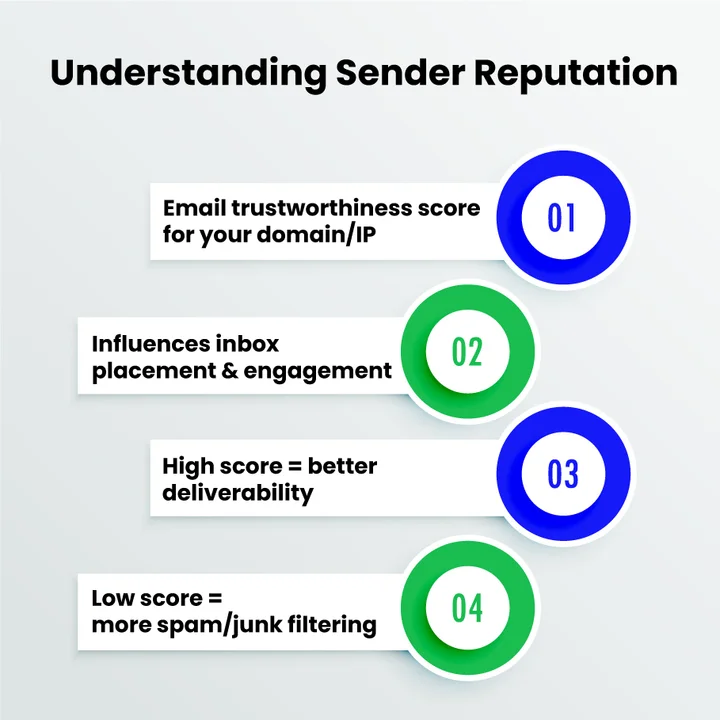
Sender reputation is a score that email providers assign to your domain and IP address to measure how trustworthy your emails are. Think of it as your email “trust score.”
For Example, if your subscribers regularly open and click your emails, your sender reputation improves. But sending to invalid addresses or getting spam complaints can lower it.
A strong reputation boosts email deliverability and engagement, while a poor one can land your emails in spam and hurt your brand’s credibility.
How Sender Reputation Impacts Your Email Deliverability?
Your sender reputation directly affects how email providers treat your messages. A strong reputation increases the chances that your emails reach the inbox, while a poor reputation can result in them ending up in spam or being blocked entirely.
Here’s how email marketing reputation factors affect your emails:
- Inbox placement: Emails from trusted senders are more likely to reach the inbox.
- Engagement rates: A Higher reputation leads to better open, click, and reply rates.
- Brand credibility: Consistently reaching the inbox builds trust with your audience.
- Campaign performance: A Low reputation can reduce conversions and ROI from email marketing.
Pro Tip: Maintaining a good sender reputation isn’t just about sending quality content. Practices like regularly cleaning lists and verifying email addresses before sending can prevent bouncebacks and spam complaints, protecting your reputation and ensuring your emails consistently reach the inbox.
In other words, maintaining a good sender reputation ensures better email deliverability, stronger engagement, and a positive impression of your brand.
What are the Risks of Ignoring Sender Reputation?
Ignoring sender reputation can have serious consequences for your email campaigns:
- High bounce rates: Sending to invalid addresses can quickly increase bounce rates, signaling untrustworthy sending providers.
- Spam complaints: Even a small increase in complaints (just 0.1–0.5%) can trigger filters and reduce inbox placement.
- Blacklisting: Repeated issues can land your domain or IP on blacklists, which may block all emails entirely until resolved.
These risks highlight why maintaining a clean, verified list and monitoring your sender reputation is critical.
Stop losing emails and engagement, keep your list clean, and make sure every message lands in the inbox.
What Factors Affect Your Sender Reputation?
Your sender reputation is a mix of technical settings, how you manage your email list, and how your subscribers interact with your emails. Every email you send leaves a mark, and email providers notice these signals.
Understanding these factors helps you see why some emails land in the inbox while others get flagged as spam.
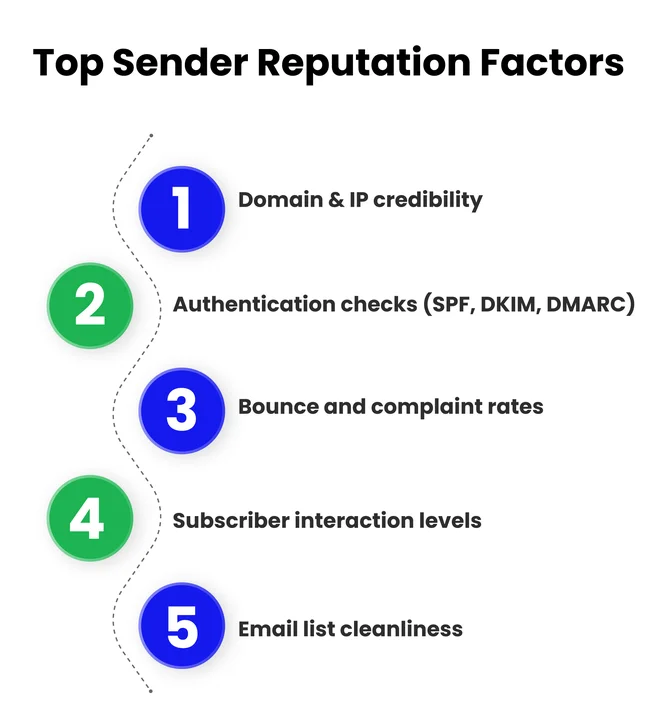
Here’s what really influences your sender reputation and how you can make sure it stays healthy.
1. Domain and IP Reputation
Your domain and IP address are like your email’s driver’s license, a unique ID that proves who you are. Same as email providers, they check them every time you send a message.
A strong, clean reputation increases the chances that your emails reach the inbox, while a poor history can land them in spam.
How They Impact the Sender’s Reputation:
- A history of spam lowers trust.
- Sudden spikes in sending volume appear suspicious.
- Inconsistent sending patterns reduce deliverability.
2. Mail Authentication Protocols (SPF, DKIM, DMARC)
Email authentication protocols (SPF, DKIM, and DMARC) are like security badges for your emails, and having the correct DNS records ensures these protections work effectively.
They prove to email providers that your messages are really from you and haven’t been tampered with along the way.
Without these checks, your emails are more likely to be flagged as spam, no matter how good your content is.
How They Impact the Sender’s Reputation:
- Missing or failing authentication reduces trust.
- Failed checks increase spam filtering or blocking.
- Proper setup improves inbox placement and prevents spoofing.
3. Bounce Rates and Spam Complaints
Bounce rates and spam complaints are like warning signs for email providers. They show whether your emails are reaching real people and if recipients actually want them. High bounce rates or frequent spam complaints can quickly damage your sender reputation.
How They Impact the Sender’s Reputation:
- Frequent bounces signal poor list quality.
- Spam complaints show low recipient trust.
- Ongoing issues can lead to filtering or blocking.
4. Engagement Metrics (Opens, Clicks, Replies)
The engagement metric is measured by how your subscribers interact with your emails, which tells providers a lot about your credibility. High engagement signals that your emails are wanted, while low engagement can make providers treat them as spam.
How They Impact the Sender’s Reputation:
- Opens: Frequent opens show your emails are relevant and trusted.
- Clicks: Clicking links proves your content is valuable, boosting your sender reputation.
- Replies: Responses indicate strong engagement and increase trust in email providers.
- Low engagement overall can lower email deliverability and hurt your brand’s credibility.
- Poor engagement patterns may lead providers to filter future messages to spam.
5. List Hygiene and Quality
Keeping a clean and verified email list is essential for protecting your sender reputation. Sending to invalid addresses, inactive users, or disposable email addresses can quickly damage your trust score and reduce email deliverability.
Using email verification tools can help ensure your list stays accurate and up-to-date.
How They Impact the Sender’s Reputation:
- Emails sent to invalid or inactive addresses increase bounce rates, which lowers reputation.
- Using lists with disposable or temporary email addresses can signal to providers that your emails are less trustworthy.
- Regularly cleaning your list ensures that your messages reach real, engaged subscribers.
For instance, avoiding temporary or disposable email addresses helps maintain a high-quality list and ensures your emails reach genuine recipients.
Focusing on these factors keeps your sender reputation strong and ensures your emails reach the inbox reliably.
How to Check Your Sender Reputation?
Your sender reputation shows how trustworthy your emails appear to providers. High reputation improves inbox placement. A low reputation increases the risk of spam or being blocked.
Tools to Check Sender Score and Reputation
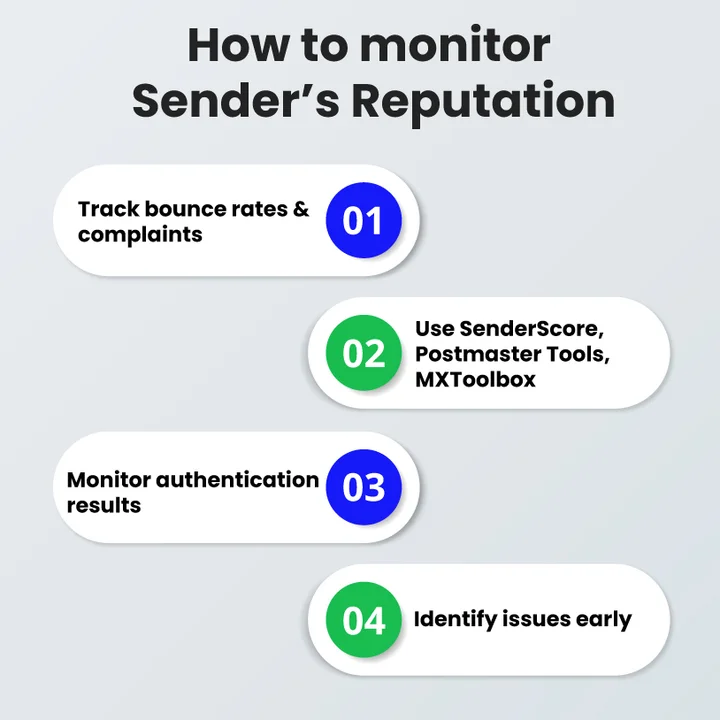
Several tools can give you insights into your domain and IP reputation:
- SenderScore.org: Provides a score from 0 to 100 indicating your email trustworthiness.
- Google Postmaster Tools: Helps track domain reputation, spam rates, and delivery errors for Gmail recipients.
- Microsoft SNDS (Smart Network Data Services): Offers detailed reporting for emails sent to Outlook.com and other Microsoft domains.
- MXToolbox: Checks blocklists, SMTP diagnostics, and email authentication to highlight potential issues.
Using these tools regularly helps identify issues after emails are sent. EmailVerify complements this process by verifying addresses before you send, reducing bounces and other negative signals that can damage sender reputation.
What are the Important Metrics to Track Sender Reputation Regularly?
Monitoring the following metrics gives a clear picture of your email health:
- Bounce Rates: Track soft and hard bounces to identify invalid or unresponsive addresses.
- Spam Complaints: High complaints indicate unwanted emails or poor targeting.
- Engagement Metrics: Opens, clicks, and replies show how interested your subscribers are.
- Blacklist Status: Being listed on blocklists can severely hurt deliverability, so check often.
- Email Authentication Failures: Monitor SPF, DKIM, and DMARC results to ensure compliance.
Keeping an eye on these metrics ensures you can act quickly to maintain or improve your sender reputation.
What are the Best Practices to Protect and Improve Sender Reputation?
Protecting your sender reputation requires consistent effort across technical setup, list management, and subscriber engagement. Here are some of the best practices to follow.
1. Maintaining Email List Hygiene
Regularly clean your email list. Remove invalid, inactive, or disposable addresses. High bounce rates signal untrustworthy emails to providers. Verify subscribers often and remove those who do not engage. This keeps your emails reaching real, interested recipients.
2. Implementing SPF, DKIM, and DMARC
Set up email authentication protocols to prove your messages are legitimate.
- SPF: confirms your server is authorized to send emails for your domain.
- DKIM: adds a cryptographic signature to prevent tampering.
- DMARC: enforces rules and reports abuse.
Proper implementation prevents spoofing and improves inbox placement.
3. Reducing Hard Bounces and Spam Complaints
Avoid sending emails to addresses that frequently bounce. Track complaints and remove subscribers who mark your emails as spam. Send relevant, targeted content to reduce complaints. Lower bounce rates and complaints protect your sender reputation.
4. Segmenting and Targeting Engaged Subscribers
Group subscribers based on interests, engagement, or behavior. Send emails to those who actively open, click, or reply. Targeted campaigns increase engagement and signal to providers that your emails are wanted.
5. Gradual IP Warm-up Strategies
When using a new IP address, start with small sending volumes. Slowly increase the volume over days or weeks. This builds trust with email providers and avoids sudden spikes that may appear suspicious.
Worried that invalid or inactive emails are hurting your sender reputation and inbox placement?
Overall, applying these practices consistently protects your sender reputation, improves inbox placement, and boosts subscriber engagement.
How Can You Recover From a Poor Sender Reputation?
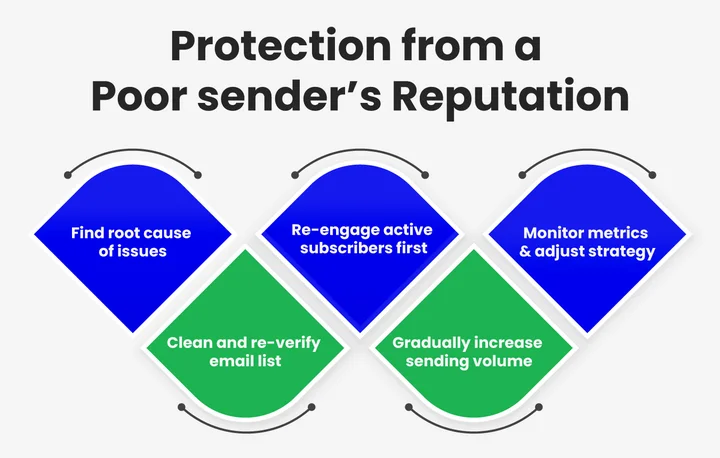
Even if your sender reputation has taken a hit, recovery is possible with consistent effort and the right strategies. The key is to identify problem areas, correct them, and demonstrate trustworthy email practices over time. Here’s how to recover:
1. Identify the Root Cause
Start by reviewing your email metrics and authentication setup:
- Check bounce rates and spam complaints to find problematic addresses.
- Verify SPF, DKIM, and DMARC configurations to ensure your emails are properly authenticated.
- Use tools like SenderScore, Google Postmaster Tools, or MXToolbox to assess your domain and IP reputation.
2. Clean Your Email List
Remove inactive, invalid, or disposable email addresses immediately. A clean list reduces bounces and spam complaints, signaling to providers that your emails are legitimate and wanted.
3. Re-engage Subscribers Carefully
Send targeted campaigns to your most engaged subscribers first. Gradually reintroduce content to less active users, using opt-in reminders or preference confirmations. Avoid mass emailing unresponsive recipients.
4. Implement Gradual IP Warm-up
If you’re sending from a new or previously flagged IP, start with small sending volumes. Slowly increase the volume over time to rebuild trust with email providers.
5. Monitor and Adjust Your Campaigns
Track engagement metrics, bounce rates, and spam complaints closely. Making proactive checks, such as monitoring list quality and verifying addresses with EmailVerify before campaigns go out, helps to detect problems early and prevent reputational damage.
Make adjustments based on feedback and improve content relevance, optimize subject lines, and ensure your emails provide real value.
6. Follow Best Practices Consistently
Continue to implement authentication protocols, segment your audience, maintain list hygiene, and avoid sudden spikes in sending volume. Consistency is key to rebuilding your reputation over weeks and months.
7. Consider Professional Help
If your sender reputation is severely damaged, consulting with an email deliverability expert can speed up recovery. They can audit your setup, provide actionable recommendations, and help navigate tricky blocklists.
Recovering a poor sender reputation takes time, but by addressing the issues systematically and maintaining good email practices, you can gradually restore trust, improve inbox placement, and strengthen engagement with your audience.
Frequently Asked Questions (FAQs)
2. How To Improve Email Sender Reputation For Marketing Campaigns?
Yes, email sender reputation can be improved, but it requires consistent effort over time. To build trust with email providers, focus on the following:
- Send campaigns to engaged and opted-in subscribers
- Maintain steady and predictable sending patterns
- Keep bounce rates and spam complaints low
- Use proper email authentication (SPF, DKIM, and DMARC)
Over time, these practices help improve inbox placement and overall campaign performance.
3. What Is The Difference Between Domain Reputation and IP Reputation?
Domain and IP reputations measure trust differently, yet both influence email deliverability.
In simple terms:
- Domain reputation reflects the long-term sending behavior of your domain
- IP reputation tracks the sending history of the server or IP address
Therefore, even with a strong domain reputation, a poorly warned or flagged IP can still cause deliverability issues.
4. How Do Hard Bounces And Spam Traps Impact Sender Reputation?
No, hard bounces and spam traps should never be ignored. They send strong negative signals to email providers, such as
- Hard bounces indicate invalid or non-existent email addresses
- Spam traps suggest poor list hygiene or risky acquisition practices
- Repeated issues can lead to spam filtering or email blocking
That’s why regular list cleaning is essential to protect the sender's reputation.
5. Which Email Deliverability Metrics Affect Sender Score The Most?
Email providers evaluate multiple metrics to calculate sender trust, but some signals carry more weight than others. For example:
- Hard and soft bounce rates
- Spam complaint rates
- Open, click, and reply activity
- Unsubscribe behavior
- Email authentication pass or fail results
Consequently, monitoring these metrics regularly helps maintain a healthy sender reputation.
6. What are the Best Tools to Monitor And Measure Sender Reputation?
Yes, there are reliable tools available to track and measure sender reputation effectively. Commonly used options include:
- SenderScore for overall reputation scoring
- Google Postmaster Tools for Gmail-specific insights
- Microsoft SNDS for Outlook and Microsoft domains
- MXToolbox for blocklist monitoring and authentication checks
Using these tools together helps identify issues early and reduces long-term deliverability risks.
7. How does EmailVerify help agencies manage multiple client lists and protect sender reputation at scale?
Agencies often handle multiple client lists with different audiences, sending patterns, and risk levels. EmailVerify helps by verifying addresses across lists before campaigns are sent, reducing hard bounces and spam complaints that can affect sender reputation.
As email volumes increase, agencies can maintain consistent deliverability standards, prevent cross-listing issues, and support a stable sender reputation by keeping each client's list accurate and clean.
Final Takeaway
When email providers recognize your messages as trustworthy, your campaigns achieve better open rates, higher engagement, and improved brand credibility.
Moreover, transparent authentication, clean lists, and targeted content work together to signal reliability and relevance, helping you stay on providers’ good side.
In addition, EmailVerify helps you keep your email lists clean and verified, which directly supports a strong sender reputation and helps emails reach the inbox consistently by protecting sender reputation through verified email lists.
Even if your sender reputation experiences a temporary dip, it isn’t the end of the road: careful monitoring, gradual IP warm-up, and consistent best practices can restore trust over time.
With ongoing attention, thoughtful management, and verified email lists, your sender reputation can remain strong, keeping your emails visible, valued, and impactful.
Every invalid email hurts your sender score. Don’t let poor list hygiene damage your campaigns, so take control now.


