

Every sign-up form on your website represents a potential customer. However, recent industry data shows that nearly 1 out of every 4 email addresses (22%) entered into online forms is incorrect or invalid.
These errors, ranging from simple typos to intentionally fake entries, quietly damage your performance before you even send your first welcome mail.
In other words, without a reliable way to verify emails at the point of entry, your hard-earned leads might never see your messages.
A real-time email checker solves this problem by validating email addresses immediately as users type them. This ensures that your mailing lists remain accurate, clean, and ready for engagement.
In this guide, we’ll explain how real-time email verification works, how to add it to your sign-up forms, and why it plays a critical role in protecting deliverability, improving conversions, and maintaining clean data.
Keep reading to discover how this simple tool can save time, improve deliverability, and make sure every subscriber on your list is a real one.
Table of Contents
What Is Real-Time Email Verification?
Real-time email verification is the process of validating an email address at the moment it’s entered into a form, before the user completes the submission.
Instead of allowing emails into your database and cleaning them later, verification happens instantly in the background. As a user types their email address, a real-time email checker runs a series of checks to confirm whether the address is valid, deliverable, and safe to store.
These checks typically identify:
- Typing errors and formatting mistakes (missing “@,” extra characters, invalid domains).
- Fake or randomly generated email addresses.
- Disposable or temporary email accounts are often used to bypass sign-ups.
- Catch-all email addresses, which don’t confirm if a specific mailbox exists, are usually handled using risk-based logic rather than automatic rejection.
Unlike invalid emails, catch-all addresses are not always blocked outright. Instead, they are often flagged so you can decide if you want to allow them, monitor engagement, or treat them differently in campaigns.
How This Works in Practice
Imagine you’re running a SaaS product with a free trial. Without real-time verification, users can sign up using misspelled emails, disposable inboxes, or non-existent domains, causing onboarding emails to fail and genuine leads to drop off.
With a real-time email checker in place, your system prompts users to fix errors instantly or blocks risky addresses before they ever reach your database. The result is fewer failed sign-ups, cleaner user data, and more reliable engagement from day one.
Common Use Cases
Real-time email verification is useful across different teams and industries, including:
- Marketing teams collecting newsletter sign-ups, gated content leads, or webinar registrations who need clean lists and accurate engagement data.
- SaaS teams managing product sign-ups, free trials, and onboarding flows where email quality directly impacts activation and retention.
- Agencies and lead-generation teams are capturing high volumes of leads for clients and need to protect deliverability and reporting accuracy.
As a result, your invalid emails from day one.
So, what makes adding real-time email verification to your sign-up forms so valuable?
Let’s look at the benefits it brings to your email lists and marketing efforts.
Turn Sign-Ups Into Real Contacts:
Make sure every email you collect is valid, reachable, and worth engaging right at the point of entry.
What Are the Benefits of Using a Real-Time Email Checker on Your Sign-Up Forms?
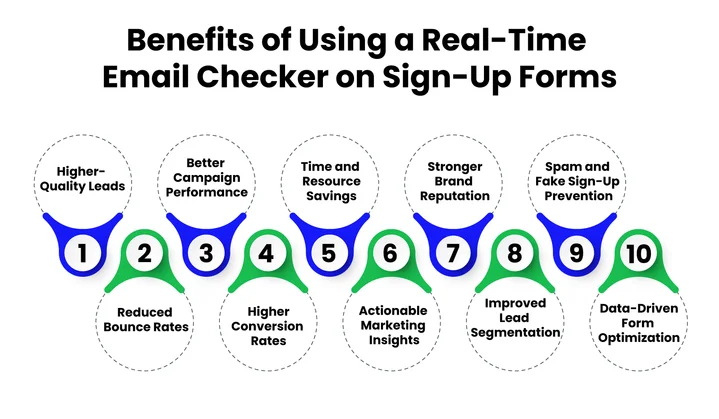
Adding real-time email verification to your sign-up forms does more than catch typos; it protects your campaigns, improves lead quality, and saves you time and resources. Every email entered is checked instantly for validity, domain accuracy, and mailbox existence, preventing fake or risky sign-ups from entering your system.
Here’s how you and your team benefit:
1. Higher-Quality Leads
Allowing invalid emails into your database can waste marketing resources and skew analytics. By verifying addresses as they are entered, your lists are automatically filtered for genuine, active users. This ensures that every campaign reaches potential customers who are actually interested in your services.
Marketing and sales teams can then focus on nurturing high-quality leads rather than dealing with unengaged or fake sign-ups, improving ROI and the overall effectiveness of your outreach.
2. Reduced Bounces and Better Deliverability
Sending emails to nonexistent or misconfigured addresses can damage your sender’s reputation. By catching these emails at sign-up:
- You prevent hard bounces before they occur.
- Your future campaigns reach real inboxes, maintaining your deliverability.
- You reduce the risk of spam traps, keeping your brand trusted by email service providers.
This protects both your email campaigns and your brand’s credibility from day one.
3. Improved Campaign Performance
A clean, verified email list ensures your metrics reflect real engagement, making it easier to optimize campaigns. With only valid emails in your database, you can:
- Segment users more accurately.
- Target the right audiences with confidence.
- Measure open rates, clicks, and conversions reliably.
Over time, this directly supports higher conversion rates and smarter marketing decisions.
4. Time and Resource Savings
Manual email list cleaning is slow, error-prone, and costly. Real-time verification automates this process, freeing your team to focus on strategic tasks like campaign planning, personalization, and lead nurturing.
This is especially valuable if you handle high-volume sign-ups or multiple campaigns across your business.
5. Prevent Fraud and Spam Sign-Ups
Real-time checks stop disposable, temporary, and fake emails from entering your system.
This helps:
- Protect your campaigns from abuse.
- Ensure the data you collect is trustworthy.
- Avoid fraudulent sign-ups that could skew reporting or inflate costs.
6. Actionable Insights for Continuous Improvement
Instant email validation tool gives you real-time insights that help you optimize your sign-up process and campaigns. By monitoring trends in invalid submissions, disposable addresses, or common domain errors, you gain insights to:
- Refine your sign-up forms for better completion rates.
- Understand user behavior and preferences.
- Optimize segmentation, targeting, and lead qualification strategies.
In short, you maintain a cleaner list and also get smarter about how you capture and engage users.
Integration Doesn’t Have to Be Complex.
With EmailVerify.io’s API, you can validate emails in real time, prevent fake sign-ups, and improve lead quality instantly.
How To Add Real-Time Email Verification to Your Website Forms?
Once you understand why real-time email verification matters, the next step is knowing how to apply it to your own website forms in a way that’s effective and user-friendly. The good news is that adding this layer of validation doesn’t require rebuilding your forms from scratch.
Below is a clear, step-by-step process to help you implement it correctly.
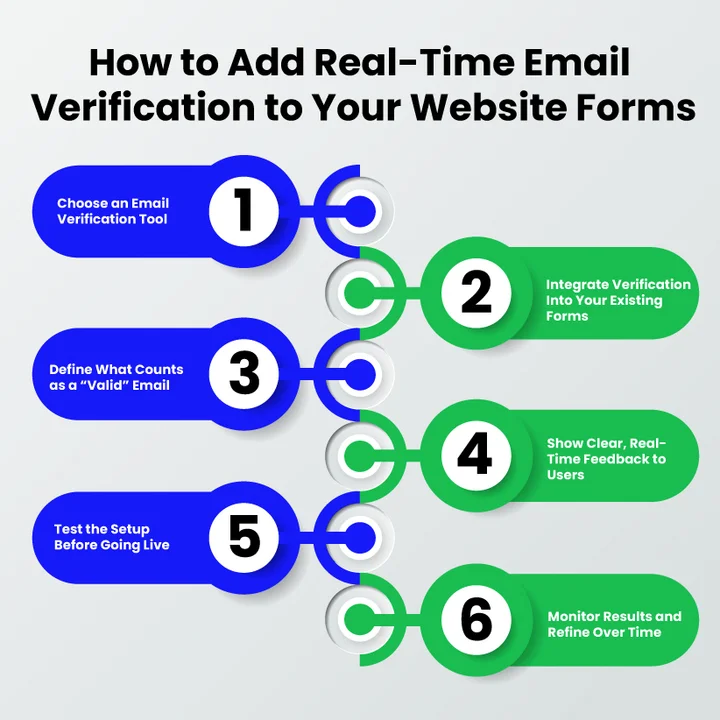
1. Choose an Email Verification Tool
Start by selecting a solution designed to validate emails instantly, not after form submission. The tool you choose should be able to:
- Check email format and structure.
- Confirm that the domain actually exists.
- Detect disposable or temporary email addresses.
- Work in real time without slowing down the form.
When evaluating providers, it’s worth comparing features, accuracy, and speed across the best email verification software available today to ensure long-term deliverability and list quality.
Solutions like EmailVerify.io are built specifically for this purpose and are compatible with most websites, SaaS products, and form builders.
2. Integrate Verification into Your Existing Forms
The next step is connecting the verification system to your website forms. This is usually done through an API or built-in integration provided by the service.
The essential element here is timing.
Email validation should happen as the user enters their email, not after they submit the form. This allows errors to be caught early and prevents invalid addresses from ever reaching your database.
A properly integrated setup works quietly in the background while keeping the form responsive and fast.
3. Define What Counts as a “Valid” Email for Your Business
Not every business has the same requirements. Before going live, decide which rules you want to enforce, such as:
- Blocking emails with incorrect formatting.
- Rejecting domains that don’t exist or can’t receive emails.
- Preventing disposable or temporary addresses.
- Flagging catch-all domains that may affect deliverability.
Setting these rules upfront helps ensure your sign-ups meet your quality standards without being overly restrictive.
4. Show Clear, Real-Time Feedback to Users
One of the biggest advantages of real-time verification is immediate feedback. Instead of submitting a form and seeing an error later, users know right away if something is wrong.
Clear messages like:
- Please enter a valid email address.
- Temporary email addresses are not allowed.
- Email looks good.
It helps users fix mistakes instantly and complete the sign-up process without frustration.
5. Test the Setup Before Going Live
Before rolling it out across your site, test your forms thoroughly.
Try:
- Valid and invalid email formats.
- Disposable and temporary email addresses.
- Different email providers and domains.
- Multiple devices and browsers.
This ensures the verification works as expected and doesn’t block legitimate users.
6. Monitor Results and Refine Over Time
After implementation, keep an eye on how the system performs.
Look at:
- How many invalid emails are being blocked?
- Common mistakes users make when entering emails.
- Trends in disposable email attempts.
These insights can help you fine-tune your forms, improve messaging, and further optimize your sign-up process.
Quick Checklist: Adding Real-Time Verification
For better clarity and easier implementation, here’s a quick checklist you can keep handy while adding real-time email verification to your forms.
Following these steps ensures your forms stay user-friendly, your data stays clean, and your email campaigns perform better from day one.
Why Should You Use a Real-Time Email Checker on Your Sign-Up Forms?
How To Use Real-Time API From Emailverify.io
For deeper control over email verification in your sign-up or registration forms, using the EmailVerify.io real-time API is the most flexible option.
It lets you validate emails instantly the moment users enter them, perfect for SaaS platforms, custom websites, or high-volume forms where email quality directly impacts onboarding, deliverability, and campaign results.
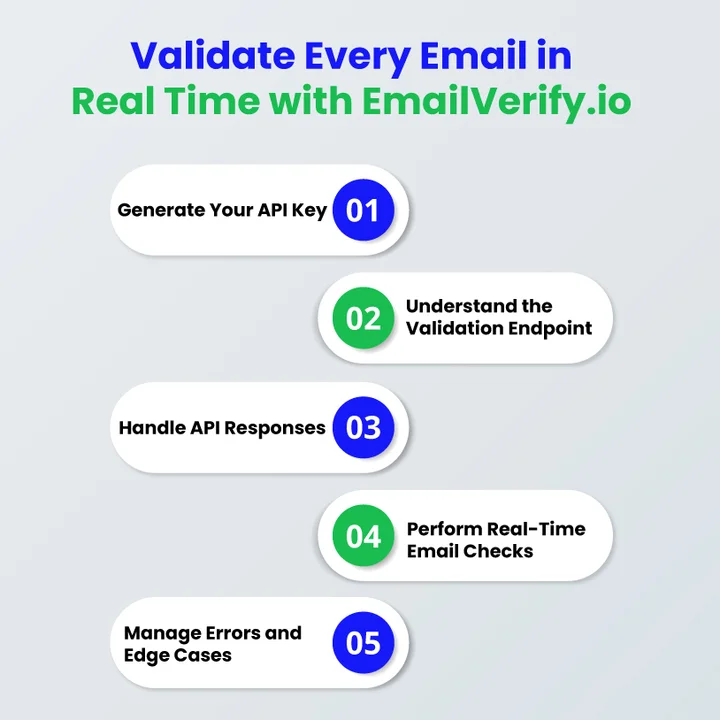
Step 1: Generate Your API Key
Log in to your EmailVerify.io account and navigate to the real-time API section in your dashboard. Generate a new API key, which will be used to authenticate every request securely.
Keep this key safe, as it links all validation requests to your account and available credits.
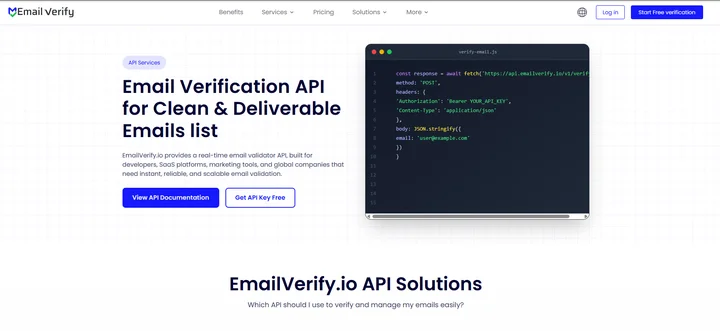
Step 2: Understand the Real-Time Validation Endpoint
Once your API key is generated, the next step is understanding how a real-time validation request is structured. EmailVerify.io processes email verification by receiving the email address entered by the user and validating it instantly through a secure request.
To do this, the following information must be included in the request:
- Your API key.
- The email address entered in the form.
These values are passed to EmailVerify.io using the following HTTPS GET endpoint:
API Endpoint (GET request):
https://app.emailverify.io/api/v1/validate?key=yourapikey&[email protected]
The following request can be triggered as soon as a user completes the email field, allowing validation to take place in real time, before the form is submitted and before invalid data is stored.
Note: GET requests are simple to use, but they expose parameters in the URL. For sensitive environments or high-volume forms, consider POST requests or additional security measures.
Also, keep in mind rate limits to avoid service interruptions.
Step 3: Handle the API Response
Once the real-time verification request is made, the API sends back a response indicating the status of the email.
The following JSON response shows an example of a successfully verified email:
Example success response:
{
"email": "[email protected]",
"status": "valid",
"sub_status": "permitted"
}
The following response can be used to:
- Accept or reject the email immediately.
- Display contextual feedback to the user.
- Prevent invalid email addresses from entering your database.
Even if an error occurs (e.g., temporary service issues, invalid key, or rate limit reached), you can implement fallback behavior: allow the signup but flag the email for later verification, so you don’t block legitimate users unnecessarily.
Step 4: What Checks Are Performed in Real Time
When a user enters an email address into your form, EmailVerify.io performs multiple validation checks in a single request. These checks ensure the email is correctly formatted, deliverable, and safe for your campaigns.
1. Regex Validation (Syntax Check)
The first layer of verification ensures that the email follows proper formatting standards. This check uses industry-standard regular expressions (regex) to verify:
- Presence of the @ symbol separating the local part and the domain.
- Allowed characters in the local part (letters, numbers, dots, hyphens, and underscores).
- Valid domain structure (e.g., domain.com instead of domain@com).
- Absence of invalid or consecutive special characters.
This step catches typos, missing characters, and obvious formatting errors before proceeding to deeper checks, preventing invalid submissions from reaching your database.
2. MX Record Validation (Domain Verification)
Once the syntax is correct, the system checks the email domain for MX (Mail Exchange) records. MX records indicate that the domain has a mail server configured to receive messages.
This check ensures:
- The domain actually exists.
- It is active and properly configured to accept emails.
- Misconfigured or expired domains are flagged before the email is stored.
Without this step, emails sent to nonexistent domains would bounce, hurting deliverability and sender reputation.
3. MX Blacklist Validation (Spam & Risk Detection)
Next, the system cross-references the domain against known blacklists. These blacklists track domains that have been reported for spam, phishing, or malicious activity.
This check:
- Protects your campaigns from being flagged as spam.
- Prevents sending emails to risky or unreliable domains.
- Reduces potential harm to your sender’s reputation and deliverability.
Emails from blacklisted domains are flagged, allowing you to block or manually review suspicious addresses.
4. SMTP Validation (Mailbox Verification)
Finally, the API performs a real-time SMTP check. This step communicates directly with the recipient’s mail server to verify that the mailbox exists and can receive messages.
It confirms:
- The recipient server is live and reachable.
- The specific mailbox exists (without sending an actual email).
- Catch-all domains are handled correctly to avoid false positives.
These checks happen within milliseconds, making the process fast enough for live form validation without disrupting user experience.
SMTP checks can vary across email providers; some servers may block verification attempts, so results may occasionally be inconclusive.
Together, these checks create a comprehensive real-time validation process that filters out invalid, disposable, or risky emails before they enter your system.
Step 5: Handle Errors and Edge Cases
Even a reliable API can return occasional errors. EmailVerify.io provides clear responses so you can manage these issues smoothly.
Common errors include:
- Invalid API Key: Happens if your key is incorrect or disabled.
- Invalid Request Parameters: Triggered when required values are missing or malformed.
- No Remaining Credits: Occurs when your verification credits run out.
- Temporary Service Issues: Return when there’s a short-term server problem.
Recommended approach: If verification fails temporarily, allow the signup but flag the email for later review. This ensures user experience isn’t disrupted while maintaining list quality.
Wrapping Up: Improve Your Sign-Up Forms with Email Validation
Adding a real-time email checker to your sign-up forms is a strategic move for any business that relies on email communication. By verifying addresses instantly, you protect your campaigns from fake sign-ups, reduce bounce rates, and maintain cleaner, more actionable email lists.
Running a newsletter, managing user registration forms, or onboarding new customers for a SaaS platform, real-time email validation ensures your messages reach real, engaged users.
With tools like EmailVerify.io, implementing real-time email verification is straightforward. Its API lets you validate email addresses the moment users enter them, giving your forms instant intelligence, preventing wasted spending, and safeguarding deliverability.
Investing in a real-time email validation tool today means fewer undeliverable emails tomorrow, smoother onboarding, and better results from every campaign.
Don’t let invalid emails slow down your growth; start using a real-time email checker on your sign-up forms and watch your campaigns perform better, reach more real users, and maximize ROI from day one!
Frequently Asked Questions (FAQs)
2. Can You Use a Real-Time Email Checker For SaaS Onboarding And Registration Flows?
Yes. Real-time email validation is especially useful for SaaS platforms, as it ensures only genuine users register, protects your system from spam accounts, and improves the accuracy of your user data from the start.
3. What Are the Technical Checks Performed By a Real-Time Email Verification Tool?
Most tools, like EmailVerify.io, perform multiple checks, including syntax (regex) validation, MX record checks, blacklist checks, and SMTP verification. These checks confirm that the email exists, is deliverable, and is safe for your campaigns.
4. How Can Using a Real-Time Email Verification Tool Save Time And Resources?
It automates the email validation process, reducing the need for manual list cleaning. Teams can focus on marketing strategy and engagement rather than fixing bad data, which is especially valuable for high-volume sign-ups.
5. What Are the Benefits of Integrating EmailVerify.io’s API Into Website Forms?
The API validates email addresses instantly as users type them, allowing you to prevent fake sign-ups, improve lead quality, protect your brand reputation, and maintain cleaner email lists without slowing down the user experience.
6. Can Real-Time Email Verification Improve Marketing Analytics And Insights?
Yes. Clean, verified email lists give more accurate data on user engagement, campaign performance, and conversion rates. This allows marketers to make better decisions, optimize segmentation, and plan targeted outreach based on reliable insights.
7. How Does Real-Time Email Validation Help Prevent Fraud And Spam Accounts?
By verifying email addresses immediately, fake, disposable, or temporary emails are blocked before they enter your database. This reduces the risk of fraudulent sign-ups and keeps your campaigns safe from spam abuse.
Your Next Big Lead Can’t Buy if They Don’t Get Your Email.
Clear the path to the inbox and maximize your ROI from the very first click.


