

Your email list is your business’s biggest asset. The more value you give, the more you get in return. – Amy Porterfield
But even the most valuable list can lose its power if it’s not properly maintained. Invalid addresses, inactive subscribers, and unengaged contacts can
- Hurt email deliverability
- Damage your sender’s reputation
- Lower engagement rates
That’s why email list cleaning is essential. By removing outdated or risky contacts and maintaining email list hygiene, you ensure your campaigns reach the right people.
Occasional email scrubbing can further refine your list by eliminating duplicates and unverified addresses, giving your emails the best chance to succeed.
In this comprehensive guide, we’ll cover everything you need to know about email list cleaning:
- Its benefits
- Best practices
- Top tools like EmailVerify.io
- A step-by-step bulk cleaning process using an API.
Keep reading to learn how to clean your email list, maintain hygiene, and maximize results without the guesswork.
Table of Contents
What is Email List Cleaning?
Email list cleaning is the process of reviewing your email database to remove invalid, outdated, or unengaged addresses.
It’s like tidying up your most valuable marketing asset: your email list. Without this, even a large list can become a liability, reducing email deliverability and hurting your sender reputation.
Did You Know?
Your email list has a “shelf life.”
Research shows that email databases naturally decay by roughly 22.5% every year as people change jobs, switch providers, or abandon old accounts.
If you aren’t cleaning your list, nearly a quarter of your subscribers could become “ghosts” within just 12 months.
The goal is simple: make sure your emails reach real subscribers interested in your content, products, or services.
You should perform list cleaning to remove the following issues from your emails:
- Invalid Emails: These are addresses that no longer exist or were entered incorrectly. Sending to them increases bounce rates and can negatively impact your sender reputation.
- Disposable or Temporary Emails: These are short-term addresses often used to receive a single email. They don’t contribute to engagement and can distort your campaign performance.
- No-reply Emails: Addresses like info@, noreply@, or support@ cannot receive or respond to your messages. Continuing to send to them wastes resources and provides no measurable engagement.
- Inactive Subscribers: Contacts who haven’t opened or clicked emails in months reduce your overall email open rates and lower engagement metrics.
- Duplicate Addresses: Multiple entries of the same email address inflate your list size without adding value, skew metrics, and may result in sending multiple copies of the same email to one recipient.
- Role-Based Emails: Addresses assigned to a role or department (e.g., [email protected]) often have multiple recipients, low engagement, and a higher risk of being flagged as spam.
- Spam Traps: These are hidden addresses used by ISPs to identify spammers. These can land your domain on blacklists and severely damage email deliverability.
Cleaning your email list is an ongoing habit, one that directly improves inbox placement, boosts engagement, and makes every campaign more effective.
Are your Emails Bouncing More Than They Should?
Remove the junk and ensure your hard work actually reaches an inbox.
Next, we’ll break down the main benefits of maintaining proper email list hygiene so you can understand exactly how a clean list supports stronger results and higher ROI.
What Are The Benefits of Maintaining Email List Hygiene?
A well-maintained email list is a strategic advantage. Clean, engaged lists directly impact how your emails perform, influencing email deliverability, inbox placement, and overall campaign success. Maintaining email hygiene ensures that your marketing efforts reach the right audience and generate measurable results.
Implementing effective list cleaning and occasional email scrubbing can turn your campaigns from mediocre to highly effective.
Let’s break down the main benefits in detail.
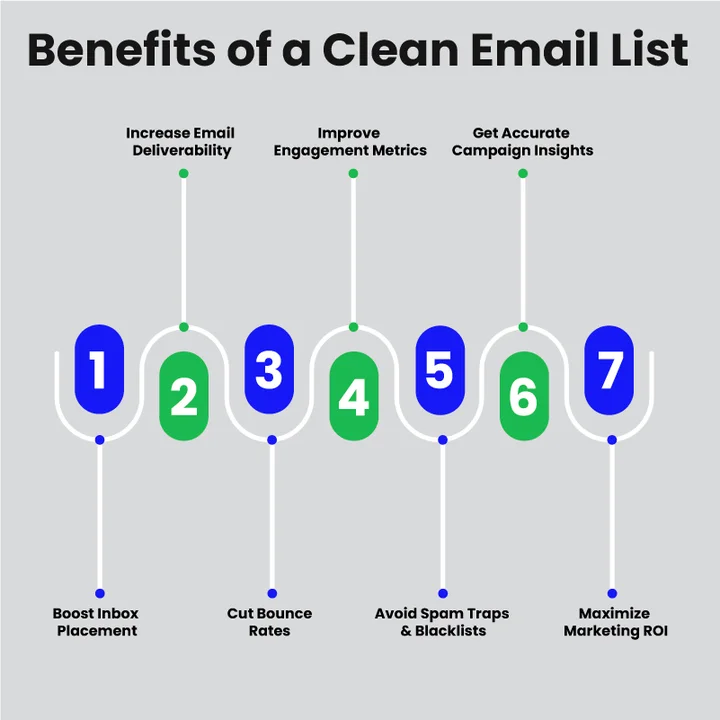
Improved Inbox Placement
When your list is free from invalid or risky addresses, ISPs are more likely to deliver your emails to subscribers’ primary inboxes instead of the spam folder.
If you have a clean list, it will signal that you follow deliverability best practices, increasing the chances that your messages reach the right people.
Higher Email Deliverability
Regular cleaning and verification remove hard bounces and inactive subscribers, which are important factors that affect email deliverability. A clean list ensures that your emails are consistently reaching valid, engaged contacts, helping to maintain a strong sender reputation.
Reduced Bounce Rates
Sending emails to invalid or outdated addresses leads to higher bounce rates, as ISPs monitor bounced emails closely.
Email list cleaning reduces both hard and soft bounces, keeping your metrics healthy and protecting your reputation with email providers.
Better Engagement Metrics
Inactive or unengaged contacts drag down your overall email open rates and click-through rates. Removing them through list cleaning or targeted win-back email campaigns ensures that your campaigns are measured against truly interested subscribers, giving you a clearer picture of performance.
Protection Against Spam Traps and Blacklists
Spam traps are hidden addresses used by ISPs to identify senders who neglect proper list hygiene. Sending to these addresses can quickly land your domain on blacklists. Regular email list cleaning and email scrubbing help prevent this, keeping your domain safe and your campaigns effective.
More Accurate Campaign Analytics
With a clean email list, your metrics reflect the behavior of real, engaged subscribers.
This provides more reliable insights for segmentation, personalization, and overall campaign strategy. You can make smarter marketing decisions without being misled by inactive or invalid contacts.
Optimized Marketing ROI
Focusing only on engaged, valid subscribers ensures that your efforts and resources are spent efficiently. Every email sent has a higher chance of conversion, meaning better results from your campaigns without unnecessary waste.
As we’ve seen, maintaining a clean list brings clear benefits. Now, let’s move on to the best practices you can implement to keep your list healthy, remove risky contacts, and make every campaign more effective.
Top 12 Practices for Effective Email List Cleaning
When you have to clean a list, you have to adopt a systematic approach that combines technical processes, smart segmentation, and regular monitoring. Implementing these practices ensures your emails reach the right audience, protecting your sender reputation and improving inbox placement.
Here are the top practices every marketer should follow:
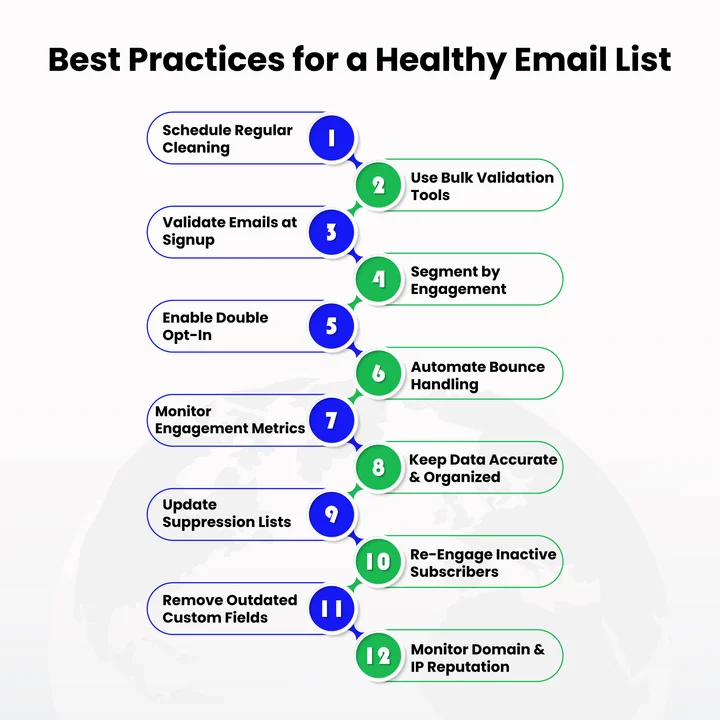
1. Schedule Routine List Cleaning
Set a consistent schedule, monthly, quarterly, or based on your campaign volume, to review and clean your email list. Regular maintenance prevents the buildup of inactive or risky contacts and supports email deliverability.
2. Use Bulk Email Validation Tools
For large email databases, use the best bulk email validation tool. These tools can automatically check emails, flag risky addresses, and save time while maintaining email list hygiene.
3. Perform Real-Time Validation at Signup
Check email addresses as subscribers sign up using real-time email verification. This prevents invalid addresses from entering your list and reduces future bounce rates.
For developers and technical teams, this can be implemented via API integration, instantly validating addresses before they hit your CRM or ESP. Automating this step ensures cleaner data and fewer bounces from day one.
4. Segment Subscribers by Engagement
Group your audience into active, inactive, and unengaged contacts. Sending focused messages based on engagement helps re-engage dormant users and keeps your list focused on interested subscribers.
5. Use Double Opt-In
Ask new subscribers to confirm their email via double opt-in. This ensures only genuinely interested contacts join your list, strengthening your sender reputation and reducing errors or mistyped addresses.
6. Automate Bounce Handling
Set up systems to detect and remove hard and soft bounces quickly. Prompt removal of bounced emails protects your inbox placement and helps avoid blacklisting.
7. Monitor Engagement Metrics Continuously
Keep an eye on open rates, click-through rates, and spam complaints to identify contacts who are no longer engaging. This helps you maintain a responsive and active email list.
8. Keep Data Accurate and Organized
Regularly check subscriber data for typos, validate domains, and standardize formatting. Clean, structured data improves segmentation, personalization, and overall campaign performance.
9. Update Suppression Lists Regularly
Keep suppression lists up to date to avoid sending emails to unsubscribed or previously flagged contacts. This protects your sender reputation and ensures compliance.
10. Re-Engage Before Removing Inactive Contacts
Before removing dormant subscribers, try sending re-engagement emails with special offers or reminders. Only remove those who remain unresponsive to maintain a high-quality list without losing potential opportunities.
11. Remove Outdated Custom Fields
Clean up old or unused data fields in your database. This helps your email platform run smoothly and ensures your segmentation and personalization remain accurate.
12. Monitor Your Domain and IP Reputation
Keep track of your sending domain and IP reputation. Maintaining a clean list, reducing bounces, and engaging subscribers all contribute to a strong sender score, improving inbox placement and email deliverability.
These best practices keep your email list a valuable marketing asset, protect your sender reputation, and increase engagement and ROI. A clean list requires regular attention and careful management rather than a one-time effort.
Turn Your Messy Database into a High-Conversion Machine.
Move beyond “suppression” and start landing in the primary inbox every time.
Up next, we will take a closer look at EmailVerify.io, a top tool for email list cleaning, and show how it can help you apply these strategies efficiently for large email databases.
Best Tool for Email List Cleaning: EmailVerify.io
A high-quality email verification tool can change how businesses manage their email lists. The right solution ensures your outreach reaches real, engaged subscribers, improving ROI, conversions, and the quality of sales leads.
EmailVerify.io stands out as one of the most reliable tools for achieving these results. It automates the process of cleaning your email list, combining speed, accuracy, and advanced features to maintain email list hygiene at scale.
For agencies and enterprises, EmailVerify.io is built to scale. It can handle thousands of addresses per batch without performance drops, while flexible pricing ensures you only pay for what you use, helping teams control costs without sacrificing quality.
How EmailVerify.io Cleans Your Email List
EmailVerify.io goes beyond simple validation by using multiple layers of verification to ensure your emails reach the right audience:
- Bulk Email Verification: Scan thousands of email addresses at once to identify invalid, duplicate, disposable, or role-based emails. This ensures large lists are cleaned efficiently without manual effort.
- Real-Time Validation: Check email addresses as subscribers sign up. This prevents invalid or mistyped addresses from entering your list and reduces future bounced emails.
- SMTP Checks: The tool connects directly to the mail server to confirm that an email address exists and can receive messages, adding an extra layer of accuracy.
- Syntax and Domain Verification: EmailVerify.io validates the structure of every email and checks the domain for proper configuration, reducing delivery failures.
- Risk Scoring: Each email is analyzed and scored based on deliverability risk, disposable status, or potential spam traps, helping you prioritize which addresses to remove.
With EmailVerify.io, marketers get a technical, reliable, and scalable solution for maintaining clean, high-performing email lists.
Next, we’ll walk through a step-by-step guide to performing bulk email cleaning using an API, so you can automate this process and keep your list consistently optimized without manual effort.
A Step-by-Step Guide To Bulk Email Cleansing with an API
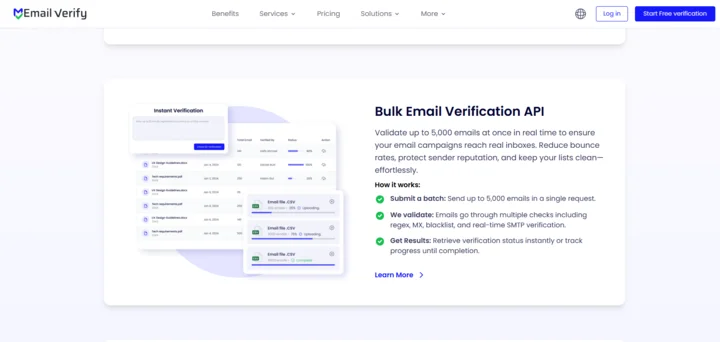
For businesses managing large email lists, manual cleaning can be slow, error-prone, and inefficient. Using a bulk email verification API allows you to validate thousands of addresses quickly, ensuring your outreach reaches real, engaged subscribers and maximizes ROI, conversions, and sales leads.
Here’s how to perform bulk email cleaning using the API:
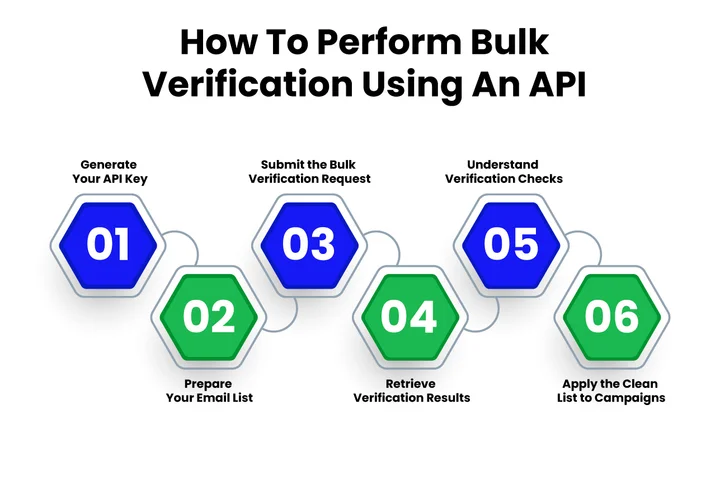
Step 1: Generate Your API Key
Log in to your EmailVerify.io account and generate a personal API key. This key is required for authentication and ensures secure requests when sending your email batches for verification.
Step 2: Prepare Your Email List
The API can process up to 5,000 email addresses per request. Format your list as a batch, including the email addresses you want to validate. Each entry should include the address in a simple JSON structure.
Tip for enterprise teams: For very large lists, consider splitting them into multiple batches. This helps avoid hitting API rate limits and optimizes processing time for faster results.
Step 3: Submit the Bulk Verification Request
Send a POST request to the API endpoint:
https://app.emailverify.io/api/v1/validate-batch
Include your API key and the email batch in the request body:
{
  "title": "Task Name",
  "key": "Your_API_Key",
  "email_batch": [
    { "address": "[email protected]" },
    { "address": "[email protected]" },
    { "address": "[email protected]" }
  ]
}
Once submitted, the API creates a task and begins processing your batch.
Step 4: Retrieve Verification Results
Use the GET request endpoint to check the status and results of your bulk verification task:
https://app.emailverify.io/api/v1/get-result-bulk-verification-task/?key=<Your_API_Key>&task_id=<Task_ID>
The response will include:
- Total emails checked
- Number of duplicates removed
- Emails rejected
- Detailed results for each address
Step 5: Understand the Checks Performed
EmailVerify.io uses multiple verification layers to ensure accuracy:
- Regex Validation: Checks email structure to catch typos or formatting errors.
- MX Validation: Confirms the email domain exists and can receive messages.
- MX Blacklist Validation: Identifies domains on known blacklists to avoid risky addresses.
- SMTP Validation: Pings the recipient’s mail server to confirm the email is active and capable of receiving messages.
Note: SMTP validation may occasionally fail due to temporary server issues; retrying these addresses after a short interval can improve accuracy.
These checks work together to remove invalid, risky, or unengaged addresses from your list, improving email deliverability, inbox placement, and overall campaign performance.
Step 6: Apply the Clean List to Campaigns
Once the results are complete, export your clean list and integrate it into your email campaigns. This ensures every outreach reaches real subscribers, increasing open rates, engagement, and conversion opportunities.
Using a bulk email verification API from EmailVerify.io allows businesses to automate email list cleaning, maintain a high-quality subscriber base, and optimize every campaign for better ROI, stronger engagement metrics, and fewer wasted sends.
Conclusion
Email list cleaning has a clear impact on how your campaigns perform. A clean list protects your sender reputation, improves inbox placement, and gives you engagement data you can actually trust.
You’ve seen why email list hygiene matters, which risks hurt deliverability, and which practices help keep bounce rates, spam traps, and inactive contacts under control. You also learned how bulk verification and real-time SMTP checks bring accuracy and scale to email list management.
If your outreach supports lead generation, sales conversations, or long-term customer relationships, now is the right moment to review how your email list is handled. Using a reliable verification process, especially one that supports bulk and API-based validation, can make a measurable difference in results across every campaign you send.
A healthier list today sets the foundation for better deliverability, stronger conversions, and more confident email marketing tomorrow!
Frequently Asked Questions (FAQs) About List Cleaning
Can Email List Cleaning Improve Your Email Open Rates?
Yes. Removing inactive or unengaged contacts ensures your campaigns target subscribers who are genuinely interested. Cleaner lists lead to better engagement metrics, higher open rates, and more accurate insights for segmentation and personalization.
What Is the Difference Between Email Scrubbing and Email Verification?
Email scrubbing generally refers to removing invalid or risky addresses from your list, while email verification confirms each address is real, active, and capable of receiving messages. Combining both improves email deliverability and reduces spam traps.
How Does Bulk Email Validation Affect Large Email Campaigns?
Bulk email validation allows you to check thousands of addresses at once, ensuring that mass outreach reaches valid subscribers. It saves time, prevents wasted sends, and protects your sender reputation, which is critical for high-volume campaigns.
Are Role-Based and No-Reply Emails Harmful to Your Campaigns?
Yes. Addresses like info@, support@, or sales@ often have multiple recipients or no response option. Sending to these emails inflates metrics without generating engagement and can increase the risk of being flagged by ISPs.
Can a Clean Email List Improve Your Brand Reputation?
Yes. Sending emails only to active and engaged subscribers demonstrates professionalism and respect for your audience. A well-maintained list reduces spam complaints, lowers bounce rates, and ensures your messages land in inboxes, all of which strengthen your brand’s credibility and trustworthiness over time.
Is Email List Cleaning Cost-Effective Compared to ESP-Native Verification Tools?
Many ESPs offer basic validation, but dedicated tools like EmailVerify.io provide deeper verification, real-time API access, and bulk processing. For large lists, this can reduce wasted sends, protect your sender reputation, and ensure more accurate engagement metrics, often delivering higher ROI than ESP-native solutions.
Your Next Big Campaign Deserves 100% Inbox Placement. Don’t risk a launch on unverified data.


